
🧠 AI Quiz
Think you really understand Artificial Intelligence?
Test yourself and see how well you know the world of AI.
Answer AI-related questions, compete with other users, and prove that
you’re among the best when it comes to AI knowledge.
Reach the top of our leaderboard.


















Nano Image AI
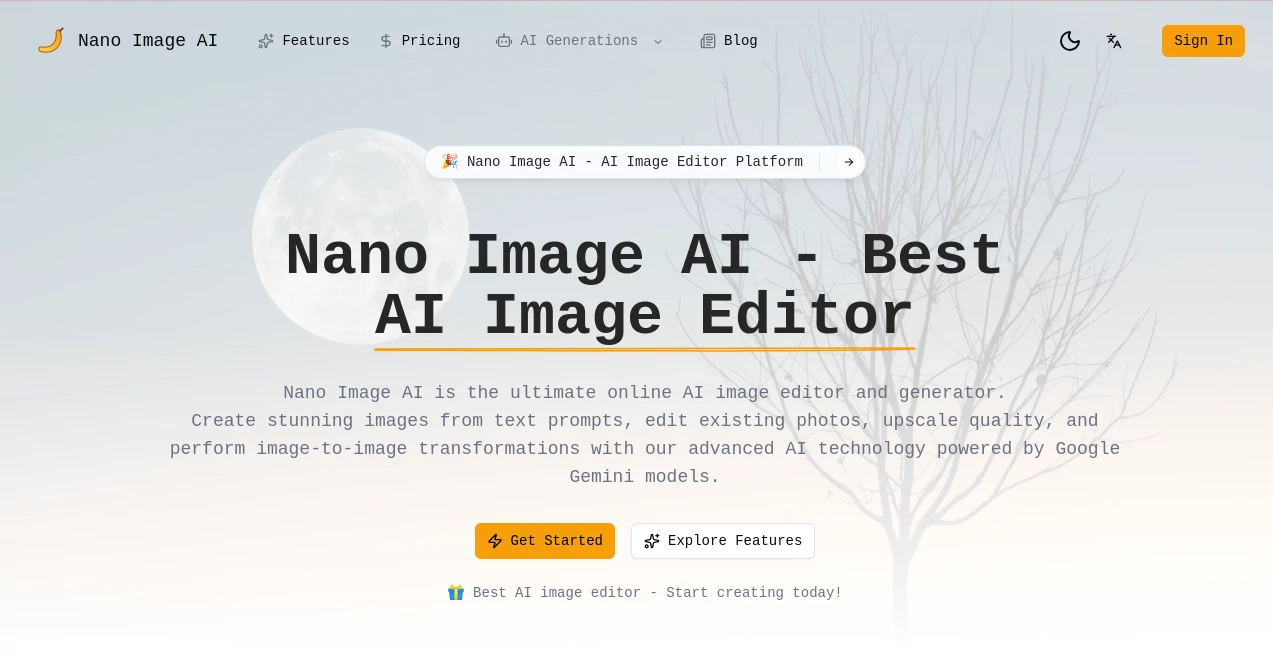
What is Nano Image AI?
There's something genuinely exciting about typing a wild idea into a box and watching it materialize as a crisp, detailed image moments later—especially when the results look this good. This tool has become my quiet go-to for everything from quick mockups to full-blown visuals, blending generation and editing in a way that feels effortless yet powerful. Friends in design keep borrowing my laptop to try it, and they're always blown away by how it handles tricky details like text in scenes or subtle lighting shifts, all without charging a dime.
Introduction
Powered by Google's sharp Gemini models, this platform stands out for delivering photorealistic images that punch way above their weight, whether you're starting from scratch with words or tweaking an existing shot. It's completely free, with no caps holding you back, and focuses on real-time magic that deletes everything afterward for that extra peace of mind. Over 50,000 images whipped up by thousands of users speak volumes—it's the kind of spot where marketers grab polished assets, artists experiment freely, and everyday folks turn fleeting thoughts into something shareable. What draws me in most is the commercial license baked right in; no attribution hassles, just pure freedom to use what you make.
Key Features
User Interface
It keeps things beautifully simple: upload a file or type your vision, pick a tool like upscale or background swap, and let it roll. The layout breathes easy, with clear previews and straightforward options that don't bury you in menus. I love how it handles uploads up to 10MB without a fuss, supporting all the usual formats, and the whole process feels like a conversation rather than a chore—even on a rushed morning.
Accuracy & Performance
The Gemini backbone shines here, nailing photorealism and especially text inside images, something that trips up so many others. Generations happen in real time, with 4K clarity that holds up on big screens, and edits like object removal or retouching land precise without weird artifacts. From my own pokes around, it consistently delivers that high-fidelity look, turning vague prompts into scenes you'd swear were photographed.
Capabilities
Text-to-image for fresh creations, image-to-image for styled twists, upscaling low-res shots to sharp wonders, background removals that swap seamlessly, and retouching that smooths flaws or erases extras—it's a full toolkit in one spot. Throw in filters, brightness tweaks, and even lighting removal for even glows, and you've got versatility that covers pro needs without the pro price tag.
Security & Privacy
Everything processes on the fly and vanishes right after—no storage, no lingering data, just pure privacy that lets you upload sensitive stuff without a second thought. It's a standout in a crowded field, giving that rare confidence to experiment boldly, especially for commercial gigs where trust matters most.
Use Cases
Marketers craft eye-catching ads with perfect text overlays and clean product shots on custom backdrops. Social folks generate thumbnails or portraits that pop without stock limitations. E-commerce sellers upscale and retouch listings to look premium overnight. Artists play with styles on personal photos, blending real and rendered for unique pieces. Even quick hobby projects, like visualizing room redesigns, come alive with a few prompts and uploads.
Pros and Cons
Pros:
- Totally free with unlimited runs, no hidden gates or watermarks cramping your style.
- Exceptional photorealism and text handling that rivals paid heavyweights.
- Ironclad privacy with instant deletions, perfect for pro or personal work.
- Broad editing suite from generation to fine tweaks, all in one welcoming spot.
Cons:
- File size tops at 10MB, so massive raw shots might need a pre-crop.
- Relies on strong prompts for peak magic—vague ones can wander a bit.
Pricing Plans
Straight-up free, no tiers or trials—just dive in and create as much as inspiration strikes. That unlimited access, paired with commercial rights, makes it a standout gift for creators on any budget, letting you build without watching a meter tick.
How to Use Nano Image AI
Head over, choose your path—text prompt for new creations or upload for edits. Describe what you want, like "brighten this portrait and swap the background to a beach," or just hit upscale on a blurry old pic. Watch it process quick, grab the result, and download clean. I often start with a rough phone snap, remove distractions, and end up with something frame-worthy—simple steps that pack a big punch.
Comparison with Similar Tools
While some lock premium fidelity behind paywalls or slap watermarks on freebies, this one hands over 4K photorealism and full editing freedom at zero cost. It edges out on privacy too, with that no-storage promise, and the Gemini-driven text rendering leaves many competitors looking fuzzy. For anyone wanting pro results without the pro complications, it's the clear choice that just feels right.
Conclusion
This platform quietly redefines what's possible for free, blending generation and editing into a seamless flow that sparks real creativity. It's the tool that turns "I wonder if" into "here it is," with results that linger and inspire. Whether you're polishing projects or just playing with possibilities, it delivers that rare mix of power and approachability—worth bookmarking for those moments when you need visuals that truly shine.
Frequently Asked Questions (FAQ)
Is it really unlimited?
Yes, create and edit as much as you like, no daily caps or hidden limits.
What resolutions can I get?
Up to stunning 4K, with photorealistic detail that holds strong.
Commercial use okay?
Fully licensed for business, marketing, or sales—no attribution needed.
How private is it?
Zero storage; everything deletes right after processing for complete peace.
Best for what kinds of images?
Photorealistic wins, especially with text elements or product-style shots.
AI Text to Image , AI Photo & Image Generator , Photo & Image Editor , AI Art Generator .
These classifications represent its core capabilities and areas of application. For related tools, explore the linked categories above.
Nano Image AI details
Pricing
- Free
Apps
- Web Tools
Categories

Nano Image AI Alternatives Product
grok imagine…

PolyBuzz

Normal Map G…

Z image AI
SeeDream 4.5

Z-Image
KissPixel
Image By Qwen

sora video
