🧠 AI Quiz
Think you really understand Artificial Intelligence?
Test yourself and see how well you know the world of AI.
Answer AI-related questions, compete with other users, and prove that
you’re among the best when it comes to AI knowledge.
Reach the top of our leaderboard.


















NBot AI
Personalized Content Streams Powered by AI

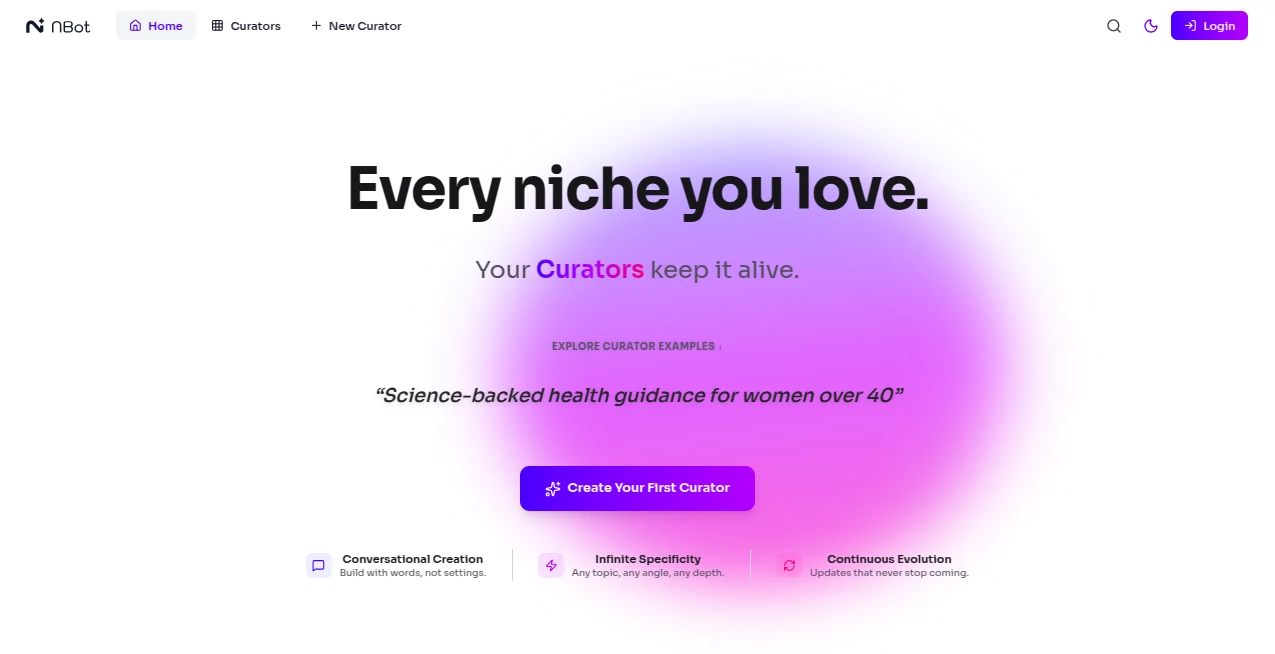
What is NBot AI?
NBot steps in as a smart sidekick for folks drowning in the daily info flood, crafting custom feeds that cut straight to what lights you up. Whether it's breaking news tailored to your niche or curated insights from trusted voices, this tool hands you the reins on your digital diet. Users who've ditched the doom-scroll for something sharper often say it feels like having a personal news whisperer who just gets it.
Introduction
NBot rolled out in beta earlier this year from the minds behind NewsBreak, born out of the frustration with one-size-fits-all feeds that bury the good stuff under noise. It hit the scene promising to flip the script, letting you build or borrow streams that evolve with your curiosities, from tech tweaks to global gigs. Early adopters, especially those glued to their apps during commutes, started sharing how it reclaimed their screen time, turning passive swipes into purposeful dives. What began as a fresh take on news aggregation has quietly grown into a go-to for anyone craving control over their content cosmos.
Key Features
User Interface
The setup greets you with a clean slate, a search bar that hums to life as you type interests, and a dashboard that lays out your streams like a morning paper—neat stacks with previews that tease without spoiling. Switching between followed curators or your own builds feels fluid, with thumb-friendly taps on mobile that keep the flow going even on bumpy rides. It's that rare blend of simple and savvy, where adding a topic or tweaking alerts doesn't demand a tutorial, just a quick nudge.
Accuracy & Performance
It sifts through the web's wilds with a keen eye, surfacing stories that match your vibe down to the detail, rarely tossing in the irrelevant that clogs up your day. Loads zippy even during peak hours, pushing updates in real time so you're never chasing yesterday's headlines. Folks testing it against old habits note how it nails the balance—enough depth to inform without overwhelming, keeping your pulse on the pulse without the burnout.
Capabilities
Dive into building bots that hunt for enterprise alerts or hobby hints, pulling from a web of sources to weave personalized tapestries. Follow pros who curate pulses on AI shifts or market moves, or remix their work into your own hybrid. It handles the heavy lift of aggregation, from expert Q&As to event echoes, all while letting you fine-tune with filters that sharpen the focus over time.
Security & Privacy
Your preferences stay under wraps, processed on secure servers that don't peddle your peeks to advertisers, giving you that rare peace in a tracked world. It lets you control shares down to the stream, with easy opts to pause or purge data trails. Users in sensitive fields appreciate the no-fuss approach, knowing their tailored intel doesn't leak into the ether.
Use Cases
Professionals in fast lanes set up streams for industry pulses, catching policy pivots or tool launches before the watercooler chat. Hobbyists blend feeds for weekend warriors, mixing gear reviews with trail tips that spark spontaneous adventures. Families curate kid-safe snippets on global wonders, turning dinner talks into discovery sessions. Even casual scrollers find it trims the fat, spotlighting feel-good finds amid the frenzy.
Pros and Cons
Pros:
- Tailors feeds to your quirks, ditching the generic grind.
- Real-time nudges keep you ahead without the alert avalanche.
- Curator community adds trusted layers to solo builds.
- App integration makes it a seamless pocket companion.
Cons:
- Beta quirks mean occasional hiccups in niche hunts.
- Deep customization shines brighter after a tuning session.
- Relies on web health, so spotty sources might skim thin.
Pricing Plans
Early access comes free during beta, unlocking core streams and a taste of curation without a dime. As it stabilizes, expect a basic tier around five bucks monthly for unlimited follows, with pro at fifteen tossing in advanced bots and priority pulls. Teams might tag on shares for a bump, and annuals always shave a bit off the repeat. It's designed to ease in, so you grow with it without sticker shock.
How to Use NBot
Sign up quick with an email, then poke the search for starters like "sustainable tech" to follow flows. Build your first by naming it and adding keywords, watching it populate with previews you can prune or promote. Set digests for daily drops or alerts for hot hits, then sync to the app for on-the-go glances. Tweak as tastes shift, turning it into that evolving echo of your ever-curious self.
Comparison with Similar Tools
Unlike broad aggregators that blast everything, NBot curates with a personal touch, though those might edge in sheer volume for generalists. Against niche newsletters, it flexes for real-time ripples without the wait, but could lack the polished prose of paid subs. It lands comfy for control seekers, blending bot brains with human curators where others lean too hard one way.
Conclusion
NBot nudges us toward a web where info bends to us, not the other way around, reclaiming the joy in discovery one tailored thread at a time. It's that fresh breath in a stuffy feed world, proving small shifts can sharpen our view of the vast. As it matures from beta buzz, expect it to weave deeper into daily rhythms, making the endless online ocean feel like a welcoming wave.
Frequently Asked Questions (FAQ)
What's the beta holdup on features?
It's testing waters for smoother sails, with core curation solid now.
Can I curate for others?
Yep, share streams publicly or invite to private peeks.
How fresh is the info?
Pulled live, so you're sipping from the source, not the stream.
App only or web too?
Both play nice, with the app amping mobile magic.
What if my interests evolve?
Easy edits keep it current, like updating a living journal.
AI Research Tool , AI Analytics Assistant , AI Knowledge Base , AI Newsletter .
These classifications represent its core capabilities and areas of application. For related tools, explore the linked categories above.
NBot AI details
This tool is no longer available on submitaitools.org; find alternatives on Alternative to NBot AI.
Pricing
- Free
Apps
- Web Tools
Categories

NBot AI Alternatives Product

MacroMicro

FeatureShark

SeoWebChecker

Harvey

KarmaGuy

JSON to TOON…

Schedpilot

HealCycle

Rabbitholes …