
🧠 AI Quiz
Think you really understand Artificial Intelligence?
Test yourself and see how well you know the world of AI.
Answer AI-related questions, compete with other users, and prove that
you’re among the best when it comes to AI knowledge.
Reach the top of our leaderboard.


















Noiz AI

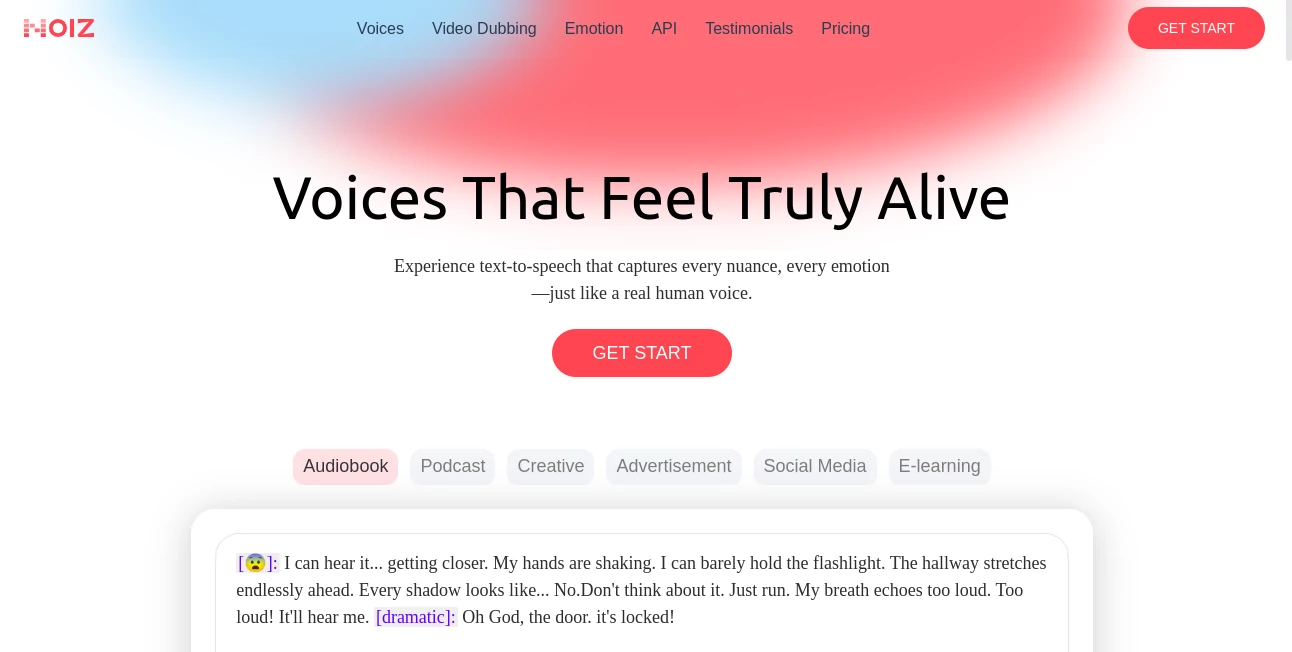
What is Noiz AI?
Noiz slips into the world of sound creation like a trusted collaborator, turning simple text into lifelike audio that carries real emotion. This platform makes it easy to clone voices or dub videos with a personal touch, all powered by tech that feels more like a conversation than a command. Creators who've dabbled in it often talk about that moment when a flat script suddenly breathes, pulling listeners right into the moment without a hint of robotic chill.
Introduction
Noiz came together a while back, sparked by folks who'd spent too long tweaking recordings only to end up with something stiff and soulless. They set out to build a spot where voice work flows naturally, drawing on homegrown models that handle the subtleties of tone and timing. It didn't take long for word to spread among podcasters and video makers, with shares of clips that fooled friends into thinking they were live takes. What keeps drawing people in is how it balances speed with soul, letting you start with a quick note and end up with something polished enough for prime time, all while keeping the costs from creeping up.
Key Features
User Interface
The dashboard opens up clean and inviting, with big buttons for jumping into text conversion or video uploads—no digging through menus to get started. Type in your lines, pick a voice from the lineup, and tweak the feel with sliders that make sense right away, like dialing in warmth or pace. As you play with options, previews kick in instantly, giving you that back-and-forth vibe without waiting around, and it all fits neatly on a phone if you're brainstorming on the go.
Accuracy & Performance
Hand it a snippet of speech, and it mirrors the rhythm and inflection so closely you'd swear it's the original speaker, especially on those emotional turns that trip up lesser setups. Generations come through fast, wrapping even longer pieces in under a minute, and the output holds steady across devices, from earbuds to speakers. Users point out how it shines in keeping the natural pauses and rises, making listens feel effortless rather than engineered.
Capabilities
From whipping up narration for a slideshow to overlaying fresh audio on old footage, it covers the bases with support for dozens of tongues and styles that shift from upbeat chatter to somber reads. Clone a voice off a short clip and reuse it for translations that sync lip movements, or layer in feelings like joy or grit to match the mood. It's built for chaining steps too, like turning a script into dubbed scenes ready for export, opening doors for everything from quick social clips to full-length talks.
Security & Privacy
Your recordings and drafts get processed in sealed sessions, wiped clean once the job's done unless you stash them yourself, keeping things private from the jump. It follows the usual safeguards for shared projects, letting you lock access or revoke invites on a dime. That peace of mind lets voice artists experiment without the nagging fear of clips floating off into the ether.
Use Cases
Video editors swap languages on travel logs, giving global viewers the same thrill without reshooting. Teachers craft audio guides for lessons, adding personality that hooks kids better than dry reads. Podcasters test episode teases with cloned guest tones, smoothing out schedules without extra calls. Even marketers dub ads for new markets, hitting cultural notes that land just right from the first listen.
Pros and Cons
Pros:
- Clones voices quick and true, saving hours on custom takes.
- Handles emotions with a finesse that feels genuine.
- Multi-language magic breaks barriers without breaking the bank.
- User-friendly from the get-go, no tech headaches.
Cons:
- Complex mood shifts can sometimes smooth over too much.
- Free runs cap out fast for bigger batches.
- Needs a steady net for seamless syncing.
Pricing Plans
You can start free with enough credits for a few test runs, perfect for seeing if it clicks without commitment. From there, monthly tiers kick in around the low teens for steady use, stepping up to pro levels in the thirties for unlimited dubs and priority speeds. Annual options shave off a bit, and they keep it flexible so you scale as your projects do.
How to Use Noiz
Sign up with your email, then head to the synthesis tab and paste in your text or drag a video file. Choose a base voice or upload a sample to clone, dial in the emotion, and let it render—preview the wave, adjust if needed, and download the track. For dubs, sync it to the visuals and export the whole package, ready to drop into your editor.
Comparison with Similar Tools
Unlike bulkier suites that load you with extras you might not need, Noiz keeps the focus tight on voice work, though those could offer more editing bells for audio nerds. Against quicker freebies, it pulls ahead with deeper cloning that doesn't sound canned, but might lag a touch on sheer volume for casual spins. It strikes a nice middle for creators who want quality without the clutter.
Conclusion
Noiz wraps up the hunt for voices that vibe, blending tech smarts with that human spark to make audio pop. It turns the tedious task of soundtracking into something swift and satisfying, letting stories land with the right ring every time. As more content floods the feeds, tools like this keep the good stuff standing out, one resonant line at a time.
Frequently Asked Questions (FAQ)
How long a clip do I need for cloning?
Just 3 to 10 seconds gets you a solid match to build on.
Supports how many languages?
Dozens, with smooth switches that keep the flow natural.
Can I add custom emotions?
Yes, pick presets or fine-tune intensity for the perfect pitch.
Works for video sync too?
Absolutely, it aligns audio to lips for seamless dubs.
What if the output's off?
Tweak the settings and regenerate—it's quick and forgiving.
AI Text to Speech , AI Voice & Audio Editing , AI Voice Cloning , AI Speech Synthesis .
These classifications represent its core capabilities and areas of application. For related tools, explore the linked categories above.
Noiz AI details
This tool is no longer available on submitaitools.org; find alternatives on Alternative to Noiz AI.
Pricing
- Free
Apps
- Web Tools
Categories

Noiz AI Alternatives Product
Qwen3 TTS

AI Describe …

Sonicker

VoiceAILabs

Free Voice C…

PolyBuzz

ModelsLab

Klyra AI

Inpodcast AI
