
🧠 AI Quiz
Think you really understand Artificial Intelligence?
Test yourself and see how well you know the world of AI.
Answer AI-related questions, compete with other users, and prove that
you’re among the best when it comes to AI knowledge.
Reach the top of our leaderboard.

















NovaKit

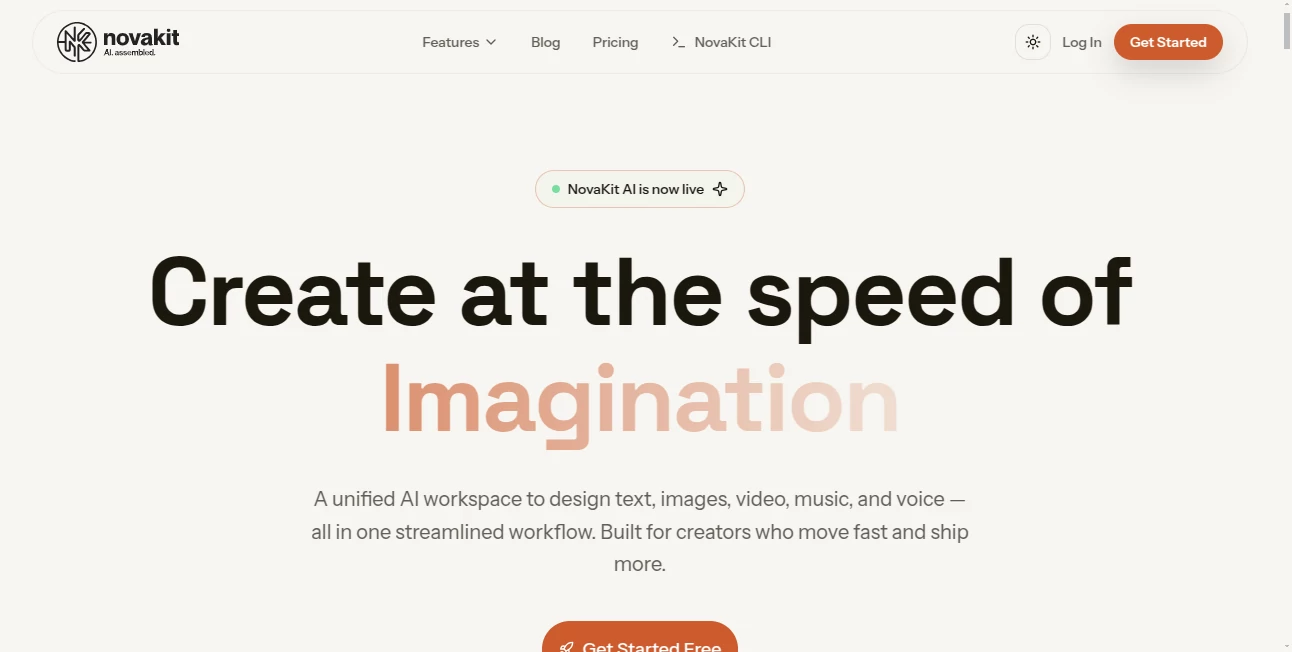
What is NovaKit?
There are days when inspiration hits hard but the tools around you feel like they're dragging their feet. This platform changes that completely. It pulls together everything from chat to image and video creation right inside your terminal or browser, so ideas turn into finished work without switching apps a dozen times. I've talked to developers who say it shaved hours off their days—typing a quick prompt in the CLI, getting code suggestions, then jumping straight to visuals—all in one flow that actually feels natural.
Introduction
Most AI setups force you to juggle tabs, logins, and separate interfaces, killing momentum the moment you hit a wall. This one keeps the energy alive by living where you already work: in your terminal, your repo, your workspace. It's built for people who create fast—coders debugging on the fly, marketers drafting campaigns, designers iterating visuals—and it does so with a unified feel that's surprisingly seamless. What stands out is how it remembers context across chats, files, and even team projects, so you don't repeat yourself. It's the kind of tool that quietly becomes indispensable once you start using it, because suddenly everything just flows.
Key Features
User Interface
The CLI is straightforward and friendly—commands like 'novakit chat' or 'novakit edit' just work, with tab completion and clear feedback that doesn't overwhelm. In the web workspace, it's clean and collaborative: shared canvases where you drop prompts, see previews, and chat side-by-side with teammates. No bloated dashboards; everything is where you'd expect it, so you spend less time hunting and more time making.
Accuracy & Performance
It pulls from a wide range of strong models, so responses land sharp and on-point, whether you're asking for code refactoring or a marketing headline. File edits and generations happen quickly, even on larger repos, and the persistent memory means it builds on previous context without needing reminders. People who've used it for long sessions say it rarely hallucinates on technical tasks, which is huge when you're relying on it for real work.
Capabilities
From chatting with top models to generating images, videos, voiceovers, or music, it covers the full creative spectrum in one place. You can edit files directly in your repo, draft emails in your brand voice, or build long-form stories with consistent outlines. The CLI adds automation magic, turning repetitive tasks into single commands, while the workspace brings it all together for teams to collaborate without losing the thread.
Security & Privacy
No training on your data, SOC2-ready infrastructure, and options for data residency—it's clear they take this seriously. For teams handling sensitive work, that level of care means you can use it confidently without second-guessing where your prompts or files end up.
Use Cases
Developers use it to chat about code, get suggestions, and edit files all in one terminal session—saving trips to external tools. Marketers draft campaigns, generate visuals, and even create short videos without leaving the workspace. Content creators build stories or articles with AI help that remembers the tone and structure from earlier drafts. Small teams share a space to brainstorm, assign tasks, and iterate together, all while keeping everything organized and private.
Pros and Cons
Pros:
- Everything in one place—chat, create, edit—without tab chaos.
- CLI feels like an extension of your workflow, not something extra.
- Generous access to strong models with persistent context.
- Team features that actually make collaboration smoother.
Cons:
- Learning the CLI commands takes a few minutes if you're new to it.
- Higher quotas on paid plans for very heavy users.
Pricing Plans
Free tier gives you a solid starting point with core tools and monthly limits—enough to get hooked. Pro at around $19/month unlocks everything, higher quotas, and no restrictions on the full model lineup. Team plans add seats and shared workspaces for groups, while yearly billing cuts the cost nicely. It's structured so you pay for what you actually need, and the value feels immediate once you're in the flow.
How to Use NovaKit
Install the CLI if you're into terminal work—it's a quick setup—and start chatting or editing files right in your repo. For browser-based creation, jump into the workspace, drop a prompt, upload references if needed, and watch images, videos, or text come together. Switch between tools seamlessly: generate a visual, then use it in a video prompt, or chat about the results while editing code. It's designed so you build momentum instead of breaking it.
Comparison with Similar Tools
Unlike standalone chat apps that leave you copying outputs elsewhere, this one keeps everything connected—edits happen in place, visuals feed into videos, and context carries over. Other platforms might offer one or two strong features, but here you get the full suite without switching logins or apps. It's especially strong for anyone who works in code or content, where the CLI and workspace combo saves real time compared to piecing together separate services.
Conclusion
This tool quietly removes the friction that slows down creators, letting ideas move from thought to finished piece without the usual detours. It's the kind of platform that feels like it's been built by people who actually create every day—practical, powerful, and surprisingly enjoyable to use. Once you start relying on it, going back to fragmented workflows feels like stepping into the past. If you're tired of tools that promise the world but deliver headaches, give this one a spin; it might just become your new favorite.
Frequently Asked Questions (FAQ)
Do I need to install anything?
The CLI is optional but super handy; everything else works straight in the browser.
Can teams collaborate?
Yes—shared workspaces with roles and real-time updates make it smooth.
How many models are available?
Over 50, including the latest from major providers, with easy switching.
Is my data used for training?
No—strict no-training policy, plus SOC2 compliance for extra confidence.
What if I need more quota?
Top-ups and higher plans scale with you, no hard limits.
AI Photo & Image Generator , AI Content Generator , AI Video Generator , AI Chatbot .
These classifications represent its core capabilities and areas of application. For related tools, explore the linked categories above.
NovaKit details
This tool is no longer available on submitaitools.org; find alternatives on Alternative to NovaKit.
Pricing
- Free
Apps
- Web Tools
Categories

NovaKit Alternatives Product

ModelsLab

Banana 2 Edi…

seedance 2

GrokImagineAI

AI Animate I…

UNi-1 AI

Nano AI

seedance2

Edensign
