🧠 AI Quiz
Think you really understand Artificial Intelligence?
Test yourself and see how well you know the world of AI.
Answer AI-related questions, compete with other users, and prove that
you’re among the best when it comes to AI knowledge.
Reach the top of our leaderboard.


















Nuraform

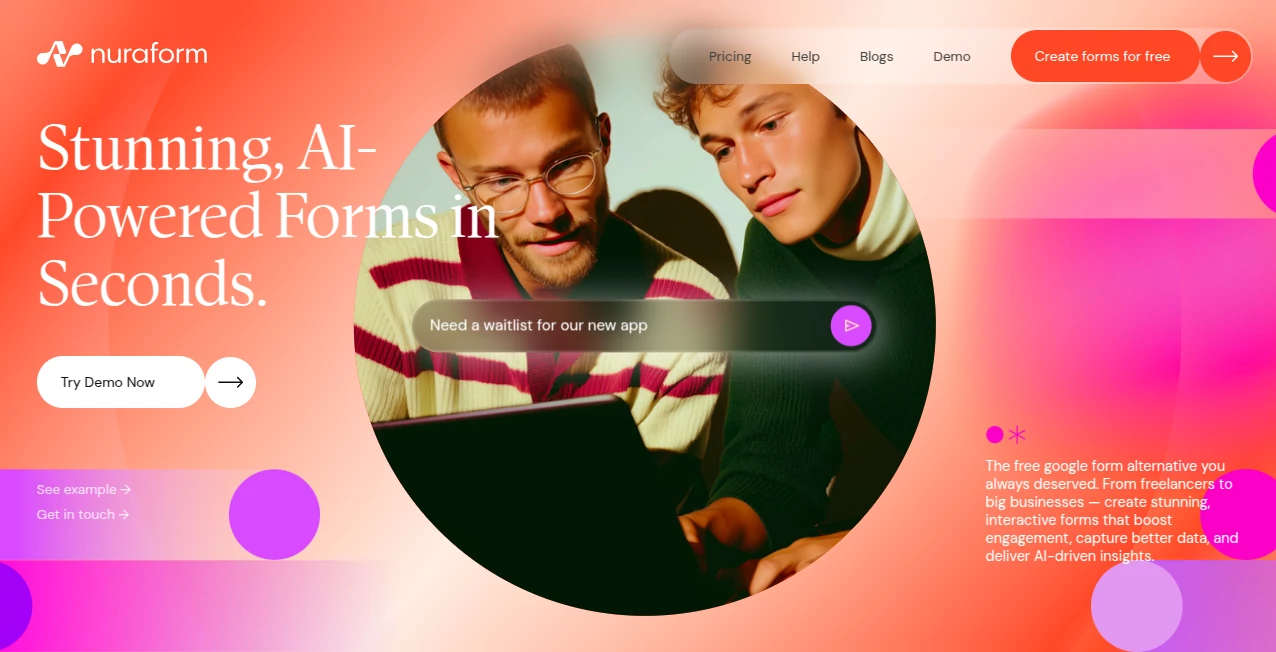
What is Nuraform?
Nuraform slips into your workflow like a clever sidekick, turning a quick description into a polished form that draws people in and gets real answers without the usual drag. This setup shines for those juggling ideas and interactions, whipping up everything from quick polls to detailed intakes that feel more like a friendly chat than a chore. Busy pros often share how it cuts the clutter, letting them focus on what comes next rather than wrestling with blanks and buttons.
Introduction
Nuraform came about from the everyday headaches of gathering info without the hassle, dreamed up by folks who'd spent too long tweaking templates that never quite fit. It hit the scene as a breath of fresh air, pulling in freelancers and team leads who were done with dull sheets that scared off replies. Before long, stories started popping up about forms that not only collected details but sparked deeper chats, turning one-off asks into ongoing connections. What keeps it buzzing is that easy back-and-forth with the built-in smarts, making tweaks feel like jotting notes to a pal rather than rewriting code.
Key Features
User Interface
The starting point is a simple chat box that invites your thoughts, no menus to muddle through, just type what you need and watch it build. Once live, forms greet visitors with smooth animations and custom looks that pull them along, like flipping through a well-designed book. Switching between drafts or peeking at replies happens in a snap, keeping everything light and layered just right for quick glances or deep dives.
Accuracy & Performance
It picks up on the heart of your ask right away, sorting questions that hit the spot without extra fluff, often nailing the flow on the first go. Runs stay snappy, even with fancier touches, delivering setups that load fast and hold steady under traffic. Users point to how it spots patterns in replies that lead to spot-on follow-ups, turning raw data into nuggets you can use without sifting through stacks.
Capabilities
From brainstorming fresh angles to layering in branches that change based on picks, it covers the full sweep of pulling in info smartly. You can brand it your way, add redirects for smooth handoffs, or tap into summaries that boil down bunches of feedback into key takeaways. It even suggests ways to jazz things up or dig deeper, making each form not just a collector but a conversation starter that keeps things moving.
Security & Privacy
Replies get tucked away safely, with basics in place to keep things from wandering off, though it leans on standard setups for the rest. You hold the reins on who sees what, letting you share links without the worry of wide-open doors. It's the sort of quiet reliability that lets you roll out requests without second-guessing the backend bits.
Use Cases
Freelancers shape intake sheets that uncover project needs without the back-and-forth emails, getting gigs off to a strong start. Event hosts craft RSVP rounds that tally interests and spark sign-ups, turning maybes into yeses. Teachers build check-ins that gauge class vibes, pulling in thoughts that shape better sessions. Consultants drop tailored trackers for client chats, weaving in details that lead to sharper plans all around.
Pros and Cons
Pros:
- Builds full setups from a single nudge, skipping the setup slog.
- Looks sharp out of the gate, drawing folks in without extra effort.
- Pulls useful overviews from replies, saving hours on the hunt.
- Free entry point covers the basics for light lifts.
Cons:
- Deeper custom paths might need a few rounds of refinement.
- Relies on clear starting points—fuzzy ones can lead to fixes.
- Analytics shine for volume, but tiny tests might feel light.
Pricing Plans
The free layer lets you dive in with core builds and basic tracking, perfect for trying things out or steady small asks. It keeps the door open without a dime, though hints at steps up for heavier hits or fancier flows. The approach stays approachable, scaling as your needs nudge without pushing too hard from the start.
How to Use Nuraform
Kick off with a quick sign-in, then spill your form idea into the chat—something like a client welcome or feedback loop. Let it spin up the skeleton, chat back tweaks if needed, like adding a branch or brightening the look. Share the link wide, watch replies roll in, and tap the summary for quick hits on what's working. Loop around for the next one, building a toolkit that fits your rhythm.
Comparison with Similar Tools
Where some stick to stiff grids that feel dated, Nuraform flows more like a living page, though those might edge out on sheer spreadsheet smarts. Against pricier picks with endless add-ons, it keeps the core clean and cost-free, skipping the sprawl but perhaps pinching on plugin plays. It lands sweet for those wanting quick, engaging pulls over heavy data dives.
Conclusion
Nuraform wraps the work of wiring up ways to connect into something swift and satisfying, handing you tools that turn talks into treasures. It nudges the notion that gathering thoughts shouldn't grind, but glide toward better bonds. As more hands reach out through screens, this one's poised to keep the path paved, one polished prompt at a time.
Frequently Asked Questions (FAQ)
What's the quickest way to get a form up?
Drop a short description and hit build—it handles the rest in moments.
Can I make it look like my brand?
Yes, swap colors, logos, and layouts to match your style seamlessly.
How do I see what's coming in?
Live views track opens and finishes, with overviews that highlight trends.
Does it work for teams?
Sure, share drafts and data to keep everyone in the loop.
What if I need more than the free bit?
It starts strong there, with room to grow as your asks expand.
AI Content Generator , AI Analytics Assistant , AI Workflow Management , AI Forms & Surveys .
These classifications represent its core capabilities and areas of application. For related tools, explore the linked categories above.
Nuraform details
This tool is no longer available on submitaitools.org; find alternatives on Alternative to Nuraform.
Pricing
- Free
Apps
- Web Tools
Categories

Nuraform Alternatives Product

Surmado

PromptZerk

wu tang name…

Sorank

Liftburst

Image Descri…

Miro

BlogBuster

Nifty