🧠 AI Quiz
Think you really understand Artificial Intelligence?
Test yourself and see how well you know the world of AI.
Answer AI-related questions, compete with other users, and prove that
you’re among the best when it comes to AI knowledge.
Reach the top of our leaderboard.


















OpenClaw

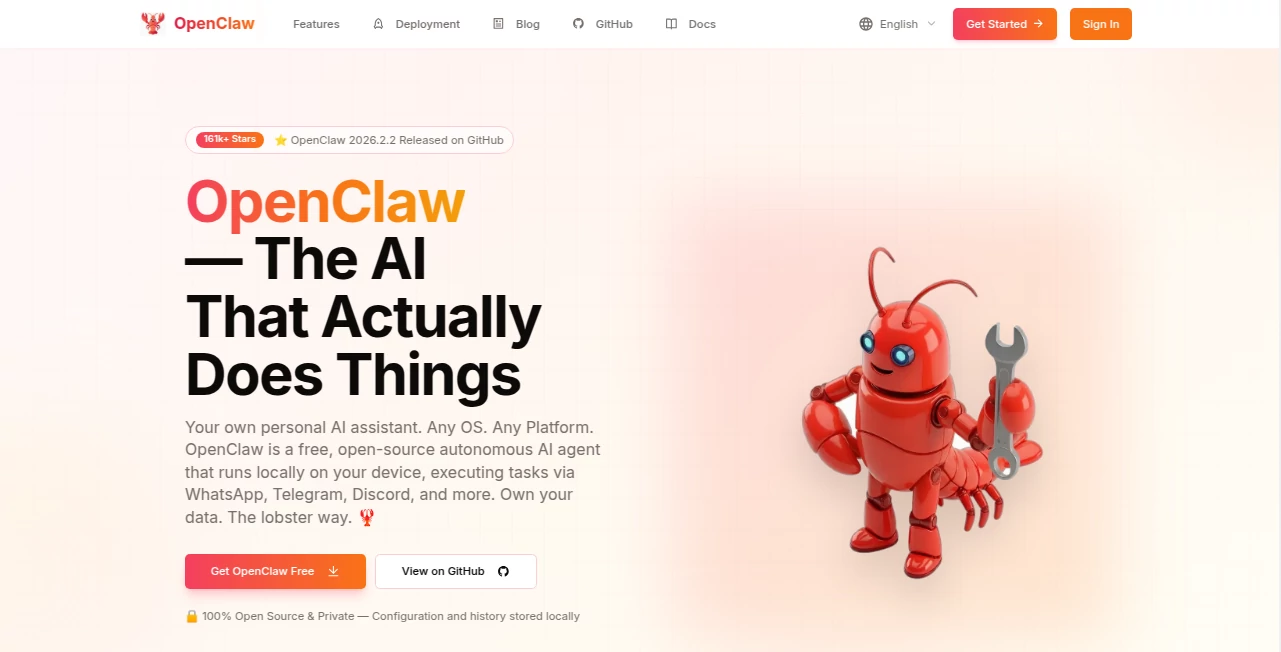
What is OpenClaw?
Remember the thrill of standing in front of a claw machine as a kid, joystick in hand, praying the stuffed animal would drop into the chute? This platform brings that exact feeling back—only now you build the entire experience yourself. You describe the theme, the prizes, the machine style, and it generates a fully playable 3D claw game in minutes: realistic physics, satisfying grab mechanics, shiny prizes, ambient lighting, even background music if you want it. The first time I tried it, I asked for a retro arcade claw with plushies and neon signs—the result felt like something I could have spent weeks building in Unity. Instead, I had it running in my browser in under ten minutes. It’s addictive in the best way.
Introduction
Claw machines are simple on the surface but surprisingly hard to get right in games: the physics need to feel fair yet tense, the grab detection has to be satisfying, the prizes need to look tempting, and the whole thing needs to run smoothly on any device. Most people never even attempt it because the barrier is too high. This tool removes that barrier completely. You type what you want (or upload reference images), choose a few options, and it builds a complete, interactive 3D claw game that runs in-browser or can be exported. It’s become a favorite playground for indie devs, streamers, marketers, and anyone who wants to create something fun and shareable fast. The joy of watching your custom machine come to life—and actually work—is hard to overstate.
Key Features
User Interface
The interface is clean and inviting: a big prompt box where you describe your vision (“80s arcade claw with retro plushies and flashing lights”), optional image uploads for style reference, simple toggles for difficulty, prize count, background music, and platform target (web, mobile, embed). Generate button is prominent. Previews load quickly so you can tweak and regenerate without frustration. It feels like chatting with a very capable game dev friend who just happens to build entire claw machines on demand.
Accuracy & Performance
The physics simulation is surprisingly good—claw tension, prize weight, drop behavior all feel tuned rather than random. Grab success rate matches the difficulty you set, avoiding the “always fails” or “always wins” extremes that ruin the fun. Web builds run smoothly even on mid-range phones; no noticeable lag or jank. Generation usually takes 30–90 seconds, fast enough to iterate several versions in one sitting. The consistency across themes (cute, horror, retro, luxury) is impressive.
Capabilities
Text-to-game generation, image-guided style transfer, realistic soft-body physics for plushies/stuffed toys, customizable difficulty (claw strength, prize weight, win rate), multiple camera angles, ambient lighting and particles, background music integration, embeddable web builds, export options (GLB for Unity/Unreal, WebGL bundle), and prize randomization. You can create everything from cute kawaii machines to creepy haunted claw games to luxury watch prize cabinets. It handles complex prompts like “cyberpunk claw with glowing neon prizes and raining sparks” without losing coherence.
Security & Privacy
Generated games and assets are yours—no hidden claims or watermarks on paid plans. No mandatory account for basic use. Images and prompts are processed ephemerally; nothing is stored or used for training unless you opt into saving projects. For creators making branded or client-facing games, that clean ownership feels essential.
Use Cases
A streamer builds a custom claw machine giveaway for subscribers—viewers watch him play live, prizes drop to winners in real time. A small toy brand creates an interactive web demo where customers “play” to win discount codes. An indie game jam team prototypes a claw mini-game level in hours instead of weeks. A marketer launches a viral campaign with a themed claw machine on their site—engagement skyrockets because people can’t resist playing. A parent makes a safe, custom virtual claw game for their kid’s birthday Zoom party. The versatility is surprisingly broad.
Pros and Cons
Pros:
- Turns a simple idea into a fully playable game in minutes.
- Physics and grab mechanics feel tuned and satisfying.
- Wide range of styles and themes handled convincingly.
- Web-ready builds mean instant sharing—no installs needed.
- Free tier lets you experiment before committing.
Cons:
- Complex multi-prize interactions can occasionally need prompt rewording.
- Longer or very high-detail scenes push generation time and credit use.
- Advanced customization (custom sounds, UI skins) requires paid plans.
Pricing Plans
Free daily credits give you several full generations—enough to prototype and feel the quality. Paid plans unlock unlimited generations, higher resolutions, faster queues, commercial use without attribution, and export options. Pricing stays accessible—many creators say one month pays for itself after one viral giveaway or campaign. It’s built to reward experimentation first, then scale with your ambitions.
How to Use the Tool
Start with a clear prompt: describe the theme, prizes, mood, lighting (“cute pastel kawaii claw machine filled with plush unicorns and candy, soft pink lighting, gentle music”). Optionally upload reference images for style or prize look. Choose difficulty, duration, aspect ratio. Hit generate. Watch the preview—tweak prompt wording or references if the vibe isn’t quite right. Download the web build, GLB export, or embed code. Share the link and watch people play. Iterate as needed—new versions take only moments.
Comparison with Similar Tools
Most game prototyping tools require manual asset placement and physics tuning. This one generates a complete, playable claw experience from words or images alone—physics, interactions, lighting, everything. Where other AI game builders produce static scenes or simple loops, this delivers real tension and reward mechanics that actually feel fun to play. It carves a unique niche: instant claw machine creation with surprising polish.
Conclusion
Some ideas are so simple and joyful they deserve to exist without months of development. Claw machines are one of them. This platform makes that joy instant and shareable—turning a passing thought into a playable experience in minutes. Whether you’re running giveaways, prototyping mini-games, creating viral marketing hooks, or just having fun, it delivers something people can’t resist interacting with. In a world of increasingly complex tools, the elegance of “describe it → play it” feels like a small miracle.
Frequently Asked Questions (FAQ)
How long are the generated games?
Typically 30–90 seconds of playable loop; longer sessions possible with creative prompting and multi-generation stitching.
Do I need 3D skills to use it?
No—zero modeling or coding required. Just describe what you want.
Can I use it commercially?
Yes—paid plans grant full commercial rights, including branded giveaways and marketing campaigns.
What file formats can I export?
WebGL/HTML5 builds for instant sharing, GLB for Unity/Unreal import, video captures for social.
Is there a watermark on free generations?
Small watermark on free clips; paid removes it completely.
AI Animated Video , AI Fun Tools , AI Design Generator , AI Game .
These classifications represent its core capabilities and areas of application. For related tools, explore the linked categories above.
OpenClaw details
This tool is no longer available on submitaitools.org; find alternatives on Alternative to OpenClaw.
Pricing
- Free
Apps
- Web Tools
Categories

OpenClaw Alternatives Product

Sora 2 AI

Nano Banana …

bratgenerator

Grok Imagine…

SAM 3D
royaldle

Universal To…

NanoBanana2

Seedance 2.0…