
🧠 AI Quiz
Think you really understand Artificial Intelligence?
Test yourself and see how well you know the world of AI.
Answer AI-related questions, compete with other users, and prove that
you’re among the best when it comes to AI knowledge.
Reach the top of our leaderboard.


















OverseerOS

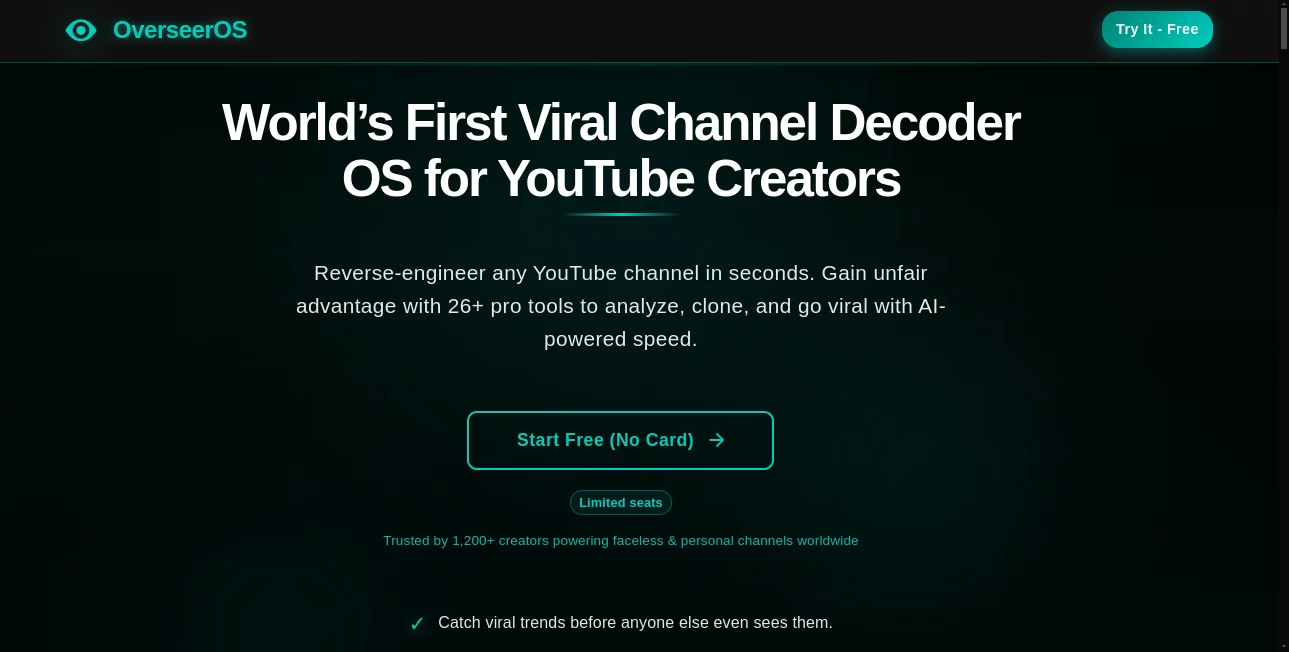
What is OverseerOS?
OverseerOS opens doors for creators looking to mirror the magic of top-performing videos, using clever tech to break down and rebuild content that clicks with audiences. This setup lets you peek under the hood of successful channels, pulling out scripts, styles, and hooks that work without starting from a blank slate. Many who've dabbled in it talk about how it cuts the chase, turning envy into action by handing over blueprints for videos that could go viral just like the originals.
Introduction
OverseerOS came together from the grind of folks who spent nights scrolling through endless feeds, wondering what made certain clips explode while theirs fizzled. It kicked off as a way to unpack those hits, and soon enough, it drew in a crowd of aspiring video makers hungry for shortcuts that felt fair. Users swap stories of channels that took off after borrowing a beat or two, crediting the tool for spotting patterns they missed in the noise. What keeps it buzzing is that blend of insight and inspiration, making the leap from watcher to wizard less about luck and more about learning the ropes one smart steal at a time.
Key Features
User Interface
The dashboard hits you with a search bar front and center, where you drop a channel link and watch it unpack in real time, with tabs for breakdowns that slide in without clutter. Preview panes let you skim scripts or styles side by side, and a simple export button bundles it all for your next shoot. It's the kind of setup that feels like flipping through a playbook, intuitive enough for a first-timer to grab gems without getting lost in the layers.
Accuracy & Performance
It digs into the details sharp, pulling hooks and paces that match the source close enough to study, often nailing the why behind a spike in views. Runs wrap quick, even on packed channels, dishing out reports that load smooth and stay spot-on through updates. Creators note how it avoids the fluff, focusing on the bits that boost engagement without burying you in basics.
Capabilities
From teasing out talk tracks to mapping edit rhythms or even suggesting thumbnail tweaks, it covers the full spread of what makes a video stick. You can drill down to single clips or scan whole series, remixing elements into fresh takes that fit your voice. The real flex comes in chaining insights, like blending styles from one hit with hooks from another, opening up hybrids that feel original yet proven.
Security & Privacy
Your scans stay under wraps, processed on the fly and wiped after, with no traces left for others to trip over. It keeps channel pulls private, letting you stash favorites in locked folders you control. Folks building in niches appreciate that discreet touch, ensuring their strategy sessions don't spill into the open before they're ready to roll.
Use Cases
New creators study comedy kings to craft their own punchlines, tweaking timing for a personal twist that lands laughs. Marketers mirror explainer pros, adapting flows for product pitches that pull in leads. Vloggers borrow travel vixens' edits, layering their journeys with cuts that keep eyes glued. Even educators unpack tutorial titans, rebuilding lessons that teach without the yawn.
Pros and Cons
Pros:
- Unpacks hits fast, spotlighting secrets in minutes not months.
- Blends elements easy, sparking hybrids that hook fresh crowds.
- Stays true to sources, giving breakdowns you can bank on.
- Light on the learning, heavy on the takeaways.
Cons:
- Tied to public channels, so private plays stay out of reach.
- Full dives demand a deeper dive into paid pools.
- Over-relies on patterns—wild outliers might slip the net.
Pricing Plans
Start free with a few scans to taste the tricks, perfect for picking a channel or two. Monthly basics run low twenties for unlimited unpacks and basic blends, stepping to pro at mid-forties for team shares and deeper digs. Yearly wraps save a slice, and trials give a full week of full access, easing you into the edge without the upfront bite.
How to Use OverseerOS
Plug in a channel URL, let it chew through the clips, and browse the unpacked bits—scripts, cuts, calls to action. Pick what pops, remix in the builder for your spin, and export the blueprint to your editor. Test a draft, tweak based on the intel, and launch, looping back to refine as your own views climb.
Comparison with Similar Tools
Where analytics apps drown in data dumps, OverseerOS distills to actionable angles, though those might muster more metrics for number nerds. Against script scrapers, it layers on the why with style steals, but could lag in sheer volume for archive hunters. It fits fine for focused creators, blending breadth with bite where others skim or stack.
Conclusion
OverseerOS turns the tube into a treasure map, guiding creators through the maze of what works without the blind stumbles. It empowers the understudy to steal the show, proving that a peek at the playbook can propel your own plot forward. As feeds keep flooding, this one's a steady scout, lighting paths to plays that play to win.
Frequently Asked Questions (FAQ)
Works on any channel size?
From fledglings to giants, it scales the scan to fit.
Can I tweak the outputs?
Yes, the builder lets you bend bits to your beat.
What video types does it handle?
Tutorials to talks, edits to events—most mainstream molds.
Safe for my own channel?
Pulls public only, keeps your private plots pristine.
Exports in what formats?
Scripts as docs, plans as PDFs, ready to roll.
AI Content Generator , AI Video Generator , AI Research Tool , AI YouTube Assistant .
These classifications represent its core capabilities and areas of application. For related tools, explore the linked categories above.
OverseerOS details
This tool is no longer available on submitaitools.org; find alternatives on Alternative to OverseerOS.
Pricing
- Free
Apps
- Web Tools
Categories

OverseerOS Alternatives Product

AI Best

Thumbspick

Aiso

AI Baby Video

Publiq Studio

Seedream 6.0

Humanize AI …

YooPrompt

PostPlus AI
