🧠 AI Quiz
Think you really understand Artificial Intelligence?
Test yourself and see how well you know the world of AI.
Answer AI-related questions, compete with other users, and prove that
you’re among the best when it comes to AI knowledge.
Reach the top of our leaderboard.


















PaperBanana

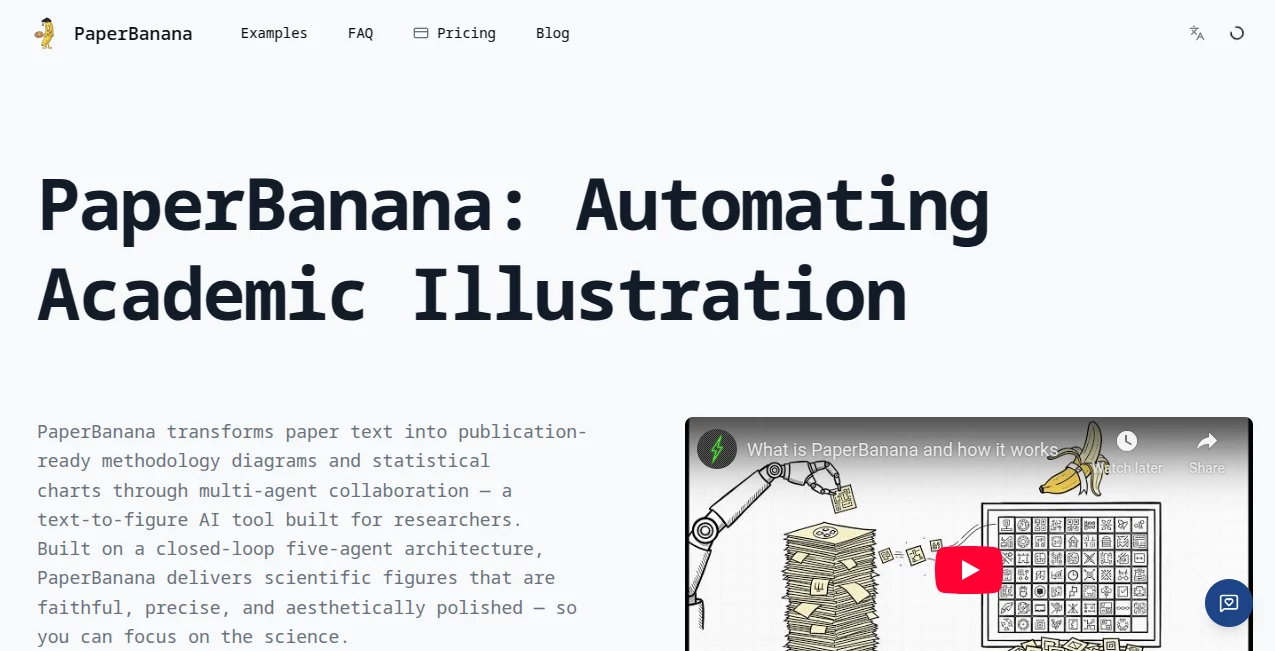
What is PaperBanana?
There's a special kind of frustration when you spend twenty minutes sketching something perfect only to spend another hour cleaning up the lines. This little tool quietly solves that. Drop in your rough pencil drawing—messy, loose, full of overlapping strokes—and it returns crisp, smooth vector-style line art that looks like you spent time inking it by hand. The first time I tried it on a quick character doodle, the result was so clean I actually laughed out loud. It doesn't just trace; it understands gesture, weight, and intention, turning chicken-scratch into something you'd proudly post or print.
Introduction
Every artist knows the gap between rough idea and polished line work. Scanning, tracing, vectorizing—it's tedious even when you love the process. This platform skips all of that. Upload a photo of your sketch (phone camera works fine), and in seconds it delivers clean, consistent lines with smart thickness variation and no stray marks. It's become a quiet favorite among illustrators, comic artists, concept designers, and hobbyists who want to move from idea to usable art faster. The results feel respectful to the original sketch—nothing over-smoothed or robotic—yet professional enough to drop straight into Procreate, Clip Studio, or Illustrator without cleanup. That speed + quality combo is addictive once you experience it.
Key Features
User Interface
The page is blissfully minimal: a large upload area that accepts drag-and-drop or camera snap, a few optional sliders for line thickness and detail level, a style preset dropdown (clean ink, pencil finish, comic bold, etc.), and one prominent generate button. Previews appear almost instantly so you can compare and tweak before final download. No account required, no watermarks on free tier, no cluttered sidebar. It feels like the creator actually draws and hates wasting time on tools that get in the way.
Accuracy & Performance
It reads intent beautifully—keeps confident strokes bold, lightens tentative lines, removes smudges and overlaps without erasing character. Line weight varies naturally like real inking. Processing is consistently fast (3–12 seconds), even on detailed sketches, and the output stays crisp at high resolution. It handles pencil, pen, marker, and even ballpoint surprisingly well, and the consistency across different drawing styles is one of its quiet superpowers.
Capabilities
Converts rough sketches to clean line art, offers multiple artistic styles (ink, pencil, comic, technical line), adjustable line thickness and smoothing, vector-like output (SVG export on paid plans), batch processing for multiple sketches, and high-res PNG downloads. It excels at figure drawing, character design, concept art, logo sketches, and even architectural doodles. The AI preserves gesture and flow while cleaning up noise—ideal for moving quickly from thumbnail to finished line work.
Security & Privacy
Your sketches are processed momentarily and deleted from servers after download—no permanent storage, no training on user art. No account forced for basic use, so your rough ideas stay yours. For artists protective of early concepts or client sketches, that clean, ephemeral approach is a genuine comfort.
Use Cases
A comic artist roughs out panels on paper during lunch, snaps photos, generates clean lines in minutes, and jumps straight to coloring. A concept designer sketches dozens of creature ideas in a notebook, cleans them up here, and presents polished versions to the team the same day. An illustrator turns messy thumbnail explorations into crisp vector lines for client revisions. A student cleans up figure drawing homework for portfolio submission. Wherever you sketch first and need clean lines fast, it removes the tedious middle step and keeps momentum alive.
Pros and Cons
Pros:
- Preserves the soul of your sketch—gesture and personality stay intact.
- Results look hand-inked, not over-processed or generic.
- Lightning-fast turnaround keeps creative flow uninterrupted.
- Multiple styles let you match your project's art direction.
- Free tier is generous—real value before spending anything.
Cons:
- Very faint or heavily overlapping sketches may need minor cleanup first.
- Vector/SVG export and unlimited batch sit behind paid plans.
- Extremely stylized or abstract sketches can occasionally confuse it.
Pricing Plans
Free tier gives several high-quality generations per day—enough to clean up a sketchbook page or test a few concepts. Paid plans unlock unlimited use, vector exports, batch processing, priority queue, and commercial rights without attribution. Pricing is modest—one month often costs less than hiring an assistant for a day, yet saves far more time over the long run.
How to Use Normal Map Generator
Snap or scan your sketch (good lighting helps but isn’t critical). Drag it into the upload area or use the camera button. Choose a style preset (clean ink, comic bold, pencil finish, etc.) and adjust thickness/detail if desired. Hit generate—preview appears in seconds. Tweak sliders or try another style if needed, then download PNG (or SVG on paid). For larger sets, paid users upload multiple images at once. Done—clean line art in under a minute.
Comparison with Similar Tools
Older sketch-to-line tools often over-smooth or produce uniform thickness that kills personality. This one keeps natural stroke variation and artistic feel while still cleaning up noise effectively. Where some require perfect input drawings, this handles real sketchbook pages (cross-outs, overlaps, light lines) with grace. Speed, style variety, and natural-looking output put it ahead of most free and even some paid alternatives.
Conclusion
Sketching should be free and fearless—the cleanup should never slow you down. This tool removes that friction so ideas can flow from brain to paper to screen without losing momentum. It respects your original lines while giving them the polish needed for presentation, printing, or production. For anyone who thinks on paper first, it’s one of those rare tools that genuinely feels like an extension of your hand rather than a replacement for it. Once you experience the speed and quality, going back to manual cleanup feels like punishment.
Frequently Asked Questions (FAQ)
How messy can the sketch be?
Pretty messy—cross-outs, overlapping lines, light construction strokes all get handled intelligently. Cleaner input gives cleaner output, but it’s forgiving.
Can I get vector output?
Yes—SVG export available on paid plans for perfect scalability.
Does it work with digital sketches too?
Absolutely—Procreate, Photoshop, or tablet sketches work just as well as paper scans.
Commercial use allowed?
Yes—paid plans include full commercial rights; free tier is personal/non-commercial.
What if the first result isn’t perfect?
Adjust thickness/detail sliders or try a different style preset—usually one or two tries nails it.
AI Fun Tools , Photo & Image Editor , AI Design Generator , AI Image to Image .
These classifications represent its core capabilities and areas of application. For related tools, explore the linked categories above.
PaperBanana details
This tool is no longer available on submitaitools.org; find alternatives on Alternative to PaperBanana.
Pricing
- Free
Apps
- Web Tools
Categories

PaperBanana Alternatives Product

Touchpoint
Unblur Image
Robux Tax Ca…
UNi-1 AI

Beardless Fi…

grok bikini
AI Age Progr…

Photo Locati…
AI Photo Edi…