
🧠 AI Quiz
Think you really understand Artificial Intelligence?
Test yourself and see how well you know the world of AI.
Answer AI-related questions, compete with other users, and prove that
you’re among the best when it comes to AI knowledge.
Reach the top of our leaderboard.


















Pathmaker

What is Pathmaker?
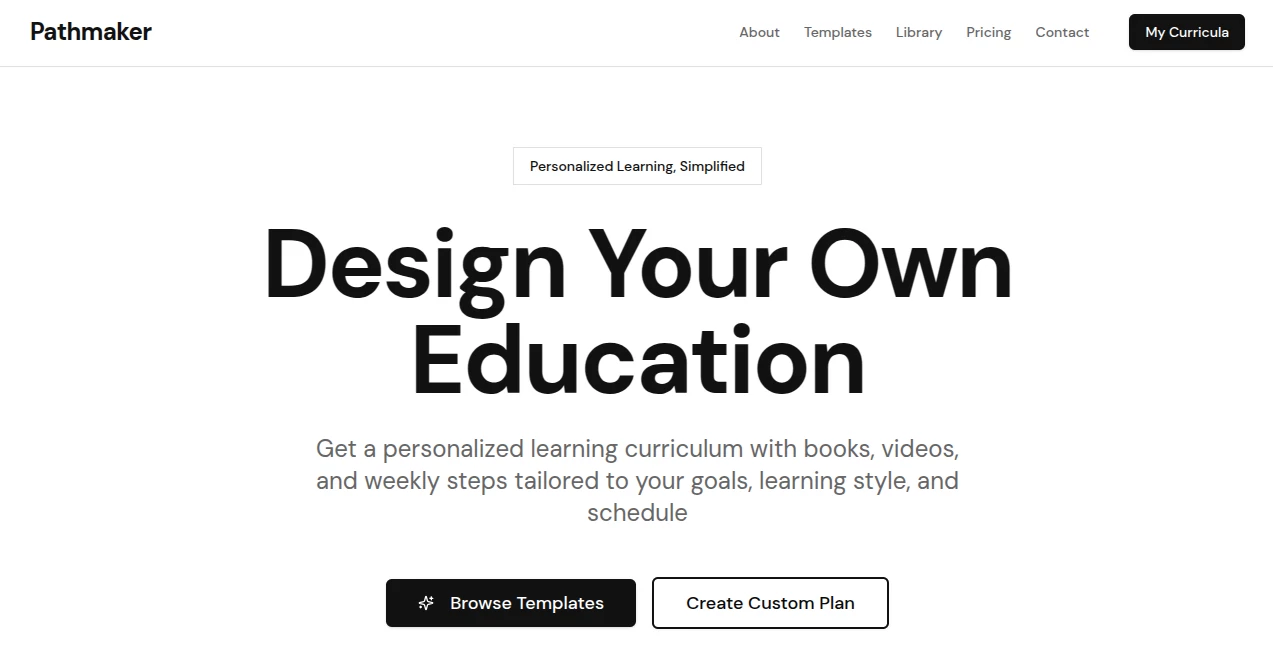
Pathmaker serves as a thoughtful guide for those navigating the twists of professional growth, helping map out steps from where you stand to where you dream. This app takes the fog out of future planning, blending personal insights with practical pointers to craft routes that feel tailored and achievable. Many who've wandered its trails talk about gaining clarity amid career crossroads, turning vague hopes into a series of doable strides that build momentum over time.
Introduction
Pathmaker came together from conversations among folks who'd hit stalls in their job journeys, eager for a way to plot ahead without the overwhelm of endless lists or generic advice. It rolled out quietly a couple years ago, catching on with young pros and mid-career shifters who shared stories of how it sparked small wins, like lining up a skill gap with a weekend course that opened doors. What draws people in is its gentle nudge toward self-reflection, weaving your strengths and stumbles into a narrative that evolves as you do, making the long haul feel less like a leap and more like a steady walk.
Key Features
User Interface
The dashboard unfolds like a personal journal, with a central timeline that stretches out your picks and a sidebar for adding notes or goals without clutter. Tabs for skills and steps slide in smooth, with color hints that flag progress at a glance, and the mobile view stacks neatly for on-the-go tweaks. It's the kind of setup that invites lingering, with prompts that feel like a chat over tea rather than a quiz, keeping things light even as you dig deeper.
Accuracy & Performance
Suggestions land with a ring of truth, drawing from patterns in your inputs to spotlight fits that resonate, often mirroring what mentors might say after a long talk. It hums along without hitches, updating maps in seconds as you add details, so the flow stays unbroken during those late-night rethink sessions. Users nod to how it avoids the pie-in-the-sky pitfalls, grounding ideas in real-world steps that deliver when you follow through.
Capabilities
From brainstorming roles that match your mix to breaking them into bite-sized builds, it covers the arc from dream to daily, even linking in resources like book nods or network tips. You can branch paths for 'what if' scenarios, track milestones with reminders, and share snippets for feedback, making it versatile for solo sails or group guidance. The real strength lies in how it adapts, folding in fresh feedback to refine the route without starting over.
Security & Privacy
Your entries stay tucked away in encrypted spots, with controls that let you decide what shows or shares, ensuring those vulnerable 'I'm not sure' moments remain just yours. It follows the usual safeguards for data dashes, clearing old drafts on request, so you can pour in without pausing for paranoia. That peace lets planners focus on the path ahead, knowing the trail markers won't trail off elsewhere.
Use Cases
New grads sketch entry ramps into fields they fancy, spotting courses that bridge the gap from classroom to cubicle. Seasoned hands plot pivots to passion projects, weighing risks with realistic timelines that ease the jump. Teams use shared views to align growth chats, turning one-on-ones into collaborative climbs. Even hobbyists map side gigs into steady streams, blending fun with forward motion in ways that surprise.
Pros and Cons
Pros:
- Tailors trails to your tale, skipping the one-size-fits-few feel.
- Keeps things moving with quick updates and gentle goads.
- Blends big-picture dreams with small-step smarts.
- Opens easy for sharing, fostering feedback without fuss.
Cons:
- Shines on clear inputs; fuzzy starts might need a nudge.
- Free layer limits deeper dives, teasing the full trek.
- No live links to jobs, so hunts happen off-app.
Pricing Plans
Start free with core mapping and a handful of branches, plenty for initial explorations. Upgrade to explorer at ten bucks monthly for unlimited paths and progress pings, scaling to team at twenty-five for group grooves and reports. Annual options trim the tab by a chunk, with a trial stretch to test the terrain without ties.
How to Use Pathmaker
Sign up swift, then spill your starting spot—current role, skills you hold dear. Let it probe with easy questions, watching the timeline take shape as you pick dreams. Add twists for alternatives, set markers for check-ins, and tweak as life shifts. Share a slice for input, track the ticks, and celebrate the strides that stack up.
Comparison with Similar Tools
Where checklist apps churn generic goals, Pathmaker personalizes the plot, though those might edge for raw task tracking. Against coach platforms that charge for chats, it self-serves the smarts at a fraction, but could miss the human spark for some. It hits home for independent itinerants, blending depth with do-it-yourself drive.
Conclusion
Pathmaker lights a lantern on the road less traveled, turning career quandaries into quests with clear nexts. It honors the unique bends of your journey, proving that a well-worn map can lead to uncharted joys. As work worlds keep whirling, this companion stays steady, whispering that the best paths are the ones you pave, one thoughtful step at a time.
Frequently Asked Questions (FAQ)
How personal does it get?
As much as you share— the more you put in, the sharper the suggestions.
Can it handle wild shifts?
Yep, branch for bold changes and see the steps unfold.
What if my goals change mid-map?
Easy pivot—drag and drop to redraw the route on the fly.
Is it for teams too?
Absolutely, higher plans pool paths for group guidance.
Any tips for starters?
Start small—pick one dream and build from there for quick wins.
AI Life Assistant , AI Roadmap Generator , AI Coaching , AI Productivity Tools .
These classifications represent its core capabilities and areas of application. For related tools, explore the linked categories above.
Pathmaker details
This tool is no longer available on submitaitools.org; find alternatives on Alternative to Pathmaker.
Pricing
- Free
Apps
- Web Tools
Categories

Pathmaker Alternatives Product

Liftburst

InPage AI

Zivy

Slackactivity

Graph Maker

FINIITE AI

Markdown to …

Rierino

Productivity…
