🧠 AI Quiz
Think you really understand Artificial Intelligence?
Test yourself and see how well you know the world of AI.
Answer AI-related questions, compete with other users, and prove that
you’re among the best when it comes to AI knowledge.
Reach the top of our leaderboard.


















Photo Prompt

What is Photo Prompt?
PhotoPrompt serves as a clever bridge between the visual world and the realm of text-driven creation, allowing anyone to take a snapshot and pull out a richly worded description ready for feeding into image-making systems. This handy service has become a quiet essential for those dipping into digital artistry, turning a simple photo into a blueprint of details that captures the essence just right. Many who've stumbled upon it talk about that lightbulb moment when a quick upload reveals layers they never noticed, making the whole process feel like uncovering hidden notes in a favorite painting.
Introduction
PhotoPrompt came together a short while ago, sparked by the realization that while snapping pictures is second nature, describing them in ways that spark new creations often falls flat. A team of creative tech enthusiasts, frustrated with vague notes that led to mismatched results in their own projects, built this to fill the gap. It didn't take long for word to spread through online maker groups, where folks shared stories of how it saved them from endless tweaking sessions. What started as a simple analyzer has grown into a go-to for bridging the gap between what's seen and what's said, helping users recapture that perfect shot or twist it into something fresh. At its core, it's about making the invisible details visible through words, so your ideas don't get lost in translation.
Key Features
User Interface
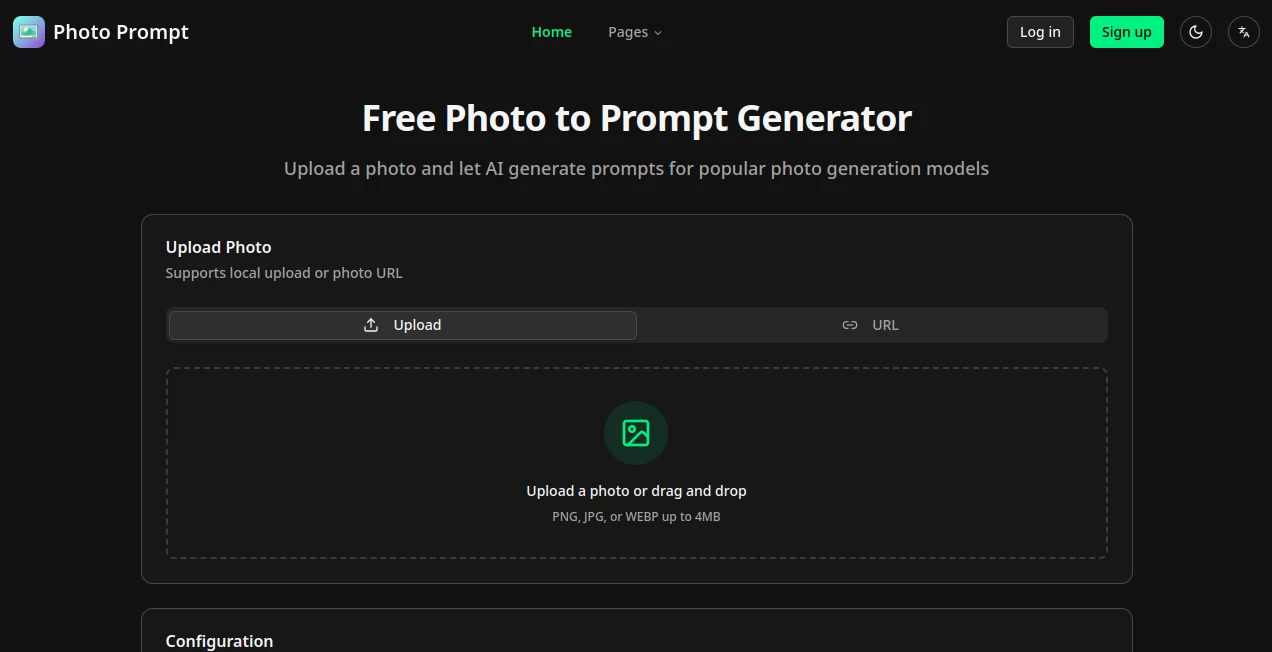
The layout keeps it all front and center, with a welcoming drag-and-drop area that grabs your file without a fight, or a button to browse if you're scrolling through folders. Pick from a handful of output styles and tongues from easy dropdowns, tap generate, and in moments, your screen fills with the breakdown—no extra screens or confusing paths. It's that kind of setup that feels inviting right away, like handing a note to a friend who reads it back with all the right inflections, keeping things moving without a bump.
Accuracy & Performance
When you feed it a shot of a quirky scene, it picks up the fine points like the play of light on fur or the exact shade of a distant hill, often nailing it so close that recreating from the words brings back the original almost spot-on. It hums along in seconds, even for busier images, without dragging the day, and users often point out how it avoids those off-base guesses that throw off the whole vibe. In practice, it's the reliability that stands out, turning what could be a crapshoot into a steady hand.
Capabilities
It breaks down everything from the overall layout to the tiny textures, spitting out notes tailored to different creation engines, so you can swap in specifics like mood or angle without starting over. Handle shots in a few common formats, tweak for different languages to share across borders, and use it to dissect styles for consistent looks in series work. The real strength lies in how it layers those elements, giving you a full script that's as versatile for remixing as it is for straight recreations.
Security & Privacy
Your uploads get a quick once-over and then fade away, with nothing stored unless you choose to keep a copy, keeping things light on the data trail. It runs on straightforward practices that put you in control, no sneaky shares or long holds, so you can toss in personal snaps without a second thought. For those handling client work or private ideas, that clean approach means focusing on the craft rather than the coverage.
Use Cases
Artists grab a reference pic from their travels and pull out a description to inspire a series, keeping the wanderlust alive in new pieces. Designers feed in client mood boards to craft exact matches for campaigns, ensuring the team stays on the same page. Marketers turn stock images into custom briefs for fresh visuals, speeding up content drops without losing the brand spark. Even everyday creators use it for social posts, dissecting a favorite filter to recreate that glow on the next round.
Pros and Cons
Pros:
- Grabs nuances that slip by in quick glances, leading to spot-on recreations.
- Super simple flow that gets you results without the learning hump.
- Fits a range of setups and words, opening doors for global tweaks.
- Saves real time on the back-and-forth of trial runs.
Cons:
- Daily cap on free tries might cramp heavy experimenters.
- Best on clear shots; fuzzy ones can muddle the details a touch.
- Lacks deeper edits mid-process for on-the-fly fixes.
Pricing Plans
It's all open access at no cost for starters, with a gentle limit of a few tries each day to keep things fair and flowing. No tiers or upsells jump out, making it a low-barrier entry for casual users, though that cap nudges regulars to pace their plays. The model keeps it welcoming, betting on the value speaking for itself without the usual pay gates.
How to Use PhotoPrompt
Start by pulling up a photo from your device or pasting a link, then choose the style and language that fits your next step. Give it the nod to analyze, wait a beat while it unpacks the scene, and snag the ready-to-use text from the output box. Paste that into your favorite creation spot, tweak if the mood strikes, and watch it bring the vision back to life. Repeat with variations to build a library of looks over time.
Comparison with Similar Tools
Unlike broader editors that layer on extras you might not need, PhotoPrompt zeros in on the description core, trading bells for focused precision, though those could pull ahead for all-in-one workflows. Against manual note-takers, it adds that smart edge without the elbow grease, but purists might miss the hands-on feel. It shines for quick, accurate pulls where others meander or overload.
Conclusion
PhotoPrompt quietly transforms how we capture and recapture the seen world, handing over words that unlock endless possibilities from a single frame. It turns the act of describing into something almost poetic, bridging gaps that once slowed the creative rush. As more hands reach for digital brushes, this tool stands ready to lend the language that makes them sing, proving that sometimes the best inspiration starts with seeing—and saying—it clear.
Frequently Asked Questions (FAQ)
What file types can I upload?
It handles the usual suspects like PNG, JPG, and WEBP, keeping things under 4MB for smooth sails.
How many tries do I get for free?
A handful each day without signing in, plenty for dipping toes or daily doses.
Does it work with every creation engine?
Tailored for popular ones, but the outputs flex to fit most with a quick adjust.
Can I use links instead of files?
Yes, paste a direct photo URL and it pulls it in just as easy.
What if the description misses something?
Sharpen your source shot or run it again—small shifts often catch the rest.
AI Text to Image , AI Photo Enhancer , AI Image to Image , AI Art Generator .
These classifications represent its core capabilities and areas of application. For related tools, explore the linked categories above.
Photo Prompt details
This tool is no longer available on submitaitools.org; find alternatives on Alternative to Photo Prompt.
Pricing
- Free
Apps
- Web Tools
Categories

Photo Prompt Alternatives Product

NanoEditor

ImgEnhancer

Leonardo.ai

Seedream 5.0

String Art

ai banana

NanoBanana P…

Pixora

Lexica AI