
🧠 AI Quiz
Think you really understand Artificial Intelligence?
Test yourself and see how well you know the world of AI.
Answer AI-related questions, compete with other users, and prove that
you’re among the best when it comes to AI knowledge.
Reach the top of our leaderboard.


















Pixel Art Village
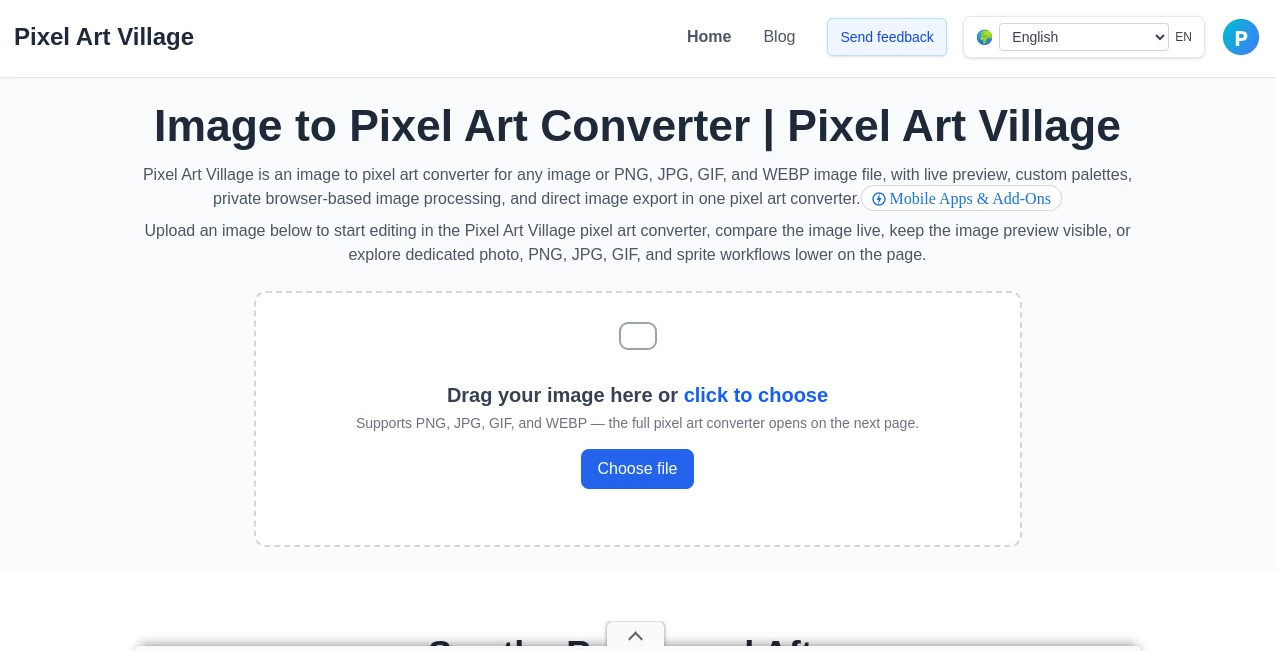
What is Pixel Art Village?
There’s something deeply satisfying about watching a blank grid transform into a charming little character or a cozy scene, one pixel at a time. This tool makes that joy accessible to everyone, whether you’re a complete beginner or a seasoned pixel artist. You describe what you want in plain words, and it generates clean, vibrant pixel art that captures the nostalgic feel of classic games while looking fresh and polished. I’ve seen hobbyists create adorable mascots for their projects and game devs quickly prototype assets that actually feel right for their world. The results have that hand-crafted soul without the hand-cramping effort.
Introduction
Pixel art has a special place in many hearts—it reminds us of childhood games, late-night creative sessions, and the pure satisfaction of building something from tiny squares. But drawing pixel by pixel can be time-consuming, especially when inspiration strikes but patience runs short. This platform bridges that gap beautifully. You type a description, choose a style or resolution, and it delivers high-quality pixel art in seconds. It’s become a favorite among indie game developers, digital artists, NFT creators, and anyone who simply loves the retro aesthetic. The best part? The output feels personal and intentional, not generic or overly filtered.
Key Features
User Interface
The interface is clean and welcoming. A prominent prompt box sits front and center, with helpful examples below so you never stare at a blank screen. Style selectors and resolution options are easy to spot and adjust. Generated images appear quickly with clear before/after or variation buttons. It never feels overwhelming—even first-timers navigate it comfortably. The whole experience is designed to keep you in the creative flow rather than fighting with tools.
Accuracy & Performance
It understands prompts remarkably well, turning vague ideas like “cozy forest cabin at dusk” into crisp, readable pixel scenes with proper lighting and atmosphere. Character designs stay consistent when you ask for variations, and the pixel grid remains clean without messy edges or broken lines. Generation speed is impressive, usually just a few seconds, so you can iterate quickly and refine until it feels exactly right. The quality holds up even at small resolutions, which is crucial for authentic pixel art.
Capabilities
You can generate characters, environments, items, tilesets, animations frames, and full scenes. It supports different art styles—from classic 8-bit and 16-bit to modern pixel art aesthetics. Resolution options range from tiny retro sizes to larger detailed canvases. You can refine prompts for more control, generate multiple variations at once, and download in PNG format ready for games, websites, or prints. It’s versatile enough for game assets, social media icons, stickers, or just fun personal projects.
Security & Privacy
Your prompts and generated images are processed privately. The tool doesn’t store your creations long-term unless you choose to save them, and there’s no aggressive data collection. For hobbyists and professionals alike, that respectful approach to privacy makes experimenting feel safe and enjoyable.
Use Cases
An indie developer quickly generates enemy sprites and environment tiles for a new game jam project, saving weeks of manual work. A content creator makes unique pixel avatars and assets for streaming or social media. A teacher introduces students to digital art by letting them describe and generate their own pixel characters. A hobbyist creates custom stickers or phone wallpapers that perfectly match their aesthetic. It shines anywhere you need charming, consistent pixel art without spending hours on each piece.
Pros and Cons
Pros:
- Delivers authentic pixel art style with clean lines and great readability.
- Extremely fast generation that supports quick iteration.
- Good understanding of prompts, from simple objects to complex scenes.
- Multiple style and resolution options give real creative flexibility.
- Free tier is generous enough for regular use and experimentation.
Cons:
- Very specific or highly complex scenes sometimes need prompt refinement.
- Animation support is limited compared to static images.
- Unlimited high-resolution generations require a paid plan.
Pricing Plans
The free tier offers a solid number of daily generations, perfect for testing ideas or casual creation. Paid plans remove daily limits, unlock higher resolutions, faster processing, and more style options. Pricing is reasonable and scales with how seriously you use the tool—many users find the paid tier worthwhile once they start relying on it for consistent project work.
How to Use Pixel Art Village
Start by typing a clear description of what you want (“cute red dragon sitting on a treasure pile, 16-bit style”). Choose your preferred resolution and art style from the options. Hit generate and review the results. If you like a variation, download it as PNG. Want something different? Tweak the prompt or try another style. For best results, be descriptive but not overly long. The process is fast enough that you can experiment with several ideas in one short session.
Comparison with Similar Tools
Many AI image generators can attempt pixel art, but they often produce messy grids or lose the true retro feel. This tool stays faithful to classic pixel art principles—clean lines, limited palettes, and readable details—while still being fast and flexible. It’s more specialized and consistent than general-purpose generators, making it the preferred choice for anyone who specifically wants that charming pixel aesthetic without the usual cleanup work.
Conclusion
Pixel art has a timeless charm that never really goes out of style. This tool makes creating it accessible, fast, and genuinely fun without requiring years of practice or expensive software. Whether you’re building a game, designing assets, or just indulging in a creative hobby, it delivers results that feel crafted with care. In a world full of hyper-realistic AI art, there’s something refreshing about tools that celebrate the beauty of simple pixels—and this one does it particularly well.
Frequently Asked Questions (FAQ)
How detailed should my prompt be?
Clear and descriptive works best. Mention style, colors, mood, and key elements without writing a novel.
Can I generate animations?
It focuses primarily on static pixel art; for simple frame-by-frame animations you can generate multiple poses and combine them manually.
Are the images free to use commercially?
Check the terms for your plan; paid plans generally offer broader commercial rights.
What resolutions are available?
Common retro sizes like 16x16 up to larger modern pixel canvases, depending on your choice.
Is there a daily limit on free use?
Yes, the free tier has a reasonable daily limit; paid plans remove restrictions.
AI Pixel Art , AI Art Generator , AI Design Generator , AI Image to Image .
These classifications represent its core capabilities and areas of application. For related tools, explore the linked categories above.
Pixel Art Village details
Pricing
- Free
Apps
- Web Tools
Categories

Pixel Art Village Alternatives Product

Artguru

NanoBanana2
z image
DLSS 5 Meme …
AI Best

PolyBuzz

Flux 2 Klein

Simplified
Niji V7
