🧠 AI Quiz
Think you really understand Artificial Intelligence?
Test yourself and see how well you know the world of AI.
Answer AI-related questions, compete with other users, and prove that
you’re among the best when it comes to AI knowledge.
Reach the top of our leaderboard.

















Pixel Avatar Generator

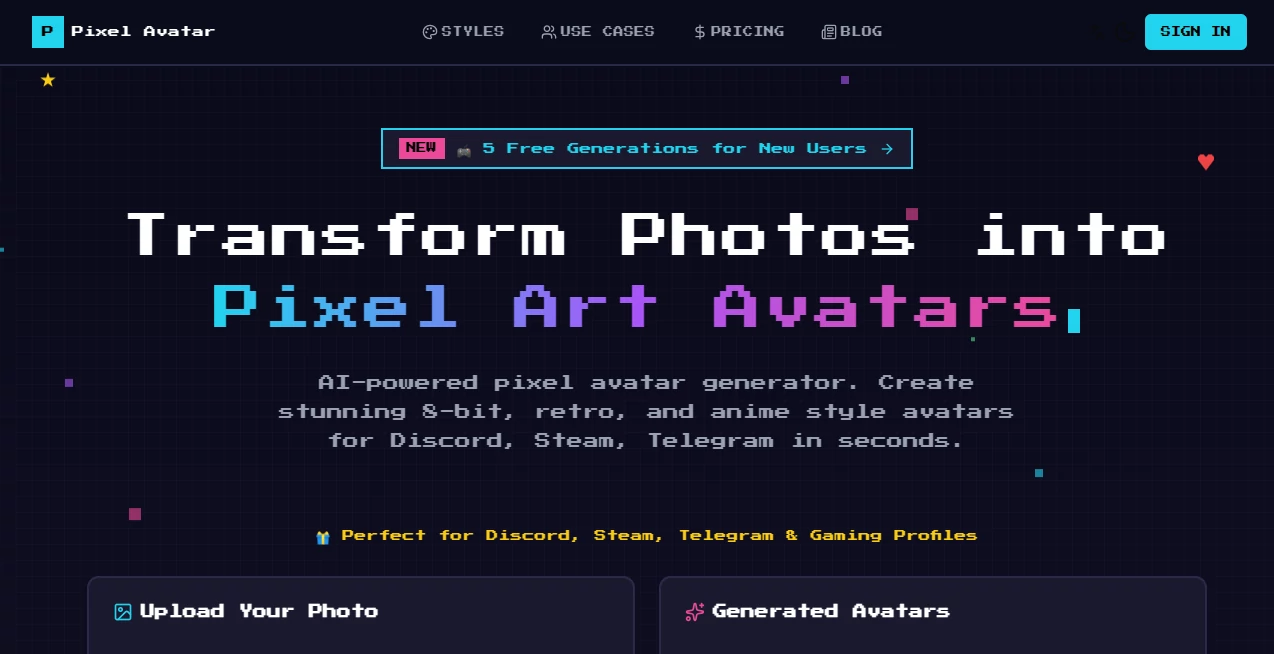
What is Pixel Avatar Generator?
There's something magical about seeing your own face staring back from a retro 8-bit world. This tool makes that happen in seconds, turning everyday selfies into nostalgic pixel masterpieces that feel straight out of a classic game. I remember uploading a quick photo during lunch and ending up with a perfect GameBoy-style version that I slapped on my Discord profile—friends thought I'd spent hours on it. It's the kind of simple joy that keeps you coming back for more styles and tweaks.
Introduction
Pixel art never really went away, and this clever little generator proves why it's having a moment again. It takes your photo, analyzes the face, and reimagines it in five distinct retro flavors—from NES-era simplicity to glowing cyberpunk vibes. What started as a fun side project has become a go-to for gamers, streamers, and anyone wanting a standout profile pic without the hassle of manual editing. The real charm lies in how fast and forgiving it is: clear portraits work best, but even slightly imperfect shots come out looking surprisingly good. Users keep sharing their creations online, and it's easy to see why—it's free to try, quick to use, and delivers that perfect mix of nostalgia and personalization.
Key Features
User Interface
The layout is refreshingly straightforward: drop your photo in the big upload area, pick from the style dropdown, and adjust a few sliders for size, palette, and background. No cluttered menus or hidden settings—just a clean flow that gets you from upload to download in under a minute. I've tried plenty of similar tools, and this one stands out for feeling welcoming even to first-timers; everything is right there, with helpful previews that show exactly what you're getting.
Accuracy & Performance
Face detection is sharp, capturing expressions and details that make the result feel personal rather than generic. Generations are consistently quick—usually under 30 seconds—and the output stays crisp even at larger sizes. The best part? It handles different lighting and angles well, so you don't need studio-perfect shots to get great results. I've seen people turn group photos into fun avatars where everyone looks on-point.
Capabilities
Five distinct styles cover a wide range: classic 8-bit for that NES feel, GameBoy's signature green palette, richer 16-bit retro, neon-drenched cyberpunk, and expressive anime-inspired looks. You can tweak sizes from tiny 16px icons to 1024px versions perfect for banners, plus choose palettes and backgrounds like transparent or gradients. It's versatile enough for gaming profiles, social icons, or even custom merch—each style brings its own personality while keeping the subject recognizable.
Security & Privacy
Photos are processed quickly and deleted automatically after generation—no lingering copies or unnecessary storage. It's reassuring to know your images aren't hanging around, especially when you're uploading personal snaps. The focus on privacy makes it easy to experiment freely without second thoughts.
Use Cases
Gamers love dropping these on Discord or Steam profiles for instant recognition. Streamers use cyberpunk or anime styles to match their channel vibe, while social media users pick retro looks for fun profile pics that stand out. I've seen artists turn self-portraits into pixel versions for NFT drops or merch mockups—quick, affordable, and always eye-catching. Even teams create matching avatars for group chats or events, adding a playful touch without much effort.
Pros and Cons
Pros:
- Five unique styles that actually feel different and well-executed.
- Customization options (size, palette, background) give real control.
- Fast generation with solid quality, even on free tries.
- Privacy-focused—photos gone after processing.
Cons:
- Best results need clear face shots; side angles or heavy filters can vary.
- Free tier limited to five generations—great for testing, but heavy users upgrade quickly.
Pricing Plans
New users get five free generations to play around—no card required. After that, credits let you buy exactly what you need, or a subscription unlocks unlimited for regular use. It's flexible enough that casual creators stay free forever, while power users get value without feeling locked in.
How to Use Pixel Avatar Generator
Start by uploading a clear portrait (JPG, PNG, or WebP under 10MB). Pick one of the five styles, then tweak size, palette, and background to match your vision. Hit generate, watch it process in seconds, and download your favorite. I like starting with the classic 8-bit for fun, then trying cyberpunk for something edgier—experimenting is half the joy.
Comparison with Similar Tools
Many avatar makers lean on generic cartoon styles, but this one nails authentic pixel art with five distinct flavors that feel true to their roots. Others might offer more filters but lack the same level of retro polish or customization depth. For anyone chasing that genuine 8-bit or cyberpunk look, this stands apart as the sharper, more focused choice.
Conclusion
This generator captures the heart of pixel art—simple, nostalgic, and surprisingly personal. It's the tool that turns a quick selfie into something memorable, perfect for profiles, streams, or just a bit of fun. If you're looking to add retro flair without the hassle, it's hard to beat the speed, quality, and charm it brings to every creation.
Frequently Asked Questions (FAQ)
What makes a good photo for best results?
Clear face shots with good lighting work best—front-facing portraits give the sharpest outcomes.
Can I use these avatars commercially?
Yes, fully allowed for profiles, merch, or projects.
How many styles are there?
Five unique ones: 8-Bit Classic, GameBoy, Retro 16-Bit, Cyberpunk, and Anime Pixel.
Is there a size limit for uploads?
Max 10MB, in JPG, PNG, or WebP formats.
Do I need to sign up?
No sign-up needed for free generations—just upload and go.
AI Image to Image , AI Fun Tools , AI Avatar Generator , AI Profile Picture Generator .
These classifications represent its core capabilities and areas of application. For related tools, explore the linked categories above.
Pixel Avatar Generator details
This tool is no longer available on submitaitools.org; find alternatives on Alternative to Pixel Avatar Generator.
Pricing
- Free
Apps
- Web Tools
Categories

Pixel Avatar Generator Alternatives Product

Seedream 5.0

Beard Remover

Picsart
DLSS 5 Meme …

NanoBanana2F…
Snow day Cal…

Normal Map G…
gpt image
Minecraft Re…