🧠 AI Quiz
Think you really understand Artificial Intelligence?
Test yourself and see how well you know the world of AI.
Answer AI-related questions, compete with other users, and prove that
you’re among the best when it comes to AI knowledge.
Reach the top of our leaderboard.

















PNG to 3D
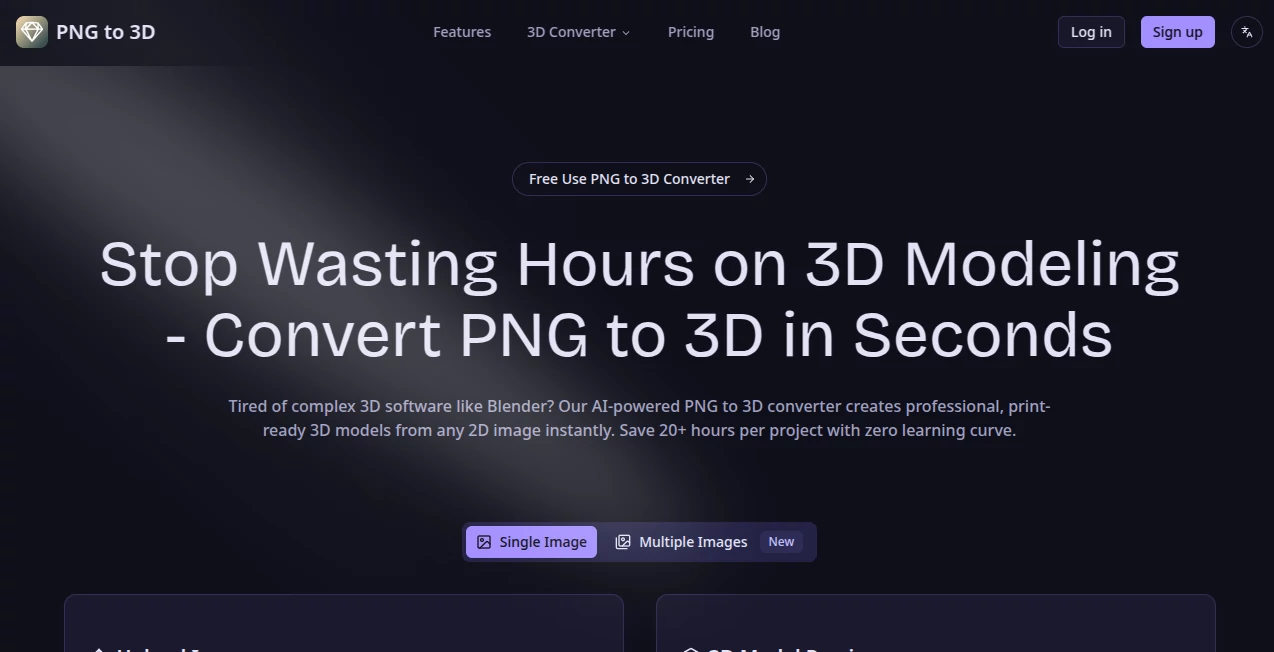
What is PNG to 3D?
Ever looked at a simple photo or illustration and wished you could hold it in your hands or drop it straight into a 3D scene? This tool makes that possible in seconds. Upload any PNG (or similar image), and it creates a detailed, print-ready 3D model without forcing you to learn complex software like Blender. I’ve seen hobbyists turn childhood drawings into little figurines for the printer and product designers quickly prototype ideas from rough sketches. The results are often good enough to use right away, saving hours of manual modeling while still feeling like your original vision—just with real depth.
Introduction
Creating 3D models has traditionally been a skill that takes months to learn and even longer to master. This platform changes the game by using smart AI to analyze your 2D image and build believable geometry, depth, and surfaces automatically. No high-poly sculpting, no UV unwrapping headaches—just upload and get something usable. It’s become a favorite for 3D printing enthusiasts, game asset creators, designers testing concepts, and anyone who wants to bring flat ideas into three dimensions without the usual frustration. The best part? It respects your time and keeps the creative spark alive instead of killing it with technical barriers.
Key Features
User Interface
The whole experience is built for speed and simplicity. A large, friendly upload area sits front and center. Drop your image in, choose basic options if you want (like detail level or style), and hit convert. Previews appear quickly so you can check the 3D result from different angles before downloading. No overwhelming menus or hidden settings—just a clean flow that gets you from flat image to 3D model without slowing you down. Even first-time users usually succeed on their very first try.
Accuracy & Performance
It does an impressive job reading edges, shapes, and surface details from your image. The resulting models have solid geometry that prints well and looks convincing in 3D viewers. Processing is fast—most conversions finish in under a minute—and the output quality stays high even on tricky inputs like hand-drawn sketches or product photos. It avoids the common pitfalls of weird spikes or flat areas that plague simpler converters, giving you something you can actually work with or print immediately.
Capabilities
Supports common image formats (especially PNG), generates proper 3D meshes suitable for printing (STL) or further editing (OBJ/GLB), and offers options for detail level and style. You can convert everything from simple icons and logos to detailed product shots or artistic illustrations. The models come ready for 3D printing, game engines, or 3D design software. It’s particularly strong at turning 2D artwork or photos into usable three-dimensional objects without requiring perfect source material.
Security & Privacy
Your images are processed quickly and not stored long-term on their servers. There’s no forced account creation for basic use, so you can experiment privately. For designers and creators working with client concepts or personal artwork, that low-friction, respectful approach is a real plus.
Use Cases
A 3D printing hobbyist turns family photos into custom miniatures for gifts. A product designer quickly prototypes packaging concepts from 2D mockups. A game developer converts concept art into base meshes for further refinement. Teachers create simple 3D models from textbook illustrations for classroom use. Anyone with a creative spark and a need for fast 3D assets finds real value here—especially when time is short but the idea is strong.
Pros and Cons
Pros:
- Extremely fast conversion from image to usable 3D model.
- No 3D modeling skills required—great for beginners and pros alike.
- Results are print-ready and work well in most 3D software.
- Simple, no-nonsense workflow that respects your time.
- Free tier available to test quality on your own images.
Cons:
- Complex or very detailed images may need some post-processing for perfection.
- Best results come from clear, well-defined source images.
- Advanced features and higher limits require a paid plan.
Pricing Plans
The free tier lets you convert several images to get a real feel for the quality. Paid plans unlock unlimited conversions, higher resolution outputs, priority processing, and batch handling for larger projects. Pricing is reasonable for the time it saves compared to learning traditional 3D modeling or hiring help. Many users find the upgrade worthwhile after their first successful print.
How to Use PNG to 3D
Go to the main page and drag your PNG (or supported image) into the upload area. The tool analyzes it automatically. Adjust any basic settings if needed (detail level or output format), then click convert. Wait a short moment while it builds the 3D model. Preview the result from different angles, and download in your preferred format (STL for printing, OBJ/GLB for editing). The whole process is usually done in under a minute, letting you move straight to printing or further refinement.
Comparison with Similar Tools
Many image-to-3D converters produce low-quality or overly simplified meshes that need heavy cleanup. This one delivers cleaner, more usable results with better depth understanding and fewer artifacts. Where other tools feel experimental, this one feels practical—fast enough for real workflows and reliable enough for actual projects. It strikes a sweet spot between simplicity and output quality that many alternatives miss.
Conclusion
Turning flat ideas into three-dimensional objects used to be a long, technical journey. This tool shortens that journey dramatically, making 3D accessible to far more creators. Whether you’re 3D printing gifts, prototyping products, building game assets, or just experimenting for fun, it removes the biggest barriers and lets your creativity take the lead. The joy of seeing your image standing tall in real 3D is hard to beat—and this makes it happen more often, more easily, and with better results than you might expect.
Frequently Asked Questions (FAQ)
What image formats work best?
PNG files give the cleanest results, but it also supports common formats like JPG.
Are the 3D models print-ready?
Yes—most outputs are suitable for 3D printing with minimal or no cleanup needed.
Do I need 3D modeling experience?
Not at all. The tool is designed for people with zero 3D background.
How long does conversion take?
Usually just a few seconds to under a minute, depending on image complexity.
Can I use it for commercial projects?
Check the terms on paid plans, but many users successfully use it for client and commercial work.
AI 3D Model Generator , Photo & Image Editor , AI Image to 3D Model , AI Design Generator .
These classifications represent its core capabilities and areas of application. For related tools, explore the linked categories above.
PNG to 3D details
Pricing
- Free
Apps
- Web Tools
Categories

PNG to 3D Alternatives Product

poseup
Birthday Car…

Video Upscal…
TextSharp | …

Pixelfox AI
chibi art

Lexica AI

nana banana …
Seedream 4.5