🧠 AI Quiz
Think you really understand Artificial Intelligence?
Test yourself and see how well you know the world of AI.
Answer AI-related questions, compete with other users, and prove that
you’re among the best when it comes to AI knowledge.
Reach the top of our leaderboard.


















POPJAM

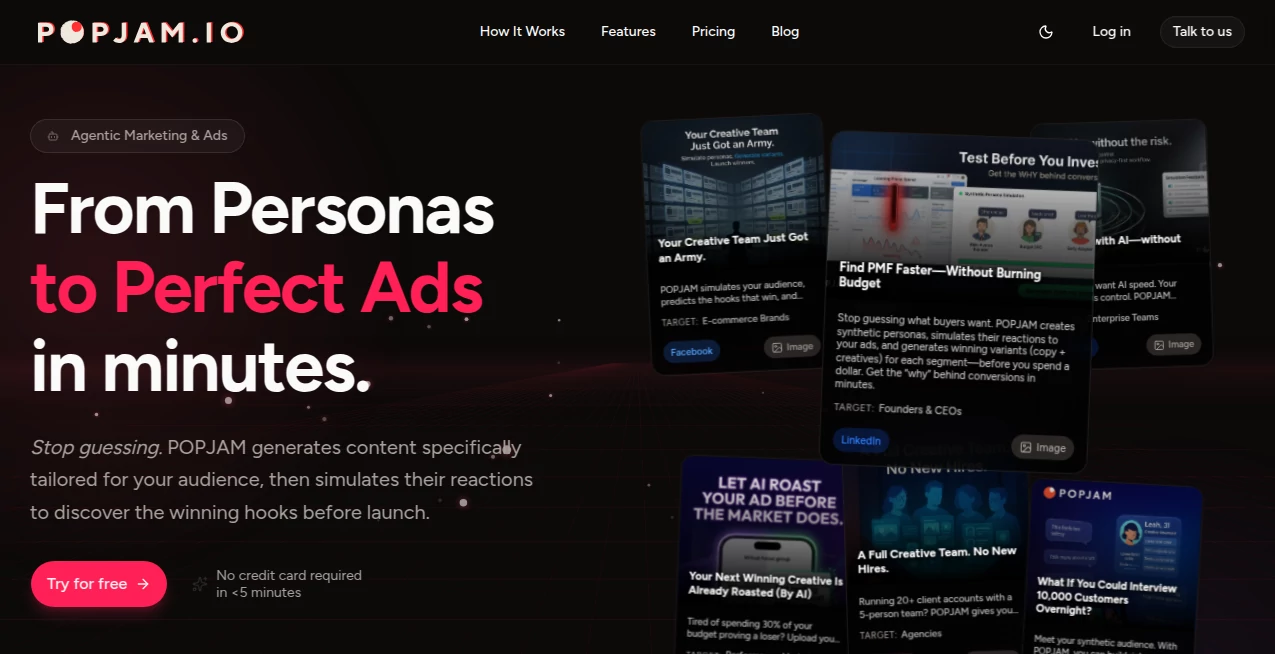
What is POPJAM?
There's something addictive about watching a 15-second clip that grabs you instantly—perfect pacing, snappy cuts, trending audio, text overlays that land just right. This tool puts that power in your pocket. You type a simple idea, pick a vibe or template, and a few moments later you have a polished vertical video ready to post. I've seen creators go from "I have no ideas today" to posting three Reels that actually get shares and saves. It's not magic; it's smart enough to understand what hooks people on TikTok, Instagram, and YouTube Shorts right now—and it delivers without making you feel like you're fighting software.
Introduction
Short-form video is the fastest-growing format online, but the barrier to entry is still high: scripting, filming, editing, caption timing, music sync—it piles up fast. This platform collapses most of that into a few taps. Start with text, voiceover, or even a rough clip, and it builds a complete, ready-to-post video with trending elements baked in. It’s become a daily go-to for creators who need to ship consistently without burning out. The best part? It doesn’t spit out generic templates—it adapts to your prompt, keeps your personality, and leans into what’s currently working on the platforms you care about. That’s the difference between posting something and posting something people actually watch.
Key Features
User Interface
The workspace feels alive but never chaotic. Big prompt box at the top, style and platform presets below, quick toggles for length and voiceover tone. As you type, it suggests trending hooks and audio. Previews play instantly so you can tweak pacing or swap clips without leaving the flow. It’s designed for speed—most videos are done in under three minutes from idea to export. No steep learning curve; even someone posting their first Reel feels capable right away.
Accuracy & Performance
It nails current trends—right music, right text animation timing, right cut rhythm—because it’s constantly updated with what’s performing. Lip-sync is tight when voiceover is used, transitions feel natural, and text overlays land on beat. Generation is fast (often 20–90 seconds), and quality holds up at 1080p vertical. The model rarely produces awkward cuts or mismatched energy; when it does, it’s usually because the prompt was too vague—and even then, re-generating takes seconds.
Capabilities
Text-to-video, voiceover generation with natural intonation, trending audio sync, auto-captioning with animated overlays, multi-clip storytelling, template remixing, aspect ratio presets (9:16, 1:1, 16:9), and export in MP4 ready for direct upload. It handles hooks, storytelling arcs, product reveals, motivational quotes, tutorials, and meme-style content—all with current platform best practices baked in. You keep full creative control while leaning on smart defaults that save hours.
Security & Privacy
Your prompts, voice recordings, and generated videos stay private—no training on user content, no long-term storage unless you save. Exports are yours to own. For creators handling branded content or personal projects, that clean separation is a real relief.
Use Cases
A fitness coach records a quick voiceover tip and gets a polished Reel with captions and trending music that triples engagement. A small brand turns product photos into 15-second lifestyle clips that outperform static posts. A side-hustle creator makes daily motivational quotes with smooth animations and consistent style—building audience without daily filming. A meme page remixes viral formats in minutes, staying relevant without burnout. Wherever consistency and speed matter, it quietly becomes indispensable.
Pros and Cons
Pros:
- Understands current short-form trends better than most humans do right now.
- Voiceover and lip-sync quality that feels genuinely natural.
- Fast enough to iterate multiple versions in one sitting.
- Exports are platform-ready—no extra editing required in most cases.
- Free tier is usable—enough to post daily if you’re disciplined.
Cons:
- Clip length caps at around 60 seconds (perfect for most short-form, limiting for longer formats).
- Very niche or brand-specific styles sometimes need prompt tweaking.
- Unlimited generations and premium voices/audio live behind paid plans.
Pricing Plans
Free plan gives daily credits for testing and light posting—real videos, no watermarks on basic exports. Pro plans unlock unlimited generations, higher quality, premium voices, trending audio access, and priority queue. Pricing is creator-friendly—many say one month pays for itself after a single viral post or saved freelance editing bill. Flexible enough that you only pay for the volume you actually need.
How to Use PopJam
Open the creator space, type your video idea (e.g., “motivational gym quote with upbeat music and text pop-ins”). Choose style or platform preset, record or generate voiceover if desired. Hit generate—preview plays automatically. Tweak script, pacing, or audio if needed, then export. For batch content, paid users can queue multiple ideas at once. Done—post-ready video in minutes, not hours.
Comparison with Similar Tools
Many short-form generators lean on templates that feel dated or generic. This one stays current—music, transitions, caption timing all reflect what’s actually working today. Where others produce stiff or robotic output, the voiceover and motion here feel human. Speed, trend awareness, and creative flexibility put it ahead of most competitors in the daily posting game.
Conclusion
Short-form video isn’t slowing down—platforms reward consistency and relevance. This tool makes both achievable without sacrificing your sanity or personality. It’s not about replacing creativity; it’s about removing friction so your ideas can reach people faster and look better doing it. When you can go from half-baked thought to scroll-stopping clip in minutes, content creation starts feeling exciting again. For anyone trying to stay visible online, that’s a powerful edge.
Frequently Asked Questions (FAQ)
How long can videos be?
Up to 60 seconds—ideal for Reels, TikTok, Shorts; longer storytelling possible with multi-clip workflows.
Do I need to record my own voice?
No—built-in voice generation is natural-sounding and customizable; your own recording works too.
What platforms are optimized for?
TikTok, Instagram Reels, YouTube Shorts, Facebook Reels—presets match each one’s current best practices.
Are there watermarks on free videos?
Small watermark on free tier; paid plans remove it completely.
Can I use these commercially?
Yes—paid plans grant full commercial rights for brand, business, or monetized content.
AI Animated Video , AI Video Generator , AI Short Clips Generator , AI Text to Video .
These classifications represent its core capabilities and areas of application. For related tools, explore the linked categories above.
POPJAM details
This tool is no longer available on submitaitools.org; find alternatives on Alternative to POPJAM.
Pricing
- Free
Apps
- Web Tools
Categories

POPJAM Alternatives Product

Fast Wan

ltx 2.3

Seedance 2.0…

Runway Gen-4…

Seedance 2.0…

Kling-4 Vide…

Seedance 2.0

Veo 4 AI Vid…

Ltx AI - Ltx…