🧠 AI Quiz
Think you really understand Artificial Intelligence?
Test yourself and see how well you know the world of AI.
Answer AI-related questions, compete with other users, and prove that
you’re among the best when it comes to AI knowledge.
Reach the top of our leaderboard.

















PopWave
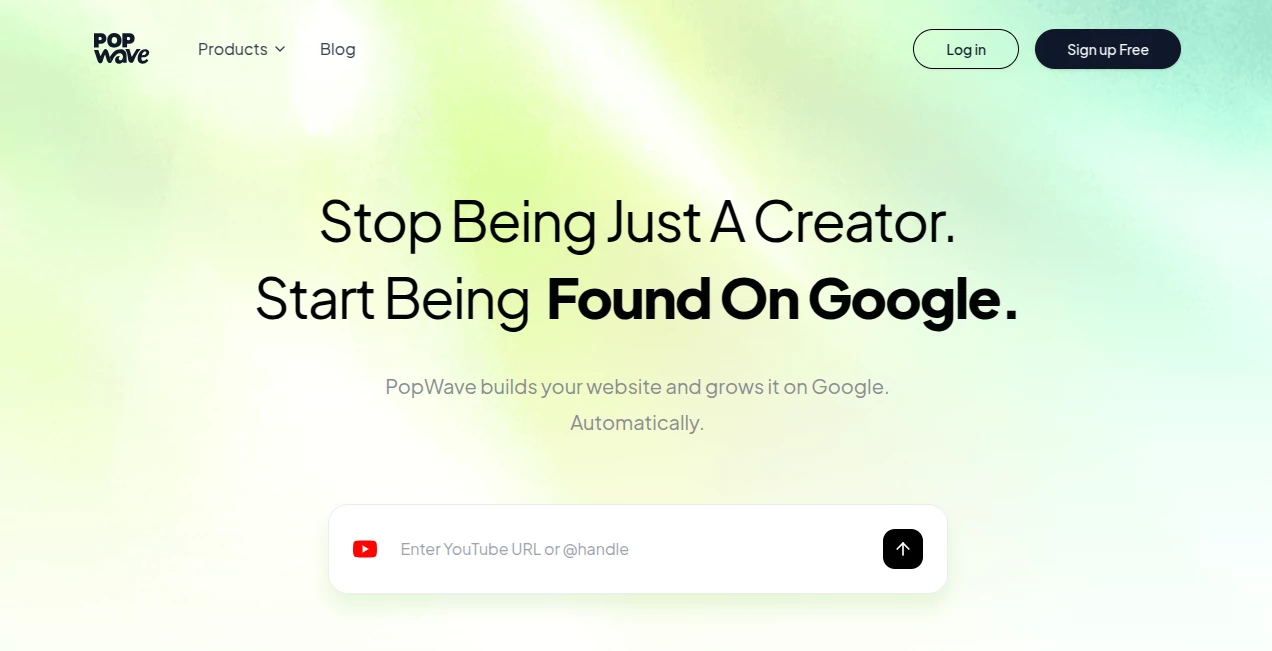
What is PopWave?
Scrolling through someone's socials and wanting one clean place to see everything they do—YouTube videos, TikTok clips, Instagram posts, latest projects—without jumping between tabs. That's the simple but powerful idea behind this tool. It lets you connect all your accounts and create a beautiful, unified page that feels like a personal website but takes minutes to set up. I’ve watched creators go from scattered links in bios to a polished hub that actually looks professional and helps them grow their audience. It’s the kind of thing that makes you wonder why you were managing everything separately for so long.
Introduction
In a world where we’re all spread across platforms, having one central spot to showcase your work and personality makes a real difference. This platform uses AI to help you build that spot quickly and smartly. You link your YouTube, TikTok, Instagram, and other accounts, and it pulls everything together into a clean, modern page that updates automatically. No coding, no design headaches—just a few clicks and you have a link-in-bio that works like a mini website. Creators, artists, musicians, and small businesses love how it turns fragmented online presence into something cohesive and shareable. It’s not just convenient; it feels like the natural next step for anyone serious about building their personal brand.
Key Features
User Interface
The dashboard is straightforward and inviting. You start by connecting your social accounts with a few clicks, and the AI suggests a layout that highlights your best content. Drag-and-drop blocks let you rearrange sections, add custom text, embed videos, or showcase projects. The preview updates live so you can see exactly how it looks on mobile or desktop. It never feels overwhelming—even if you’re not tech-savvy, you can create something that looks thoughtfully designed in under ten minutes.
Accuracy & Performance
It pulls content from your linked accounts accurately and keeps everything up to date automatically. New videos or posts appear on your page without manual work. The AI helps choose the best thumbnails and descriptions so your content looks its best. Loading times stay snappy even when you add lots of embeds, and the page works smoothly across devices. Users often mention how reliable it is—no broken links or outdated sections that make you look unprofessional.
Capabilities
Beyond basic link aggregation, it lets you create custom sections for portfolios, services, or about pages. You can add analytics to see what visitors click most, customize colors and fonts to match your brand, and even sell products or collect emails directly on the page. The AI suggests improvements like better headlines or layout tweaks to boost engagement. It supports multiple languages and works great for creators in any niche—from tech reviewers to musicians to coaches.
Security & Privacy
Your connected accounts stay secure with standard OAuth permissions—no passwords are shared. The platform doesn’t sell or misuse your data, and you control exactly what appears publicly. It’s built with creators in mind, so you can experiment freely without worrying about leaks or unwanted tracking. That sense of control makes it comfortable for both personal branding and professional use.
Use Cases
A YouTuber links all their channels and socials into one sleek page that drives more subscribers across platforms. A freelance designer showcases their portfolio projects alongside client testimonials and booking links, making it easier for potential clients to hire them. A musician shares new releases, tour dates, and merch in one place, turning fans into buyers more effectively. A small business owner collects emails and promotes services without needing a full website. It shines wherever someone needs to present themselves or their work clearly and professionally in one link.
Pros and Cons
Pros:
- Extremely fast setup—most people have a good-looking page in minutes.
- Automatic updates keep your content fresh without extra work.
- Clean, modern designs that look custom even on the free plan.
- Helpful AI suggestions improve layout and engagement.
- Works beautifully on mobile, which is where most visitors land.
Cons:
- Advanced analytics and custom domains require a paid plan.
- Very heavy customization still has some limits compared to full website builders.
Pricing Plans
It starts with a capable free plan that lets you connect multiple accounts and create a solid basic page—perfect for testing the waters or light personal use. Paid plans add custom domains, advanced analytics, priority AI features, and more design flexibility. Pricing stays reasonable for the time and professionalism it adds to your online presence. Many creators say the upgrade pays for itself quickly through better audience connection and easier lead generation.
How to Use PopWave
Sign up with your email or social login, then start connecting your accounts—YouTube, TikTok, Instagram, and others. The AI suggests an initial layout based on your content. Drag sections around, add custom text or embeds, and tweak colors to match your style. Preview on mobile and desktop, then copy your unique link. Share it in bios, emails, or anywhere you want people to find you. Check analytics to see what’s working and refine as you grow. The whole process stays simple and rewarding from day one.
Comparison with Similar Tools
Many link-in-bio tools are either too basic (just a list of links) or overly complicated with steep learning curves. This one balances simplicity with smart AI assistance and automatic content pulling, making your page feel more like a real portfolio than a plain directory. It stands out by focusing on creators and making the page actively helpful for growth rather than just a static list. The combination of speed, design quality, and useful features puts it ahead for most people building a personal brand.
Conclusion
Your online presence shouldn’t feel scattered or outdated. This tool brings everything together in one attractive, always-updated place that works for you instead of against you. It saves time, looks professional, and helps you connect better with your audience—whether they’re fans, clients, or potential collaborators. In a crowded digital world, having one clean hub that reflects who you are and what you do is incredibly valuable. For creators and small businesses, it’s one of those small upgrades that makes a surprisingly big difference.
Frequently Asked Questions (FAQ)
How long does it take to set up?
Most people have a working page in under 10 minutes, even with multiple accounts.
Does it update automatically?
Yes—new posts and videos from connected accounts appear without manual work.
Can I customize the design?
Absolutely—change colors, fonts, layout, and add custom sections to match your brand.
Is it mobile friendly?
Very—pages look great and perform well on phones, which is where most visitors come from.
Do I need technical skills?
No—the interface is designed for non-technical users while still offering enough flexibility for advanced tweaks.
These classifications represent its core capabilities and areas of application. For related tools, explore the linked categories above.

PopWave Alternatives Product
AI Just Bett…

Awesome AI T…

AIToolFame

Max Studio AI

Ai Ranking
SeeWhatNewAI…
Aback Launch
NewTool.site
WebToMind