🧠 AI Quiz
Think you really understand Artificial Intelligence?
Test yourself and see how well you know the world of AI.
Answer AI-related questions, compete with other users, and prove that
you’re among the best when it comes to AI knowledge.
Reach the top of our leaderboard.


















Prelight
Verified Blue CheckMark
Verified Blue CheckMark products are featured above free or unverified listings.
This badge indicates authenticity and builds trust, giving your product higher visibility across the platform.
Upgrade to get verified
Verified Blue CheckMark products are featured above free or unverified listings. This badge indicates authenticity and builds trust, giving your product higher visibility across the platform.
Upgrade to get verified
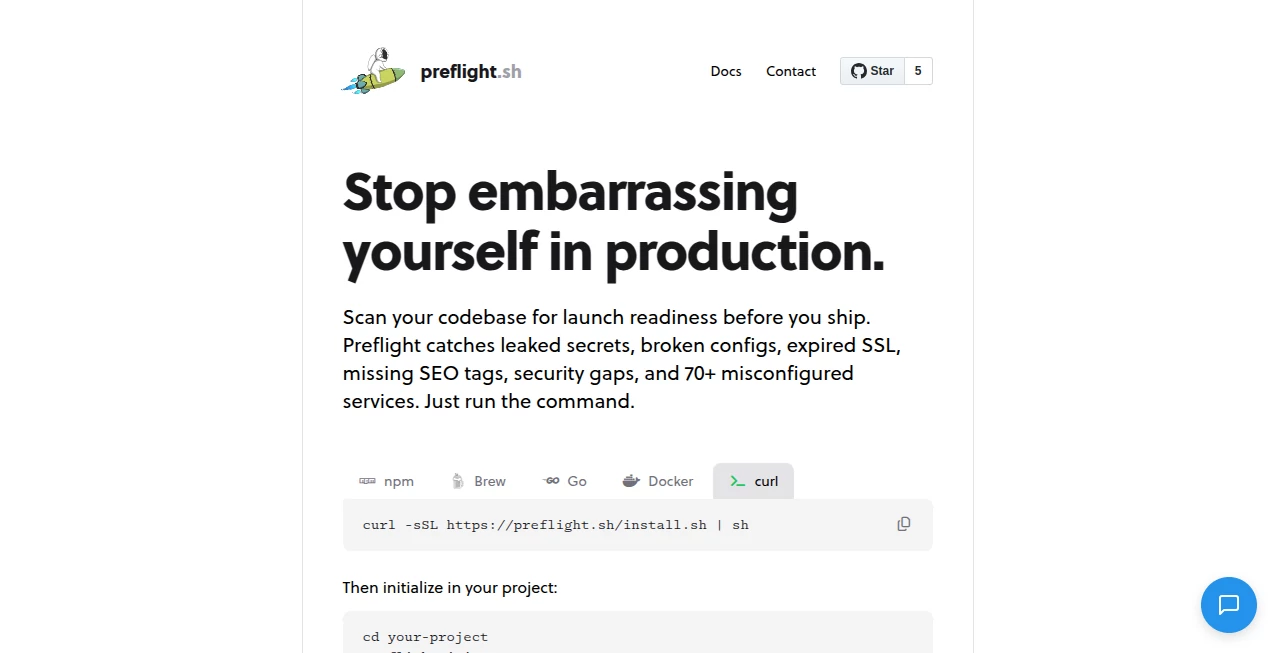
What is Prelight?
There's something quietly satisfying about launching a website knowing you've caught every little gotcha before anyone else does. This tool turns that nervous pre-launch moment into a calm, confident one by giving you a smart, thorough checklist that actually understands your site. I've used it on a few side projects and client work, and each time it feels like having a senior dev peer-reviewing everything without needing to ask.
Introduction
Launching a site is stressful enough—broken links, missing alt text, slow pages, accessibility oversights... the list goes on. This platform cuts through all that noise with an intelligent checklist that doesn't just flag issues; it explains them in plain language and often suggests fixes. Built for designers, developers, and agency folks who hate surprises after going live, it scans your site and delivers a report that feels like it was written by someone who actually cares about the details. What I love most is how it evolves with each use—learning from your project patterns to catch the things that matter most to you.
Key Features
User Interface
The dashboard is clean and focused: paste your URL, hit go, and within seconds you get a beautifully organized report with sections that expand on demand. No cluttered menus or confusing toggles—just a clear overview with severity levels (critical, warning, info) and clickable issues that take you straight to the problem on your site. It's the kind of interface that makes you feel in control immediately.
Accuracy & Performance
It catches things other tools miss—like proper Open Graph tags for social sharing, correct canonical URLs, or even whether your robots.txt is doing what you think it is. Scans are fast (usually under a minute for most sites), and the results are reliable enough that I trust them as my final pre-launch gatekeeper. False positives are rare, and when they happen, the explanations make it easy to dismiss them confidently.
Capabilities
Beyond basic SEO and performance checks, it dives into accessibility (WCAG 2.1), security headers, mobile-friendliness, structured data validation, and even checks for broken links, duplicate content, and HTTPS issues. It also verifies if your site is crawlable and indexes properly. The best part? It remembers your previous scans so you can track improvements over time.
Security & Privacy
Everything happens on your machine or through secure, temporary scans—no data is stored longer than needed. For agencies handling client sites, this is huge: you can run checks without sending sensitive URLs to a third-party server. The privacy-first approach is something you feel good about in an industry where trust matters.
Use Cases
A freelance designer can run a full pre-launch audit before handing over to the client, catching accessibility issues that could lead to legal headaches. An agency team uses it as part of their QA process, ensuring every site meets internal standards before going live. Solo developers love it for catching silly mistakes (like missing favicon or wrong charset) before deploying. Even e-commerce shops use it to verify product pages have proper metadata and fast load times before big sales campaigns.
Pros and Cons
Pros:
- Comprehensive without being overwhelming—focuses on what actually matters.
- Clear, actionable recommendations with code snippets when needed.
- Privacy-focused: no long-term storage of your site data.
- Fast scans and beautiful report that's easy to share with clients.
- Tracks progress across multiple scans for the same site.
Cons:
- Free tier is limited in the number of scans per month.
- Some very niche technical checks might require manual verification.
Pricing Plans
Free tier gives you a generous number of scans each month—enough for side projects and small sites. Pro plan is reasonably priced and unlocks unlimited scans, priority support, and advanced features like team sharing and custom checklists. Agency plans scale up with multiple team members and branded reports. The value is excellent—many users say the Pro plan pays for itself after just one avoided launch disaster.
How to Use Prelight
Sign up (free tier works fine to start), paste your site's URL, and let it scan. When the report is ready, you'll get an email or can view it directly in your dashboard. Click through each issue to see explanations and suggested fixes. For repeated scans (like during development), add the site to your projects list to track improvements. Export the report as PDF or share a link with clients. It's straightforward and quick—usually the last thing I do before hitting "deploy".
Comparison with Similar Tools
While other audit tools give you raw lists of errors, this one prioritizes clarity and actionability. Lighthouse is free and powerful but overwhelming for non-technical users. Paid SEO suites often bury pre-launch checks in mountains of data. This tool strikes a perfect balance: thorough enough for professionals, simple enough for anyone to understand. Plus, the privacy-first approach sets it apart from competitors that store your site data indefinitely.
Conclusion
Launching a website shouldn't feel like a gamble. This tool takes the anxiety out of the final step, giving you confidence that you've covered the important bases. It's become my personal pre-launch ritual—run the scan, fix the criticals, and sleep easy knowing the site is ready for the world. If you care about quality and want peace of mind before going live, this is the kind of tool that quietly becomes indispensable.
Frequently Asked Questions (FAQ)
How many scans do I get on the free plan?
Enough for personal and small projects—usually 10-15 per month depending on site size.
Can I share reports with clients?
Yes, beautiful shareable links or PDF exports are included.
Does it check HTTPS and security headers?
Absolutely—covers HSTS, CSP, and more.
Is my site data stored?
No, scans are temporary and privacy-focused.
Can I run it on staging sites?
Yes, works great for pre-production environments.
AI Developer Tools , AI Research Tool , AI Analytics Assistant , AI SEO Assistant .
These classifications represent its core capabilities and areas of application. For related tools, explore the linked categories above.
Prelight details
Pricing
- Free
Apps
- Web Tools
Categories

Prelight Alternatives Product

GPTLocalhost

KarmaGuy

JSON to TOON…

Sorank

LocalRAG!

AlphaTax

UPDF AI

Geoleaper

Elicit