🧠 AI Quiz
Think you really understand Artificial Intelligence?
Test yourself and see how well you know the world of AI.
Answer AI-related questions, compete with other users, and prove that
you’re among the best when it comes to AI knowledge.
Reach the top of our leaderboard.


















Presenti AI
Verified Blue CheckMark
Verified Blue CheckMark products are featured above free or unverified listings.
This badge indicates authenticity and builds trust, giving your product higher visibility across the platform.
Upgrade to get verified
Verified Blue CheckMark products are featured above free or unverified listings. This badge indicates authenticity and builds trust, giving your product higher visibility across the platform.
Upgrade to get verified
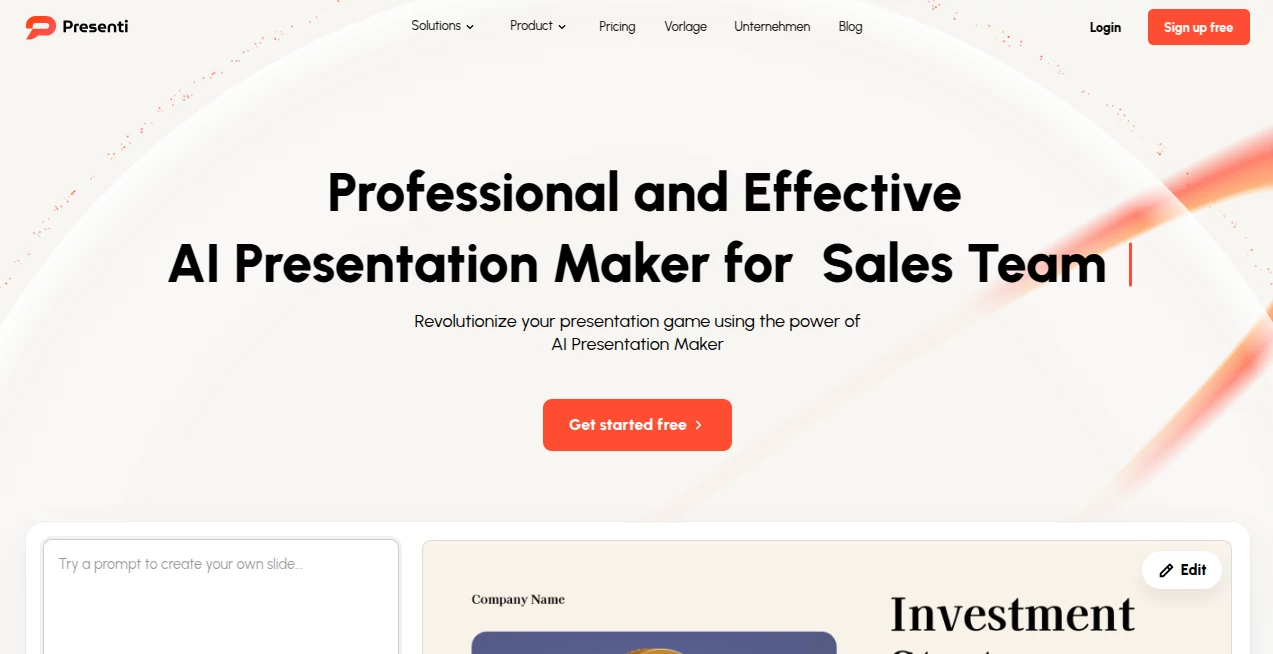
What is Presenti AI?
There's something truly satisfying about watching a jumbled set of notes or a rough document morph into a sleek deck of slides that look like they took hours to craft. This tool nails that transformation, pulling together content, layouts, and visuals with a smart touch that feels almost intuitive. I've tossed in everything from scribbled keywords to full reports, and come out the other side with presentations that impress clients or classmates without the usual late-night fiddling. It's the kind of helper that frees you up to think about the message, not the margins.
Introduction
Gone are the days of staring at blank slides, wrestling with fonts and alignments just to get the basics down. This platform steps in with a straightforward promise: feed it your thoughts—a topic, some bullet points, or even an existing file—and it spins out a complete presentation ready for tweaks or straight to showtime. Drawing from a library of templates tailored for business pitches, educational talks, or creative showcases, it handles the heavy lifting on structure, wording, and design. What impresses most is how it adapts to uploads like Word docs, PDFs, or Markdown files, preserving your intent while polishing the delivery. For anyone who's ever rushed a deck at the last minute, it's a lifeline that turns stress into something closer to excitement.
Key Features
User Interface
The whole experience unfolds in your browser with a clean, uncluttered workspace that invites you to start right away—drop in text, upload a file, or pick from curated templates that span minimalist to bold creative styles. Editing feels natural, with drag-friendly elements and one-click optimizations that refine layouts on the fly. A friend of mine, not the most tech-savvy, jumped in and had a solid deck brewing in under ten minutes, grinning at how it just... worked, without buried menus or confusing options.
Accuracy & Performance
It reads your input with a keen eye, expanding outlines into full paragraphs that flow logically, matching tones from formal reports to engaging pitches. Generations happen swiftly, often in a minute or two, even for denser documents, with smart suggestions for images and balances that keep everything visually tight. In practice, it rarely misses the mark on context, turning vague prompts into coherent narratives that need only light touches to feel personal.
Capabilities
Beyond basic text-to-slides, it excels at file conversions—Word, PDF, Markdown, even mind maps—while auto-beautifying with aligned elements, harmonious colors, and fitting typography. There's room for brand kits to lock in your look, real-time collab for team input, and exports to PowerPoint or PDF that carry over the polish. It's versatile enough for quick brainstorms or detailed proposals, always aiming for that professional edge without forcing you into rigid boxes.
Security & Privacy
Everything stays in the cloud with automatic saves and access controls that make sharing selective and secure, especially handy for sensitive client work. No heavy mentions of fancy certifications, but the browser-based setup means nothing lingers on your device unwanted, and workspaces keep projects neatly separated. It's reassuring for everyday use, letting you focus on creating rather than worrying about leaks.
Use Cases
Marketers whip up campaign overviews that wow stakeholders, pulling in data files for instant visuals that highlight wins. Teachers convert lesson notes into engaging classroom decks, complete with balanced slides that keep students hooked. Sales folks craft pitch decks from rough outlines, refining on the go for that killer close. Even students facing deadlines turn essay drafts into clear summaries, buying time for practice runs instead of pixel-pushing.
Pros and Cons
Pros:
- Turns hours of formatting into minutes of meaningful edits.
- Handles diverse inputs seamlessly, from files to fleeting ideas.
- Templates and auto-designs that look custom without the custom effort.
- Browser-only convenience, always ready wherever you log in.
Cons:
- Free tier limits might nudge frequent users toward paid quicker.
- Highly complex custom animations could still need external tweaks.
Pricing Plans
A free start lets you test the waters with core generations, ideal for occasional needs. Pro unlocks fuller access around $8 monthly (often with discounts pulling it lower), bringing unlimited runs, advanced edits, and priority features. Yearly commits shave costs further, keeping it affordable for regulars without locking you in forever—smart scaling that grows with your presentation habit.
How to Use Presenti
Begin with your spark: type a topic, list keywords, or upload that lingering document. Choose a template vibe if one calls to you, then let it generate—review the draft, tweak text or layouts with easy tools, and apply beautify for that final gloss. Export when ready, or collaborate live; I often start with a PDF report, watch it expand thoughtfully, make a few personal swaps, and have a client-ready deck before the kettle boils.
Comparison with Similar Tools
Against flashier rivals focused on trendy layouts, this one prioritizes reliable structure and file smarts, delivering consistent, professional results that suit serious settings over experimental flair. It's less about viral minimalism and more about getting the job done beautifully, often with better handling of existing content where others force fresh starts. For practical creators needing dependable decks fast, it edges ahead with its balanced, no-nonsense polish.
Conclusion
This tool quietly redefines what a presentation prep should feel like—less grind, more groove, with results that speak for themselves. It empowers the busy, the creative, the procrastinators among us to step up with confidence, turning good ideas into great deliveries. If you've ever wished for a thoughtful assistant to handle the visuals while you hone the voice, here's your invite to try it out and see the difference a smart spark can make.
Frequently Asked Questions (FAQ)
What inputs does it accept?
Topics, keywords, text pastes, or files like Word, PDF, and Markdown—plenty of ways to start.
How fast is generation?
Usually a minute or two, even for fuller documents, keeping momentum high.
Can I customize brands?
Yes, lock in colors, fonts, and logos for consistent looks across decks.
Is there a free option?
Absolutely, with solid trials to build and test before upgrading.
Exports to what formats?
PowerPoint and PDF, carrying over the design fidelity.
AI Content Generator , AI Presentation Generator , AI Productivity Tools , AI Documents Assistant .
These classifications represent its core capabilities and areas of application. For related tools, explore the linked categories above.
Presenti AI details
Pricing
- Free
Apps
- Web Tools
Categories

Presenti AI Alternatives Product

Coresite

Hands Off

AI Podcast I…

LyricStudio

wu tang name…

markdown to …

Liftburst

SuperAI

SEOBlogger AI