🧠 AI Quiz
Think you really understand Artificial Intelligence?
Test yourself and see how well you know the world of AI.
Answer AI-related questions, compete with other users, and prove that
you’re among the best when it comes to AI knowledge.
Reach the top of our leaderboard.

















Project Genie
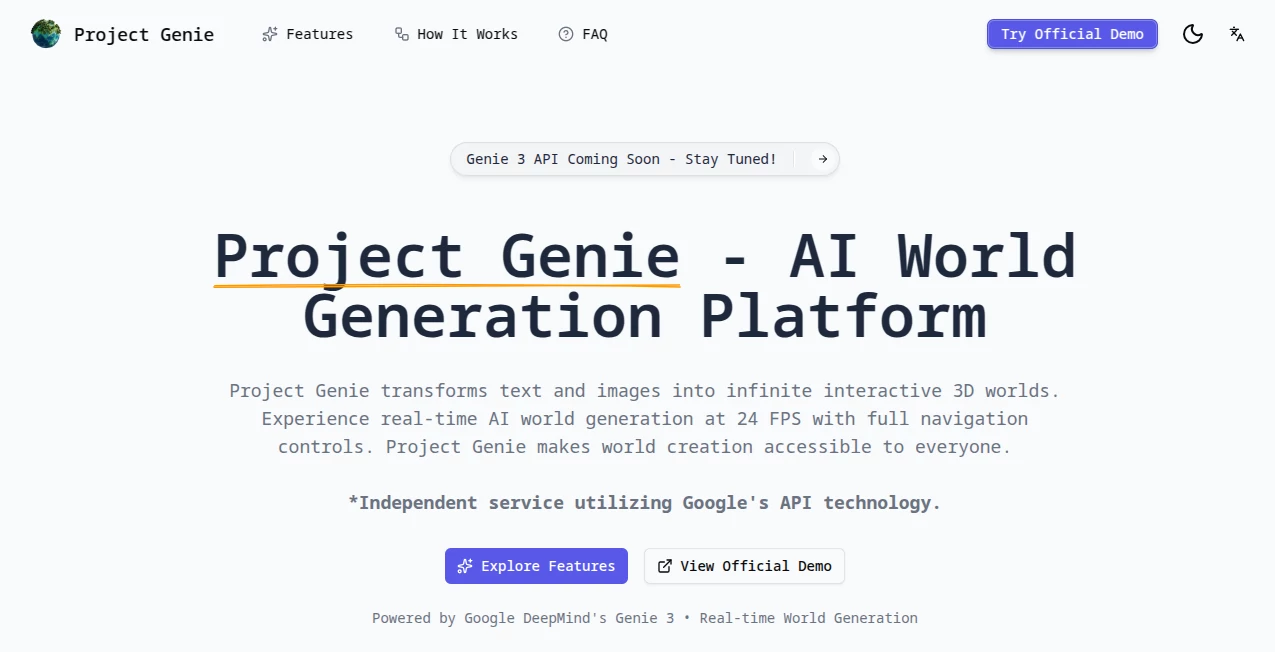
What is Project Genie?
There’s a quiet thrill when you type a simple description—like “a cozy cabin in a snowy forest at dusk”—and suddenly you’re standing inside it, snow crunching underfoot, fire crackling, the whole scene unfolding around you in real time. That’s the kind of moment this prototype delivers, and it still feels almost unreal every time I try it. No modeling, no rigging, no waiting—just your words (or an image) sparking an entire explorable space that keeps building as you walk, fly, or drive through it. I’ve lost track of how many evenings I’ve spent wandering worlds that started as half-formed thoughts; it’s the closest thing I’ve felt to pure creative play in years.
Introduction
Most of us have daydreamed entire places—secret gardens, neon-lit cities, forgotten ruins—only to watch them fade because bringing them to life seemed too daunting. This research prototype changes that equation completely. Powered by a new generation of world models, it lets anyone prompt a living, breathing environment into existence and step inside immediately. The first time I saw a rough sketch turn into a walkable landscape, I just sat there grinning. What began as an internal experiment has become something genuinely accessible to Google AI Ultra subscribers in the US, and the sense of wonder it creates is hard to overstate. It’s not about replacing artists or game designers; it’s about giving every curious mind a sandbox where imagination can run free without technical gates.
Key Features
User Interface
The whole experience is deliberately simple so the focus stays on the world itself. You start in a clean prompt box, type (or upload an image), get a quick Nano Banana Pro preview to tweak the look, then step in. Controls are familiar—WASD to move, space to jump, mouse to look—and you can switch between first-person immersion or a third-person follow-cam in one click. There’s no cluttered toolbar fighting for attention; it’s just you and the environment, which makes every session feel personal and immediate.
Accuracy & Performance
The real-time generation is where it feels almost magical—new parts of the world appear smoothly as you move, at a steady 24 fps even on detailed scenes. Physics behaves convincingly: objects tumble, characters react, gravity pulls. Memory holds short-term changes (paint a wall red, it stays red for about a minute), and the model keeps character and environment consistent without jarring drifts. In my own tests, I’ve prompted increasingly absurd combinations—floating islands with waterfalls flowing upward—and the coherence stays surprisingly high, rarely breaking immersion.
Capabilities
You can start from nothing with a text description, remix existing worlds by tweaking prompts, or bring your own images and watch them expand into navigable spaces. Exploration modes cover walking, flying, driving, even riding, and you can build characters that feel part of the scene. The world keeps unfolding beyond what you can see, creating that rare sense of a place that exists whether you’re looking or not. It’s less a tool and more an invitation to wander and tinker without limits.
Security & Privacy
Being a tightly controlled research prototype, your sessions stay contained—prompts and interactions don’t leak beyond your own account. There’s no sense of data being harvested for unrelated training; everything feels scoped to the experience itself. That trust matters when you’re pouring personal ideas into a creative space.
Use Cases
A writer blocked on a fantasy novel drops in a quick description of the protagonist’s home village and walks through it, noticing details that spark new scenes. A concept artist tests lighting and mood on a sci-fi city before committing to a final painting. Game designers prototype levels and get instant feedback on navigation feel. Even casual explorers build surreal dreamscapes just to see what happens when gravity flips or colors invert. The range of uses keeps widening because the barrier is so low—anyone with a sentence can start playing.
Pros and Cons
Pros:
- Instant world-building from almost any prompt—text or image—feels genuinely liberating.
- Smooth real-time exploration with believable physics and consistent memory.
- Remixing and previewing make iteration fast and fun.
- No technical overhead; it’s pure creative flow.
Cons:
- Currently limited to 60-second sessions, so longer adventures need restarts.
- Access tied to a premium subscription, though the demo gives a strong taste.
Pricing Plans
It’s part of the Google AI Ultra subscription, which bundles this kind of experimental access with other high-end features. The monthly cost reflects the heavy compute behind real-time world generation, but the value shows in how much creative ground you cover in a single session. For anyone already invested in Google’s ecosystem, it feels like a natural extension rather than an extra expense.
How to Use Project Genie
Log in through your Google AI Ultra account, land on the prompt screen, and start typing—describe the place, mood, character, whatever comes to mind. Add an image if you want to anchor the style. Tweak the preview until it feels right, then step in. Move around, experiment with actions, watch the world expand. When you’re done, remix by adjusting prompts and jump back in for another take. It’s as simple as daydreaming, but the results are tangible and shareable.
Comparison with Similar Tools
Other generation tools often stop at static images or short clips; this one gives you a living, navigable space that keeps going as long as you explore. Where some require heavy setup or produce brittle results, the consistency and responsiveness here stand out. It’s less about competing on raw fidelity and more about delivering that “I’m really here” feeling with minimal friction—something still rare even in 2026.
Conclusion
This isn’t just another AI toy; it’s a glimpse of what happens when world-building becomes as intuitive as speaking. The joy of stepping into your own imagination—and watching it grow around you—is hard to describe until you’ve done it. For creators, dreamers, or anyone who’s ever wished a place in their head could exist, this prototype is an invitation worth taking. It reminds us that the most powerful tools don’t replace wonder—they amplify it.
Frequently Asked Questions (FAQ)
How long can I explore a world?
Sessions run up to 60 seconds; you can remix and restart instantly to keep going.
Do I need special hardware?
It runs smoothly in modern browsers—no downloads or high-end GPU required.
Can I share my worlds?
Yes—export moments or share prompts so others can step into your vision.
What if my prompt is very weird?
The weirder the better—it thrives on surreal ideas and still keeps things coherent.
Is this available everywhere?
Currently US-only for Google AI Ultra subscribers (18+), with wider rollout expected.
AI Developer Tools , AI Design Generator , AI Fun Tools , AI 3D Model Generator .
These classifications represent its core capabilities and areas of application. For related tools, explore the linked categories above.
Project Genie details
Pricing
- Free
Apps
- Web Tools
Categories

Project Genie Alternatives Product

Lensgo

Fiddl.art

Banana Promp…

Nano Banana …

chibi genera…

Workik

Grok Imagine

NanoBanana P…

Image to STL