
🧠 AI Quiz
Think you really understand Artificial Intelligence?
Test yourself and see how well you know the world of AI.
Answer AI-related questions, compete with other users, and prove that
you’re among the best when it comes to AI knowledge.
Reach the top of our leaderboard.

















Prompt Image

What is Prompt Image?
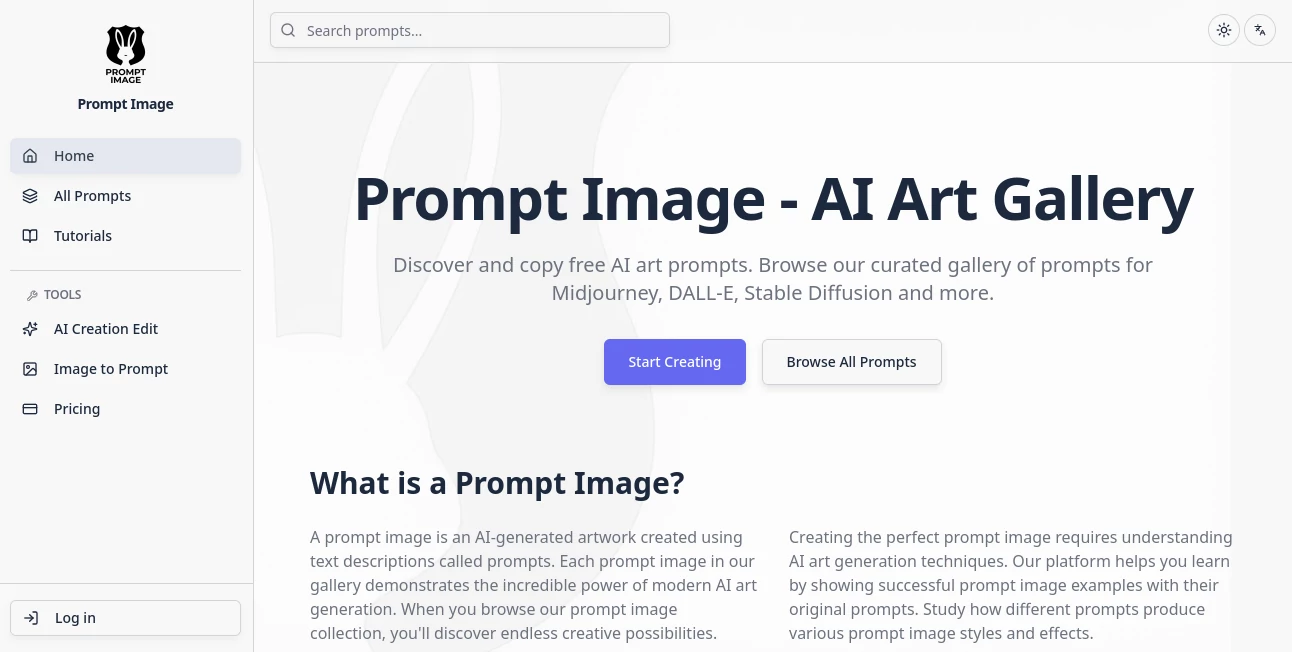
Ever stared at a stunning picture and wished you could recreate something just like it, but struggled to find the right words for those AI generators? This clever platform swoops in to save the day, analyzing your uploads and crafting detailed descriptions that capture every nuance—colors, lighting, mood, the works. It's a game-changer for anyone who's hit that creative wall, turning visual inspiration into ready-to-use text that sparks spot-on results elsewhere. I tried it with an old vacation snapshot, and the output was so richly worded it felt like a pro artist dictating the scene.
Introduction
In the whirlwind of AI art tools, where getting the perfect output often hinges on nailing the input, this site stands out by focusing on the often-overlooked art of prompt crafting. It bridges that tricky gap between what you see in your mind (or on your screen) and what the generators churn out, offering ways to reverse-engineer images into eloquent descriptions or polish vague ideas into powerhouse phrases. Artists, marketers, and hobbyists alike have taken to it, sharing how it cuts down trial runs from dozens to a handful. What draws people in is its straightforward mission: empower your creativity by handing you prompts that actually work, whether you're recreating a favorite piece or brainstorming fresh ones from scratch.
Key Features
User Interface
Everything feels refreshingly uncluttered—you upload your file (JPG, PNG, or WEBP, nothing too hefty), pick a style tweak if you fancy, and watch the magic unfold on a clean page that puts the results front and center. Editable boxes let you fiddle with the output right there, copying or refining without jumping hoops. It's the kind of intuitive setup that had me generating and tweaking in under a minute, no tutorials needed, just pure flow from upload to usable text.
Accuracy & Performance
Drawing from sharp AI models, it picks apart subjects, styles, compositions, and subtle vibes with a reliability that impresses even picky creators. Turnarounds are swift, handling uploads without dragging, and the descriptions often land 90% spot-on, needing only minor nudges for perfection. In my tests with varied shots—from moody landscapes to busy portraits—it consistently pulled out details I'd overlooked, like specific lighting plays or color harmonies that make all the difference.
Capabilities
Core strength lies in transforming visuals into tailored text for popular generators like Midjourney or Stable Diffusion, covering everything from main focal points to atmospheric touches and artistic flair. It supports batch runs for efficiency, enhances simple ideas into layered prompts, and even describes scenes in natural language for broader uses. The flexibility to adjust for different models or languages adds that extra layer, making it versatile for global creators chasing precise recreations or inspired variations.
Security & Privacy
Uploads get processed on the spot and don't linger longer than needed, with practices that keep things discreet and compliant—no unnecessary storage or sharing. It's reassuring for personal or client work, letting you experiment freely without fretting over data trails. That thoughtful approach builds real trust, especially when you're feeding in unique or sensitive visuals.
Use Cases
Designers reverse-engineer client references, pulling prompts that recreate moods for new campaigns without starting blank. Content folks grab descriptions from stock shots to fuel custom visuals that fit brand vibes perfectly. Educators turn artwork examples into detailed breakdowns for lessons, sparking student projects. Hobbyists recreate cherished photos with twists, or build galleries of inspired pieces—it's these everyday wins, like turning a sunset snap into a prompt for dreamy variants, that keep the creativity flowing.
Pros and Cons
Pros:
- Delivers richly detailed outputs that slash guesswork in generation.
- Daily free allowances make it welcoming for casual explorers.
- Editable results let you fine-tune on the fly for that personal touch.
- Tailors to various models, broadening its everyday usefulness.
Cons:
- Free limits mean heavier users eye upgrades sooner.
- Occasional quirks with abstract or cluttered images need manual tweaks.
Pricing Plans
It hooks you with five free daily runs across its tools—plenty for tasting the potential without commitment. Premium unlocks more volume and perks, with one-time packs for bursts or subscriptions for steady creators. The tiered approach feels fair, scaling with your ambition while keeping the entry barrier low enough for anyone to jump in and see the difference.
How to Use PromptImage
Grab a clear image, drop it into the upload area (keep it under the size cap for smooth sailing), select any model-specific flavor if desired, and let it analyze. The prompt appears ready to copy, with options to edit details or regenerate for variations. Paste it into your favorite generator, and watch the magic align closer than ever. I often chain a few refinements, building from good to great in a loop that feels collaborative and fun.
Comparison with Similar Tools
While some converters spit basic tags or short blurbs, this one dives deeper with full, narrative-rich descriptions that fuel superior outputs, trading brevity for the kind of depth that pros crave. It's more focused than all-in-one suites, honing in on prompt perfection without overwhelming extras, yet versatile enough to outshine simplistic freebies. For anyone serious about consistent, inspired results, it pulls ahead by making the invisible art of prompting feel visible and victorious.
Conclusion
This platform quietly revolutionizes the bridge between vision and creation, arming you with words that wield real power in the AI art world. It turns frustration into flow, helping everyday ideas bloom into visuals worth sharing. Whether you're refining references or exploring new horizons, it's the thoughtful companion that elevates your craft, one meticulously crafted prompt at a time.
Frequently Asked Questions (FAQ)
What file formats work best?
PNG, JPG, or WEBP—keep them crisp and not too large for the quickest, sharpest reads.
How many free tries do I get?
Five daily across the tools, resetting fresh each day to keep the inspiration coming.
Can I adjust the generated text?
Absolutely—edit away to match your exact vision before copying out.
Does it support non-English?
It handles various languages well, broadening the creative reach.
What if the description misses something?
Tweak and regenerate—small changes often capture the elusive bits.
AI Photo & Image Generator , Photo & Image Editor , AI Art Generator , AI Design Generator .
These classifications represent its core capabilities and areas of application. For related tools, explore the linked categories above.
Prompt Image details
This tool is no longer available on submitaitools.org; find alternatives on Alternative to Prompt Image.
Pricing
- Free
Apps
- Web Tools
Categories

Prompt Image Alternatives Product

Consistent C…

Face Swag

AI Hairstyle

grok imagine…

MuseCraft.AI

Kontext AI

NanoBanana2F…
GPT Image 1.5

XIMAGIN
