🧠 AI Quiz
Think you really understand Artificial Intelligence?
Test yourself and see how well you know the world of AI.
Answer AI-related questions, compete with other users, and prove that
you’re among the best when it comes to AI knowledge.
Reach the top of our leaderboard.


















PromptZerk
What is PromptZerk?
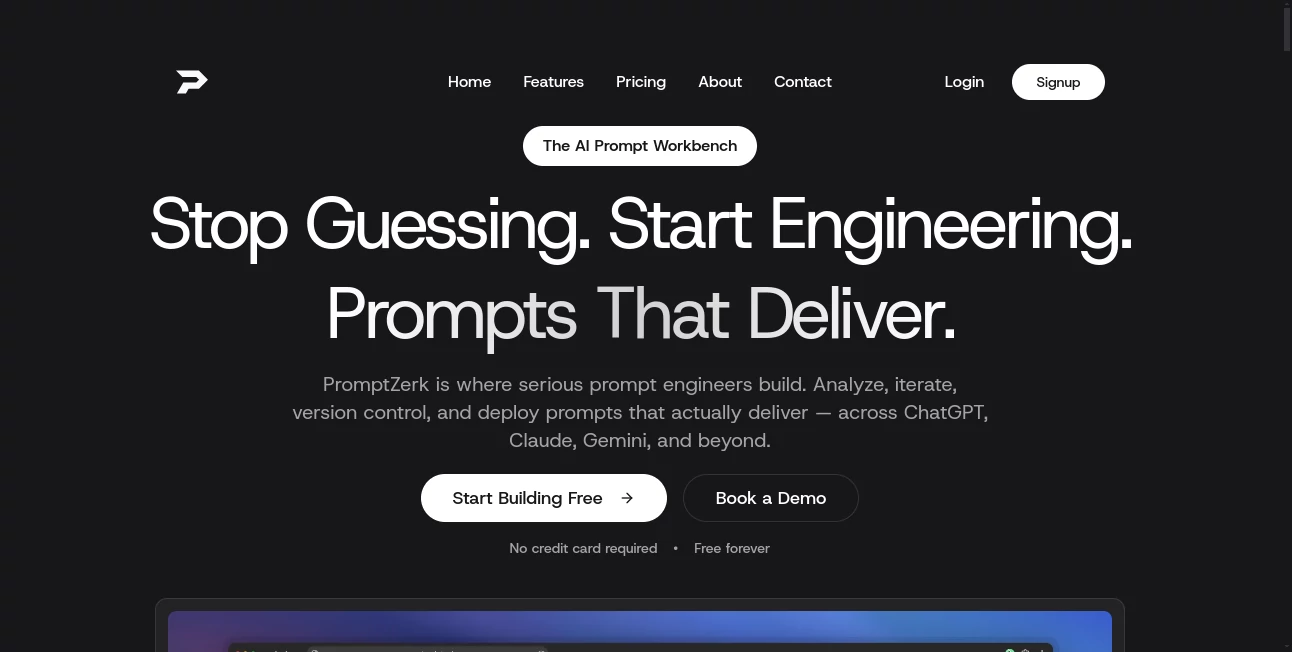
Ever typed out what felt like a solid prompt only to get back something that missed the mark completely? It's frustrating when the AI doesn't quite grasp what you're after. This tool changes that in a heartbeat—it takes your rough idea, runs it through a smart breakdown, scores it on key aspects like clarity and structure, then rebuilds it into something sharp and effective. I've watched friends go from getting vague answers to precise, on-point responses just by letting it refine their wording. The difference is night and day, and it happens without you having to memorize a bunch of tricks.
Introduction
Most people using ChatGPT, Claude or Gemini every day aren't prompt experts—they're busy marketers, writers, developers or students trying to get useful output fast. That's where this comes in: a thoughtful helper that analyzes what you've written, points out weak spots, and upgrades it using proven techniques so the AI understands exactly what you mean. It started from the simple frustration of mediocre results despite decent effort, and now it's quietly become a favorite among folks who want better answers without the trial-and-error grind. I remember pasting a messy marketing brief and watching it turn into a clear, structured prompt that finally delivered the copy I was chasing—felt like having a co-pilot who actually knows the playbook.
Key Features
User Interface
The layout keeps everything front and center: paste your prompt, hit analyze, and immediately see a breakdown of strengths and fixes, followed by an improved version ready to copy. There's a Chrome extension that lets you do the same thing directly inside ChatGPT or Claude without switching tabs, which is a game-changer when you're deep in a conversation. It's uncluttered, quick to load, and feels like it's built for real workflows rather than show.
Accuracy & Performance
It evaluates prompts across several dimensions—clarity, specificity, structure—and the scoring feels honest and useful rather than arbitrary. The rewritten versions consistently pull stronger responses from the models because they follow patterns that actually work. In practice, it cuts down on the back-and-forth you usually need to get things right; one pass often does the job, saving time and keeping momentum going.
Capabilities
Beyond basic refinement, it adds advanced techniques like role assignment, step-by-step instructions, few-shot examples, and output formatting rules when they fit. The extension brings this power right into your chat window, and there's benchmarking to compare how different versions perform. Whether you're writing blog posts, debugging code, or brainstorming ideas, it adapts and strengthens whatever you're trying to achieve.
Security & Privacy
Your prompts stay private—processed on the fly without long-term storage or sharing. The extension works locally where possible, and there's no creepy data harvesting. For anyone handling sensitive topics or client work, that quiet reliability is a real comfort.
Use Cases
Content creators refine long-form outlines so the AI generates coherent articles instead of rambling. Developers turn vague bug descriptions into precise debugging instructions that actually locate the issue. Marketers craft sharper ad copy prompts that yield more engaging headlines and CTAs. Students break down complex essay questions into clear steps that guide better research and writing. It's one of those tools that quietly lifts everything you do with AI.
Pros and Cons
Pros:
- Gives you noticeably better AI output with almost no extra effort.
- Extension makes it seamless inside your existing workflow.
- Scoring and explanations help you learn what makes prompts strong.
- Supports the main models people actually use daily.
Cons:
- Still relies on you having a decent starting prompt—garbage in can limit how much it improves.
- Higher plans needed for very heavy daily use.
Pricing Plans
You can start free and see real improvements right away. Paid tiers run from about $10 to $20 monthly, unlocking unlimited refinements, the full extension features, and extras like image-to-prompt when that fits your work. It's priced sensibly so you're paying for time saved rather than flashy extras you won't use.
How to Use PromptZerk
Head to the site or grab the Chrome extension. Paste your original prompt into the box, click analyze, and read the quick score with suggestions. Copy the enhanced version straight into your AI chat. For ongoing work, use the extension to refine right in ChatGPT or Claude—no copy-paste needed. Over time you start noticing patterns in what makes prompts better, which is a nice side benefit.
Comparison with Similar Tools
Plenty of prompt libraries exist, but they mostly give you pre-made templates that you have to adapt. This one actively improves what you've already written, which feels more personal and effective. Others might offer random enhancers, but the combination of scoring, clear feedback, and seamless extension puts it ahead for anyone who wants consistent wins without memorizing formulas.
Conclusion
Getting great results from AI shouldn't require you to become a prompt wizard overnight. This tool bridges that gap beautifully, turning average inputs into something the models actually understand and respond to well. It's one of those quiet upgrades that makes daily AI use feel smoother and more rewarding—definitely worth trying if you're tired of tweaking the same prompt five times to get it right.
Frequently Asked Questions (FAQ)
Do I need to know prompt engineering already?
Not at all—it teaches you through feedback while fixing your current prompt.
Which AI models does it work with?
ChatGPT, Claude, Gemini, and pretty much any major chat interface.
Is the extension safe?
Yes, it processes locally where possible and doesn't store your prompts long-term.
Can I use it for work projects?
Absolutely, many users rely on it for professional writing and research.
What happens if my prompt is very long?
It handles detailed inputs well, though very long ones benefit from focusing on the core request first.
AI Writing Assistants , AI Content Generator , AI Research Tool , Prompt .
These classifications represent its core capabilities and areas of application. For related tools, explore the linked categories above.
PromptZerk details
Pricing
- Free
Apps
- Web Tools
Categories

PromptZerk Alternatives Product

Serplux

TrueSource AI

LyricStudio

Toonifyit

Jasper

Vurge

Needle

Geoleaper

PromptBuilder