🧠 AI Quiz
Think you really understand Artificial Intelligence?
Test yourself and see how well you know the world of AI.
Answer AI-related questions, compete with other users, and prove that
you’re among the best when it comes to AI knowledge.
Reach the top of our leaderboard.

















Qwen3 TTS
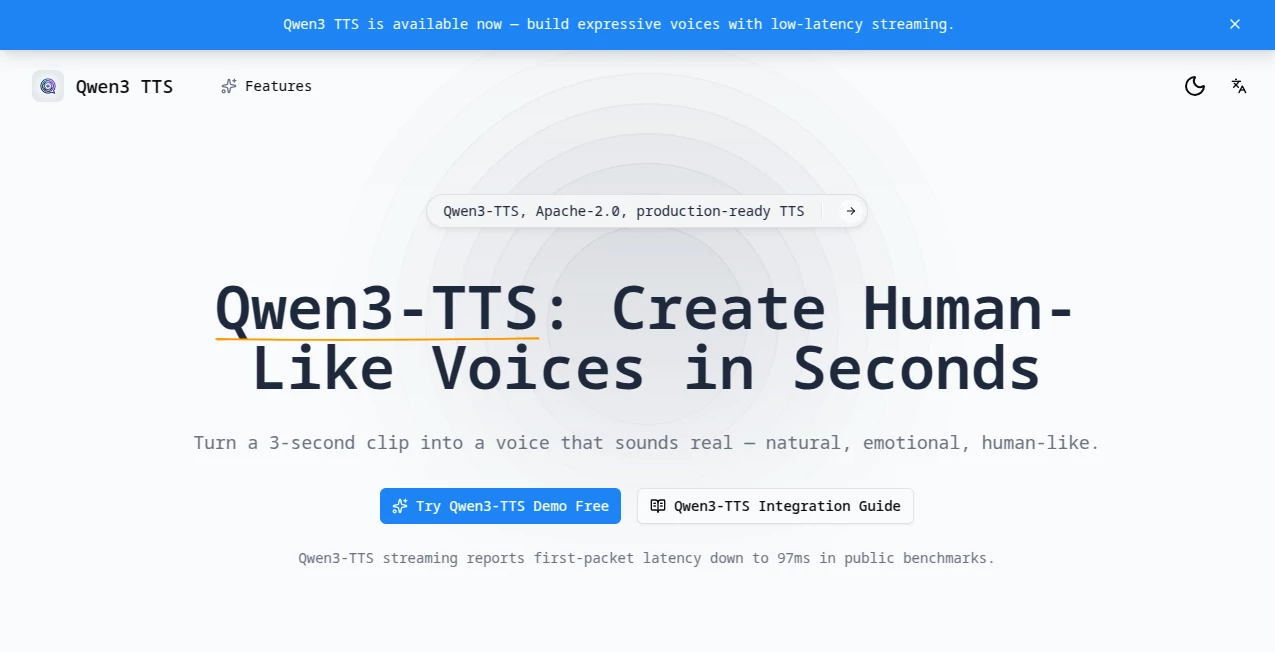
What is Qwen3 TTS?
There’s a quiet thrill when you type a sentence and hear it spoken back in a voice that feels genuinely alive—warm inflections, natural pauses, even a hint of emotion that matches exactly what you had in mind. This platform delivers that experience so smoothly it almost startles you the first time. I remember feeding it a short clip of a friend’s laugh just to test the cloning, and within moments the generated line carried the same playful tone so convincingly that we both sat there grinning in disbelief. It’s not merely converting text; it’s breathing real personality into words, and it does so faster than most of us expect from open-source tech.
Introduction
Voice synthesis has come a long way, but the gap between robotic output and something that truly sounds human has always felt frustratingly wide. This tool closes that gap with remarkable grace. Built on a fresh architecture that balances speed, control, and fidelity, it lets you clone from just a few seconds of audio, design entirely new voices through plain instructions, or generate expressive speech that carries the emotion you describe. What began as a research effort has turned into a practical powerhouse—open weights, permissive license, and demos that let anyone try it instantly. Creators, educators, podcasters, and developers alike are discovering how it turns scripts into spoken stories that connect on a deeper level, without the usual trade-offs in quality or wait time.
Key Features
User Interface
The experience stays wonderfully simple whether you’re in the browser demo or running it locally. Type your text, pick a preset voice or drop a reference clip, add any style instructions in everyday language—“warm and reassuring like a bedtime story” or “excited teenager”—and hit go. Previews appear almost immediately so you can listen, tweak, and regenerate without losing momentum. It never feels like you’re wrestling software; instead, it quietly steps aside and lets your ideas take center stage.
Accuracy & Performance
The results land with an impressive naturalness—timbre, rhythm, and subtle emotional cues stay consistent, even across longer passages. Latency is startlingly low; first audio packets can arrive in under 100 milliseconds in streaming mode, which makes real-time applications feel genuinely conversational. In everyday tests, the 1.7B model especially delivers clarity and warmth that hold up against commercial alternatives, while the lighter 0.6B variant keeps things snappy on modest hardware without noticeable quality drops.
Capabilities
From instant cloning with a 3-second reference to creating brand-new voices purely through descriptive prompts, the range is impressive. It handles multilingual synthesis across more than ten major languages and various dialects, supports controllable prosody and emotion, and offers both streaming and batch modes. The architecture cleverly avoids common bottlenecks, so you get stable, expressive output whether you’re dubbing a short video, prototyping an audiobook chapter, or building an interactive voice agent.
Security & Privacy
Because it’s open-source and can run entirely locally, your audio references and generated content never leave your machine unless you choose to use a hosted demo or API. That level of control is reassuring, especially when working with personal recordings or sensitive scripts. Even in cloud scenarios, the focus stays on responsible handling—no unnecessary data retention or sharing.
Use Cases
Indie filmmakers clone a narrator’s voice from a single take and generate consistent dialogue for an entire short film. Language teachers create listening exercises in multiple accents and tones, making lessons feel more engaging and authentic. Podcasters experiment with character voices for storytelling segments without booking talent. App developers integrate real-time speech for interactive assistants that sound warm and responsive. It’s the kind of versatility that lets you adapt quickly—whether you’re prototyping, educating, or simply having fun bringing ideas to life through sound.
Pros and Cons
Pros:
- Cloning and generation feel remarkably human, with emotion and prosody that actually land.
- Ultra-low latency makes streaming conversations possible and natural.
- Multilingual support opens up projects across languages and dialects.
- Open-source nature means you can run it privately and customize freely.
Cons:
- Best cloning results still prefer clean, high-quality reference audio.
- Local setup requires some technical comfort, though demos remove that hurdle.
Pricing Plans
The core models and weights are fully open and free to download and use commercially under a permissive license—no subscriptions, no hidden fees. Hosted demos and certain cloud APIs may carry usage costs depending on the provider, but self-hosting keeps everything at zero ongoing expense beyond your own hardware. That freedom is one of the biggest draws—try it, love it, scale it, all without worrying about recurring bills.
How to Use Voice AI Labs
Jump into the browser demo for instant gratification: pick a preset voice or upload a short reference clip, type your text, add any style instructions in plain words, and listen to the preview. Tweak emotion, speed, or phrasing until it feels right, then download. For deeper work, install locally with Python, load the model of your choice (0.6B for speed, 1.7B for richer quality), and run generations via simple commands or integrate through the API. It’s approachable enough for quick experiments yet powerful enough to build serious applications around.
Comparison with Similar Tools
Where many TTS options lean heavily on preset voices or struggle with emotional nuance, this one stands out with its natural-language control and cloning fidelity from minimal input. Latency is noticeably lower than most alternatives, especially in streaming, and the open nature means you’re not locked into a vendor’s ecosystem. It strikes a rare balance—professional-grade results without the usual restrictions or costs.
Conclusion
Voice technology should feel alive, not mechanical, and this platform gets remarkably close to that ideal. It hands creators the ability to shape speech with intention and emotion, whether for storytelling, education, accessibility, or pure experimentation. The combination of speed, quality, and openness makes it feel like a genuine leap forward—something you try once and suddenly can’t imagine working without. If you’ve ever wanted voices that truly connect, this is worth every second you give it.
Frequently Asked Questions (FAQ)
How much audio do I need to clone a voice?
Just 3 seconds of clear speech is often enough for surprisingly accurate results.
Can I control emotion and style?
Yes—describe the tone or feeling in natural language and it follows remarkably well.
Does it support languages other than English?
Strong multilingual coverage, including Chinese dialects and many global languages.
Is it free to use?
Fully open-source with free weights; run it locally at no cost or use hosted demos.
How fast is the output?
Streaming can start in under 100 ms, making real-time interaction feel seamless.
AI Text to Speech , AI Voice & Audio Editing , AI Voice Cloning , AI Speech Synthesis .
These classifications represent its core capabilities and areas of application. For related tools, explore the linked categories above.
Qwen3 TTS details
Pricing
- Free
Apps
- Web Tools
Categories

Qwen3 TTS Alternatives Product
AI Describe …

Read PDF Alo…

ModelsLab

SAM Audio

Free Voice C…
Sonicker
Qwen3 TTS

Models by Ha…

VoiceAILabs