🧠 AI Quiz
Think you really understand Artificial Intelligence?
Test yourself and see how well you know the world of AI.
Answer AI-related questions, compete with other users, and prove that
you’re among the best when it comes to AI knowledge.
Reach the top of our leaderboard.


















Qwen3 TTS
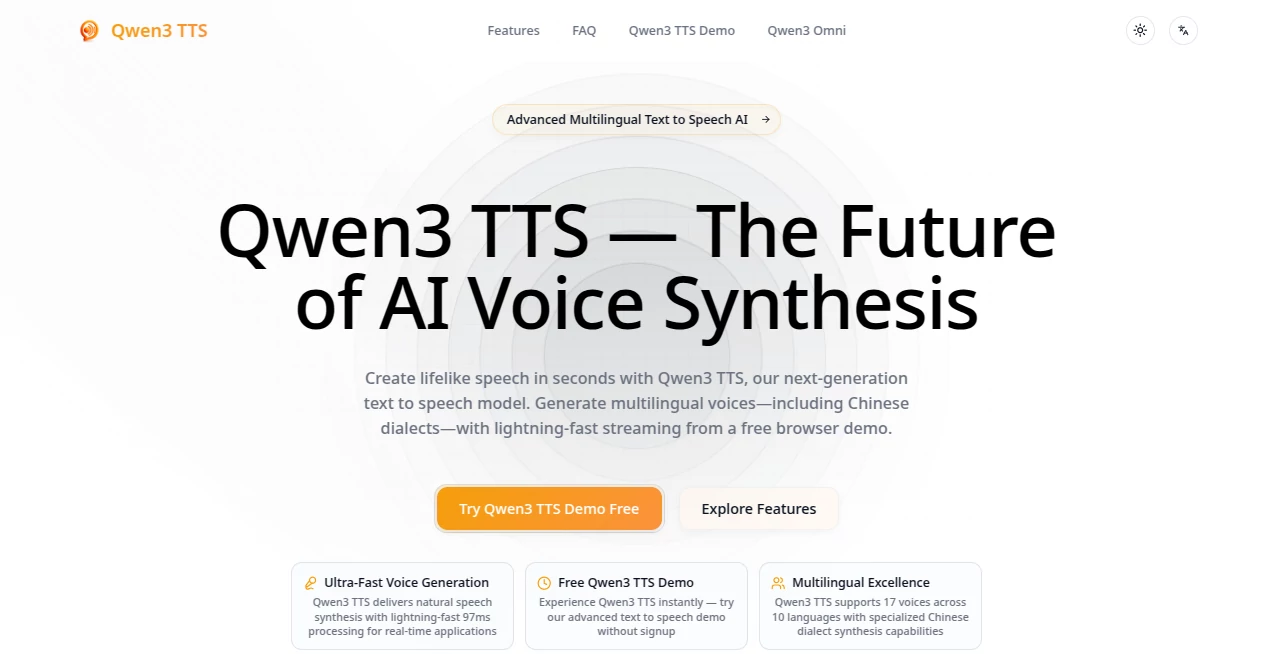
What is Qwen3 TTS?
There’s a moment when you hear a voice that doesn’t just read words—it feels like someone actually speaking to you. That’s the quiet magic this tool delivers every time. You paste a paragraph, pick a voice that matches the mood, and seconds later you’re listening to narration so natural it could pass for a real person in the next room. I’ve used it to turn blog posts into podcast-style episodes, and the difference it makes in engagement is night and day. It’s not robotic polish—it’s warmth, breath, tiny pauses that make you forget there’s tech in the middle.
Introduction
Voice tech has come a long way, but most of it still sounds like it’s trying too hard. This one doesn’t. It quietly sits in the background of your workflow and just works—fast, expressive, multilingual, and surprisingly affordable. Whether you’re creating short social clips, long-form audiobooks, or customer-service voiceovers, the results carry emotional weight that pulls listeners in instead of pushing them away. What started as a powerful open-source model has matured into one of the most usable TTS experiences out there, especially for people who care about tone as much as clarity. It’s become my go-to whenever I need audio that doesn’t sound like audio.
Key Features
User Interface
You open the page and there’s nothing to figure out. Big text box, voice selector that actually shows emotion previews, sliders for speed and expressiveness, and a play button. That’s it. No hidden menus, no login walls for basic use. I once handed my laptop to a non-technical friend and said “just type something”—she had audio playing in under twenty seconds. That kind of simplicity is rare and deeply appreciated.
Accuracy & Performance
The voices land with uncanny naturalness—breathy laughs, gentle emphasis, even subtle frustration when the script calls for it. Generation is lightning-quick, even for longer passages, and the intonation rarely misfires. I’ve thrown in dialogue-heavy scripts with multiple speakers and it still keeps each voice distinct without bleeding into cartoon territory. For something running in the browser, the consistency is honestly impressive.
Capabilities
You’re not limited to flat reading. Control emotion intensity, speaking rate, pauses, even whisper or shout effects. Multi-speaker scenes are handled cleanly, and the multilingual support covers everything from crisp British English to warm Mandarin tones. Export in high-quality WAV or MP3, ready for podcasts, videos, or apps. It’s flexible enough for creators who want subtle drama and robust enough for bulk narration jobs.
Security & Privacy
Your text never lingers longer than it needs to. No forced account creation for basic generations, and when you do log in, the system is built with standard encryption and minimal data retention. For people working with sensitive scripts or personal projects, that matters—a lot.
Use Cases
A YouTuber turns weekly script drafts into natural-sounding voiceovers without spending hours in a booth. An indie author creates audiobook samples to test listener reactions before committing to full production. Language teachers generate pronunciation examples in multiple accents for students. Small businesses record professional-sounding IVR messages or product explainers in minutes instead of days. The range of people quietly relying on it keeps growing because it removes the biggest barrier: sounding fake.
Pros and Cons
Pros:
- Voices feel genuinely human—emotional range without sounding overacted.
- Fast enough to iterate in real time during creative sessions.
- Generous free tier that lets you actually test serious projects.
- Expressive controls that give real nuance to narration.
Cons:
- Free usage has soft daily limits that encourage upgrading for heavy work.
- Some niche accents still sound slightly less natural than the flagship ones.
Pricing Plans
The free tier is genuinely usable—enough generations per day to experiment or handle light content needs. Paid plans unlock unlimited use, priority queue, higher-quality exports, and commercial rights without restrictions. Pricing stays reasonable compared to studio rates or other premium TTS services, especially once you factor in the time saved. It’s one of those rare tools where the paid version feels like it earns its place instead of feeling forced.
How to Use It
Paste your script into the main box. Choose a voice that matches the mood—some have preview snippets so you’re not guessing. Adjust speed, emotion, or add pauses where needed. Hit generate. Listen. Tweak one setting and regenerate if something feels off. Download the file when it’s right. I’ve done entire 10-minute narrations by breaking them into chunks, regenerating only the parts that needed polish. It’s iterative without ever feeling frustrating.
Comparison with Similar Tools
Many TTS platforms still lean robotic or overly dramatic. This one finds the sweet spot—expressive but restrained, fast but high-fidelity. Where some competitors lock natural voices behind high tiers or force subscriptions, this keeps the best-sounding options accessible early. It’s not trying to be everything to everyone; it’s laser-focused on making spoken content sound like real people talking, and it succeeds more consistently than most.
Conclusion
Good audio doesn’t just carry information—it carries feeling. This tool understands that deeply. It takes the friction out of voice production so the emotion in your words can shine through instead of getting lost in synthetic flatness. Whether you’re telling stories, teaching, selling, or just experimenting, it gives you a voice that feels alive. And once you hear the difference, going back to anything less feels almost impossible.
Frequently Asked Questions (FAQ)
How long can a single generation be?
Up to several minutes in one go on paid plans; shorter on free to keep queues moving.
Do I need to sign up to try it?
No—basic generations work without an account.
Can I use it commercially?
Yes, paid plans include full commercial rights with no attribution required.
How many languages and voices are available?
Strong multilingual support with dozens of natural-sounding voices across major languages.
Is the audio quality good enough for podcasts?
Absolutely—many creators use it directly for episodes after minimal post-processing.
AI Text to Speech , AI Voice & Audio Editing , AI Speech Synthesis , AI Voice Assistants .
These classifications represent its core capabilities and areas of application. For related tools, explore the linked categories above.
Qwen3 TTS details
Pricing
- Free
Apps
- Web Tools
Categories

Qwen3 TTS Alternatives Product

Qwen3 TTS

PolyBuzz

ElevenLabs

ModelsLab

vo4 ai

Adobe Podcast

VideoDubber

AI Describe …

AI2AI project