
🧠 AI Quiz
Think you really understand Artificial Intelligence?
Test yourself and see how well you know the world of AI.
Answer AI-related questions, compete with other users, and prove that
you’re among the best when it comes to AI knowledge.
Reach the top of our leaderboard.

















ReelMuse.ai

What is ReelMuse.ai?
Picture sitting down with a wild idea for a video, maybe a quick concept for a social post or a full-blown scene you’ve been dreaming up, and in minutes having it come to life—complete with style, motion, and even sound that just fits. That's the kind of freedom this platform hands you on a silver platter. It's not about wrestling with complicated software; it's about letting your imagination run free while the tech quietly handles the heavy lifting. I've seen friends go from "I wish I could make something like this" to posting polished clips that get real engagement, and the results feel genuinely professional without the usual headaches.
Introduction
In a world where content needs to be fast, fresh, and eye-catching, this tool stands out as a true creative companion. It brings together video, image, and audio creation under one roof, so you don't have to bounce between a dozen different apps. From text-to-video that turns your words into moving scenes to image edits that transform photos in creative ways, it's designed to spark ideas and deliver results without friction. What really draws people in is how approachable it feels—whether you're a marketer crafting ads, a storyteller building narratives, or just someone who loves playing with visuals, it meets you where you are and pushes your work further than you'd expect.
Key Features
User Interface
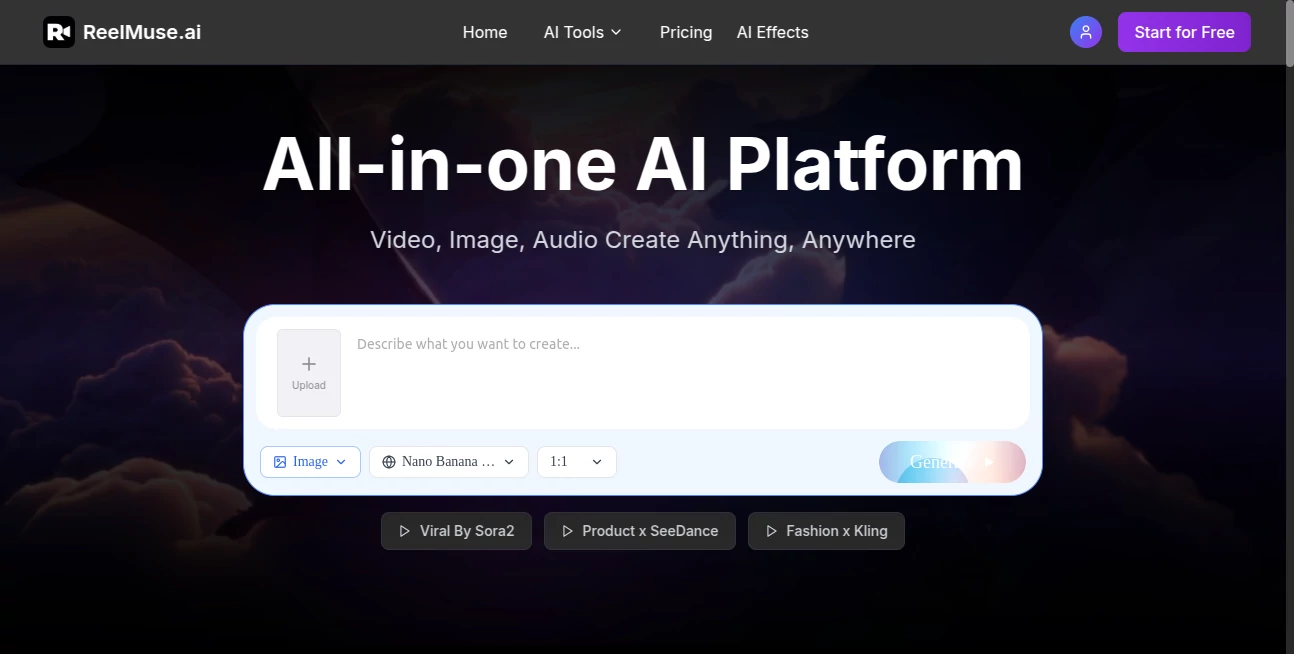
The layout keeps things clean and focused, with clear sections for video, image, and audio tools that guide you without overwhelming. Upload an image or video, drop in a prompt, and options appear naturally—styles, ratios, effects—all right there for easy tweaking. It feels like a creative workspace that's always ready, where you can experiment without getting lost in menus. My first time through, I was generating styled clips in under a minute, and the whole flow just clicked.
Accuracy & Performance
When you describe a scene or upload a reference, it understands intent remarkably well, delivering outputs that match your vision with impressive detail. Generations are quick, even for more complex requests, and the quality holds up—crisp visuals, smooth motion, and audio that actually syncs. It's reliable enough that you can trust it for client work or personal projects, rarely needing multiple tries to get it right.
Capabilities
From text-to-video that builds entire scenes to image-to-video conversions, lip sync for realistic talking avatars, and even watermark removal or auto-subtitles, it covers a huge range of needs. You can upscale to 8K, convert photos to anime styles, generate royalty-free music from text, or redraw specific parts of a video. It's versatile enough for quick social clips, professional ads, or creative experiments, all in one place.
Security & Privacy
Your content stays private, processed securely without unnecessary sharing. Exports can be watermark-free on paid plans, and the setup ensures peace of mind when working on sensitive or branded material. It's built with creator trust in mind, so you can focus on the fun part without worrying about leaks or misuse.
Use Cases
Social media creators whip up engaging Reels or TikToks with custom visuals and synced music that stand out in crowded feeds. Marketers build product demos or ads with consistent styles across scenes, saving time on production. Storytellers prototype narrative videos, testing ideas quickly before full shoots. Even musicians pair tracks with AI-generated visuals for lyric videos or promo content that feels custom-made.
Pros and Cons
Pros:
- All-in-one convenience means no app-hopping, just seamless creation.
- High-quality outputs that look pro with minimal effort.
- Versatile tools for video, image, and audio in one spot.
- Free entry point to experiment without commitment.
Cons:
- Free tier includes watermarks, requiring upgrade for clean exports.
- Advanced features shine brightest with paid access.
Pricing Plans
You can start for free, getting a feel for the tools with basic access—perfect for testing ideas or small projects. Paid plans unlock watermark-free exports, higher quality, and more features, with options that scale to your needs. It's straightforward value: dip in lightly or go all-in for professional-grade results, without feeling nickel-and-dimed.
How to Use ReelMuse
Head to the dashboard, choose your tool—video, image, or audio—and start with a prompt or upload. For video, describe the scene or drop a reference image, select style and ratio, then generate. Preview the result, tweak if needed, and export. It's fast and intuitive; one afternoon I turned a simple text idea into a styled clip that looked like it took hours to make.
Comparison with Similar Tools
Many tools focus on one thing—video or images—but this one brings everything together without sacrificing quality. Where others might leave you jumping between apps or dealing with inconsistent results, this delivers cohesive, high-end outputs that feel tailored. It's a standout for creators who want versatility and polish in a single, user-friendly spot.
Conclusion
This platform turns creative sparks into stunning realities with ease and style, making video, image, and audio creation feel less like work and more like play. It's empowering for anyone who wants to produce standout content without the usual barriers, delivering results that impress and inspire. If you're ready to level up your visuals and storytelling, this is the kind of tool that makes you wonder how you ever managed without it.
Frequently Asked Questions (FAQ)
Can I start for free?
Yes, free access lets you explore core features and generate content to try things out.
Do free outputs have watermarks?
Yes, but paid plans remove them for clean, professional results.
What kinds of content can I create?
Videos from text or images, styled photos, anime conversions, music, and more—all in one place.
Is it beginner-friendly?
Absolutely—the interface is straightforward, and you can create great work right away.
How fast are generations?
Most complete quickly, letting you iterate and experiment without long waits.
AI Image to Video , AI Video Generator , AI Music Generator , AI Text to Video .
These classifications represent its core capabilities and areas of application. For related tools, explore the linked categories above.
ReelMuse.ai details
This tool is no longer available on submitaitools.org; find alternatives on Alternative to ReelMuse.ai.
Pricing
- Free
Apps
- Web Tools
Categories

ReelMuse.ai Alternatives Product

Voe4 AI Video

soro2

Wan AI Video…

Seedance 2.0…

Framepack AI

seedance 2.0

Seedance 3.0…

Seedance 2.0…

Omnigen Stud…
