
🧠 AI Quiz
Think you really understand Artificial Intelligence?
Test yourself and see how well you know the world of AI.
Answer AI-related questions, compete with other users, and prove that
you’re among the best when it comes to AI knowledge.
Reach the top of our leaderboard.


















Remove moire

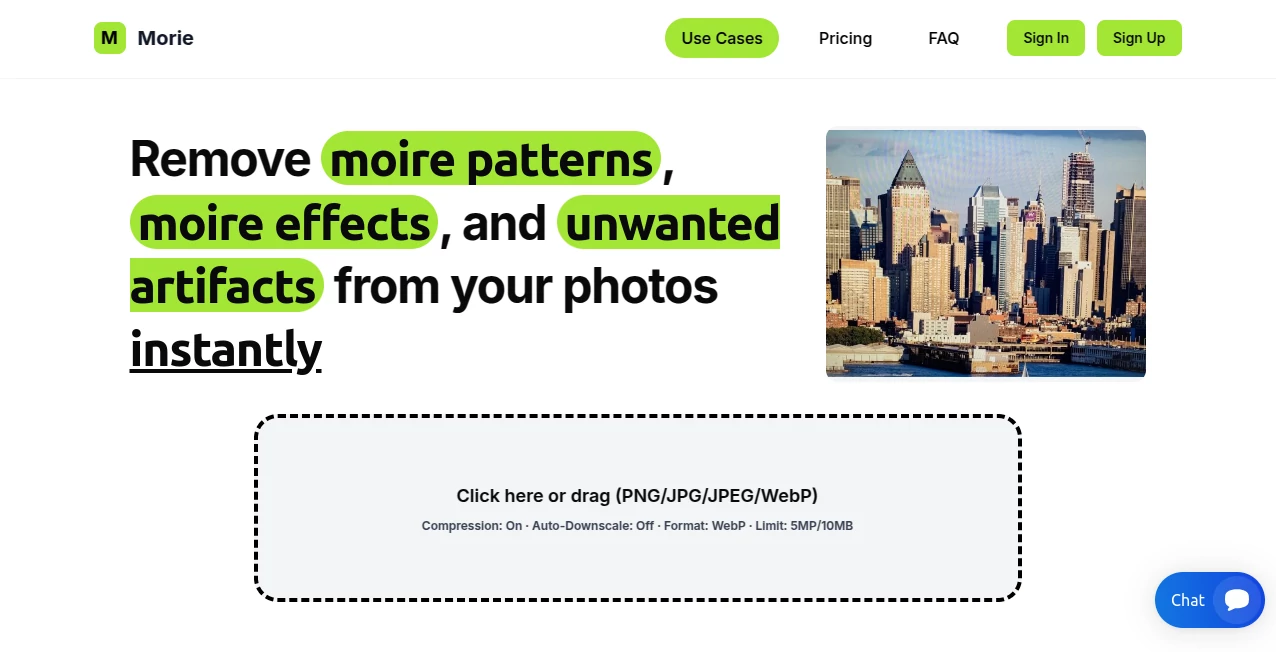
What is Remove moire?
There's something incredibly satisfying about seeing those annoying wavy lines vanish from a photo in seconds. This tool does exactly that—zaps moiré patterns with such clean precision that you almost forget they were ever there. I've watched photographers breathe a sigh of relief when a tricky fabric shot or screen capture comes out flawless without endless cloning or blurring. It's one of those rare finds that solves a very specific pain point beautifully.
Introduction
Moire patterns sneak into photos when fine details clash with the camera sensor—think shooting a TV screen, a striped shirt, or a building facade—and suddenly you've got distracting ripples ruining the shot. Traditional fixes in Photoshop take ages and often leave artifacts. This platform changes the game with AI that detects and erases those patterns instantly while keeping every other detail sharp and natural. It's especially loved in real estate, product photography, and scanning workflows where clean images are non-negotiable. Users say it's like having a dedicated retoucher on call, always ready to deliver pro-level results without the pro-level effort.
Key Features
User Interface
The layout is refreshingly simple: drag your image or double-click to upload, and the magic happens automatically. No confusing sliders or hidden menus—just a clean workspace with options for compression, downscaling, and format choice tucked neatly away. The whole process feels instinctive, even on the first try, which is a huge win for busy shooters who don't want to fight software.
Accuracy & Performance
It consistently outperforms manual retouching, removing interference without softening edges or introducing new flaws. Processing is lightning-fast—often under 30 seconds—and handles high-resolution files with ease. Photographers who used to spend hours on a single image now get pristine results in moments, with before-and-after comparisons that speak for themselves.
Capabilities
Whether it's moiré from screens, fabrics, architectural details, or scanned documents, the AI targets those patterns specifically while preserving texture and color fidelity. It supports a wide range of formats and offers auto-compression for faster uploads plus WebP conversion for web-ready files. The real strength is how it maintains natural-looking results even on complex images where manual tools would leave telltale signs.
Security & Privacy
Images are processed securely and deleted automatically after use—no lingering copies on servers. Encryption is standard, and the focus on privacy gives peace of mind, especially for professionals handling client work or proprietary shots.
Use Cases
Real estate photographers clean up window shots or textured walls without losing detail. E-commerce sellers ensure product images are crisp and professional. Scanners fix artifacts from old documents or fine art reproductions. Even fashion shooters rescue striped clothing or patterned backgrounds that would otherwise need heavy editing. It's the kind of tool that quietly saves hours in post-production across many fields.
Pros and Cons
Pros:
- Removes moiré effortlessly while keeping the rest of the image intact.
- Fast processing that fits right into busy workflows.
- Simple interface that anyone can use immediately.
- Strong privacy measures with automatic deletion.
Cons:
- Free tier limits resolution to 720px.
- Not designed for other types of image corrections.
Pricing Plans
The free plan lets you try the core feature with basic resolution output—great for occasional use. Paid tiers start at $5/month for higher resolution and more uploads, up to $100/month for enterprise-level needs with massive file support and processing volume. Subscriptions are straightforward with no hidden fees, and you can cancel anytime.
How to Use Remove Moire
Drag your photo into the upload area or double-click to select it. Choose any compression or format options if needed, then let the AI do its work. The cleaned image appears almost immediately—download it in your preferred format. For large files, auto-downscale keeps things smooth. It's a three-step process that feels effortless once you've done it once.
Comparison with Similar Tools
Manual tools like Photoshop require skill and time to clone or blur moiré away, often leaving subtle artifacts. This AI approach targets the problem directly and faster, with more natural results. It's more specialized than general editors, making it the clear choice when moiré is the main issue.
Conclusion
This tool quietly solves one of photography's most frustrating problems with elegance and speed. It's the kind of thing you wish you'd discovered years ago—saving time, preserving quality, and letting you focus on what matters: the shot itself. For anyone who regularly deals with moiré, it's a small investment that pays off in every clean image delivered.
Frequently Asked Questions (FAQ)
What types of moiré does it remove?
Screen interference, fabric patterns, architectural details, scanned artifacts—pretty much any unwanted ripple or wave.
Does it affect image quality?
No—it targets only the patterns, keeping sharpness and detail intact.
What file sizes can it handle?
Free up to basic resolution; paid plans scale up to 40MB and 40MP.
Is it only for photos?
Primarily photos, but works great on scans or digital captures with moiré issues.
Can I use it commercially?
Yes—all plans allow commercial use, with higher tiers for heavier workloads.
Photo & Image Editor , AI Photo Enhancer .
These classifications represent its core capabilities and areas of application. For related tools, explore the linked categories above.
Remove moire details
This tool is no longer available on submitaitools.org; find alternatives on Alternative to Remove moire.
Pricing
- Free
Apps
- Web Tools
Categories

Remove moire Alternatives Product

Image Text E…

Better Image

ZeroEdit

ai banana

ds image
AI Photo Edi…

Nano Banana …

Remove Handw…

Artguru
