🧠 AI Quiz
Think you really understand Artificial Intelligence?
Test yourself and see how well you know the world of AI.
Answer AI-related questions, compete with other users, and prove that
you’re among the best when it comes to AI knowledge.
Reach the top of our leaderboard.


















Remove Shadow from Photo
Erase Unwanted Shadows Effortlessly

What is Remove Shadow from Photo?
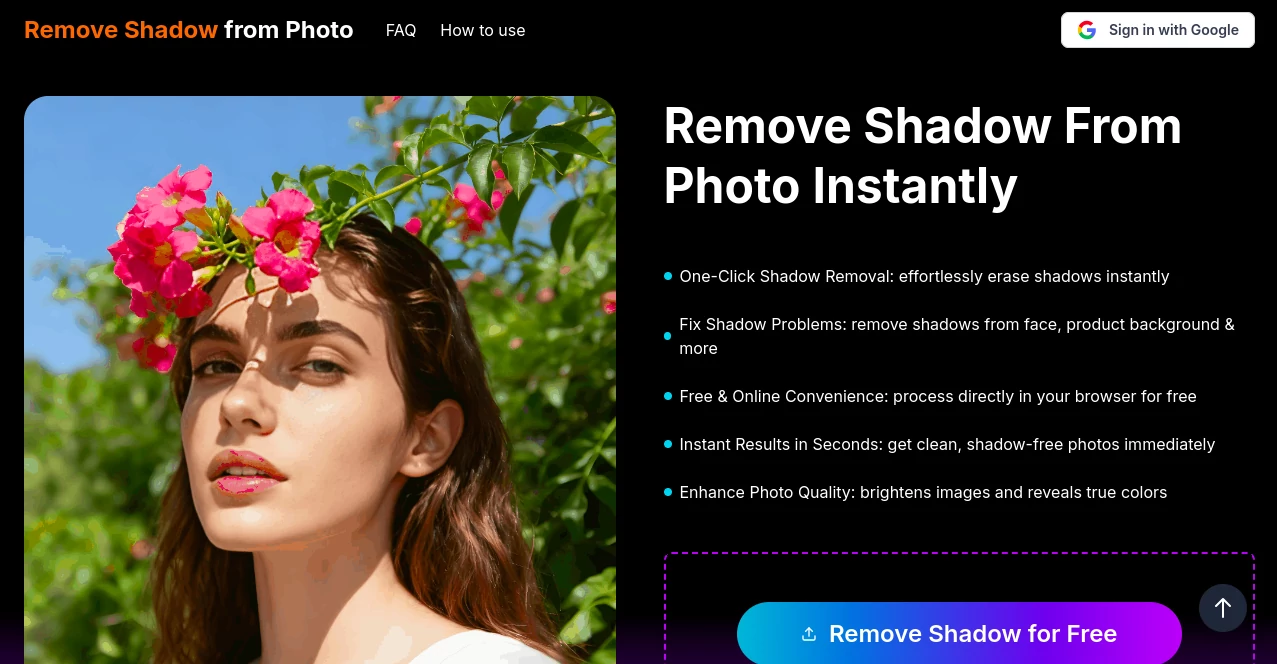
Remove Shadow from Photo steps in as a handy fix for those pesky dark spots that sneak into snapshots, giving your pictures a cleaner, brighter look with barely any fuss. This web-based helper shines for anyone tired of fiddling with clunky software just to zap a stray shadow from a family pic or product shot. Photographers and casual snappers alike keep coming back for its no-hassle vibe that turns flawed frames into keepers in moments.
Introduction
Back when mobile cameras first started popping up everywhere, folks quickly noticed how tricky lighting could throw weird shades across shots, turning good moments into meh ones. That's where Remove Shadow from Photo entered the chat a few years ago, cooked up by a small crew of edit enthusiasts who wanted a dead-simple way to smooth things out without the steep fees or learning curves. It caught on fast among social media buffs and small business owners sharing visuals online, who loved how it handled everyday glitches without demanding a full toolbox. Over time, tweaks from user chats have kept it zippy and spot-on, making it a quiet favorite for quick touch-ups that feel like a pro's secret.
Key Features
User Interface
You hit the site and it's all business—a big upload zone front and center, with a one-line nudge to drop your file and go. No sidebars stuffed with extras or pop-ups begging for sign-ups; just a clean flow from pick to preview that loads fast even on spotty connections. The before-and-after split lets you eyeball the magic right away, and a single download button seals the deal, keeping things light like a quick coffee run.
Accuracy & Performance
It picks up on those sneaky edges where light plays tricks, blending fixes so smooth you barely spot the seams, even on busy backgrounds. Jobs wrap in under ten seconds most times, holding steady whether you're tossing in a selfie or a shelf full of goods. Regular users nod to how it nails the tough ones—like angled lamps or outdoor dappled spots—without overcooking the colors or leaving weird halos.
Capabilities
At its heart, it's all about hunting down and wiping those dark patches, but it smartly adjusts tones around them to keep the whole image feeling even. Handles everything from soft indoor glows to harsh midday blasts, and spits out files ready for print or post without extra tweaks. While it sticks to its lane, that focus means sharper results than jacks-of-all-trades that spread thin.
Security & Privacy
Uploads get processed on the fly and tossed after, so your vacation snap doesn't linger in some server farm. No accounts needed means no data trails, and the setup follows basic web norms for safe transfers, giving you that easy trust without the fine-print headaches. It's the kind of quiet care that lets you experiment freely, knowing your stuff stays between you and the tool.
Use Cases
A realtor snaps a sunny room shot only to find the couch swallowed in gloom—bam, fixed for the listing in a flash. Crafters prepping Etsy pics battle window shades across their wares, emerging with crisp displays that pop sales. Weekend hikers turn midday trail blurs into shareable stories, while office folks tidy headshots for LinkedIn without firing up heavy apps. Even teachers clean up classroom boards for handouts, proving it's as handy for pros as play.
Pros and Cons
Pros:
- Zero cost barrier, letting anyone jump in without wallet worries.
- Blazing quick turns that fit snatched moments.
- Pinpoint fixes that respect the original vibe.
- No install nonsense, just browser bliss.
Cons:
- Stays narrow on shadows, skipping broader edits.
- Heavy shadows in super complex scenes might nudge a second pass.
- Lacks built-in tweaks for the picky perfectionist.
Pricing Plans
Everything's on the house here—no tiers, no upsells, just pure free access from the get-go. You upload, process, and grab your glow-up without a single penny or prompt for more. That open-door policy keeps it welcoming for tinkerers on tight budgets, though whispers of future add-ons float for those craving extras down the line.
How to Use Remove Shadow from Photo
Swing by the page, snag your image from the desktop or phone gallery, and let it rip with the upload. Give it a beat while the backend works its charm, then scan the refreshed version side-by-side. If it sings, hit save to your drive; if not, swap in another and retry—no judgments. Bookmark for rainy days, and you're set to keep your feed flawless.
Comparison with Similar Tools
Big names like Photoshop pack shadow brushes but demand time and tutorials, where this one zips through sans the sweat. Free rivals might juggle more tricks yet fumble the precision on tricky lights, landing blurrier blends. It carves its niche as the speedy specialist for shadow woes, outpacing generalists when you just need that one spot sorted sans the sprawl.
Conclusion
Remove Shadow from Photo quietly revolutionizes those little image hiccups, handing back visuals that breathe easier and shine brighter. It proves you don't need fancy setups to fix the flaws that dim your shots, empowering everyday creators to share without second-guessing. In a snap-happy world, this gem keeps the glow going, one shadow at a time.
Frequently Asked Questions (FAQ)
Does it handle all file types?
Sticks to common ones like JPG and PNG, covering most phone and camera outputs.
What if the shadow's super faint?
It sniffs them out fine, but bold ones get the star treatment every time.
Can I batch a bunch at once?
One by one for now, keeping things simple and speedy.
Is there a limit on sizes?
Up to a few megs works smooth, plenty for standard snaps.
How often can I use it?
As much as you like—it's wide open, no caps or cooldowns.
AI Background Remover , Photo & Image Editor , AI Photo Enhancer , AI Image to Image .
These classifications represent its core capabilities and areas of application. For related tools, explore the linked categories above.
Remove Shadow from Photo details
This tool is no longer available on submitaitools.org; find alternatives on Alternative to Remove Shadow from Photo.
Pricing
- Free
Apps
- Web Tools
Categories

Remove Shadow from Photo Alternatives Product

PNG to 3D

AI Image Enh…

Beard Remover

Freepik

Image to Pro…

HD Photo Con…

Just Christm…

picremake

BananaFrame