
🧠 AI Quiz
Think you really understand Artificial Intelligence?
Test yourself and see how well you know the world of AI.
Answer AI-related questions, compete with other users, and prove that
you’re among the best when it comes to AI knowledge.
Reach the top of our leaderboard.


















MarkGone

What is MarkGone?
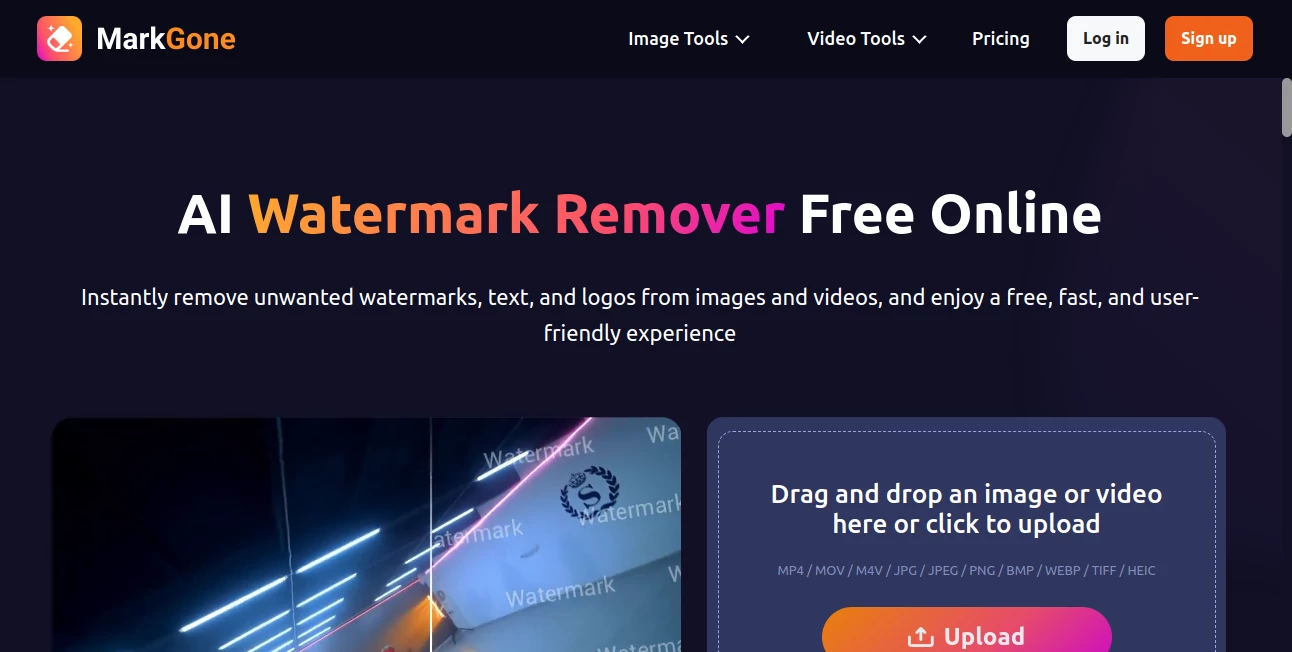
There's a quiet satisfaction in taking a photo or video cluttered with logos or text and watching it emerge spotless, ready for whatever you have in mind. This tool delivers that moment reliably, with a smart touch that clears away distractions while keeping the original charm intact. I've pulled old stock shots from projects and cleaned them up in seconds—suddenly, they're fresh again, no blurry patches or odd artifacts. It's the kind of straightforward help that makes you wonder how you managed without it.
Introduction
Dealing with watermarks used to mean tedious brushing in editors or settling for cropped versions that lost the full frame. Now, this online spot changes the game by letting AI handle the heavy lifting, spotting and erasing logos, text, or stamps from both stills and clips without dropping quality. It's free to jump in, processes everything in a snap, and supports a wide range of files, making it a favorite for quick cleanups. Users often mention how it saved a batch of social clips or revived archived photos, turning potential throwaways into keepers with minimal fuss.
Key Features
User Interface
The layout keeps things delightfully simple: a prominent upload area invites drags or clicks, followed by a clear button to set the process in motion. No accounts needed for basics, and results appear promptly with easy download options. It's approachable even on a rushed morning—upload a video from your phone, grab coffee, and come back to a cleaner version waiting.
Accuracy & Performance
It detects unwanted elements sharply, filling in the gaps with surroundings that blend naturally, preserving colors and details across frames. Images finish in seconds, videos a bit longer but still swift, all while maintaining crispness. In my tries with overlaid text on landscapes, the fills looked seamless, no telltale smudges that give away the edit.
Capabilities
Handles logos, text, dates, or any overlay on photos and videos alike, with one-click automation that skips manual selection. Supports common formats like JPG, PNG for images and MP4, MOV for clips, delivering outputs that retain original resolution. It's particularly handy for reclaiming content without visible traces left behind.
Security & Privacy
Files go through protected channels, processed securely and not lingered on longer than necessary. It's reassuring for personal or work files, knowing the focus stays on the cleanup without extra eyes or risks.
Use Cases
Social media folks strip platform marks from downloaded clips for smoother reposts. Designers refresh stock assets by clearing branding for custom projects. Video hobbyists tidy up recordings with timestamps or overlays before sharing with friends. Even archivists breathe new life into old scans burdened by stamps, making family albums look timeless again.
Pros and Cons
Pros:
- Lightning-quick results that fit into any schedule.
- Clean fills that keep images and videos looking natural.
- Broad format support for both stills and motion.
- Free access that gets the job done without barriers.
Cons:
- Trickier overlays on busy backgrounds might need a second pass.
- Video length or complexity can extend wait times slightly.
Pricing Plans
Core use stays free, perfect for occasional needs or trying it out. For heavier lifts or extras, plans open up more capacity, but the basics cover most cleanups without a dime—generous enough to handle daily tasks comfortably.
How to Use MarkGone
Head over, drag your file into the zone or click to browse—images or videos both welcome. Tap the process button, wait a brief moment, and preview the cleared version. Download when it looks right, or upload another for the next round. It's that direct; I once cleared a folder of event photos during a commute, all from my tablet.
Comparison with Similar Tools
Some alternatives lean heavy on manual brushing or limit to one media type, while this balances automation across photos and videos with smoother fills. It's less fussy than app-based options, delivering web convenience and quality that holds its own, especially for folks wanting quick, reliable turns without downloads.
Conclusion
This tool quietly excels at reclaiming media from unwanted marks, offering a clean slate that feels effortless and effective. It's a practical ally for keeping visuals sharp and distraction-free, whether personal snaps or project pieces. Give it a spin on that lingering file—you might find yourself clearing out the archives more often than planned.
Frequently Asked Questions (FAQ)
What formats work best?
JPG, PNG, WEBP for photos; MP4, MOV for videos—all common ones play nice.
How fast is video processing?
Depends on length, but expect smooth turnaround without endless waits.
Does quality drop after removal?
Not noticeably—fills match surroundings to keep things crisp.
Is it really free?
Yes for core tasks, with options to expand as needed.
Safe for uploaded files?
Processed securely, with protection in place throughout.
AI Background Remover , Photo & Image Editor , AI Photo Enhancer .
These classifications represent its core capabilities and areas of application. For related tools, explore the linked categories above.
MarkGone details
This tool is no longer available on submitaitools.org; find alternatives on Alternative to MarkGone.
Pricing
- Free
Apps
- Web Tools
Categories

MarkGone Alternatives Product

Picture to L…

Free HD Phot…

Banana 2

Better Image

NanoEditor

ZeroEdit

ImageKontext…

Face Swag

Brave Pink H…
