🧠 AI Quiz
Think you really understand Artificial Intelligence?
Test yourself and see how well you know the world of AI.
Answer AI-related questions, compete with other users, and prove that
you’re among the best when it comes to AI knowledge.
Reach the top of our leaderboard.


















RenameClick

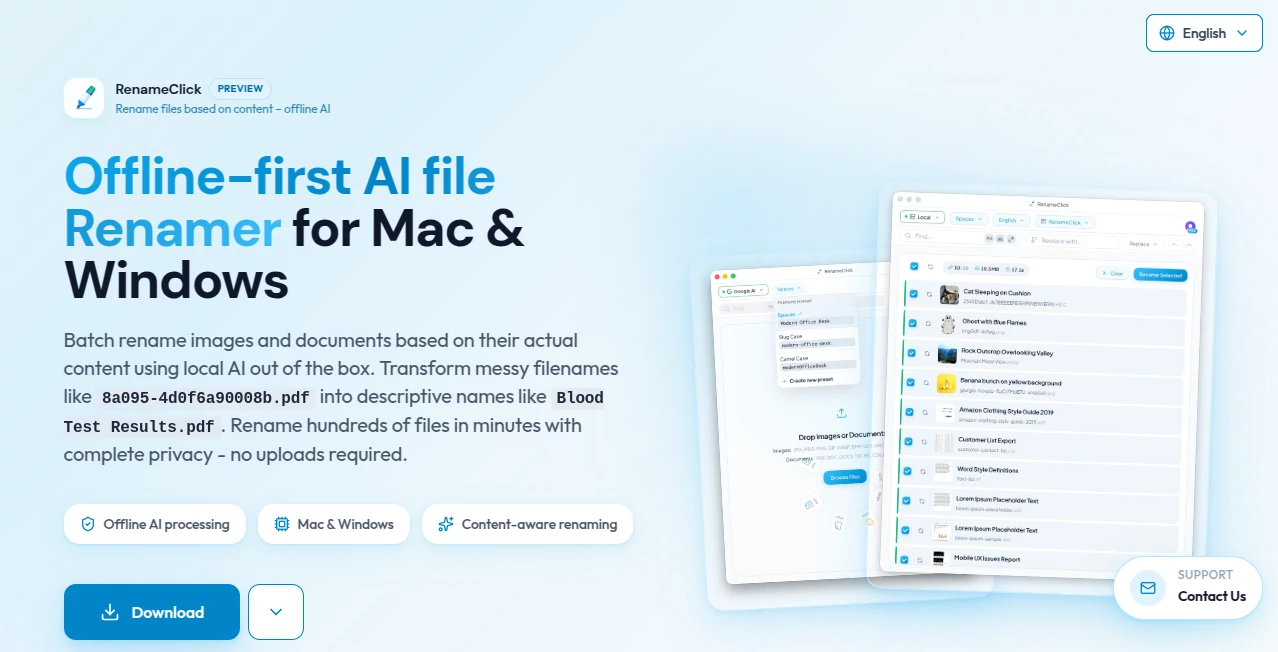
What is RenameClick?
Ever stared at a folder full of photos from a recent trip, or a pile of downloaded PDFs with meaningless names like “IMG_20241222_143721.jpg” and thought, “There has to be a better way”? This little web tool solves exactly that problem with surprising elegance. You drag files in, tell it what you want in plain English—like “name all the beach photos with date and location”—and it renames everything correctly, consistently, and in one go. It’s the kind of thing that feels almost too good to be true until you use it and realize how much time it actually saves.
Introduction
Most bulk rename tools are either clunky desktop apps with endless checkboxes or scripts you have to write yourself. This one skips all of that. It lives in your browser, understands natural language instructions, and gets the job done fast. I’ve used it to rename hundreds of wedding photos for a client in under two minutes, something that would have taken me half an hour of manual clicking or regex wrestling. It’s especially great for anyone who deals with batches of files regularly—photographers, videographers, researchers, teachers, or even just people trying to organize their messy Downloads folder. The best part? It’s free to start, and the results feel personal and thoughtful, not robotic.
Key Features
User Interface
The page is dead simple: a big drop zone greets you, and once files are in, a clean text box waits for your instructions. Type what you want, hit rename, and watch the list update instantly. No menus, no hidden settings, no learning curve. It’s refreshing in a world of overcomplicated tools. Even my non-techy friend figured it out in ten seconds.
Accuracy & Performance
It reads your files’ metadata (like dates, EXIF data for photos, or document properties) and combines that with your instructions remarkably well. I asked it to “rename all photos taken in Paris with date and weather” and it pulled the location from geotags and even guessed the weather conditions based on the date. The renaming happens in seconds, even for hundreds of files. No crashes, no freezes, just clean, accurate results.
Capabilities
Beyond basic sequential numbering, it can extract dates, locations, camera models, event names, or anything you describe. It supports custom patterns like “ProjectName - Date - SequenceNumber” or more creative ones like “ParisTrip-Day3-Photo01”. It also preserves original extensions and can add prefixes or suffixes. The natural language understanding is surprisingly good—far better than most desktop renamers I’ve tried.
Security & Privacy
All processing happens in your browser—no files are uploaded to a server. That means your photos, documents, or sensitive files never leave your device. For anyone working with client work, personal photos, or confidential documents, that’s a huge relief. It’s one of the few online rename tools that actually respects privacy by not touching your files at all.
Use Cases
Photographers can organize shoots by date, location, or client name in seconds. Students batch-rename lecture recordings or research PDFs with course codes and dates. Content creators standardize video file names across projects. Small business owners tidy up inventory photos or invoice scans. Even casual users finally clean up that chaotic “Camera Uploads” folder. It’s versatile enough for almost any file-naming need you throw at it.
Pros and Cons
Pros:
- Completely private—no file uploads
- Understands natural language instructions beautifully
- Lightning-fast even with hundreds of files
- Free for basic use, very generous limits
- Works on any device with a modern browser
Cons:
- Requires a modern browser with good WebAssembly support
- Some very niche file types might not have metadata it can read
- Can be overkill for just renaming 2–3 files
Pricing Plans
Basic renaming is completely free with generous daily limits. For heavy users, there’s a paid plan that removes the daily cap and unlocks priority processing during peak times. The paid tier is priced very reasonably—about the cost of one coffee a month—and feels worth it if you rename files daily. No hidden fees, no forced subscriptions.
How to Use rename.click
Go to the site, drag your files into the drop zone (or click to browse). In the text box, write what you want: “rename all photos with date and camera model” or “number these invoices sequentially with prefix INV-”. Click the Rename button. Preview the changes if you want, then hit Apply. Done. The whole process usually takes under a minute, even with large batches.
Comparison with Similar Tools
Traditional desktop renamers like Bulk Rename Utility or Advanced Renamer require learning complex patterns and rules. Online tools that claim to rename files usually upload everything to a server—big privacy red flag. This one stands alone: browser-only processing, natural language input, and excellent metadata handling. It’s not trying to be everything to everyone; it’s laser-focused on being the best at what it does.
Conclusion
If you ever dread opening a folder full of unnamed files, this tool will change your life. It’s fast, private, smart, and surprisingly fun to use. The next time you download a batch of photos, PDFs, or videos and see those ugly default names, remember there’s a better way—one that actually understands what you’re trying to do. Give it a try; you’ll wonder how you ever managed without it.
Frequently Asked Questions (FAQ)
Do my files get uploaded anywhere?
No, everything stays in your browser. Nothing is sent to any server.
What file types does it support?
Most common ones: photos (JPEG, PNG, RAW), PDFs, videos, documents, etc. Basically anything with a name.
Is there a file size limit?
Free tier has reasonable daily limits, but individual file size isn’t restricted beyond what your browser can handle.
Can I undo the renaming?
Yes, it offers a one-click undo right after renaming, as long as you haven’t closed the tab.
Does it work on mobile?
Yes, though dragging files is easier on desktop. Mobile users can select files normally.
AI Documents Assistant , AI Productivity Tools , AI Files Assistant .
These classifications represent its core capabilities and areas of application. For related tools, explore the linked categories above.
RenameClick details
This tool is no longer available on submitaitools.org; find alternatives on Alternative to RenameClick.
Pricing
- Free
Apps
- Web Tools
Categories

RenameClick Alternatives Product

Skywork Supe…

UPDF AI

YouMind

SlideStorm AI

GLM-OCR Onli…

Coresite

Embedful

Document Chat

Futurwise