
🧠 AI Quiz
Think you really understand Artificial Intelligence?
Test yourself and see how well you know the world of AI.
Answer AI-related questions, compete with other users, and prove that
you’re among the best when it comes to AI knowledge.
Reach the top of our leaderboard.


















ResumeGenerate

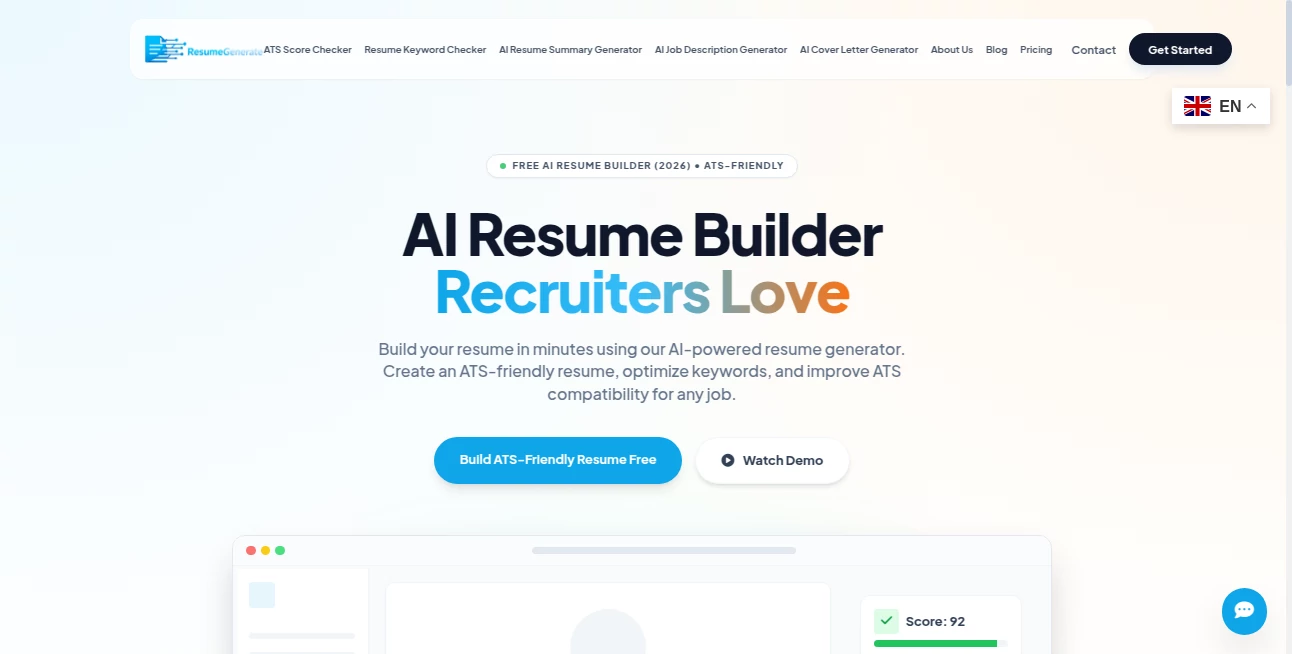
What is ResumeGenerate?
There’s something quietly powerful about opening a job application and knowing your resume isn’t just another page in the pile—it’s the one that makes the recruiter pause, read, and reach for the phone. This tool gets that. You answer a few straightforward questions about your experience, paste in old details if you have them, pick a clean modern template, and watch it turn scattered career notes into a polished, ATS-friendly document that actually looks like you spent weeks perfecting it. I’ve seen friends go from “I hate writing resumes” to “I got three callbacks this week” after one focused session. It doesn’t feel like a robot spat out generic text—it feels like a sharp career coach who knows exactly what hiring managers want to see.
Introduction
Most people dread resume writing because it forces you to sell yourself while staring at a blank page, wondering which buzzwords to stuff in and how to make ten years of work sound impressive in half a page. This platform flips that frustration on its head. It guides you step-by-step, pulls out the strongest parts of your background, matches them to proven formats, and produces a document that passes applicant tracking systems while still reading like a human wrote it. Job seekers who’ve used it talk about the relief of having something professional in minutes instead of days, and the quiet confidence that comes from knowing their resume is doing the heavy lifting before they even hit “apply.” It’s not just a builder—it’s a shortcut to better opportunities.
Key Features
User Interface
The process is refreshingly linear. Start with your target job title, paste in your current resume or LinkedIn profile (or start from scratch), answer guided questions about roles and achievements, choose a design from a curated set of modern templates, and watch the content fill in smartly. Real-time preview on the right, editing panel on the left, no hunting through menus. It feels like filling out a form that actually helps you instead of slowing you down. Even if you’ve never written a resume before, you can finish a strong version in under thirty minutes.
Accuracy & Performance
The suggestions are surprisingly sharp—it knows how to rephrase “responsible for sales team” into “grew regional revenue 28% by leading 12-person team,” without sounding like a robot. ATS optimization is baked in: keyword placement feels natural, layouts don’t break parsers, and formatting stays clean across PDF exports. Speed is excellent—generations are near-instant after you input details, so you can tweak and regenerate until it feels perfect. The output quality holds up even when you feed it messy, outdated resume text.
Capabilities
ATS-friendly layouts, achievement-focused bullet rephrasing, keyword optimization based on job title/industry, multiple professional templates (minimalist, creative, modern, executive), cover letter generation that matches the resume tone, LinkedIn profile import, real-time content scoring, and one-click PDF download with perfect formatting. It handles career changers, recent grads, executives, and technical roles with tailored phrasing that fits each context. The result is a resume that looks custom-crafted, not template-stamped.
Security & Privacy
Your data stays private—no selling, no training on your information. You can use it without creating an account for basic builds. When you do sign up, your resumes are encrypted and stored only as long as you want them. For job seekers sharing sensitive career history, that low-risk, no-strings approach is a genuine relief.
Use Cases
A mid-level marketer pastes an old resume and job description, gets a refreshed version that highlights metrics and leadership, and lands an interview the next week. A recent grad with limited experience uses achievement-focused phrasing to make internships sound impactful—first job offer follows. An executive pivots industries; the tool rewords decades of experience to fit the new field without losing credibility. A freelancer updates their resume for full-time roles and finally gets callbacks after months of silence. It shines wherever someone needs to stand out quickly and credibly.
Pros and Cons
Pros:
- Transforms scattered career notes into polished, ATS-ready content fast.
- Phrasing feels human and achievement-driven, not keyword-stuffed.
- Templates look modern and professional—recruiters actually like them.
- Guided questions help you remember accomplishments you forgot to include.
- Free tier is generous—enough to build a strong resume without paying.
Cons:
- Very complex career histories may need a little manual tweaking.
- Unlimited saves, downloads, and cover letters require a paid plan.
- Creative fields might want even more design variety (though current options are solid).
Pricing Plans
Free plan lets you build and download a complete resume with basic templates and features—perfect for one job search or testing the difference. Premium unlocks unlimited edits/saves, premium templates, cover letter generator, LinkedIn optimization tips, and priority support. Pricing is modest—many users say one month is less than they’d spend on a professional resume writer, with far more flexibility and control.
How to Use Resume Generator
Start by entering your target job title or pasting a job description. Import from LinkedIn or an old resume if you have one, or answer guided questions about your roles and achievements. Watch the content auto-fill with strong phrasing and metrics. Choose a template that matches your industry and personality. Preview side-by-side, tweak wording or reorder sections if needed, then download as PDF. The whole process usually takes 15–30 minutes and leaves you with a resume you’re actually proud to send.
Comparison with Similar Tools
Many resume builders spit out generic templates with stiff language or force you into rigid formats. This one focuses on strong, achievement-oriented content that feels written by a human who understands hiring managers. Where others prioritize flashy designs over ATS compatibility, this balances both. It’s less about overwhelming options and more about delivering a resume that actually gets results—fast, clean, and credible.
Conclusion
Your resume is often the first (and sometimes only) impression you get to make. This tool turns that high-stakes moment into something confident and stress-free. It doesn’t just format text—it helps you tell your story in the most compelling way possible, so the right opportunities finally find you. When you hit “apply” knowing your resume is sharp, ATS-ready, and genuinely reflective of your value, the difference in response rate is hard to ignore. Sometimes the best career move is simply letting your accomplishments speak clearly—and this makes that easier than ever.
Frequently Asked Questions (FAQ)
How long does it take to build a resume?
15–30 minutes for most people, even if starting from scratch.
Will it pass ATS systems?
Yes—templates and formatting are designed specifically to be ATS-friendly.
Do I need to create an account to download?
No—basic download is possible without signing up; account unlocks saving and edits.
Can I use it for cover letters too?
Yes—premium includes a matching cover letter generator.
Is it good for career changers?
Very—guided questions help highlight transferable skills and reframe experience effectively.
AI Cover Letter Generator , AI Content Generator , AI General Writing , AI Resume Builder .
These classifications represent its core capabilities and areas of application. For related tools, explore the linked categories above.
ResumeGenerate details
This tool is no longer available on submitaitools.org; find alternatives on Alternative to ResumeGenerate.
Pricing
- Free
Apps
- Web Tools
Categories

ResumeGenerate Alternatives Product

Slogan Gener…

InspiroBot

TClaw AI Hum…

Ai Book Publ…

RankPeak

Birthday Car…

AI Podcast I…

HealCycle

Enji
