
🧠 AI Quiz
Think you really understand Artificial Intelligence?
Test yourself and see how well you know the world of AI.
Answer AI-related questions, compete with other users, and prove that
you’re among the best when it comes to AI knowledge.
Reach the top of our leaderboard.

















RightAI
What is RightAI?
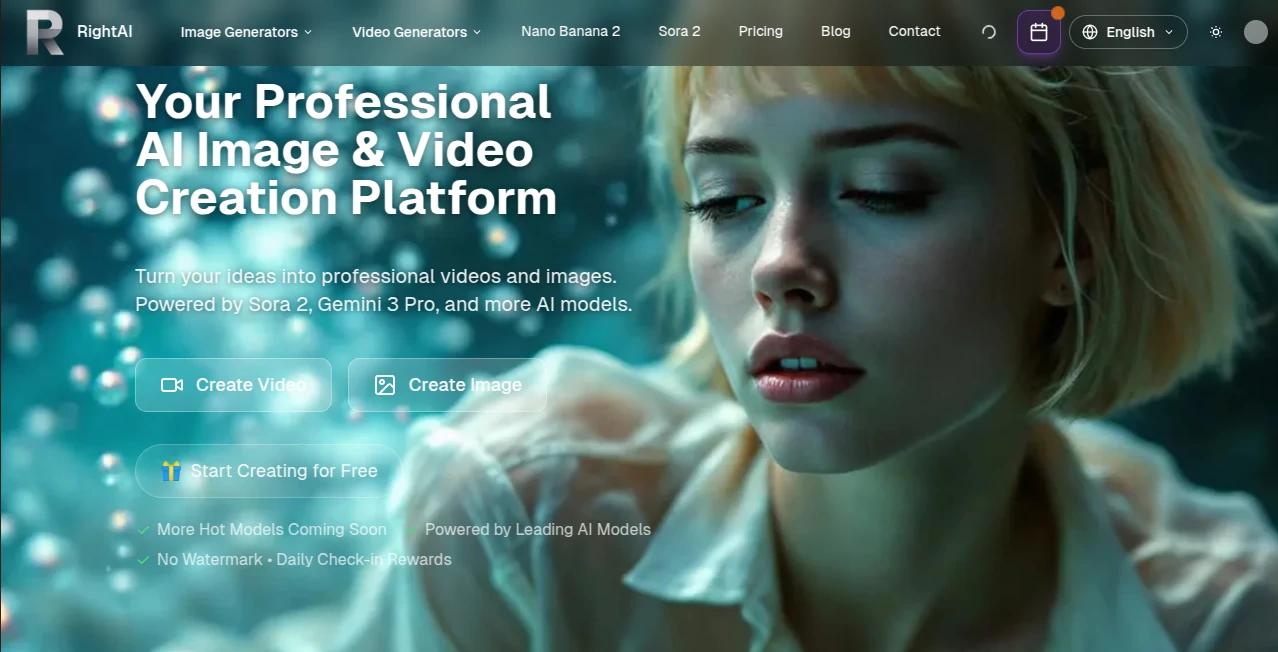
There’s a special kind of excitement when you describe an idea in plain words and watch it turn into a polished video or crisp image within seconds. No endless tweaking, no waiting around, just results that actually look like they belong in a real campaign or personal project. This platform brings together some of the strongest AI models available today, letting you jump between text-to-video, image-to-video, and high-resolution image generation without switching tabs or learning new interfaces. I’ve watched content creators test three different video concepts in the time it used to take to set up one shot, and the speed never feels like it sacrifices quality. It’s the kind of tool that makes you feel capable rather than overwhelmed.
Introduction
Creating professional-looking visuals used to mean either hiring specialists or spending hours learning complex software. RightAI changes that equation by putting powerful models like Sora 2, Kling 3.0, Veo 3.1, Nano Banana Pro, and others all in one place. You can generate cinematic videos up to 15 seconds with multi-shot storytelling, or create detailed 4K images with natural text rendering and style control. The platform is built for people who need to move fast—marketers, social creators, small businesses, and indie makers—without compromising on output quality. The experience feels thoughtful: fast enough to keep ideas flowing, flexible enough to match different creative needs, and reliable enough that you actually trust the results for real work.
Key Features
User Interface
The workspace is clean and intuitive. A clear prompt area sits front and center, with easy toggles for aspect ratio, model selection, and generation settings. Switching between video and image modes feels seamless, and previews load quickly so you can refine on the fly. Whether you’re typing a detailed scene or uploading a reference image for guided creation, everything stays focused on your idea rather than fighting the interface. It’s the sort of design that lets beginners start immediately while giving experienced users the control they want.
Accuracy & Performance
The models deliver strong consistency—characters stay recognizable across shots, lighting behaves naturally, and details like text in images render clearly. Video generations show good motion coherence and cinematic feel, while images come out sharp with accurate prompt following. Processing times are practical (images in 10–20 seconds, videos in 30–90 seconds for most cases), and the platform handles busy periods without major slowdowns for paid users. The balance of speed and quality stands out compared to tools that force you to choose one or the other.
Capabilities
You get text-to-video and image-to-video with flexible durations and aspect ratios, multi-shot cinematic sequences, native audio options, and strong image generation in photorealistic or artistic styles up to 4K. Batch generation, natural-language editing, and reference-based control (elements, subjects, style) give you real creative steering. The platform aggregates top models so you can pick the best one for the job—whether you need fast concept videos or detailed product visuals—without juggling separate accounts or tools.
Security & Privacy
Your prompts and generated content are handled with care. Paid plans remove watermarks and give you full ownership for commercial use. The platform focuses on delivering results without unnecessary data retention, giving creators confidence when working on client projects or brand-sensitive material. It’s built to feel safe and straightforward, so you can focus on creation rather than worrying about where your ideas end up.
Use Cases
A social media manager generates multiple short video concepts for a campaign in one morning, testing angles and hooks until something clicks. An e-commerce seller creates professional product images and quick demo clips without booking a photographer. A YouTuber turns script ideas into visual teasers to see which direction resonates before full production. A small business owner makes eye-catching graphics and short promotional videos for local ads, all from simple descriptions. It shines wherever you need good-looking visuals fast without a big budget or team.
Pros and Cons
Pros:
- One platform with access to multiple top-tier models for both video and images.
- Fast generation times that keep creative momentum alive.
- Flexible inputs (text, image, hybrid) with good control over style and output.
- Clean results suitable for social media, marketing, and professional use.
- Free entry point to test quality before committing.
Cons:
- Video length is still limited to short clips, best for social and teasers.
- High-demand models like Sora 2 can have variable success rates during peak times.
- Advanced or heavy usage benefits from paid plans for priority and volume.
Pricing Plans
You can start creating for free to get a real feel for the quality and speed. Paid plans unlock higher limits, priority processing, no watermarks, API access, and more generations per month. The structure is flexible so you pay for the volume and features you actually need, making it accessible for individuals while scaling comfortably for teams and businesses.
How to Use RightAI
Choose between video or image generation, select the model that best fits your need, write a clear prompt describing the scene or style, and optionally upload a reference image. Adjust aspect ratio, duration, or quality settings as needed, then hit generate. Review the preview, regenerate with small tweaks if desired, and download the final file. For batch work or repeated styles, save prompts or use the workspace tools to streamline the process. The flow stays simple enough for quick ideas while offering enough depth for polished results.
Comparison with Similar Tools
Some platforms excel at one thing (fast images or long videos) but force you to switch tools or accept lower quality. This one brings strong models for both video and images together in a single, easy-to-use workspace. It prioritizes practical speed and usable quality over raw experimental features, making it especially appealing for content creators and marketers who need reliable results without a steep learning curve or complicated workflows.
Conclusion
Good visuals shouldn’t require a production team or endless waiting. RightAI makes creating professional images and short videos feel approachable and fast, giving creators the freedom to test ideas, iterate quickly, and produce content that actually looks the part. It’s not about replacing skill or vision—it’s about removing the friction so your ideas can reach the screen faster and with more confidence. For anyone who needs to create consistently without the usual headaches, it’s a welcome addition to the toolkit.
Frequently Asked Questions (FAQ)
How long are the generated videos?
Most clips range from 3 to 15 seconds, ideal for social media, teasers, and short stories.
Do I need an account to start?
You can try it for free without signing up, though creating an account unlocks saved projects and higher limits on paid plans.
Can I use the outputs commercially?
Yes—paid plans provide watermark-free files with commercial usage rights.
What models are available?
It aggregates leading ones including Sora 2, Kling 3.0, Veo 3.1, Nano Banana Pro, Grok models, and more for both video and images.
How fast are generations?
Images typically appear in 10–20 seconds; videos in 30–90 seconds depending on length and model.
AI Image to Video , AI Text to Video , AI Video Generator , AI Art Generator .
These classifications represent its core capabilities and areas of application. For related tools, explore the linked categories above.
RightAI details
Pricing
- Free
Apps
- Web Tools
Categories

RightAI Alternatives Product

Seedance AI

Kling 4.0 AI

seedance 3.0

Seedance 2.0

Kling 3.0 – …
Whisper Thun…
Video to GIF…

BeYourCover

ImagineToVid…
