
🧠 AI Quiz
Think you really understand Artificial Intelligence?
Test yourself and see how well you know the world of AI.
Answer AI-related questions, compete with other users, and prove that
you’re among the best when it comes to AI knowledge.
Reach the top of our leaderboard.


















Rizzwords
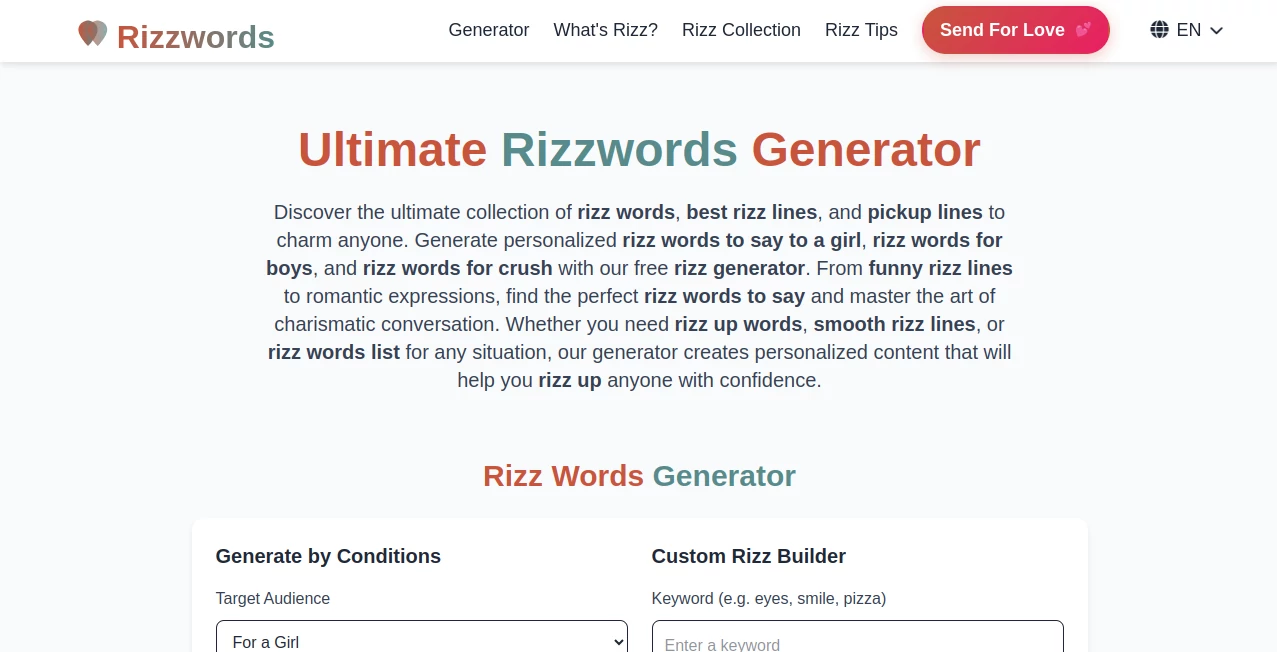
What is Rizzwords?
There are moments in a chat where the right words just don't come, and suddenly you're staring at a blank reply box wondering what to say next. This little helper steps in exactly then, quietly suggesting lines that feel natural, witty, and perfectly timed. I've watched friends go from awkward silences to easy back-and-forths simply by borrowing a phrase or two—it turns those nerve-wracking first messages into something smoother and more genuine, like having a clever friend whispering in your ear.
Introduction
Online conversations can be tricky; you want to come across as confident and interesting without sounding rehearsed or trying too hard. This tool quietly solves that problem by generating replies, openers, and thoughtful responses that match the vibe of the chat. What started as a simple idea for people tired of overthinking every message has become a go-to for anyone navigating dating apps or casual talks. The beauty lies in how it helps you sound like a better version of yourself—never robotic, always relatable. I once saw someone use it to turn a dry "hey" into a playful exchange that led to a real date; small nudge, big difference.
Key Features
User Interface
The layout keeps everything front and center: paste the message you're responding to, pick the tone you're aiming for, and suggestions appear almost instantly. No cluttered menus or hidden buttons—just a clean flow that gets you from stuck to sent in seconds. It's the kind of simplicity that makes you wonder why more tools don't feel this effortless.
Accuracy & Performance
It reads the context quickly and delivers lines that actually fit the conversation, catching sarcasm, flirtation, or curiosity without missing the mark. Responses come fast, often within a blink, and the quality holds steady even on longer threads. In my own tests, it turned generic replies into ones that felt personal and engaging, rarely forcing anything awkward.
Capabilities
Beyond basic comebacks, it crafts openers, follow-ups, and even bios that draw people in. You can dial in humor, charm, or sincerity, and it adapts on the fly. Whether you're restarting a stalled chat or keeping momentum going, it offers options that keep things light and natural.
Security & Privacy
Your messages stay local and private—no storing chats or selling data. It's built with the understanding that conversations are personal, so everything disappears once you're done. That kind of care lets you experiment freely without second-guessing.
Use Cases
Dating app users lean on it for stronger openers and replies that stand out in crowded inboxes. Friends helping each other through tricky texts find it invaluable for quick, thoughtful suggestions. Even in professional networking chats, it helps craft messages that feel warm and confident. It's especially handy when you're tired or distracted but still want to keep the connection alive.
Pros and Cons
Pros:
- Feels like a natural extension of your own style, never forced.
- Lightning quick without sacrificing thoughtfulness.
- Helps build confidence by showing what good flow looks like.
- Keeps things private so you can be honest with yourself.
Cons:
- Best when you add your own touch—pure copy-paste can feel off if overdone.
- Occasionally suggests something a bit too bold depending on tone settings.
Pricing Plans
It starts free so you can try it without commitment, then offers affordable upgrades for unlimited suggestions and extra customization. The paid tiers unlock longer context handling and priority features, but even the basic version packs enough punch to make a difference. It's priced in a way that feels fair—accessible yet rewarding for heavier users.
How to Use RizzWords
Open the page, paste the message you're replying to (or the profile/bio if you're starting fresh), choose the vibe—playful, thoughtful, flirty, whatever fits—and hit generate. Scan the options, pick one that resonates, tweak it if you like, and send. I usually read a couple suggestions aloud to see which one sounds most like me; that small step makes all the difference.
Comparison with Similar Tools
Some alternatives throw generic lines at you, but this one pays closer attention to tone and flow, resulting in replies that land more naturally. It's less about quantity and more about quality, which shows in conversations that actually move forward instead of fizzling out. For people who value authenticity over volume, it stands apart.
Conclusion
At the end of the day, this tool isn't about replacing your personality—it's about giving you a gentle push when words fail. It helps turn nervous moments into confident exchanges, one thoughtful suggestion at a time. If you've ever wished for a way to sound smoother without losing yourself, this quietly delivers. Give it a spin; you might be surprised how much easier connecting can feel.
Frequently Asked Questions (FAQ)
Do the suggestions always fit perfectly?
They get very close when you set the right tone, but adding your personal flair makes them even better.
Is it only for dating?
No—it's great for any casual or flirty chat where you want to keep things engaging.
How private is my data?
Your messages aren't stored or shared; everything stays local to your session.
Can I use it on mobile?
Yes, it works smoothly in any browser, so you can pull it up on your phone mid-conversation.
What if I don't like any suggestion?
Regenerate with a slight tweak to the tone or add more context—options refresh quickly.
AI Reply Assistant , AI Response Generator , AI Dating Assistant , AI Life Assistant .
These classifications represent its core capabilities and areas of application. For related tools, explore the linked categories above.
Rizzwords details
Pricing
- Free
Apps
- Web Tools
Categories

Rizzwords Alternatives Product

AIOutreach

Romantic AI

Myjourney

Jasper

lovetype16

MixBooze

Lexikon AI

Keeper AI

MatchMyType
