🧠 AI Quiz
Think you really understand Artificial Intelligence?
Test yourself and see how well you know the world of AI.
Answer AI-related questions, compete with other users, and prove that
you’re among the best when it comes to AI knowledge.
Reach the top of our leaderboard.


















RoomStudioAI

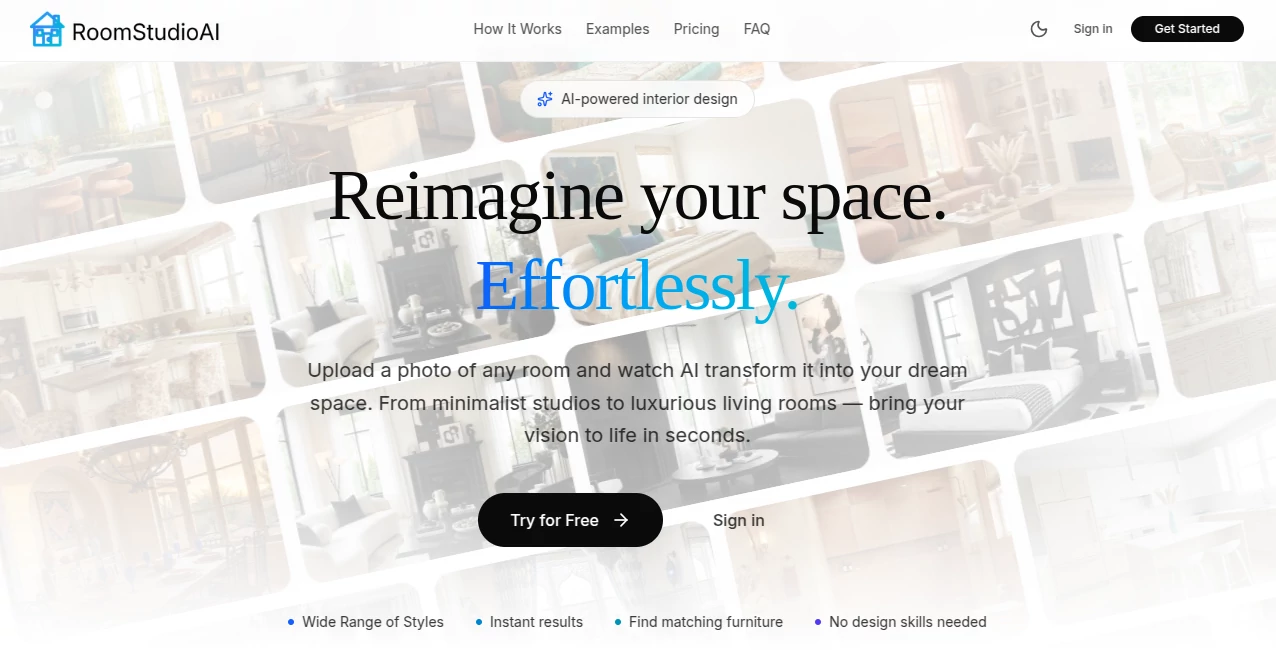
What is RoomStudioAI?
There's something truly satisfying about snapping a photo of a tired old room and seeing it blossom into something fresh and inviting, all with a few clicks. This tool nails that feeling every time, taking your real-world shots and layering on styles that fit like they were always meant to be there. I've messed around with plenty of design apps, but this one stands out for how it respects the bones of your space—no wild distortions, just smart, realistic tweaks that make you think, "Yeah, I could actually do this."
Introduction
Redecorating can feel overwhelming, especially when you're staring at a blank wall or cluttered corner wondering where to start. This platform changes the game by letting you upload any room photo—living space, kitchen, even the backyard—and watching it transform in seconds with pro-level designs. It keeps the layout, lighting, and structure intact while swapping in new vibes, from sleek modern to cozy rustic. What really won me over was the furniture matching: spot a chair you like in a render, and it hunts down similar pieces you can actually buy. Homeowners, designers, and agents are all buzzing about it, sharing before-and-afters that save hours of sketching or pricey consultations. It's the kind of practical magic that turns "someday" ideas into "let's do this weekend" plans.
Key Features
User Interface
Everything feels straightforward and welcoming, with a big upload area front and center, style picks that make sense, and quick previews that load without fuss. You can clear clutter, empty rooms, or fill them up, all from a dashboard that's easy to navigate even on a phone during a lunch break. A friend of mine, who's not big on tech, jumped in and had a handful of options for her bedroom in no time—smiling at how intuitive the sharing links were for getting family feedback.
Accuracy & Performance
The redesigns come back fast—often under half a minute—and they hug the original photo's angles and light so closely it's uncanny. No more warped walls or floating furniture; it gets the architecture right while nailing the chosen style. I've thrown in dimly lit shots and busy rooms, and it still delivers clean, believable results that look ready for a magazine spread.
Capabilities
Beyond basic swaps, you can declutter spaces, turn sketches into photorealistic scenes, or hunt for shoppable furniture matches from big retailers. High-res 4K options for those crisp presentations, easy collaboration invites for clients or pals, and even exterior or outdoor makeovers. It's versatile enough for holiday themes or pro staging, always keeping things grounded in your actual room.
Security & Privacy
Your photos stay put for your eyes only, used just to craft designs and never fed into training or shared around. Easy deletes from the dashboard, and solid practices that let you focus on the fun without worrying about data drifting off. It's reassuring, especially when uploading personal home shots or client projects.
Use Cases
Homeowners test paint colors and layouts before committing to buys, spotting what truly works without the regret. Real estate pros stage vacant listings virtually, showing potentials that speed up sales. Designers brainstorm multiples for clients, iterating fast with shareable links. Even renters visualize temporary tweaks, like festive setups, that brighten spaces without permanent changes.
Pros and Cons
Pros:
- Lightning-quick renders that fit your exact room, no generic fluff.
- Smart furniture finds turn inspiration into actionable shopping.
- Collaboration that's seamless, perfect for teams or family input.
- High-res options that shine for pros without extra hassle.
Cons:
- Best with clear, well-lit photos—tricky shots might need a redo.
- Credits add up for heavy users, though fair for the quality.
Pricing Plans
Dive in affordably from about thirty bucks a month for a solid batch of designs, with yearly jumps saving over half—great for committed refreshers. Credits refresh monthly, 4K doubles the fun, and easy cancels or refunds if it doesn't click early. It's priced to feel accessible, especially stacked against hiring a designer for one room.
How to Use RoomStudioAI
Grab a decent photo—eye-level, good light—and upload it straight in. Pick a style that catches your eye, maybe add notes for specifics, and let it spin up options. Browse the results, spot favorites, then hunt similar furniture or share a link for opinions. Tweak with clears or fills, export sharp for prints, and build a gallery of ideas that evolve with your project.
Comparison with Similar Tools
Plenty of apps out there twist rooms into fantasies, but few cling to your real layout and lighting like this one, avoiding the cartoonish drifts others fall into. The furniture shopping tie-in and collab ease set it apart from free-for-alls that lack polish or organization. It's the balanced pick for practical dreamers, delivering usable visions faster and truer than the scattered competition.
Conclusion
Flipping through redesigns that feel tailor-made for your space is downright addictive, sparking that confidence to tackle changes big or small. This tool bridges the gap between vague wishes and vivid plans, saving time, money, and second-guesses along the way. Whether refreshing a nook or staging a sale, it's a quiet powerhouse that makes beautiful spaces feel within reach—give it a shot, and watch your rooms come alive in ways you didn't expect.
Frequently Asked Questions (FAQ)
What photo tips yield the best results?
Well-lit, straight-on shots at eye level—clear views of walls and floors help it map accurately.
Can I shop the furniture in renders?
Yes, it spots pieces and links similar ones from places like Amazon for easy adds.
Works for exteriors too?
Absolutely, plus outdoors—think patios or holiday vibes all year.
How about team work?
Invite anyone via link—no account needed for them to view and comment.
Commercial use okay?
Higher plans grant full rights for pros, marketing, or client work.
AI Art Generator , AI Design Generator , AI Interior & Room Design .
These classifications represent its core capabilities and areas of application. For related tools, explore the linked categories above.
RoomStudioAI details
This tool is no longer available on submitaitools.org; find alternatives on Alternative to RoomStudioAI.
Pricing
- Free
Apps
- Web Tools
Categories

RoomStudioAI Alternatives Product

Invitation M…

Image Text E…

Ai Home Desi…

Seedream 5.0

Max Studio AI

seedream 6

Image By Qwen

chibi art

Consistent C…