
🧠 AI Quiz
Think you really understand Artificial Intelligence?
Test yourself and see how well you know the world of AI.
Answer AI-related questions, compete with other users, and prove that
you’re among the best when it comes to AI knowledge.
Reach the top of our leaderboard.


















SAM 3D
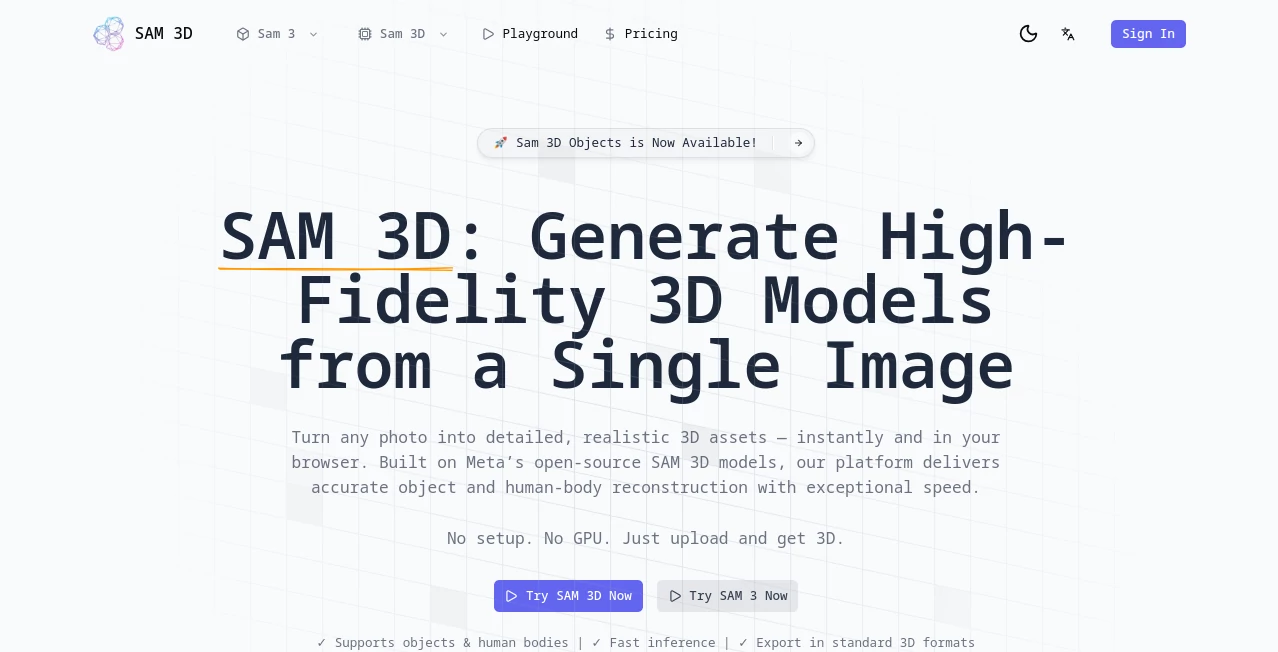
What is SAM 3D?
Picture this: you snap a quick photo of that quirky lamp on your shelf, and in seconds, it springs to life as a fully textured 3D model you can spin, tweak, and drop into your next project. That's the sheer delight of this powerhouse tool from Meta AI—it's like having a digital sculptor at your fingertips, turning flat images into rich, realistic worlds without breaking a sweat. I've seen folks light up when they first try it, watching everyday shots morph into assets that feel straight out of a pro studio. If you're dipping into 3D for fun or work, this is the spark that makes it all click.
Introduction
Ever felt the thrill of unboxing a new gadget, only to wish you could play with it in virtual space before the plastic even hits the trash? This tool captures that magic, born from Meta's drive to make 3D creation as simple as pointing your phone. It tackles the old headaches of clunky scanning rigs or endless manual modeling, delivering results that pop with detail and depth right from one ordinary photo. What hooks me is how it democratizes the process—suddenly, a casual snapshot of your kid's toy or a market find becomes a versatile asset for games, e-shops, or just messing around in Blender. Trained on a massive trove of real-world scenes, it shines in the messy beauty of life, not just sterile lab shots, and that's what sets it apart in a sea of shiny but shallow alternatives.
Key Features
User Interface
Jumping in feels like chatting with an old friend who's also a wizard—no downloads, no GPU drama, just fire up your browser and you're off. Drag in your image, click to highlight the star of the show, and watch the mask outline it like it's reading your mind. The playground layout keeps everything front and center: previews spin smoothly, exports are a single tap away, and it's all so forgiving that even if you're new to this, you'll nail a solid model on try one. I remember tweaking a friend's vacation pic into a 3D souvenir; the drag-to-rotate viewer made it addictive, like holding the memory in my hands.
Accuracy & Performance
Here's where it truly flexes: feed it a dimly lit shelf shot or a crowded street scene, and it reconstructs with uncanny precision, guessing hidden angles and textures like it was there. Speeds? Blistering—seconds for a full mesh that holds up under scrutiny, outpacing rivals that chug on simpler stuff. In side-by-side tests folks share online, it wins hands down for keeping shapes true and colors vibrant, even in tricky spots like shadows or overlaps. It's that reliability that turns skeptics into superfans, especially when you're racing a deadline and can't afford a dud.
Capabilities
From everyday objects to full human figures, it handles the spectrum with grace, hallucinating believable backsides for blocked views or rigging bodies for animation that moves naturally. Open-vocab smarts mean you can prompt for "that vintage radio" without training hassles, and the outputs? Export-ready meshes in formats that slot into Unity or Unreal like they belong. For people shots, it separates bones from flesh for lifelike poses, opening doors to VR avatars or fitness apps. It's not just generating; it's empowering wild ideas, like turning a family portrait into an interactive holiday card that wows at gatherings.
Security & Privacy
In an age where every upload feels like a gamble, this setup breathes easy—no local hardware snooping, just cloud magic that processes and forgets, keeping your snaps yours alone. Open-source under a friendly license means you peek under the hood if you want, but the defaults are rock-solid: no data hoarding, no sneaky shares. For creators juggling client work or personal treasures, that peace of mind is gold, letting you experiment freely without the nagging "what if" in the back of your head.
Use Cases
Imagine outfitting an online store where customers "place" that armchair in their living room via AR—e-commerce just got immersive. Or game devs prototyping environments from concept sketches, slashing weeks off asset hunts. Sports coaches analyze athlete forms from game footage, spotting tweaks that boost performance. Even at home, hobbyists like me revive old photos into printable keepsakes, blending nostalgia with tech in ways that spark family stories over dinner. It's versatile enough for pros pushing boundaries yet welcoming for weekend warriors chasing whims.
Pros and Cons
Pros:
- Zero barriers to entry—browser-based bliss means anyone can dive in today.
- Handles real-life mess like a champ, from dim rooms to dynamic poses.
- Open-source freedom lets you tweak, share, or sell without strings.
- Lightning outputs that fuel creativity, not frustration.
Cons:
- Shines brightest on single shots; multi-angle magic might need extra steps.
- Human figures demand clear poses to avoid quirky glitches.
Pricing Plans
The beauty here? It's wide open and free to roam—no tiers, no traps, just pure access via the playground or code hooks. Whether you're a solo tinkerer or building for bucks, the Apache 2.0 nod covers commercial dreams without a whisper of fees. That generosity feels like a high-five from the team, inviting everyone to play without the paywall pinch.
How to Use SAM 3D
Start simple: snag a photo from your camera roll—say, that coffee mug with the chip—and upload it to the playground. Click the bits you want to spotlight; the mask appears like magic, tracing edges you didn't even notice. Hit generate, and boom—a spinning 3D twin emerges, textured and ready. Export as OBJ for your 3D printer or GLB for web embeds, then iterate with fresh prompts. I once turned a blurry market fruit into a rigged model for a recipe app; the whole loop took under five minutes, leaving me grinning at the possibilities.
Comparison with Similar Tools
Stack it against old-school photogrammetry kits that demand tripods and temples, and this sails smoother, no hardware heroics required. Rivals trained on fake scenes falter in the wild, but here the real-world dataset delivers depth that dazzles in user polls—five-to-one favorites, no contest. It's the approachable ace for quick wins, blending pro punch with everyday ease where others overload or underwhelm.
Conclusion
This isn't just a tool; it's a gateway to worlds waiting in your wallet of photos, unlocking 3D dreams with a click that feels downright joyful. By blending smarts with simplicity, it invites us all to sculpt, share, and surprise, turning "what if" into "watch this." In the rush of digital days, it's a reminder that the best tech whispers possibilities, not commands—and boy, does it whisper sweet.
Frequently Asked Questions (FAQ)
Can it work with phone pics or generated art?
Absolutely—everyday snaps or AI renders feed right in, yielding gems that surprise.
What's the deal with human models?
It rigs bodies for animation, splitting structure from skin for moves that mesmerize.
Any hardware hurdles?
None—runs silky in your browser, no beastly rig needed.
Open for business use?
Yep, Apache 2.0 greenlights commercial crafts without a catch.
Video frames a go?
Pull stills from clips for sequential models that build dynamic scenes.
AI Design Generator , AI 3D Model Generator , AI Image to 3D Model .
These classifications represent its core capabilities and areas of application. For related tools, explore the linked categories above.
SAM 3D details
Pricing
- Free
Apps
- Web Tools
Categories

SAM 3D Alternatives Product

Image to Ima…

grok bikini

Ai logo maker

grok images

Touchpoint

Plottie

Modelfy 3D

OCMaker AI

ModelsLab
