🧠 AI Quiz
Think you really understand Artificial Intelligence?
Test yourself and see how well you know the world of AI.
Answer AI-related questions, compete with other users, and prove that
you’re among the best when it comes to AI knowledge.
Reach the top of our leaderboard.

















SealIt.ai

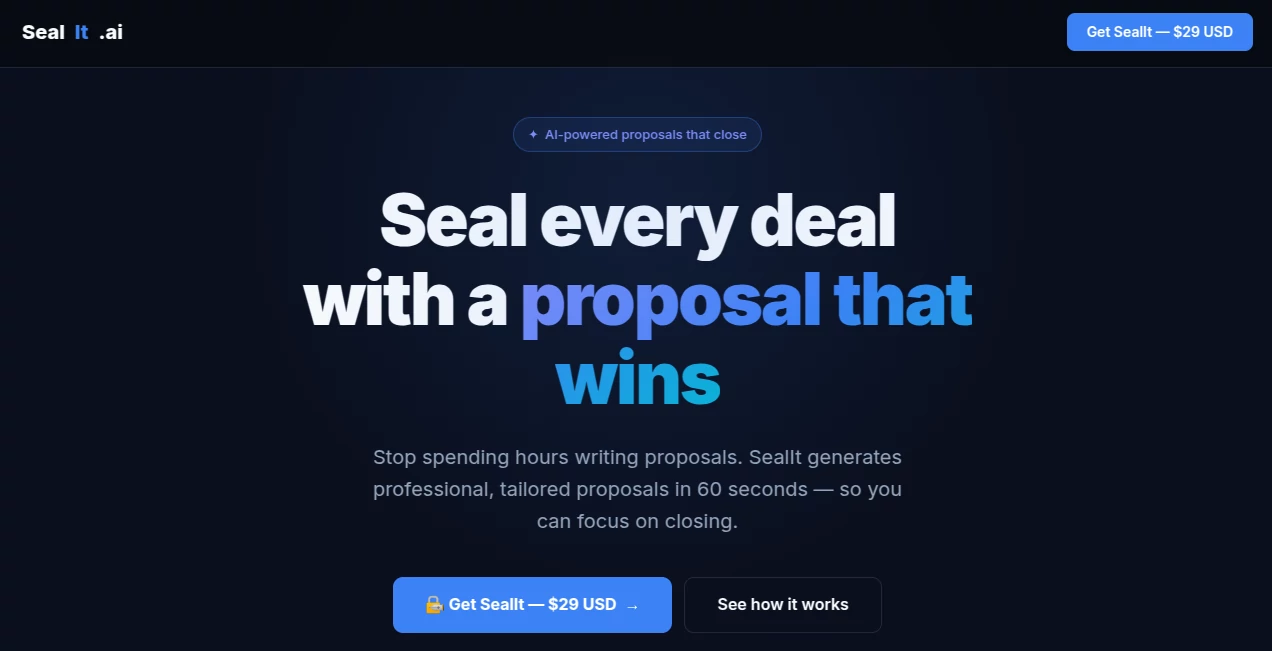
What is SealIt.ai?
There’s something quietly powerful about watching someone sign a document with one tap and knowing it’s legally binding, timestamped, and impossible to tamper with. This tool makes that moment effortless. Upload a contract, proposal, NDA, or simple consent form, place signature fields exactly where they belong, send it off—and within minutes you have enforceable proof that everyone agreed. I’ve seen small business owners go from chasing wet signatures for weeks to closing deals over coffee because the document came back signed while they were still talking. It removes friction without ever feeling cheap or risky.
Introduction
Paper contracts are slow, PDFs emailed back-and-forth are messy, and most free e-signature tools either lack legal weight or hide important compliance details. This platform quietly solves all three problems at once. It delivers full e-signature legality (ESIGN Act, UETA, eIDAS compliant), beautiful document flow, and a clean audit trail—without forcing you into enterprise pricing or complex setups. Freelancers, agencies, small teams, educators, and even individuals use it daily because it turns “please sign this” into a 30-second reality. The experience feels modern and trustworthy from the first upload to the final certificate of completion.
Key Features
User Interface
The editor is calm and focused. Drag-and-drop your PDF or start from a blank template, click to add signature, text, date, or checkbox fields, drag them precisely where needed. Recipient order is set with simple arrows. Send with one click. Recipients see a beautifully formatted document on any device—no awkward zooming or pinching. Signing takes literally seconds: click field → draw/type/sign → done. The whole flow is so smooth that even non-tech-savvy clients finish without help.
Accuracy & Performance
Every signature is cryptographically sealed with timestamp and certificate of completion. Audit trails log every view, sign, and decline with exact times and IP addresses. Documents remain tamper-evident—if anyone tries to alter after signing, verification fails instantly. Processing is near-instant; most documents send and return signed within minutes. Reliability is rock-solid—no lost signatures, no expired links, no “file too large” surprises.
Capabilities
Unlimited document uploads (paid plans), multiple signers with sequential or simultaneous signing, custom branding (logo, colors, sender name), reusable templates, in-person signing mode, SMS authentication option, embedded signing (no redirect), API access for automation, bulk send, and full audit certificates downloadable as PDF. It handles NDAs, contracts, waivers, consent forms, freelance agreements—anything that needs real legal weight.
Security & Privacy
End-to-end encryption for documents in transit and at rest. Compliant with ESIGN, UETA, eIDAS, GDPR, CCPA. Two-factor authentication available. Audit trails are immutable. No unnecessary data collection—only what’s required for legal validity. For freelancers and small businesses handling client contracts, that level of care builds real confidence.
Use Cases
A freelance photographer sends model releases after every shoot—clients sign from their phone in 20 seconds, files are archived with proof forever. A small agency gets client approvals on proposals while still on the discovery call—deal momentum stays high. An online course creator issues certificates that students can verify and share on LinkedIn—credibility increases instantly. A consultant closes retainers with NDAs and agreements in one seamless flow—no more “I’ll print and scan later.” Wherever agreement matters, it removes delay and doubt.
Pros and Cons
Pros:
- Legally robust—full compliance without legalese overload.
- Beautiful signing experience for recipients—no friction, no complaints.
- Fast, reliable, and works flawlessly on mobile.
- Custom branding and reusable templates save huge time on repeat docs.
- Pricing starts low and scales sensibly—no enterprise-only feel.
Cons:
- Free tier limits monthly envelopes—serious users upgrade quickly.
- Advanced API and bulk features live in higher plans.
- No built-in contract drafting (focus is purely on signing flow).
Pricing Plans
Free plan gives a handful of envelopes per month—enough to test or handle occasional needs. Starter and Pro plans unlock unlimited envelopes, custom branding, reusable templates, API access, and priority support. Enterprise adds team management, custom domains, and dedicated assistance. Pricing feels fair—many users say one month’s fee replaces what they used to spend on DocuSign or Adobe Sign, with a nicer experience.
How to Use Sealit
Sign up (takes 30 seconds), upload your PDF or start from scratch. Drag signature, text, date, or checkbox fields onto the document. Add recipients (email or phone), set signing order if needed. Customize sender name/logo if on paid plan. Send. Recipients get a clean email with a “Review & Sign” button—click, sign (draw, type, or upload), and confirm. You receive instant notification and downloadable audit certificate. For repeat docs, save as template and reuse forever. That’s it—binding agreement in under a minute per signer.
Comparison with Similar Tools
Big-name e-signature platforms often feel enterprise-heavy—expensive, complex, or over-featured for small teams. Free alternatives frequently lack real legal weight or have ugly signing flows. This one delivers full compliance, beautiful UX, and approachable pricing without cutting corners. It’s less bloated than the giants, more trustworthy than the freebies—perfect middle ground for freelancers, agencies, educators, and small businesses who want serious proof without serious hassle.
Conclusion
Agreements shouldn’t be slowed by printing, scanning, or “I’ll sign it later.” This platform makes getting to “done” feel effortless while keeping every signature legally ironclad. It turns paperwork from a chore into a quick, confident step. When clients sign faster, deals close faster, students certify faster, and teams move faster—the whole business breathes easier. If you’re still chasing wet signatures in 2025, this is the gentle push you’ve been waiting for.
Frequently Asked Questions (FAQ)
Are signatures legally binding?
Yes—fully compliant with ESIGN Act, UETA, eIDAS, and equivalent laws worldwide.
Do recipients need an account?
No—just click the link and sign. Optional account for saving signed docs.
Can I brand the signing page?
Yes—paid plans let you add your logo, colors, and custom sender name.
What happens if someone refuses to sign?
You see real-time status (viewed, declined, signed). You can send reminders or cancel.
Is there a free plan?
Yes—limited envelopes per month, perfect for testing or light use.
AI Digital Marketing Generator , AI E-commerce Assistant , Other .
These classifications represent its core capabilities and areas of application. For related tools, explore the linked categories above.
SealIt.ai details
This tool is no longer available on submitaitools.org; find alternatives on Alternative to SealIt.ai.
Pricing
- Free
Apps
- Web Tools
Categories

SealIt.ai Alternatives Product

Geekflare AI

Free AI Dire…

cznull

DiRe-RAPIDS

Suno list

SalesPageNow
AILeadz.io
Aback Tools

Ecom Tool AI