🧠 AI Quiz
Think you really understand Artificial Intelligence?
Test yourself and see how well you know the world of AI.
Answer AI-related questions, compete with other users, and prove that
you’re among the best when it comes to AI knowledge.
Reach the top of our leaderboard.


















Sebastian.run
Vibe Coding for Effortless Mobile Apps

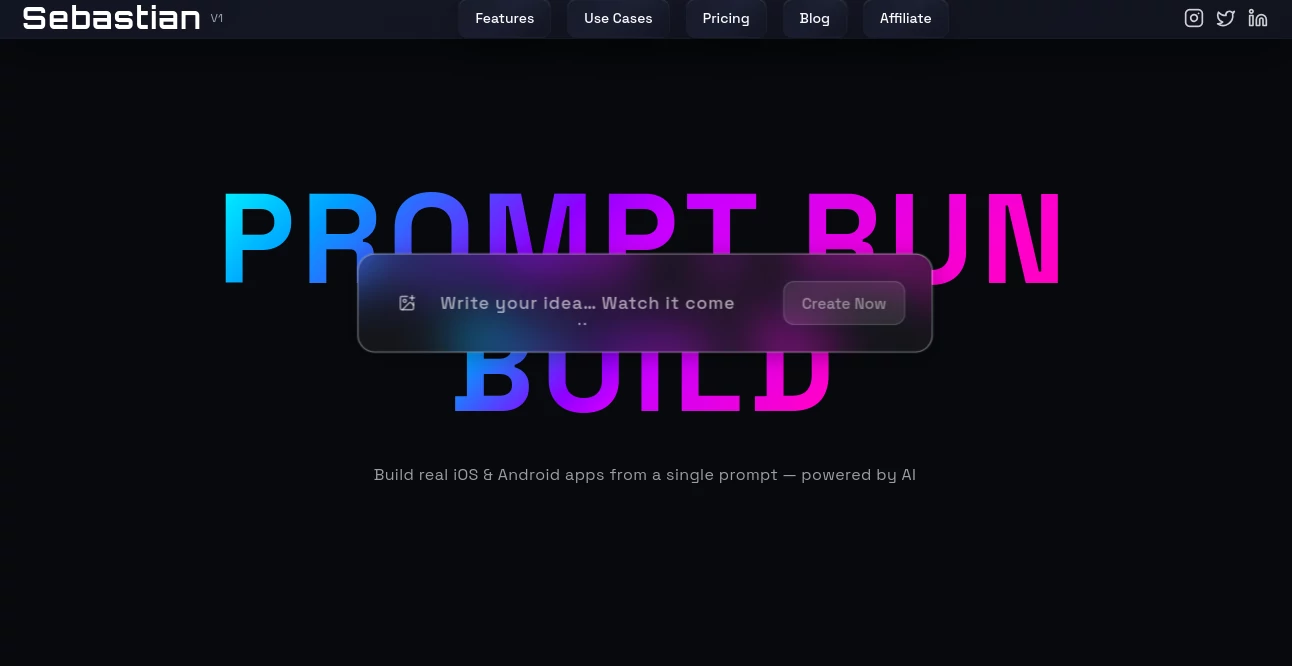
What is Sebastian.run?
Sebastian shakes up how folks build mobile apps, letting you chat your way through ideas and watch code come alive without typing a line. It's like having a sharp dev buddy who gets your casual lingo and turns it into smooth-running apps for iOS and Android. Creators from hobby tinkerers to startup hustlers lean on it to prototype fast, ditching the drag of traditional setups for something that flows with your energy.
Introduction
Sebastian rolled out a bit back from a founder's itch to skip the code slog while chasing app dreams during late-night brainstorms. What kicked off as a personal hack to vibe-check ideas quickly hooked a crowd of non-coders who'd always shied from dev tools. Now it's buzzing in maker circles, with stories of weekend warriors launching polished betas that snag early buzz. The charm lies in how it mirrors real talk—rambling about features or fixes, and it just gets it, building out screens and logic that feel spot-on without the usual syntax headaches.
Key Features
User Interface
The chat window hits you first, a clean thread that feels like texting a pro, with your inputs lighting up the left and responses stacking right. As you banter, a live preview pane flips open beside it, showing app mocks that update on the fly—no refresh hunts or side-loaded editors. Buttons for common nudges like "add a button" or "fix that flow" hover handy, keeping the screen airy and your focus locked on the big picture.
Accuracy & Performance
Your offhand descriptions land as tight code that runs true, catching the nuance of "make it snappy" with optimizations that keep loads under a second. It handles chains of tweaks without dropping balls, rebuilding previews in blinks even for beefy builds. Users nod to its knack for dodging common snags, like wonky layouts on different screens, delivering deploys that hum smooth from the get-go.
Capabilities
From sketching basic to-do lists to wiring up full social feeds with user logins and push pings, it covers the mobile gamut with cross-platform spits for both big stores. Toss in voice commands for hands-free flows or integrate maps for location plays, all via simple back-and-forths. Export paths lead to ready deploys or code grabs for deeper dives, making it a springboard for everything from quick MVPs to fleshed-out launches.
Security & Privacy
Chats stay sealed end-to-end, with builds running in sandboxes that wipe clean post-session unless you save. It flags sensitive bits like API keys for manual masks, and team shares come with granular peeks so collabs don't spill secrets. Devs trust the setup for prototyping client gigs, knowing prototypes vanish without a trace if the vibe sours.
Use Cases
Solo founders mock up fitness trackers, chatting through calorie logs and streak badges before pitching investors. Designers prototype UIs for client pitches, iterating on feedback loops without code barriers. Teachers spin lesson apps with quiz flows and progress charts, sharing exports for classroom trials. Even marketers build lead-capture tools with custom forms that sync to sheets, testing campaigns on the cheap.
Pros and Cons
Pros:
- Chat-driven builds slash time from days to hours for rough cuts.
- Grabs casual inputs without forcing tech jargon.
- Live previews catch issues early, saving debug dances.
- Cross-platform outputs mean one chat, two stores.
Cons:
- Deep custom hooks might need code tweaks post-export.
- Free spins cap quick tests, teasing longer hauls.
- Relies on clear vibes—muddy chats lead to muddled mocks.
Pricing Plans
Start free with a daily handful of chats to dip toes, enough for simple spins. Monthly maker at twenty bucks unlocks unlimited threads and basic deploys, while pro at fifty adds team slots and priority builds. Yearly cuts the edge by a quarter, and they float a no-risk week to run wild before picking a lane.
How to Use Sebastian
Sign in quick, then fire up a new convo with your app spark—like "build a recipe sharer with photo uploads." Watch it probe for details, reply with clarifications, and see the preview evolve. Nudge with "add search" or "tweak colors," then hit export for store-ready files or code zip. Save threads for tweaks, turning one-shot tests into living projects over time.
Comparison with Similar Tools
Where drag-drop builders lock you in templates, Sebastian's chat frees wild ideas, though those might suit pixel-perfect purists better. Against full IDEs, it skips the setup for speedy starts, but could lag on enterprise-scale beasts. It owns the vibe lane for quick, voice-led prototypes where others grind gears or guess intents.
Conclusion
Sebastian turns app dreams from distant maybes into tangible tomorrows, blending easy talk with solid builds that inspire action. It levels the field for voices without code chops, proving great ideas need no syntax to soar. As mobile keeps calling creators, this chatty companion stays a step ahead, fueling launches that vibe just right.
Frequently Asked Questions (FAQ)
What platforms does it target?
Spits out for iOS and Android, unified from one thread.
Can I edit the code it makes?
Grab the files and tweak away in your fave editor.
How detailed do prompts need to be?
Start loose, let it ask—clarity grows with the chat.
Is it for teams?
Pro tiers share convos for group grooves.
What if the build bugs out?
Chat the fix, or export for a manual mend.
AI No-Code & Low-Code , AI Code Generator , AI Developer Tools , AI App Builder .
These classifications represent its core capabilities and areas of application. For related tools, explore the linked categories above.
Sebastian.run details
This tool is no longer available on submitaitools.org; find alternatives on Alternative to Sebastian.run.
Pricing
- Free
Apps
- Web Tools
Categories

Sebastian.run Alternatives Product

Ultralytics

vivgrid

ModelsLab

Workik

Fillout.com

Lovable APP

ShipAhead

Luma AI

Screenshot t…