
🧠 AI Quiz
Think you really understand Artificial Intelligence?
Test yourself and see how well you know the world of AI.
Answer AI-related questions, compete with other users, and prove that
you’re among the best when it comes to AI knowledge.
Reach the top of our leaderboard.


















Seedance 2.0 AI
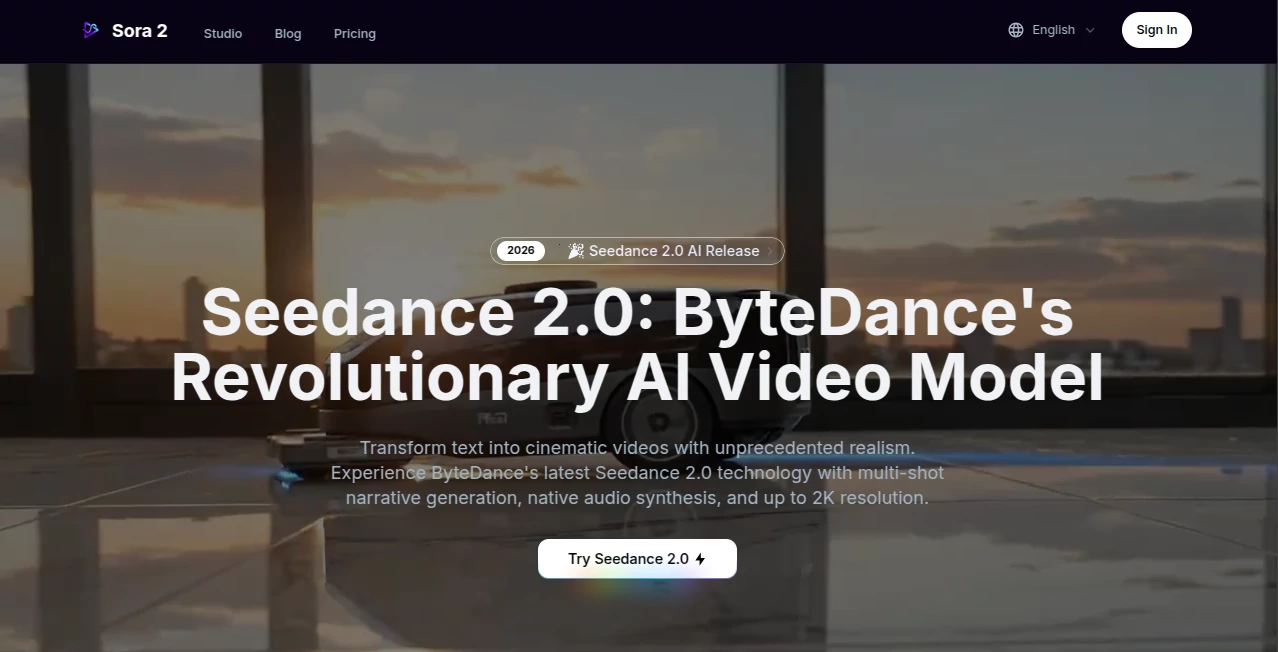
What is Seedance 2.0 AI?
There’s something quietly thrilling about typing a short description and watching a full, coherent scene unfold—camera sweeping, characters moving naturally, even ambient sounds and dialogue syncing up like a real shoot. This model makes that happen in a way that still catches me off guard every time I try it. You feed it a prompt, maybe toss in an image or clip for style, and out comes a short film clip that feels directed, not just generated. Friends who’ve played with it keep saying the same thing: it’s one of the first tools where the output doesn’t scream “AI made this”—it just looks like someone actually filmed it.
Introduction
Video creation has always been a heavy lift: storyboarding, shooting, editing, syncing audio… the list goes on. This platform collapses most of that into a single, surprisingly intelligent step. You describe what you want, add references if you have them, and it plans the shots, handles transitions, and even layers in native sound with lip-sync that actually matches. It’s not perfect for hour-long features yet, but for 4–15 second storytelling pieces—ads, social hooks, concept teasers—it’s become the go-to for creators who want polish fast. I’ve seen marketers turn static product shots into mini-narratives overnight, and animators use it to test pacing before committing to full frames. The speed and quality together make it feel like a real creative partner.
Key Features
User Interface
The workspace is clean and focused. You start with a prompt box, drag in any reference images, video clips, or audio files, tag them clearly so the system knows what each one controls, then pick duration and resolution. Generate, watch a preview load quickly, and tweak if needed. It never buries options or overwhelms with sliders—everything stays intuitive, even on the first try. That simplicity keeps the momentum going when you’re in the flow.
Accuracy & Performance
Consistency across shots is where it really stands apart—characters don’t morph, lighting holds steady, and motion follows natural physics even in fast action. Audio syncs tightly, with dialogue landing on mouths and ambient layers feeling balanced. Generations are quick enough that you can iterate without losing the thread, and the 2K-capable output looks sharp enough for professional screens. In real tests, complex prompts with multiple subjects and camera moves come out coherent far more often than not.
Capabilities
It takes text, images, short video clips, and audio files together—up to a handful of each—and weaves them into unified clips. Multi-shot storytelling happens automatically: prompt a sequence, and it plans transitions and angles like a director. Native audio-visual fusion means sound is generated alongside visuals, not tacked on later. You get options for aspect ratios, resolutions up to 2K, and durations from 4 to 15 seconds. Commercial use is allowed on paid plans, and reframing existing clips is built in for quick adaptations.
Security & Privacy
Files are processed securely and not retained beyond what’s needed for the generation. Paid plans offer private mode so nothing is shared or visible to others. For creators working on client projects or branded content, that control matters a lot—knowing your references and prompts stay contained gives real confidence.
Use Cases
An ad agency sketches a 10-second spot with product close-ups and voiceover, generates a near-final version in one go, then refines. A YouTuber turns script ideas into visual hooks that keep viewers watching. Indie filmmakers test multi-angle scenes before committing to real shoots. Social creators sync music videos or comedy bits with perfect timing. It fits anywhere short, story-driven video needs to look and sound polished without a full production crew.
Pros and Cons
Pros:
- True multi-shot coherence—scenes connect naturally, characters stay consistent.
- Native audio generation with lip-sync saves massive post-production time.
- Reference control (image/video/audio) gives precise creative direction.
- Fast enough to iterate multiple versions in one sitting.
Cons:
- Limited to 15 seconds—great for shorts, not long-form yet.
- Complex multi-file prompts can take some trial to tag perfectly.
Pricing Plans
It starts accessible so you can test the quality without upfront risk. Paid tiers scale credits monthly (they never expire), unlocking watermark-free output, higher resolutions, private generations, and commercial rights. Plans range from entry-level for occasional use to higher-volume options for teams or agencies. Discounts on annual commitments make it even more approachable for regular creators.
How to Use Seedance 2.0
Open the generator, type your scene description in natural language. Drag in any reference images for style, video clips for motion, or audio for rhythm—tag them clearly (@image1, @video2, etc.) so the system knows their role. Choose duration (4s, 8s, 12s) and resolution, hit generate. Preview the result, remix or extend if needed, then download or reframe for different platforms. It’s direct and forgiving—start simple, add references as you go.
Comparison with Similar Tools
Where many generators still struggle with character drift or disconnected shots, this one keeps visual and narrative threads tight across multiple angles. Native audio integration sets it apart from tools that require separate sound passes. It’s less about raw length and more about cinematic quality in short bursts—ideal when you want impact over duration. For creators who care about polish and consistency in the 5–15 second range, it frequently feels like the strongest option available.
Conclusion
Short-form video is everywhere, but making it look and sound cinematic used to take serious time and budget. This tool quietly lowers that bar, letting anyone with a clear idea produce clips that feel thoughtfully directed. It respects the craft—motion, lighting, audio all working together—while removing most of the barriers. If you’ve ever wanted to see your words move with real weight and coherence, this is one of the most satisfying ways to make it happen right now.
Frequently Asked Questions (FAQ)
How long can videos be?
Up to 15 seconds, with options for 4s, 8s, or 12s—perfect for ads, social, and teasers.
Does it generate audio natively?
Yes—dialogue, SFX, and ambient layers are created alongside the visuals with solid sync.
Can I use reference files?
Absolutely—images for style, video for motion, audio for pacing, all tagged for control.
What resolution do I get?
Up to 2K on higher plans, with 1080p widely available—sharp enough for professional use.
Is commercial use allowed?
Yes on paid subscriptions, with full rights for ads, content, and client work.
AI Animated Video , AI Image to Video , AI Text to Video , AI Video Generator .
These classifications represent its core capabilities and areas of application. For related tools, explore the linked categories above.
Seedance 2.0 AI details
Pricing
- Free
Apps
- Web Tools
Categories

Seedance 2.0 AI Alternatives Product

Seedance Art

Seedance2 Vi…
Seedance 2.0…
Render of Dr…

Whisper Thun…

Framepack AI

Wan AI Video…

Seedream 6.0

Free Sora Ge…
