🧠 AI Quiz
Think you really understand Artificial Intelligence?
Test yourself and see how well you know the world of AI.
Answer AI-related questions, compete with other users, and prove that
you’re among the best when it comes to AI knowledge.
Reach the top of our leaderboard.


















Seedance 2.0 AI Video Generator
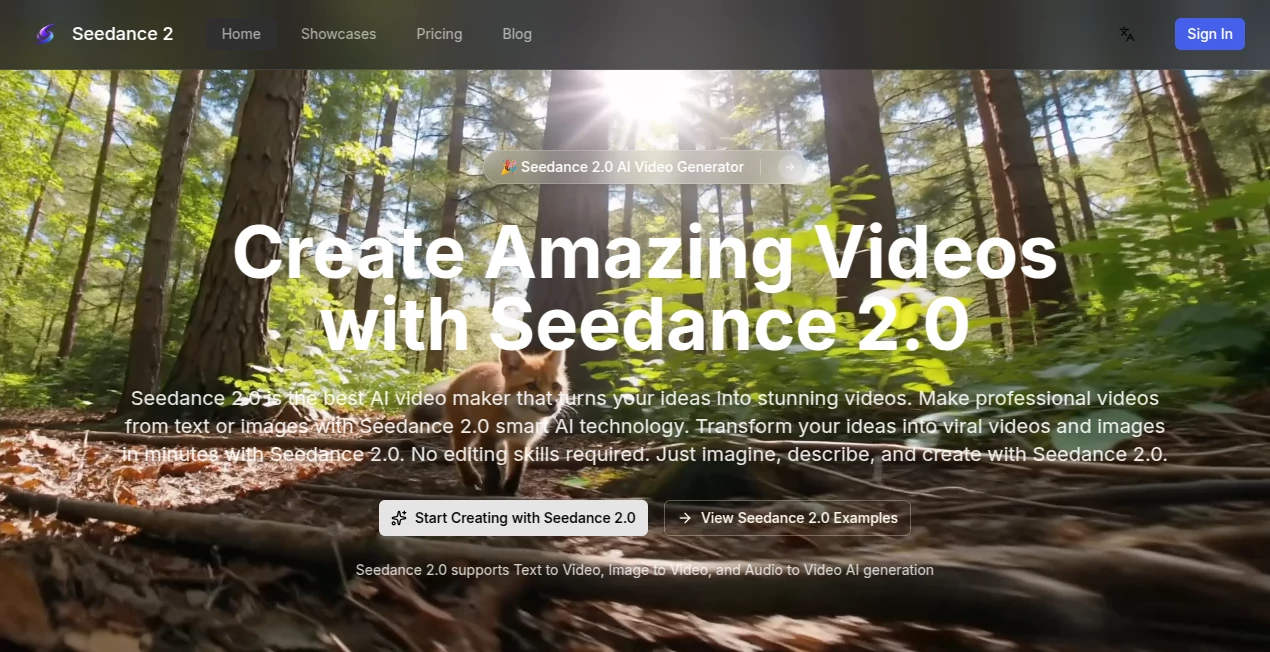
What is Seedance 2.0 AI Video Generator?
There’s a quiet thrill when a single sentence or a still photo suddenly turns into a moving scene that feels alive—smooth camera sweeps, natural gestures, even audio that syncs to the rhythm like it was shot on location. This tool brings that thrill within reach for anyone who’s ever wanted to make cinematic content without a crew, expensive gear, or endless editing hours. I’ve watched creators go from “I wish I could do this” to posting polished clips that look surprisingly professional, often in the same afternoon. It’s not about replacing real filmmaking; it’s about giving storytellers a fast, reliable way to see their vision move and breathe.
Introduction
Most AI video tools still feel like clever experiments—decent for quick memes, but they stumble when you ask for narrative flow, consistent characters, or audio that actually matches the mood. This one quietly raises the bar by letting you combine text, images, video references, and sound into something that feels directed rather than generated. No need for perfect prompts or heavy post-production; the system understands what you’re trying to say and fills in the gaps with motion and detail that hold together across shots. People who’ve tried it for social content, ads, or short stories often say the same thing: the first result is usable, and the second or third is genuinely impressive. It’s the kind of progress that makes you excited to open the browser again.
Key Features
User Interface
The layout keeps everything front and center without overwhelming you. Drop your prompt, upload references (up to several images, short video clips, or audio), pick aspect ratio and quality mode, then watch the generation unfold. Previews appear quickly so you can catch any oddities early. It’s the sort of design that lets you stay in the creative flow instead of hunting through menus—clean, responsive, and surprisingly approachable even on a phone.
Accuracy & Performance
What really stands out is how well it maintains coherence. Faces stay recognizable, outfits don’t randomly change, movements follow realistic physics, and there’s almost no flickering or warping between shots. Audio sync feels natural, not tacked on. Generations run fast enough that you can iterate without losing momentum—often under a minute for shorter clips. In practice, the consistency across multi-shot sequences is noticeably stronger than many competitors, which makes the output feel more like a finished piece than a rough draft.
Capabilities
You can start from text alone, guide with one or more images, reference motion from a short video clip, or even provide audio to shape pacing and rhythm. It handles cinematic transitions, maintains character identity across angles, and produces in 720p or 1080p with options for different aspect ratios. The system supports creative freedom—want a specific camera move or lighting mood? Describe it, and it tries to deliver. The result is a tool that feels versatile enough for quick social posts, longer narrative teasers, or branded storytelling.
Security & Privacy
Your uploads and prompts stay contained to the generation process. There’s no unnecessary long-term storage or sharing of your creative assets. For anyone working on personal projects, client work, or sensitive ideas, that matters. It’s built with the understanding that trust is everything when you’re handing over raw concepts.
Use Cases
A small brand creates weekly product teasers with consistent character appearances and synced music, building recognition without shooting new footage every time. A storyteller turns a short script into a multi-scene trailer that hooks viewers before the full project even starts. Content creators mix reference clips with fresh prompts to produce looping social videos that keep engagement high. Even educators animate simple concepts with natural motion to make lessons more memorable. It fits wherever you need motion to tell a story faster and with more polish.
Pros and Cons
Pros:
- Remarkable consistency in characters and motion across multiple shots.
- Strong reference control—images, video clips, audio all play nicely together.
- Fast generations that let you iterate without waiting forever.
- Audio sync that feels thoughtful, not bolted on.
Cons:
- Shorter maximum lengths keep it focused on concise pieces rather than long-form.
- Complex prompts sometimes need a second or third try to nail exactly.
Pricing Plans
It opens the door wide with a free starting point so you can test the quality and flow without commitment. Paid tiers unlock higher resolutions, longer clips, more concurrent generations, and watermark removal. Credits are used per job, and bundles make heavier use predictable and affordable. The structure rewards experimentation first, then scales smoothly as your projects grow.
How to Use Seedance 2.0
Start by typing a descriptive prompt or uploading reference material—images for style, short video for motion, audio for rhythm. Choose your aspect ratio and quality level, then let it generate. Review the preview, tweak the prompt if needed, and regenerate. Download the final MP4 when it feels right. For multi-part ideas, build in short segments and stitch later. It’s forgiving enough for quick experiments yet precise enough for polished work.
Comparison with Similar Tools
Many generators excel at single-shot clips or require heavy prompt engineering to avoid artifacts. This one stands out by handling multi-shot narratives with better coherence and stronger reference control. Where others might lose character identity or add jitter, the motion here stays smooth and intentional. It’s less about raw length and more about quality you can actually use in real projects.
Conclusion
Creating video should feel exciting, not exhausting. This platform removes many of the old barriers so the focus stays on the story you want to tell. Whether you’re building a brand presence, experimenting with ideas, or simply wanting to see your words move, it delivers results that surprise and satisfy. In a sea of tools that promise the world, this one quietly delivers the goods—fast, coherent, and genuinely usable. Give it a prompt; you might be amazed at what comes back.
Frequently Asked Questions (FAQ)
How long can the videos be?
Typically up to 10–15 seconds per generation, ideal for social reels, teasers, and ads.
Can I use my own audio?
Yes—upload tracks and the system aligns motion and pacing to the beat.
Does it keep characters consistent?
Very well, especially when using reference images or video clips.
What resolutions are available?
Up to 1080p, with options for different aspect ratios.
Is there a free way to try it?
Yes, start with free generations to see the quality firsthand.
AI Animated Video , AI Image to Video , AI Text to Video , AI Video Generator .
These classifications represent its core capabilities and areas of application. For related tools, explore the linked categories above.
Seedance 2.0 AI Video Generator details
Pricing
- Free
Apps
- Web Tools
Categories

Seedance 2.0 AI Video Generator Alternatives Product

VIGGLE

WonderShare …
Seedance 2.0…
hailuo03

Aura AI

Fiddl.art

ai seedance …

Kling 3.0

Quso AI