
🧠 AI Quiz
Think you really understand Artificial Intelligence?
Test yourself and see how well you know the world of AI.
Answer AI-related questions, compete with other users, and prove that
you’re among the best when it comes to AI knowledge.
Reach the top of our leaderboard.


















seedance 2
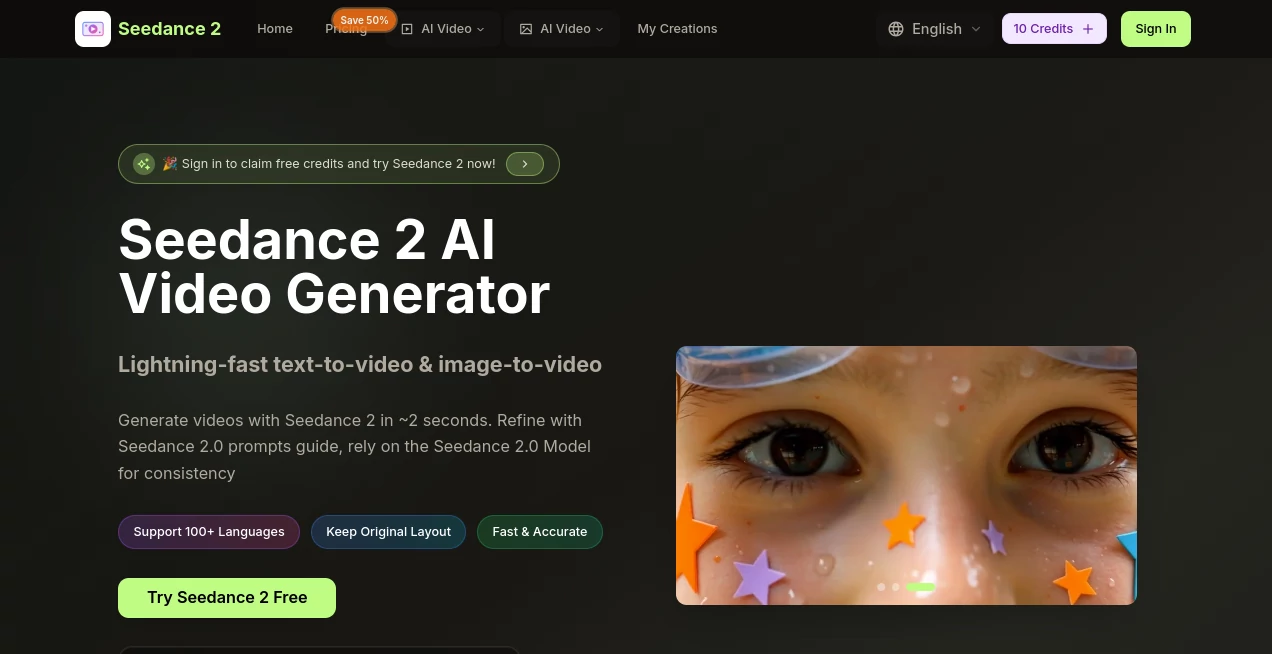
What is seedance 2?
There are moments when you just want a quick, beautiful clip to bring an idea to life—something cinematic, fluid, and ready to share without spending hours in editing software. This tool delivers exactly that spark. You type a sentence or drop an image, and in a couple of seconds a full HD video unfolds with smooth motion and natural flow. I tried it on a whim with a simple prompt about a cozy coffee shop at golden hour and got a little scene that looked like it belonged in a short film. The speed alone made me grin—finally something that keeps up with how fast ideas come.
Introduction
Short-form content rules the day, and this generator feels tailor-made for creators who need polished results yesterday. Powered by ByteDance's latest model, it takes ordinary text descriptions or reference images and turns them into high-resolution clips that feel thoughtfully directed. The first time I used it, I was skeptical—another AI video tool, right? But the consistency in character appearance across shots, the way it handles lighting shifts, and the absence of that robotic jitter won me over quickly. It's become my go-to for social posts, quick ad concepts, and even prototyping narrative beats before committing to bigger production. What stands out most is how approachable it is—no steep learning curve, just results that look far more expensive than the effort put in.
Key Features
User Interface
The whole experience is refreshingly straightforward. You land on a clean prompt box with a few clear options for resolution and style. Upload an image if you want to guide the look, type your scene description, and hit go. Previews appear fast, and tweaking is as simple as editing the text and regenerating. It's the kind of interface that disappears after the first use—you focus on your idea, not on figuring out where buttons live. I especially appreciate the prompt guide suggestions that pop up when you're stuck; they nudge you toward stronger descriptions without feeling pushy.
Accuracy & Performance
What impresses most is how reliably it follows instructions. Ask for a specific camera move or mood lighting, and it usually nails it on the first or second try. Generation times hover around 2–5 seconds for shorter clips, even at 1080p, which feels almost unfair compared to older tools that made you wait minutes. Consistency across multi-shot sequences is another highlight—same face, same outfit, same vibe from beginning to end. I've thrown challenging prompts at it (crowded street scenes, subtle expressions) and walked away surprised at how coherent the output stayed.
Capabilities
It handles both text prompts and image references beautifully, producing clips in various aspect ratios (16:9 for landscape, 9:16 for vertical stories) up to Full HD. Multi-shot storytelling lets you describe a sequence, and it breaks the narrative into connected scenes with natural transitions. Artistic styles come through vividly when guided properly, from realistic to painterly looks. No watermarks on paid generations means clean exports ready for social or client work. For anyone who needs quick, professional-looking motion without filming, this covers the bases with surprising depth.
Security & Privacy
Your prompts and uploads stay private; the system processes them securely and doesn't retain them beyond what's needed for generation. Paid plans offer even stronger assurances with enterprise-grade handling. It's reassuring when you're experimenting with branded concepts or personal projects—nothing leaks, nothing lingers.
Use Cases
Social creators use it to produce daily Reels or TikToks that feel custom-shot, syncing motion to trending audio without ever picking up a camera. Small businesses mock up product ads in minutes—show a gadget in different environments, add smooth pans, and test what resonates. Storytellers prototype short narratives or trailers, iterating on pacing and visuals before investing in full production. Educators turn lesson points into engaging explainers that hold attention better than static slides. The versatility is what keeps surprising me—it's not locked to one niche; it flexes wherever motion adds value.
Pros and Cons
Pros:
- Generation is so quick you can iterate several versions in the time it takes to make coffee.
- Motion and transitions feel cinematic, not robotic—big leap forward.
- Strong prompt understanding means less tweaking to get usable results.
- Flexible aspect ratios and resolutions fit social, ads, or presentations perfectly.
Cons:
- Longer or more complex scenes may require breaking into parts.
- Free tier includes watermarks, though paid removes them cleanly.
Pricing Plans
You can jump in free with initial credits to test the waters—no card required. Paid plans offer great value with generous monthly credits, priority generation, and watermark-free exports. Basic suits hobbyists and light users, Professional adds more volume and faster queues for creators, and Enterprise handles heavy teams with custom limits. Annual billing knocks the price down significantly, and the flexibility to cancel anytime keeps it stress-free.
How to Use Seedance 2
Start by signing in (quick and painless), then head to the creation area. Type your scene description—be as vivid as you like—or upload an image to set the style. Choose resolution and ratio, hit generate, and watch the preview appear shortly after. If the first take isn't perfect, tweak the prompt and run again; most people land a keeper within two or three tries. Download the final clip and share wherever it fits. I like keeping a running document of strong prompt phrases—saves time on future projects.
Comparison with Similar Tools
Many generators still feel experimental—jerky motion, inconsistent characters, or long waits. This one stands apart with its speed and polish; clips move naturally, subjects stay coherent, and results look ready for posting. It's less about raw length and more about quality in the short-form sweet spot, which is exactly where most creators live these days. Compared to bigger names, the combination of price, ease, and output quality makes it a favorite for anyone who values results over hype.
Conclusion
This little powerhouse quietly changes the game for anyone who needs compelling video content fast. It strips away the barriers—technical skill, expensive gear, endless editing—and hands you cinematic moments in seconds. Whether you're building a brand, teaching a concept, or just having fun with visuals, it delivers that rare feeling of "this actually looks good" without the usual frustration. Give it a prompt; the results might surprise you in the best way.
Frequently Asked Questions (FAQ)
How long are the videos I can make?
Up to 5–10 seconds depending on settings—perfect for social hooks and ads.
Do I need to write perfect prompts?
Not really; the model understands natural language well, and the guide helps when you're stuck.
Is there a watermark on free generations?
Yes on the free tier, but it disappears completely once you upgrade.
Can I use my own images as starting points?
Absolutely—image-to-video is one of the strongest modes.
What resolutions are available?
From 720p up to Full HD, with options to balance quality and speed.
AI Animated Video , AI Image to Video , AI Video Generator , AI Text to Video .
These classifications represent its core capabilities and areas of application. For related tools, explore the linked categories above.
seedance 2 details
Pricing
- Free
Apps
- Web Tools
Categories

seedance 2 Alternatives Product

Sora AI Vide…

Nano Banana …
Seedance 2.0

KKV AI

Kling O1

v04 ai

RunwayAI

sora video

Wan AI Video…
