
🧠 AI Quiz
Think you really understand Artificial Intelligence?
Test yourself and see how well you know the world of AI.
Answer AI-related questions, compete with other users, and prove that
you’re among the best when it comes to AI knowledge.
Reach the top of our leaderboard.

















seedance2-pro
What is seedance2-pro?
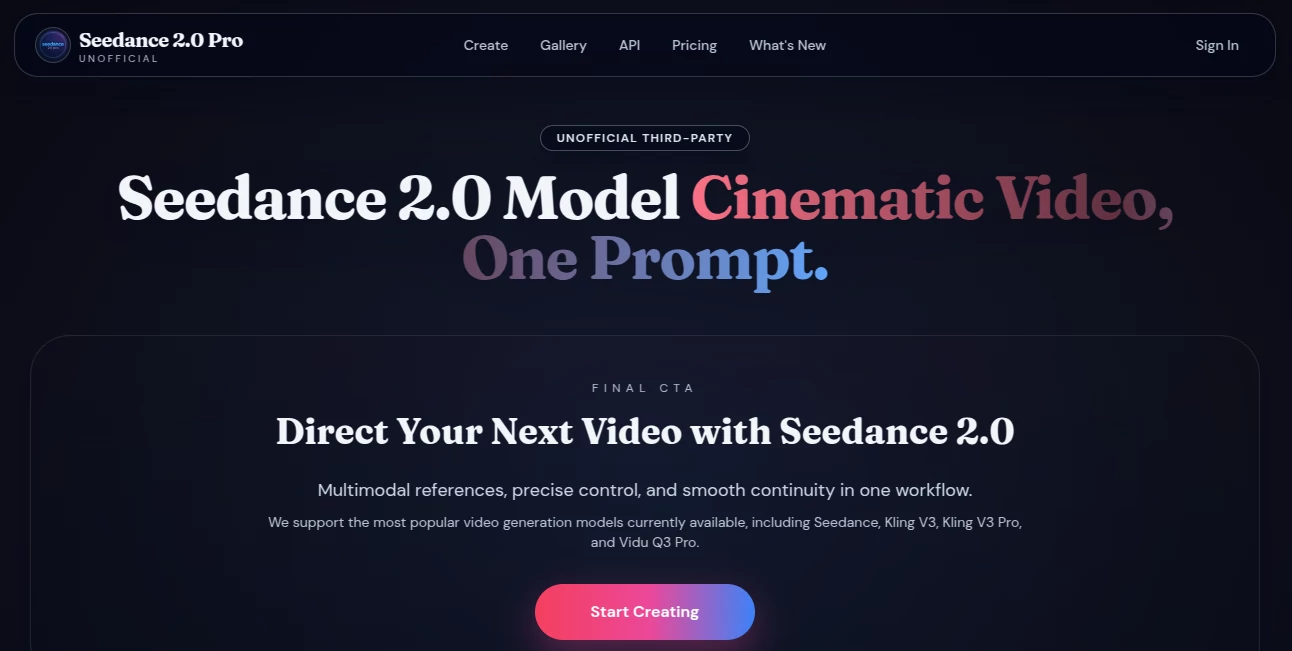
There’s a special satisfaction when you describe a scene—“slow push-in on a lone figure walking through golden-hour mist, camera orbiting gently”—and the result actually feels directed. The motion has weight, lighting falls naturally, and the character stays recognizably the same from the first frame to the last. This platform delivers that experience more reliably than most. It takes text prompts, reference images, or a mix of both and turns them into short cinematic clips that hold together as real storytelling pieces. I’ve watched creators test wild ideas and come away impressed because the output didn’t fall apart mid-sequence. It’s the kind of tool that makes you want to keep experimenting because the results feel worth sharing.
Introduction
AI video has come a long way, but many tools still struggle with consistency—faces change, outfits shift, camera moves feel random. Seedance 2 Pro tackles those pain points head-on. It gives you director-level control through multimodal inputs while keeping character identity, motion flow, and emotional tone stable across shots. Whether you’re building a quick social clip or prototyping a longer narrative beat, it respects your vision instead of fighting it. The upgrade from earlier versions shows in smoother continuity and better handling of complex scenes. For anyone tired of fixing glitches or re-generating endlessly, this feels like a genuine step forward in making AI video practical and enjoyable.
Key Features
User Interface
The workspace stays clean and focused. A prominent prompt area lets you describe the shot clearly, with easy upload zones for reference images or audio. Simple toggles handle aspect ratio, duration, and style preferences without clutter. Previews load fast enough that you can refine ideas on the fly instead of waiting around. It never feels intimidating—even first-timers can produce something watchable quickly, while experienced users appreciate how much control sits right at their fingertips without hidden menus.
Accuracy & Performance
Consistency stands out as the real strength. Faces, outfits, and objects remain stable across camera moves and lighting changes. Motion follows natural physics and cinematic pacing rather than feeling robotic. Generation times stay reasonable, often delivering usable clips in under a minute for short sequences. When you give it clear direction—whether through text or references—it listens closely and delivers results that require far less cleanup than many alternatives. That reliability turns experimentation from frustrating to addictive.
Capabilities
It supports text-to-video, image-to-video, and hybrid multimodal inputs (multiple images, audio references, first-and-last frame guidance). You can direct camera moves, character actions, emotional expressions, and scene transitions with natural language. It handles multi-shot storytelling, creative VFX templates, and consistent character performance across cuts. Aspect ratios cover everything from vertical social clips to widescreen cinematic looks. The combination of control and coherence makes it suitable for quick social content, ad prototypes, music visuals, or storyboarding narrative beats.
Security & Privacy
Your prompts and reference files are processed securely and not stored long-term for training purposes. The platform respects creator ownership—outputs belong to you, especially on paid plans with full commercial rights. That thoughtful approach gives peace of mind when working with original ideas or client projects.
Use Cases
A small brand turns one product photo into a smooth lifestyle clip with natural camera movement that feels premium. An indie musician creates a visualizer where the character’s expressions sync emotionally with the track. A short-form creator builds consistent character-driven Reels without daily filming sessions. A filmmaker prototypes key emotional scenes to test tone and pacing before committing to full production. The common thread is speed paired with quality—getting something that feels directed and shareable without weeks of traditional work.
Pros and Cons
Pros:
- Strong character and style consistency across shots and camera moves.
- Cinematic motion and lighting that feels thoughtfully directed.
- Flexible multimodal inputs give precise creative control.
- Fast enough generations to support real iteration and experimentation.
Cons:
- Clip lengths remain relatively short per generation, though multi-shot helps build longer stories.
- Extremely abstract prompts can still produce unexpected results.
- Advanced features and higher limits live behind paid access.
Pricing Plans
A free tier offers daily credits so you can test the quality without commitment. Paid plans scale with your needs—unlocking more credits, higher resolutions, faster queues, and full commercial rights. The structure feels fair: start small to see the difference, then grow as your projects demand more output. Many creators find the value clear after their first few successful generations.
How to Use Seedance 2 Pro
Start with a clear, descriptive prompt for your scene. Upload reference images if you want stronger visual grounding or character consistency. Choose aspect ratio and desired length, then generate. Review the preview—adjust wording, add more references, or tweak style if needed—and regenerate until it clicks. For longer narratives, create connected shots and combine them later. The process stays fast and intuitive, letting you focus on storytelling rather than technical hurdles.
Comparison with Similar Tools
Many AI video generators still fight with drifting faces, unnatural motion, or lighting jumps. This one prioritizes narrative coherence and cinematic intent, delivering clips that feel closer to human-directed work. The multimodal reference system gives more precise control than pure text-to-video rivals, while keeping the workflow approachable. It sits comfortably in the sweet spot between raw power and usable creativity.
Conclusion
Video creation has always been time-intensive and expensive. Tools like this quietly lower the barrier so more voices can tell visual stories without compromise. It doesn’t replace taste or vision—it amplifies them. When the gap between an idea and a watchable clip shrinks dramatically, something exciting opens up for creators of all kinds. If you’ve ever wished your concepts could move the way you imagine them, this is worth trying. The results often speak louder than any description.
Frequently Asked Questions (FAQ)
How long are the generated clips?
Typically 5–10 seconds per generation; longer stories come from combining multiple connected shots.
Do I need reference images?
Not required—text-only works well—but adding them dramatically improves consistency and control.
What aspect ratios are supported?
Common options including 16:9, 9:16, 1:1, and more to suit different platforms.
Can I use the videos commercially?
Yes—paid plans grant full commercial rights to the generated content.
Is there a watermark on free generations?
Free clips usually carry a small watermark; paid generations remove it completely.
AI Animated Video , AI Image to Video , AI Text to Video , AI Video Generator .
These classifications represent its core capabilities and areas of application. For related tools, explore the linked categories above.
seedance2-pro details
Pricing
- Free
Apps
- Web Tools
Categories

seedance2-pro Alternatives Product

Nano Banana …

Seedance AI

Sora2 AI Vid…

Seedance 2.0

ai seedance …
Render of Dr…

Whisper Thun…

Toon Composer

Image to Vid…
