🧠 AI Quiz
Think you really understand Artificial Intelligence?
Test yourself and see how well you know the world of AI.
Answer AI-related questions, compete with other users, and prove that
you’re among the best when it comes to AI knowledge.
Reach the top of our leaderboard.


















Seedance 2.0
What is Seedance 2.0?
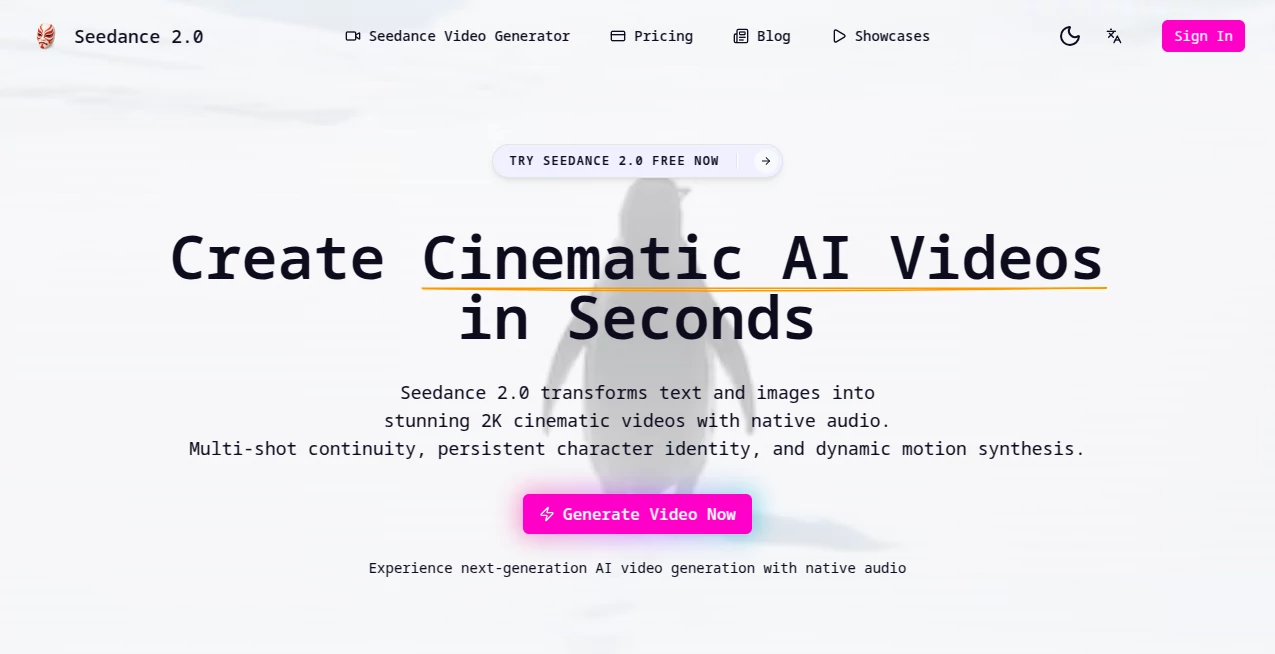
You type a sentence or drop a couple of images, and suddenly there's a full scene playing back with smooth camera moves, consistent faces, and even sound that actually matches what's happening on screen. It's the kind of thing that makes you lean in and watch twice because it feels almost too good to be true for something generated so quickly. I've seen creators who used to spend afternoons stitching clips together now finish polished shorts over morning coffee. The jump in quality from earlier models is real—motion looks natural, characters stay recognizable shot after shot, and the audio syncs without that awkward post-production feel.
Introduction
Most AI video tools still force you to compromise: either you get decent visuals but no sound, or you fight with clunky multi-step workflows that break consistency. This one quietly raises the bar by handling everything in one thoughtful pass. Text prompts turn into multi-shot stories, single or paired images come alive with motion you can direct, and audio emerges synced to the action—dialogue, foley, ambient layers all woven together. It's especially impressive for anyone who's tried to make narrative shorts or social clips before; the frustration of mismatched faces or jerky cuts simply vanishes. People are already using it to prototype ideas, create ads, visualize music, or just play with cinematic what-ifs. The speed and polish make it addictive—you finish one clip and immediately want to try the next.
Key Features
User Interface
The workspace keeps things focused and calm. You choose your input mode—text for pure imagination, one image for style reference, two for before-and-after transitions—then refine with simple sliders for aspect ratio, duration, and camera behavior. Previews load fast enough to iterate without losing momentum. It's designed so you spend time creating rather than configuring, which is exactly what busy creators need.
Accuracy & Performance
Character identity holds across angles and shots in a way that feels almost uncanny at times. Motion follows real physics with subtle micro-expressions and dynamic swings when needed. Audio syncs precisely—lips move with spoken lines, footsteps match the ground, background noise fits the environment. Generations rarely miss the mark on the first try, and when they do, a small prompt tweak usually fixes it. The whole process stays snappy even on more ambitious scenes.
Capabilities
It handles pure text-to-video for scripted stories, image-to-video for animating stills, and even dual-image inputs for smooth morphs or transitions. You get native audio-visual generation—no separate sound pass required. Multi-shot storytelling lets you describe a sequence in one go, and the model plans camera moves and continuity intelligently. Resolutions reach 2K, aspect ratios cover everything from vertical social to wide cinematic, and the output carries that polished, professional sheen that makes sharing feel effortless.
Security & Privacy
Your prompts, images, and generated clips remain private. The system processes securely without unnecessary retention or sharing. For creators working on client projects or personal ideas, that trust factor makes a real difference.
Use Cases
A musician drops song lyrics and gets a visualizer with perfect beat sync that actually enhances the track. A small brand creates product launch teasers with consistent character shots without hiring a crew. Storytellers sketch multi-scene narratives for social series, testing pacing before full production. Content creators animate static memes or illustrations into short, shareable loops that grab attention instantly. The versatility turns idle ideas into finished pieces faster than most workflows allow.
Pros and Cons
Pros:
- Native audio sync feels integrated, not tacked on—huge time-saver.
- Character and style consistency across shots is genuinely impressive.
- Multi-shot prompting lets you tell a real story in one generation.
- Fast enough to iterate creatively without waiting around.
Cons:
- Longer or very intricate scenes can still push generation limits.
- Free access is limited; heavier use needs credits.
Pricing Plans
You can jump in with a free trial to test the waters and see the quality firsthand. After that, credits are straightforward—generations cost a set amount depending on resolution and complexity, with bulk options for creators who move fast. It's structured so occasional users stay light on spend while serious creators get value that matches the output.
How to Use Seedance2
Start with a clear prompt describing your scene or story beats. Upload one or two reference images if you want specific style or character continuity. Choose aspect ratio and length, then generate. Preview the clip—tweak wording or references for another run if needed. Download the result with audio baked in. For multi-shot ideas, write the sequence in one prompt; the model handles transitions and flow. It's quick enough that experimentation feels rewarding rather than frustrating.
Comparison with Similar Tools
Many generators still separate video and sound or struggle with character drift across shots. This one combines native audio-visual creation with strong multi-shot coherence, giving it an edge for narrative work. Where others feel experimental, the output here carries a more finished, cinematic quality right away. It's especially strong when you want storytelling rather than isolated clips.
Conclusion
Creating compelling video content shouldn't require endless tools, plugins, or post-production marathons. This platform brings cinematic quality closer to the idea stage, letting storytellers and creators focus on vision instead of technical hurdles. The results speak for themselves—smooth motion, synced sound, consistent characters, all arriving faster than you'd expect. It's the kind of leap that makes you excited to create again, because the gap between imagination and finished piece has never felt smaller.
Frequently Asked Questions (FAQ)
How long are the videos?
Typically around 5 seconds, perfect for shorts, teasers, and social hooks.
Can I add my own audio?
Yes—upload tracks and let it sync motion and expressions to the beat.
Does it keep characters consistent?
Very much so—facial features, clothing, and body type stay locked across shots.
What input do I need?
Text prompts work great; adding one or two images boosts style and consistency.
Is there a free way to try it?
Absolutely—free access lets you generate and see the quality before committing.
AI Animated Video , AI Image to Video , AI Text to Video , AI Video Generator .
These classifications represent its core capabilities and areas of application. For related tools, explore the linked categories above.
Seedance 2.0 details
Pricing
- Free
Apps
- Web Tools
Categories

Seedance 2.0 Alternatives Product

Motion Contr…
Seedance 2.0

Nano Banana …

Sora AI Vide…

Seedance 2

Seedance 2.0

Seedance 2.0

seedance 2

AI Motion Co…