
🧠 AI Quiz
Think you really understand Artificial Intelligence?
Test yourself and see how well you know the world of AI.
Answer AI-related questions, compete with other users, and prove that
you’re among the best when it comes to AI knowledge.
Reach the top of our leaderboard.

















Seedance 2.0 Video
What is Seedance 2.0 Video?
There’s something quietly thrilling about watching a still photo breathe—characters turn their heads, wind moves through hair, light shifts across a scene—and suddenly you’re not just looking at an image, you’re inside a moment. This tool does exactly that, and it does it with a level of polish that still catches people off guard. A single prompt or photo turns into a smooth, emotionally coherent clip that feels directed rather than generated. I’ve seen creators share side-by-side comparisons where the original static shot looks almost lifeless next to the living version, and the difference is striking.
Introduction
Most AI video tools still feel experimental—jerky motion, inconsistent faces, lighting that flickers like a bad dream. Seedance 2.0 quietly sidesteps those problems. It understands cinematic grammar: subtle camera language, natural physics, emotional continuity. Whether you start with text, a photo, or both, the output carries weight and intention. Early users talk about the first time they generated a 5-second clip that actually gave them chills—not because it was perfect, but because it felt alive. That’s the shift this model represents: from “AI can make video” to “AI can tell stories with video.”
Key Features
User Interface
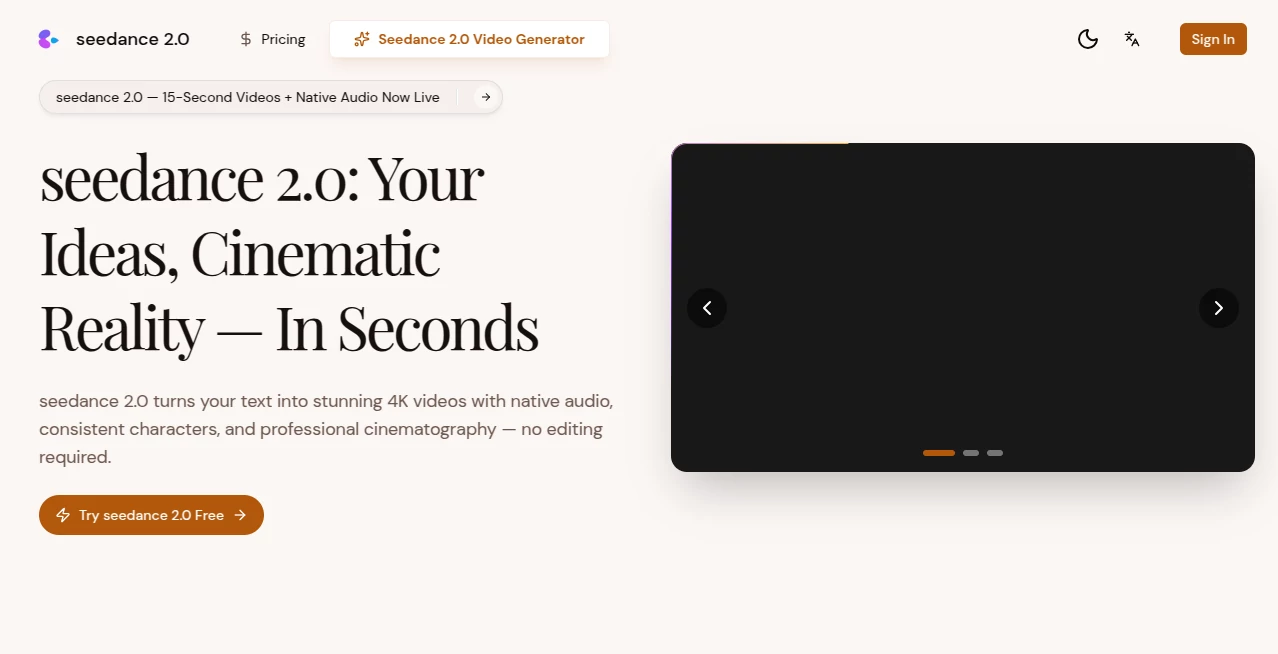
The workspace is calm and focused. You type (or paste) your idea, optionally drag in a reference image, choose aspect ratio and duration, then press go. No twenty sliders, no nested menus—just enough controls to guide without overwhelming. The generation preview appears quickly enough that you stay in flow. It’s one of those rare interfaces where beginners feel capable and experienced creators don’t feel handcuffed.
Accuracy & Performance
Motion stays coherent even when the prompt asks for complex camera work or multi-character interaction. Faces hold identity across angles and lighting changes far better than most contemporaries. Generation times are reasonable—often under a minute for short clips—and the model rarely produces the uncanny jitter or melting artifacts that still plague many competitors. When it does miss, the failure is usually logical (overly abstract prompt) rather than random chaos.
Capabilities
Text-to-video, image-to-video, hybrid mode (image + text guidance), multi-shot storytelling, cinematic camera moves, and native support for 16:9, 9:16, and square formats. It handles dialogue scenes, emotional close-ups, product reveals, music-synced visuals, and even stylized animation looks. The real strength is temporal consistency—subjects don’t suddenly change clothes or age ten years between shots.
Security & Privacy
Uploads are processed ephemerally; nothing is stored long-term unless you explicitly save the output. No sneaky model training on user content, no account-linked profiling. For creators working with sensitive scripts, client mockups, or personal projects, that matters.
Use Cases
A small beauty brand turns a single product photo into a dreamy 8-second hero spot that performs better than anything they shot last season. An indie filmmaker mocks up key emotional beats before pitching to investors. A musician creates official lyric visuals that actually match the mood of the track instead of generic stock. Social creators drop daily Reels that look thoughtfully directed rather than quickly slapped together. The common thread: people who care about feeling and storytelling, not just motion.
Pros and Cons
Pros:
- Exceptional subject and style consistency across shots—rare at this quality level.
- Cinematic motion and lighting decisions that feel human-directed.
- Strong hybrid mode (image + text) gives precise creative control.
- Short generation times keep experimentation fast and addictive.
Cons:
- Maximum clip length still modest (5–10 seconds typical), though multi-shot helps.
- Very abstract or contradictory prompts can confuse it (same as most models).
- Higher resolutions and longer durations live behind paid tiers.
Pricing Plans
Free daily quota lets anyone test the quality without commitment. Paid tiers unlock higher resolutions, longer clips, faster queue times, and unlimited generations. Pricing feels fair for the leap in output quality—many users say one paid month covers what they used to spend on freelance editors for a single project.
How to Use Seedance 2.0
Start simple: type a short scene description (“golden-hour beach walk, young woman in white dress turns to camera and smiles softly”). Optionally upload a reference photo for stronger visual grounding. Choose format (vertical for Reels, horizontal for YouTube shorts, etc.) and duration. Hit generate. Review the preview—tweak prompt wording or reference strength if needed—then export. For multi-shot stories, break the narrative into separate prompts and stitch later, or use hybrid mode to carry characters forward.
Comparison with Similar Tools
Where many models still struggle with face drift, unnatural physics, or abrupt style breaks, this one maintains coherence and cinematic intent across the clip. It sits in a sweet spot: more controllable than pure text-to-video rivals, more emotionally intelligent than image-animation tools. The hybrid guidance mode in particular gives creators a level of precision that feels closer to traditional directing than most AI video has managed so far.
Conclusion
Video is still the hardest medium to create alone—until tools like this arrive. They don’t replace directors or DPs, but they hand solo creators the next best thing: believable motion, consistent characters, and emotional tone without a crew or a six-figure budget. The gap between “I have an idea” and “here’s the finished clip” has never been smaller. For anyone who tells stories visually, that’s quietly revolutionary.
Frequently Asked Questions (FAQ)
How long can clips be?
Most generations run 5–10 seconds; longer scenes are possible with multi-shot workflows.
Do I need a reference image?
Not required—text-only works well—but adding one dramatically improves consistency.
What resolutions are available?
Up to 1080p on paid tiers; free tier is lower-res for testing.
Can I use it commercially?
Yes—paid plans grant full commercial rights to generated content.
Is there watermark on free videos?
Free clips usually carry a small watermark; paid removes it completely.
AI Animated Video , AI Image to Video , AI Text to Video , AI Video Generator .
These classifications represent its core capabilities and areas of application. For related tools, explore the linked categories above.
Seedance 2.0 Video details
Pricing
- Free
Apps
- Web Tools
Categories

Seedance 2.0 Video Alternatives Product

Seedance 2 V…

Wan-Animate.…
hailuo03

Kling 3 AI

Sora 2 Video

Motion Contr…

Nano Banana …
Veo 3.2 AI V…

Seedance Art
