🧠 AI Quiz
Think you really understand Artificial Intelligence?
Test yourself and see how well you know the world of AI.
Answer AI-related questions, compete with other users, and prove that
you’re among the best when it comes to AI knowledge.
Reach the top of our leaderboard.

















Seedance 2.0
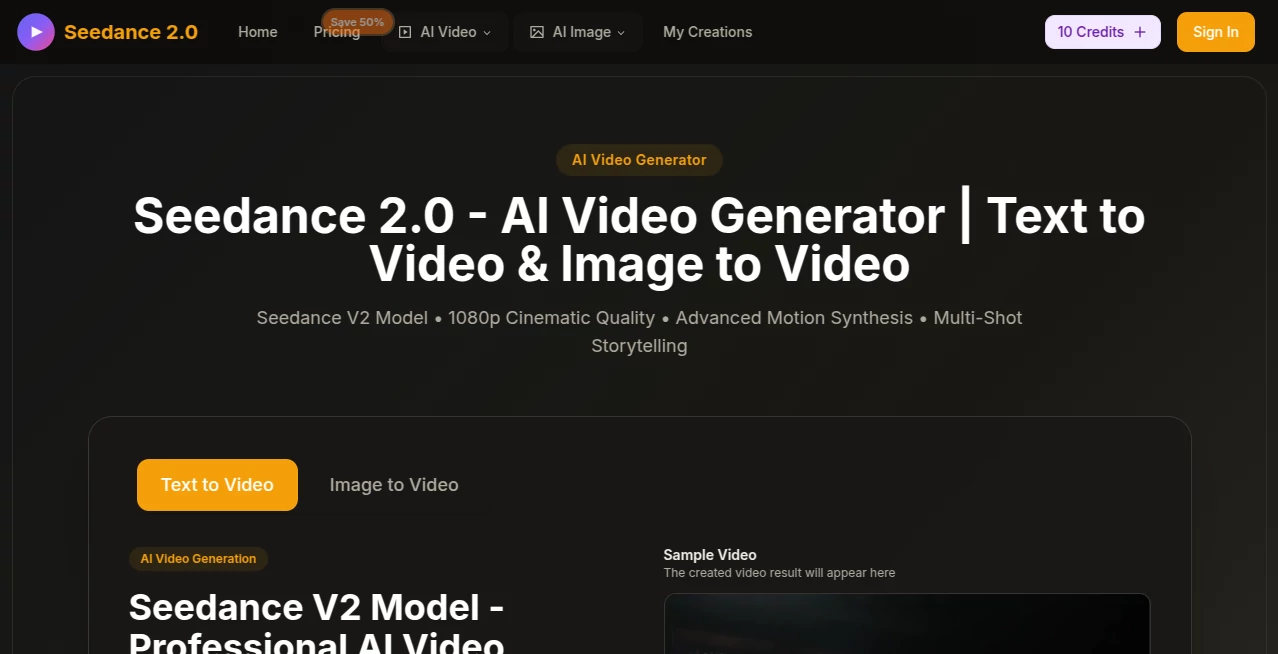
What is Seedance 2.0?
Picture this: you type one sentence describing a quiet moment in a snowy forest at dawn, add a reference image if you want, and a few minutes later you're watching a full 5-second cinematic clip with perfect lighting, smooth camera movement, and atmosphere that feels almost too real to be generated. That's the quiet thrill this tool delivers every time. I’ve watched it turn simple ideas into something that looks like it came from a film set, and the best part? It does it consistently, frame after frame, without the usual artifacts or weird jumps you see elsewhere. It's become my go-to when I need something that looks expensive but didn't cost me a fortune in time or money.
Introduction
Video creation has always been a grind—storyboards, shooting, editing, color grading. This platform quietly flips that script by letting you describe what you want in plain language and then delivering something that feels professionally directed. Launched as a next-generation leap, it focuses on cinematic quality over gimmicks: natural motion, consistent characters, and lighting that actually makes sense in the scene. Creators, marketers, and even filmmakers have started leaning on it for quick prototypes or final social assets. A friend who runs a small creative agency told me they now use it to mock up campaign visuals in hours instead of days, and the clients can't tell the difference from real footage. That's the kind of edge it gives you—fast, beautiful, and surprisingly reliable.
Key Features
User Interface
The moment you land, it's clear someone thought hard about making this feel effortless. There's a big prompt box front and center, a few simple toggles for style and aspect ratio, and an upload area for reference images or clips. No cluttered menus, no overwhelming options—just enough to guide you without getting in your way. I especially love the real-time generation preview that shows progress without making you wait in suspense. It feels like a modern creative tool should: clean, focused, and built for people who want to move fast.
Accuracy & Performance
What really sets it apart is how well it understands your prompt. You can describe a complex scene—say, a lone figure walking through a bustling cyberpunk market at night—and it doesn't just slap elements together; it builds a coherent world with proper depth, lighting, and motion. Generation times hover around 2–4 minutes for 5-second clips, and the results are sharp at 1080p with almost no flickering or distortion. I've thrown some pretty specific prompts at it—changing camera angles mid-shot, dramatic lighting shifts—and it handles them with a level of control that's honestly impressive for a web-based tool.
Capabilities
It excels at multi-shot storytelling: you can describe a sequence of events and it stitches them together with natural transitions. Character consistency is another standout—upload a reference image and the same face, outfit, and even mannerisms carry across scenes. You can also use video references to guide motion or style, making it ideal for both original ideas and reimagining existing clips. The output is ready for social platforms or even as a starting point for professional post-production. It's not just a generator; it's a real creative accelerator.
Security & Privacy
Privacy is handled thoughtfully here. Your prompts and uploads are processed securely, and nothing is stored longer than necessary unless you choose to save it. The platform is transparent about data handling, and there's no sneaky cloud sharing of your creative assets. For anyone working with client briefs or sensitive ideas, that level of care is reassuring and rare.
Use Cases
Content creators use it to generate scroll-stopping Instagram Reels or TikTok hooks in minutes. Small marketing teams mock up campaign visuals before committing to expensive shoots. Indie filmmakers prototype scenes to test pacing and lighting. Even educators animate historical moments for classroom videos. One of my favorite examples was a musician who used it to create a moody music video teaser synced to their track—looked like it cost thousands, took under an hour.
Pros and Cons
Pros:
- Cinematic quality that punches way above most AI video tools
- Excellent character and scene consistency across shots
- Fast generation with smooth, natural motion
- Simple, distraction-free interface that actually feels premium
Cons:
- Free tier is limited—best features unlock with a subscription
- Longer videos (beyond 5 seconds) require multiple generations
- Still web-based, so internet speed can affect performance
Pricing Plans
The free tier gives you a generous number of generations to test the waters—enough to get hooked. Paid plans start at a very reasonable monthly fee for unlimited generations, higher resolutions, and priority queue. There's also a flexible pay-as-you-go option if you prefer not to commit monthly. The value is excellent; the quality you get for the price is hard to beat in the current landscape.
How to Use Seedance 2.0
Start by typing a detailed prompt describing your scene, camera movement, lighting, and mood. Upload a reference image or video if you want consistent characters or style. Choose your aspect ratio (9:16 for vertical, 16:9 for horizontal), then hit generate. Once it's done, preview the clip, download, or regenerate with tweaks. For multi-shot stories, describe the sequence clearly—e.g., "Scene 1: wide shot of forest at dawn. Scene 2: close-up of character walking." It handles transitions beautifully.
Comparison with Similar Tools
While many tools offer text-to-video, few match the cinematic polish and consistency this one delivers. Others often produce jittery motion or lose character details between shots; this feels like it was trained specifically for storytelling. It's not the cheapest, but the output quality justifies every penny—especially when you compare it to the cost of hiring a production team or spending hours in editing software.
Conclusion
This tool quietly raises the bar for what AI video generation can be: beautiful, consistent, and genuinely useful for real creative work. It's not about flashy gimmicks; it's about giving you the power to tell visual stories quickly and beautifully. If you've ever wanted to bring your ideas to life without a full production crew, this is the closest thing to magic you'll find right now. Give it a try—you'll probably end up using it more than you planned.
Frequently Asked Questions (FAQ)
How long are the generated videos?
Up to 5 seconds per generation, with multi-shot capability for longer storytelling.
Can I use my own images or videos as references?
Yes, reference images or clips help maintain consistent characters and style.
Is it free to use?
There's a generous free tier with daily limits; paid plans unlock unlimited generations and priority.
What resolutions are supported?
Up to 1080p, with higher quality on paid plans.
Can I generate videos in vertical format for social media?
Absolutely—9:16 aspect ratio is fully supported and works beautifully for Reels and TikTok.
AI Animated Video , AI Image to Video , AI Text to Video , AI Video Generator .
These classifications represent its core capabilities and areas of application. For related tools, explore the linked categories above.
Seedance 2.0 details
Pricing
- Free
Apps
- Web Tools
Categories

Seedance 2.0 Alternatives Product

Leonardo.ai

seedream 5

Seedance 2.0…

Seedance 2

UniVideo

Seedance AI

Omnigen Stud…

Seedance 2.0
Veo 3.2 AI V…