🧠 AI Quiz
Think you really understand Artificial Intelligence?
Test yourself and see how well you know the world of AI.
Answer AI-related questions, compete with other users, and prove that
you’re among the best when it comes to AI knowledge.
Reach the top of our leaderboard.


















Seedance Prompt
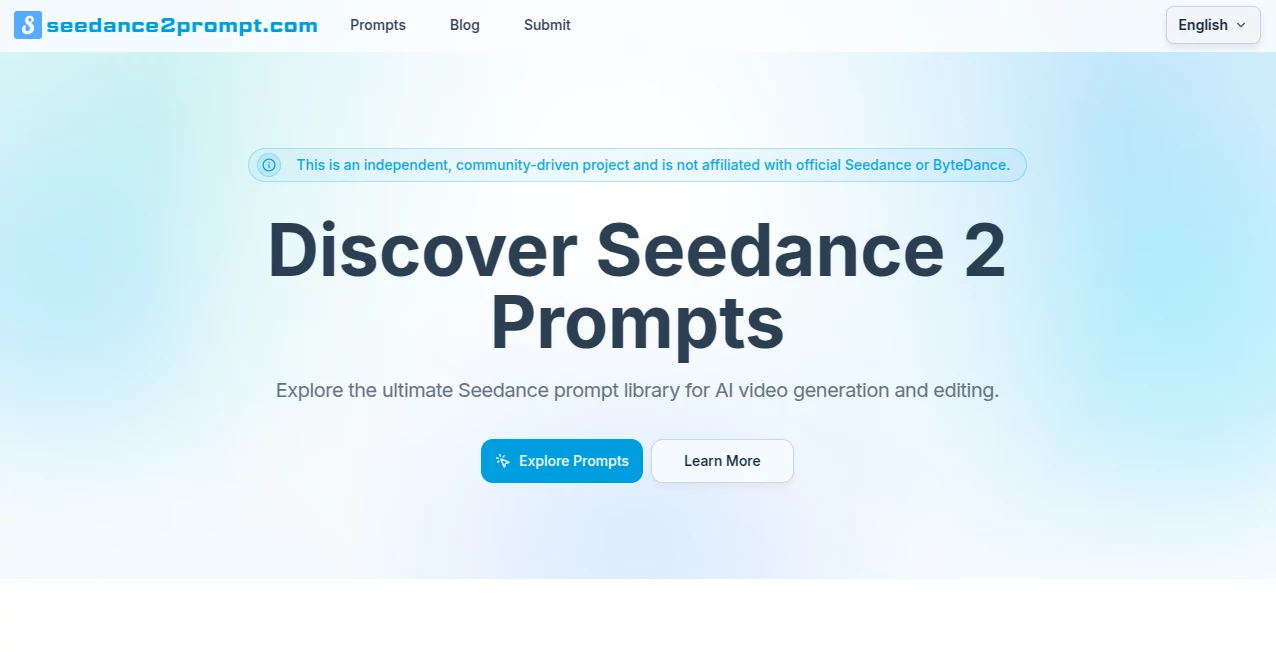
What is Seedance Prompt?
Crafting a video prompt that actually delivers what you pictured in your head can feel like throwing darts in the dark—until you stumble on examples that just work. This little corner of the web collects those winning prompts, the ones real creators have tested and refined, so you don't have to start from scratch every time. I remember spending an entire afternoon tweaking a single line to get a smooth camera move; now I come here, copy something close, and I'm already halfway to a usable clip. It's not about replacing your own creativity—it's about giving you a solid running start so the fun part (the actual making) happens sooner.
Introduction
When Seedance hit the scene, the excitement was real: finally a model that understands camera language, character consistency, and beat-sync without endless trial and error. But even the best engine needs a good driver, and that's where this community resource quietly shines. It's an unofficial, independent hub run by people who actually use the tool in production—sharing not just raw prompts but breakdowns of why they work, what reference tags to use, and how to layer multimodal inputs. Whether you're chasing cinematic polish or quick social-media wins, having access to proven formulas cuts weeks off the learning curve. The library keeps growing as users share fresh wins, so it stays current with how the model behaves in the wild.
Key Features
User Interface
The site keeps things refreshingly uncluttered. You land on a grid of featured prompts with thumbnails of the output video—click one and you get the full prompt text, tags explained, and often a short note on what makes it effective. Navigation is dead simple: jump between sections like character consistency, camera moves, editing tricks, or full workflows. No sign-up walls for browsing, no aggressive pop-ups—just clean, focused reading and copying.
Accuracy & Performance
Because every prompt here comes from someone who ran it themselves, the results are battle-tested. You see real generation outputs next to the text, so you know if the camera pan or transition actually lands the way it's described. There's no guesswork about whether a tag like @video-1 will hold character look or if the prompt is too vague. It's the difference between hoping your wording works and knowing a version already did.
Capabilities
The collection spans everything Seedance handles well: multi-shot storytelling, seamless transitions, beat-aware pacing, emotion-driven acting, and multimodal control (text + image + video + audio references). You'll find playbooks for ad-style product spins, narrative scenes with dialogue sync, extension techniques for longer clips, and advanced camera language that gives director-level precision. It's especially strong on practical production tricks—how to keep outfits and lighting consistent, how to chain shots without style drift, how to match audio rhythm to motion.
Security & Privacy
Since it's purely a reference library—no generation happens on the site itself—there's nothing to log or track beyond normal web visits. You copy prompts and run them wherever you normally generate videos. No accounts needed to browse, no data upload required. It's as low-friction and private as a public bookmark collection can be.
Use Cases
A content creator building weekly Reels grabs a beat-sync template, swaps in their own product shots, and has a polished ad ready in under an hour. An indie filmmaker uses the multi-shot narrative examples to storyboard and test pacing before committing to longer renders. A social media manager copies camera-move prompts to give static brand assets cinematic energy without hiring a motion designer. Even beginners start with simple "hero product reveal" templates and gradually layer in more complex instructions as they gain confidence.
Pros and Cons
Pros:
- Real-world, creator-tested prompts that actually produce the promised result.
- Clear breakdowns and tags explained—no cryptic copy-paste mystery.
- Constantly updated by the community so it stays relevant as the model evolves.
- Free to browse and copy forever; no paywall for the core value.
Cons:
- It's specific to Seedance, so not useful if you're on a different model.
- Some advanced techniques assume you already understand basic prompt structure.
Pricing Plans
The entire library is free to explore and use—no subscription, no hidden tiers. Everything from beginner one-shots to pro-level multi-shot playbooks is openly shared. The site runs on goodwill and community contributions, so the only "cost" is crediting creators when you borrow heavily from their work. It's one of those rare places where the best stuff doesn't hide behind a checkout button.
How to Use Seedance2Prompt
Browse the featured section or jump to a category that matches your project—say, "camera language" for dynamic shots or "character consistency" for story work. Click a prompt that looks close to what you want, read the notes, copy the text, and paste it straight into your Seedance generator. Swap in your own subject, image/video references, or audio track, then run it. If the output is close but not perfect, tweak the prompt based on the playbook tips (add more camera detail, adjust weight on references, etc.) and try again. Over time you start internalizing the patterns and write stronger originals.
Comparison with Similar Tools
Generic prompt marketplaces often feel like keyword dumps—long lists with no proof they work. This one stands apart because every entry shows the actual video it produced, plus notes on what made it succeed. It's laser-focused on Seedance instead of trying to cover every model, which means deeper, more reliable guidance. For anyone seriously using Seedance, it's hands-down the most practical starting point compared to scattered Reddit threads or generic libraries.
Conclusion
Great video ideas deserve to see the light of day without getting stuck in prompt hell. This community resource quietly removes that friction, handing you shortcuts forged by people who have already walked the path. Whether you're making your first cinematic test or polishing client work, having a trusted set of examples to lean on changes everything. It's less a tool and more a generous knowledge base—open, practical, and genuinely helpful.
Frequently Asked Questions (FAQ)
Is this official from Seedance or ByteDance?
No, it's an independent community project—created and maintained by users, not the company.
Do I need an account to browse?
Not at all—everything is open and searchable without signing up.
Are these prompts guaranteed to work perfectly?
They've been tested and produced good results for the submitter, but small tweaks are often needed to match your exact vision.
Can I submit my own prompt?
Yes—the site thrives on community shares; there are clear ways to contribute your wins.
How up-to-date is the library?
It's actively maintained with new examples added as creators experiment and share.
AI Animated Video , AI Text to Video , AI Video Generator , Prompt .
These classifications represent its core capabilities and areas of application. For related tools, explore the linked categories above.
Seedance Prompt details
Pricing
- Free
Apps
- Web Tools
Categories

Seedance Prompt Alternatives Product

Veo 4 AI Vid…

VO4 AI

See dance 2.…

AISeedance2

Voe4 AI Video

Veo 3.2 AI V…

Seedance 2.0

Kyncept

Sora-2.co