
🧠 AI Quiz
Think you really understand Artificial Intelligence?
Test yourself and see how well you know the world of AI.
Answer AI-related questions, compete with other users, and prove that
you’re among the best when it comes to AI knowledge.
Reach the top of our leaderboard.


















Seedance 2.0
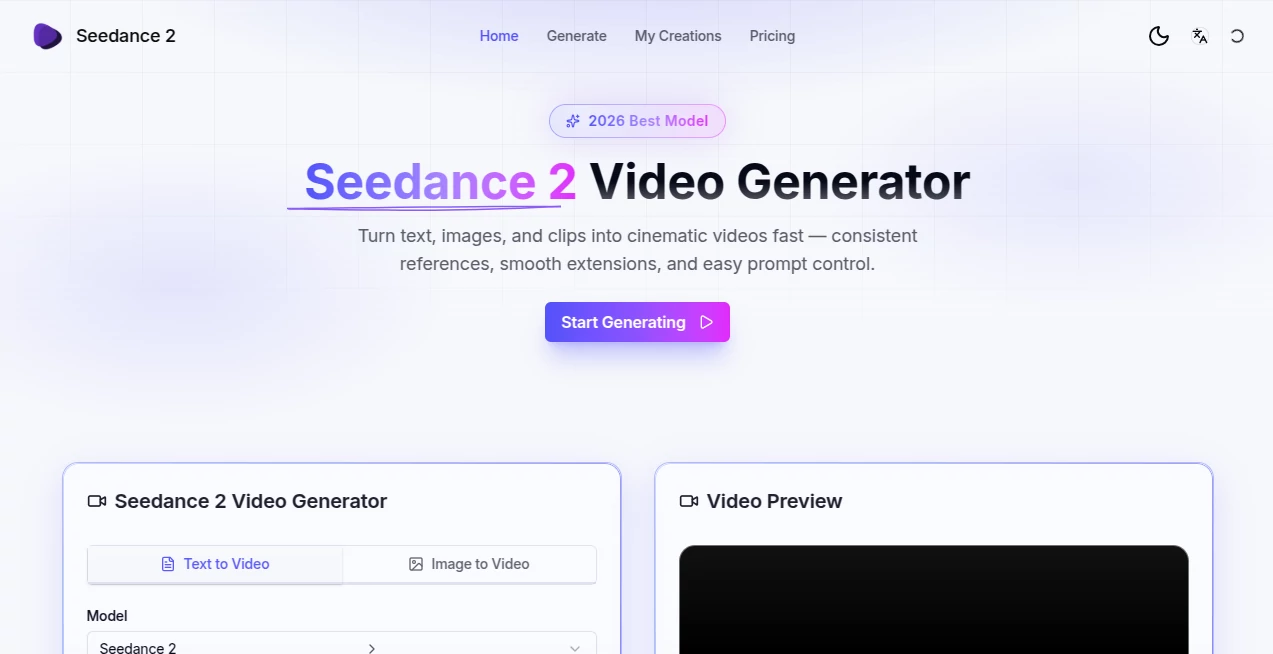
What is Seedance 2.0?
Every once in a while a tool comes along that makes you stop and think: wait, this actually feels like real filmmaking, not just a tech demo. You type a scene description, throw in a couple of reference shots or a short clip, maybe an audio track, and minutes later there's a smooth, multi-shot video with consistent characters, natural motion, and even synced sound that doesn't feel tacked on. I tried it on a simple idea—a quiet café moment that turns into a sudden rainstorm—and the way the lighting shifted, the steam rose from the coffee, the raindrops hit the window just right… it gave me goosebumps. This isn't another generator churning out uncanny clips; it's closer to a creative partner that understands continuity and mood.
Introduction
Most AI video tools still feel like special effects experiments: flashy for five seconds, then the cracks show. This one quietly raises the bar by focusing on things that actually matter for storytelling—keeping the same face across cuts, moving the camera with purpose, blending audio so dialogue and music feel native instead of bolted on. ByteDance clearly poured serious research into making multi-modal inputs work together instead of fighting each other. You can feed it up to nine images plus three video clips plus audio references in one go, and it doesn't just mash them; it composes a coherent sequence. Creators who have used earlier versions keep saying the jump to 2.0 is the first time they felt comfortable showing the output to clients without heavy disclaimers. That kind of confidence is rare.
Key Features
User Interface
The workspace is clean and focused: one main prompt area, separate upload zones clearly labeled for images / video / audio, a slider for length and resolution, and a big Generate button that doesn't hide extra controls. Reference files get thumbnails so you can quickly see what's influencing the run. Previews load progressively so you can stop early if something looks off. It never feels like you're drowning in options; instead every control is there because it solves a real pain point—consistency, pacing, or audio sync. After a few runs you start to anticipate what each toggle will do, which is the sign of thoughtful design.
Accuracy & Performance
Character identity holds across shots in ways that older models simply couldn't manage; same outfit wrinkles, same lighting on the skin, even similar micro-expressions when the prompt asks for emotion. Motion is smoother than most competitors—no weird limb glitches or flickering backgrounds—and temporal stability is noticeably better on faces and fast action. Generation times stay reasonable even with multiple references (usually under a couple minutes for 5-10 seconds), and the 1080p output looks sharp enough for social or client review straight away. In blind tests people often pick these clips over ones from bigger-name tools because they feel less "AI" and more directed.
Capabilities
Text-to-video is strong, but the real power shows when you combine inputs: start with a storyboard image, add a reference actor clip for consistent likeness, drop in dialogue audio for lip-sync, and let it build a multi-shot narrative. It handles up to 12 reference files (9 images + 3 videos + audio), supports 10+ languages for natural voice work, and generates native SFX/music/dialogue in one pass. Extension mode lets you continue a clip seamlessly, and the motion quality supports everything from subtle character acting to dynamic camera pushes. It's production-minded—outputs are 24 fps cinema standard, MP4/H.264, and aspect ratios cover every platform.
Security & Privacy
Your uploads and generated clips stay private by default; no automatic sharing or public gallery unless you choose it. Enterprise plans offer dedicated instances and stricter compliance. For creators handling client work or sensitive concepts, that control is essential—no one wants their rough ideas floating around. The team clearly thought about trust from day one.
Use Cases
A short-film director mocks up emotional dialogue scenes with actor references so the team can feel the pacing before principal photography. A marketing lead turns static product photos into lifestyle clips with voice-over that matches brand tone, cutting production cost dramatically. An educator creates multilingual explainers with consistent animated hosts, reaching students worldwide. A musician visualizes lyrics with synced character performance that amplifies the emotion in the track. The common thread is speed + control: ideas move from brain to screen fast, yet still feel intentionally crafted.
Pros and Cons
Pros:
- Best-in-class character and style consistency across multiple shots
- Native audio-video generation in one pass saves huge editing time
- Multiple reference inputs (images + video + audio) give real directional control
- Fast enough for iteration-heavy workflows without sacrificing quality
- Output looks cinematic rather than "AI demo"
Cons:
- Current max length (around 10 seconds per generation) means longer pieces need stitching
- Heavy reference use can increase generation time and cost
- Still young, so occasional edge cases in very complex prompts
Pricing Plans
It starts generous: free daily credits so newcomers can feel the quality without commitment. Paid tiers scale sensibly—entry plans cover casual creators, mid-tier unlocks higher resolution and concurrency for regular users, and pro/enterprise options bring dedicated capacity and team features. Annual billing shaves meaningful percentage off. The credit model is transparent: you see exact cost per setting before you hit generate, so budgeting feels predictable rather than surprising.
How to Use Seedance 2.0
Log in, start a new generation. Write your core prompt first (the story beat you want). Then drag in reference images (up to 9) for style/character, video clips (up to 3) for motion or likeness, and audio files if you want native sync. Adjust resolution (up to 1080p), duration (5-10s), and any camera or style hints. Preview thumbnails appear quickly—pick the most promising seed or tweak and regenerate. When happy, export MP4 or continue/extend the clip. Save the whole setup as a template for similar future runs. After a couple sessions the workflow becomes second nature.
Comparison with Similar Tools
Where many competitors still struggle with character drift or require separate audio passes, this one treats multi-modal inputs as first-class citizens and delivers unified output that feels cohesive. Motion quality and temporal stability often beat bigger names in side-by-side tests, especially on human subjects and dialogue. It trades raw max length for stronger short-sequence storytelling—ideal for ads, social, pre-viz, and music videos—while keeping iteration fast and results reliable. For creators who value consistency and polish over ultra-long clips, it frequently comes out ahead.
Conclusion
This isn't just another video generator; it's a signpost toward where controllable cinematic AI is heading. When you can feed a rough script, a mood board, a reference actor clip, and a voice line—and get back something that already feels directed and emotionally coherent—the creative bottleneck shifts from production to imagination. For anyone making short-form content that needs to feel human and intentional rather than algorithmic, it's hard to imagine a more capable companion right now. Give it a real prompt and watch what happens; the results speak louder than any spec sheet.
Frequently Asked Questions (FAQ)
How many references can I use?
Up to 9 images + 3 video clips + audio files in a single generation—plenty for complex scenes.
Does it generate audio natively?
Yes—dialogue, SFX, and music can be created in one pass with lip-sync when provided or prompted.
What resolutions and lengths?
Up to 1080p at 24 fps; 5-10 seconds per generation (extendable).
Can I continue a clip?
Yes—extension mode lets you seamlessly lengthen existing generations.
Is there a free way to try?
Daily free credits let you test the full multimodal workflow without paying upfront.
AI Animated Video , AI Image to Video , AI Text to Video , AI Video Generator .
These classifications represent its core capabilities and areas of application. For related tools, explore the linked categories above.
Seedance 2.0 details
Pricing
- Free
Apps
- Web Tools
Categories

Seedance 2.0 Alternatives Product

Seedance Pro…

Seedance 2.0…

Sisif

KOOX AI

See dance 2.…

MixHub AI

v04 ai

Kling 3.0

Veo 4 AI Vid…
