🧠 AI Quiz
Think you really understand Artificial Intelligence?
Test yourself and see how well you know the world of AI.
Answer AI-related questions, compete with other users, and prove that
you’re among the best when it comes to AI knowledge.
Reach the top of our leaderboard.

















seeddance
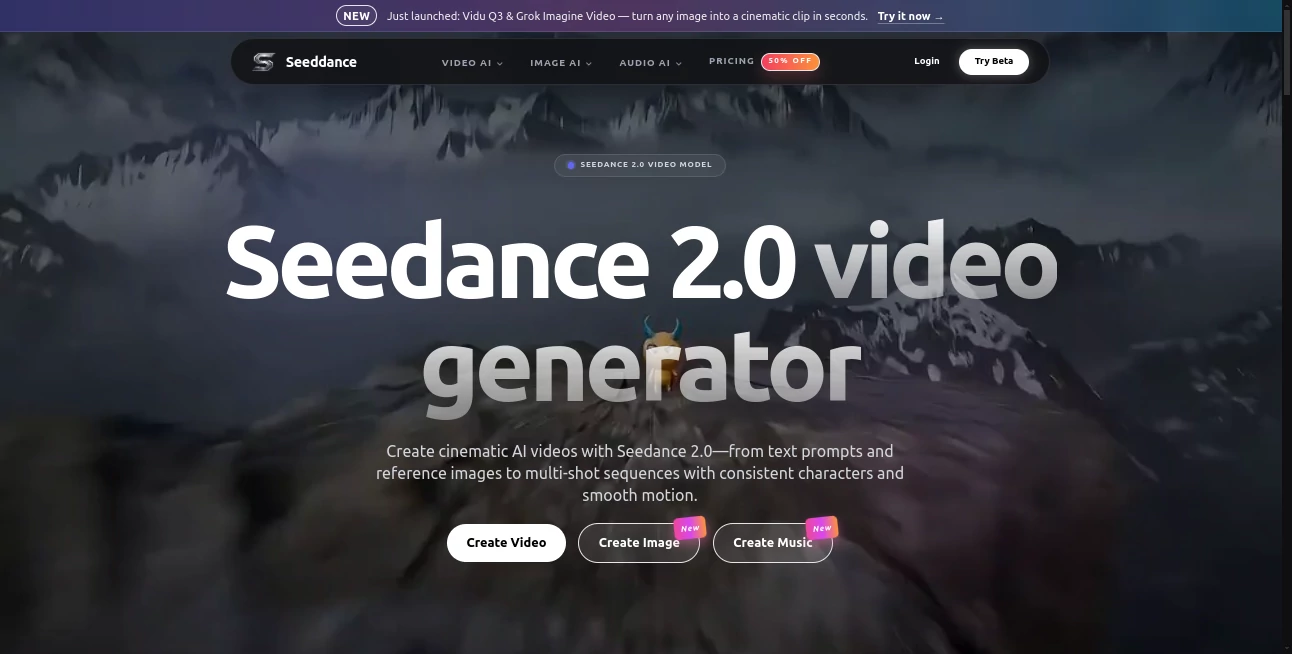
What is seeddance?
There’s a special feeling when you describe a scene in plain words and moments later a smooth, emotionally charged video plays back with lighting that feels right and motion that carries weight. This tool captures that moment beautifully. You type a prompt, optionally add a reference image or clip, and it delivers short cinematic sequences that look thoughtfully directed rather than randomly generated. I’ve watched creators light up when their first test clip came back with consistent characters and natural flow—no melting faces, no jarring jumps, just a little story that actually works. It’s the kind of result that makes you want to keep creating.
Introduction
AI video has improved a lot, but many tools still feel experimental—motion looks floaty, characters change appearance mid-clip, or the storytelling falls apart. Seedance stands apart by focusing on cinematic quality and real control. Whether you start with text, a single image, or a combination, it builds coherent short videos with smooth transitions and believable physics. For indie creators, marketers, educators, or anyone who needs visuals fast, it removes the usual frustration and lets the story take center stage. The output often feels closer to a rough director’s cut than typical AI output, which is why people keep coming back to it.
Key Features
User Interface
The workspace is clean and intuitive. A generous prompt area, easy reference uploads, simple controls for aspect ratio and length, and one clear generate button. Previews appear fast enough to keep you in flow, and the layout avoids clutter so you can focus on your idea. Beginners get good results quickly, while experienced users appreciate how little friction there is when refining prompts or adding references.
Accuracy & Performance
Character consistency is excellent—faces, clothing, and style hold across shots and camera moves. Motion feels natural with proper weight and physics, and the model follows complex prompts without drifting off course. Generation times are practical for iteration, and the overall reliability means fewer wasted attempts. The results often need very little cleanup, which is rare and valuable in this space.
Capabilities
It supports text-to-video, image-to-video, hybrid guidance, multi-shot storytelling, and strong reference control for characters and style. You can guide camera movements, lighting, and emotional tone with natural language. The tool handles dialogue scenes, product reveals, action sequences, and atmospheric pieces with impressive coherence. Outputs are ready for social media, marketing, or further editing, making it practical for real projects.
Security & Privacy
Your prompts and reference materials are handled responsibly during generation. The platform maintains a clean approach to user content, giving creators confidence when working with original ideas or client material. It’s the kind of respectful setup that encourages free experimentation.
Use Cases
A small brand creates short product lifestyle clips that feel premium without expensive shoots. An indie filmmaker prototypes key emotional beats to test pacing before full production. A content creator builds consistent character Reels that build audience recognition. A musician visualizes song lyrics with atmospheric videos that match the track’s mood. Educators turn lesson concepts into short animated explanations. Wherever you need storytelling video quickly and with control, it becomes a valuable part of the process.
Pros and Cons
Pros:
- Strong character and visual consistency across shots.
- Cinematic motion and thoughtful scene composition.
- Flexible input methods (text, image, hybrid) for precise control.
- Fast enough generation to support real creative iteration.
Cons:
- Clip lengths are best for short sequences (multi-shot helps for longer stories).
- Very abstract or contradictory prompts can still need refinement.
- Advanced or high-volume use benefits from paid access.
Pricing Plans
It offers a free tier with daily credits so anyone can test the quality and workflow without commitment. Paid plans unlock higher resolutions, longer clips, faster processing, and unlimited generations. The pricing feels balanced for the creative control and output quality it provides—many users find it pays for itself after just a few projects compared to traditional production costs.
How to Use Seedance
Start with a clear, descriptive prompt for your scene. Add reference images for stronger character or style guidance if needed. Choose your aspect ratio and desired length. Hit generate and review the preview. Tweak the prompt or references for better results, then download or create variations. For longer narratives, build sequences shot by shot. The process rewards thoughtful direction while remaining approachable for quick ideas.
Comparison with Similar Tools
Many AI video generators struggle with consistency or produce motion that feels artificial. This one prioritizes cinematic coherence and practical control, often delivering clips that feel closer to directed work. The combination of text and image guidance gives creators more director-like influence than most alternatives, making it especially strong for storytelling and branded content.
Conclusion
Video remains one of the most powerful ways to tell stories and connect with people, but creating it has traditionally been slow and expensive. This tool lowers that barrier significantly while keeping quality high. It gives creators the ability to see their ideas move with speed and control, opening new possibilities for storytelling, marketing, and personal expression. If you’ve ever wished you could turn a spark of imagination into watchable video more easily, this platform makes that wish feel very achievable.
Frequently Asked Questions (FAQ)
How long are the generated videos?
Typically short cinematic clips (several seconds), with multi-shot workflows allowing longer storytelling.
Do I need reference images?
Not required—text-only works well—but references greatly improve consistency and control.
Can I use the videos commercially?
Yes, especially on paid plans which include appropriate usage rights.
What if the first result isn’t perfect?
Refine your prompt or add references—small adjustments often yield significantly better results.
AI Animated Video , AI Image to Video , AI Video Generator , AI Text to Video .
These classifications represent its core capabilities and areas of application. For related tools, explore the linked categories above.
seeddance details
Pricing
- Free
Apps
- Web Tools
Categories

seeddance Alternatives Product

Wan 2.7

wan2-6.org

ViewMax Stud…

HappyHorse AI
Kling 3.0

ai seedance …

Omnigen Stud…

Seedance 2.0

Kling O1