
🧠 AI Quiz
Think you really understand Artificial Intelligence?
Test yourself and see how well you know the world of AI.
Answer AI-related questions, compete with other users, and prove that
you’re among the best when it comes to AI knowledge.
Reach the top of our leaderboard.


















Seedream 5.0
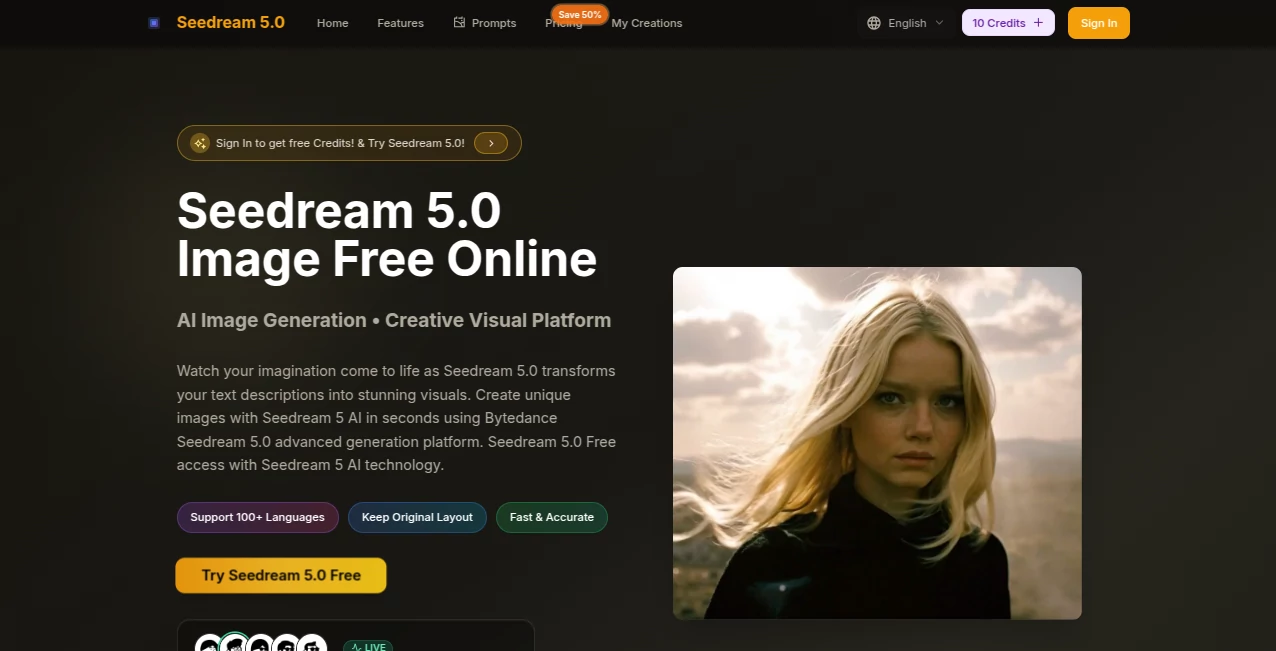
What is Seedream 5.0?
I've lost count of how many times I've stared at a blank canvas or struggled to describe exactly what I wanted to a designer—until I started playing with this tool. It takes whatever's in your head (or on your phone) and turns it into something you can actually see in seconds, no skills required. Whether it's a moody landscape for a blog header or a quirky product mockup, the output feels thoughtful and professional right away. What really gets me is how it just works—drop a photo or type a sentence, and suddenly there's this crisp, detailed image that looks like it took hours to make.
Introduction
In the middle of all the AI image tools out there, this one stands out because it doesn't overpromise or underdeliver. Powered by ByteDance's latest tech, it gives you that high-end feel without the wait or the learning curve. I remember a friend who runs a small Etsy shop—she used to spend weekends fiddling with photos for listings, and now she generates fresh variations in minutes. It's the kind of thing that makes you wonder how you ever managed without it, especially when you're trying to keep content looking sharp and consistent across platforms.
Key Features
User Interface
The whole experience is dead simple: big upload area, a prompt box that feels natural, and options for aspect ratio right there. You drag in an image or type what you want, hit generate, and results pop up fast. No buried menus or confusing toggles—it's built so anyone can jump in, even on mobile. I love how it handles uploads smoothly; one time I tossed in a messy phone pic and it still delivered clean, usable visuals without complaining.
Accuracy & Performance
It picks up on details that most tools gloss over—colors stay true, lighting feels natural, and text in images actually reads clearly. Generations happen in seconds, even for 4K outputs, and it rarely needs a redo if your prompt is halfway decent. I've thrown complex ideas at it, like "neon cyberpunk alley with rain and reflections," and the first try was already spot-on. That's rare, and it saves so much time when you're iterating.
Capabilities
From text-to-image to editing existing photos, it handles a ton: swap backgrounds, enhance details, or create from scratch in over 100 languages. You get full control over ratios (square, portrait, wide panorama), and the quality holds up for print or screen. It's especially handy for e-commerce—product shots look polished without studio setup—or for social media where you need quick, eye-catching visuals that match your brand.
Security & Privacy
Your uploads stay private, no watermarks on paid results, and everything processes without lingering on servers. It's reassuring when you're working on client stuff or personal projects you don't want floating around. The whole setup feels secure and straightforward, which is exactly what you want when you're creating.
Use Cases
Small business owners refresh product photos with new backgrounds or lighting tweaks in minutes. Content creators whip up thumbnails and banners that actually stop the scroll. Graphic designers mock up ideas fast, then refine the best ones. Even hobbyists like me play around—last week I turned a quick sketch of a fantasy scene into something I could frame. It's versatile enough for serious work but fun enough for experiments.
Pros and Cons
Pros:
- Incredibly fast and high-quality results, even in 4K.
- Handles text and details beautifully—no blurry nonsense.
- Super easy to use, works great on mobile too.
- Free starting credits and no watermarks on paid outputs.
Cons:
- Credit system means you run out quickly on free tier.
- Best results still come from clear, detailed prompts.
Pricing Plans
New users get a handful of free credits to play around—no commitment needed. From there, paid plans offer thousands of generations per month, with discounts for annual subscriptions. It's straightforward: pay for what you use, cancel anytime, and the value is solid when you're generating regularly.
How to Use Seedream 5.0
Head to the generator page, drag in an image or type your description, pick your aspect ratio if needed, and hit create. Results appear in seconds—preview them full size, download the ones you love. For edits, upload a base photo and describe changes. I usually start with a rough idea, generate a few variations, then refine the best one with a more specific prompt. It's addictive once you get the hang of it.
Comparison with Similar Tools
Lots of generators promise speed and quality, but this one actually delivers on both without the usual trade-offs. Where some churn out generic or blurry stuff, this produces crisp, thoughtful images that feel intentional. It stands up well against pricier options, especially for text-heavy designs or high-res needs, and the free entry makes it easy to test without commitment.
Conclusion
This tool quietly raises the bar for what you can expect from AI image creation—fast, beautiful, and genuinely useful. It turns vague ideas into something you can share or sell, and does it in a way that feels almost too good to be free to start. If you're tired of mediocre results or complicated workflows, give it a try; it's one of those rare things that makes creative work feel exciting again.
Frequently Asked Questions (FAQ)
How good is the quality?
Really impressive—sharp details, accurate colors, and 4K resolution that looks professional.
Do I need design skills?
Not at all; just describe what you want in plain language.
Is it private?
Yes, your images stay yours, no watermarks on paid results.
How many free generations?
New users get a starter batch—enough to see what it can do.
Can I use the images commercially?
Absolutely, go ahead and use them however you like.
AI Text to Image , AI Photo & Image Generator , AI Image to Image , AI Design Generator .
These classifications represent its core capabilities and areas of application. For related tools, explore the linked categories above.
Seedream 5.0 details
Pricing
- Free
Apps
- Web Tools
Categories

Seedream 5.0 Alternatives Product

Banana 2
text to 3d w…

Z-Image

Upscale image

Generador De…

Consistent C…

Nano Banana …

Wplace Toolk…

Style Art AI
