
🧠 AI Quiz
Think you really understand Artificial Intelligence?
Test yourself and see how well you know the world of AI.
Answer AI-related questions, compete with other users, and prove that
you’re among the best when it comes to AI knowledge.
Reach the top of our leaderboard.


















seedream 5
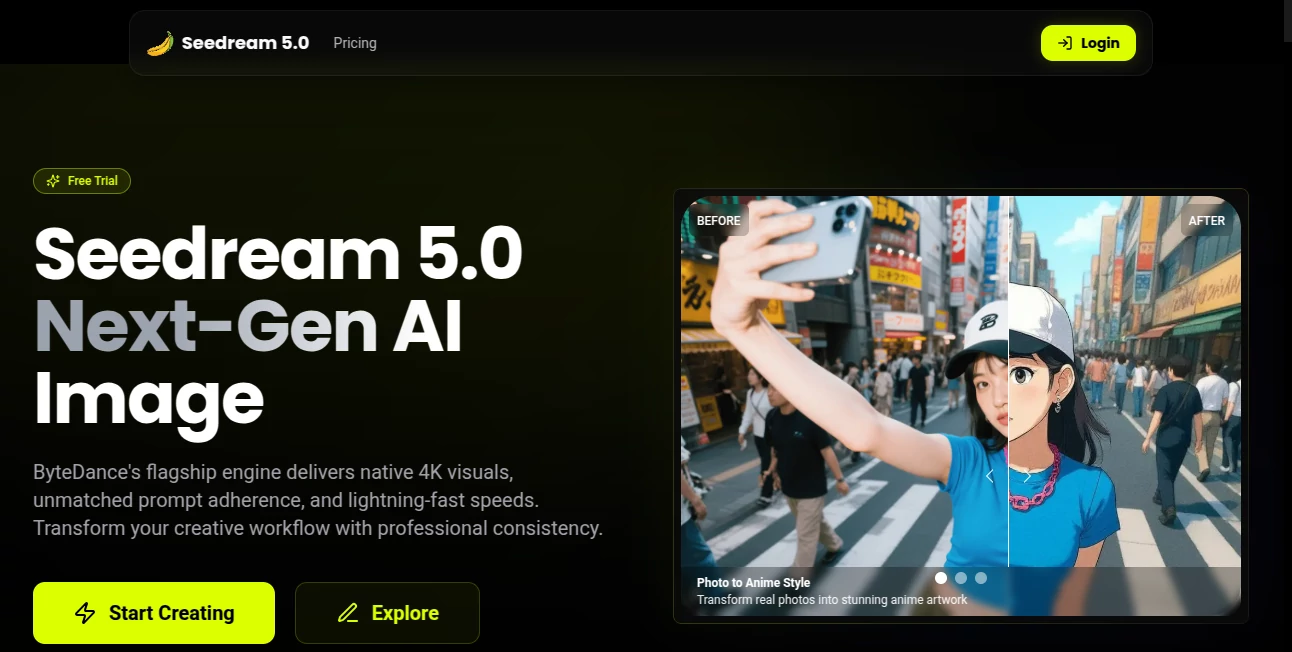
What is seedream 5?
You type one sentence—“a lone astronaut walks across a crimson Martian plain at sunset”—and thirty seconds later you're watching a beautifully lit, smoothly moving clip that looks like it came from a small film crew. That feeling of seeing your imagination instantly become something you can play, share, and build on never gets old. This tool has quietly become one of those rare things that makes you smile every time you press generate because the gap between idea and finished video has shrunk so dramatically.
Introduction
Most of us have stories in our heads we never quite get around to making because video production feels like climbing a mountain. This platform removes most of the mountain. It takes plain English (or several other languages), understands the mood and pacing you're after, and delivers short cinematic clips with coherent motion, consistent lighting, and a real sense of atmosphere. People who’ve tried it early keep coming back because the results keep improving and because the workflow is so frictionless. Whether you're making social content, prototyping a music video idea, or just playing with visuals for fun, it turns "what if" into "here it is" faster than almost anything else out there.
Key Features
User Interface
The screen is calm and focused. Big prompt box at the top, a handful of sensible sliders (aspect ratio, duration, style strength), and a generate button that doesn't hide behind menus. While it's thinking you see a clean progress animation instead of a blank stare. Once the clip is ready, playback controls are right there—no digging for where the video actually lives. It’s the kind of interface that disappears after the first use because everything just feels where it should be.
Accuracy & Performance
Prompt adherence is impressively tight. Ask for “golden hour light filtering through birch trees” and the color temperature, lens flare, and gentle wind motion all land in the right place. Motion stays coherent across shots—no sudden jumps or melting faces—and clips usually finish in under a minute on paid tiers. The model clearly “gets” cinematic language: depth of field, subtle camera push-ins, natural bokeh. That level of understanding makes even simple prompts look expensive.
Capabilities
Text-to-video up to about ten seconds (perfect for hooks, teasers, social loops), image-to-video so you can animate stills you already love, negative prompts to keep out unwanted elements, and style references so you can nudge toward a specific look (cyberpunk neon, Studio Ghibli softness, Wes Anderson symmetry). It handles multiple languages well and understands emotional tone—quiet melancholy feels different from upbeat adventure. Exports are clean MP4s ready for editing or direct posting.
Security & Privacy
Your prompts and generated clips stay private. No automatic sharing to public galleries unless you choose to opt in. Paid plans add the comfort of knowing generations aren’t used for training without explicit consent. For creators working on sensitive projects or client work, that matters a lot.
Use Cases
A musician drops lyrics into the prompt and gets a moody visualizer that matches the song’s atmosphere. A small brand creates product lifestyle clips without booking a photographer. A YouTuber tests thumbnail concepts by animating static images into short loops. Writers turn key story moments into pitch visuals to show producers. It’s especially strong for anyone who needs quick, high-feel content without a production budget or timeline.
Pros and Cons
Pros:
- Motion and lighting feel genuinely cinematic, not just “AI good enough.”
- Image-to-video opens up endless ways to breathe life into existing art.
- Fast enough to iterate in real time when inspiration strikes.
- Negative prompts and style references give serious creative control.
Cons:
- Free tier has short duration and visible watermark.
- Longer or very intricate scenes can still show minor coherence hiccups.
Pricing Plans
Free tier lets you experiment daily with short clips—enough to fall in love with the output. Paid plans remove watermarks, unlock longer durations, higher resolution, faster queue times, and more generations per month. Credits roll over, so you don’t lose what you don’t use. The jump to paid feels natural once you start relying on it for real work.
How to Use SeeDream5
Type (or paste) your scene description. Choose aspect ratio (vertical for stories/reels, horizontal for YouTube, square for posts). Add a starting image if you want to guide the look. Set any negative elements you don’t want to see. Hit generate. While it works, tweak the prompt if the preview thumbnail hints at something off. Download the finished clip or regenerate with small adjustments. The loop is so tight you can explore five different moods in the time it used to take to open editing software.
Comparison with Similar Tools
Some competitors push longer clips but sacrifice motion quality or prompt accuracy. Others lock you into very specific styles. This one strikes a sweet spot: strong cinematic feel, reliable coherence, flexible controls, and no forced aesthetic. For creators who want the output to look expensive without the production headache, it consistently punches above its weight.
Conclusion
Video used to be the most time-hungry format. Now it can be one of the quickest ways to bring an idea to life. This tool isn’t trying to replace directors or editors—it’s giving regular people (and busy professionals) a shortcut to visuals that feel intentional and polished. Every time a new clip finishes rendering, there’s that small rush of “I made that.” And that feeling keeps you coming back.
Frequently Asked Questions (FAQ)
How long can clips be?
Free tier is shorter; paid plans unlock up to around 10 seconds of coherent motion.
Can I upload my own starting image?
Yes—image-to-video mode is one of the strongest features.
Does it understand negative prompts well?
Very well. “No blurry faces, no extra limbs, no text overlays” actually works.
Are there watermarks on free videos?
Yes, but they disappear the moment you upgrade.
Can I use the videos commercially?
Paid generations are yours to use however you like, including commercial projects.
AI Animated Video , AI Image to Video , AI Text to Video , AI Video Generator .
These classifications represent its core capabilities and areas of application. For related tools, explore the linked categories above.
seedream 5 details
Pricing
- Free
Apps
- Web Tools
Categories

seedream 5 Alternatives Product

Seedance 2.0…

Seedance 2

Seedance 2 V…

Kling O1

LTX-3 AI

Sora 2

Veo 4 AI Vid…

gemini video

Seedance 2.0
