🧠 AI Quiz
Think you really understand Artificial Intelligence?
Test yourself and see how well you know the world of AI.
Answer AI-related questions, compete with other users, and prove that
you’re among the best when it comes to AI knowledge.
Reach the top of our leaderboard.


















ShortFast

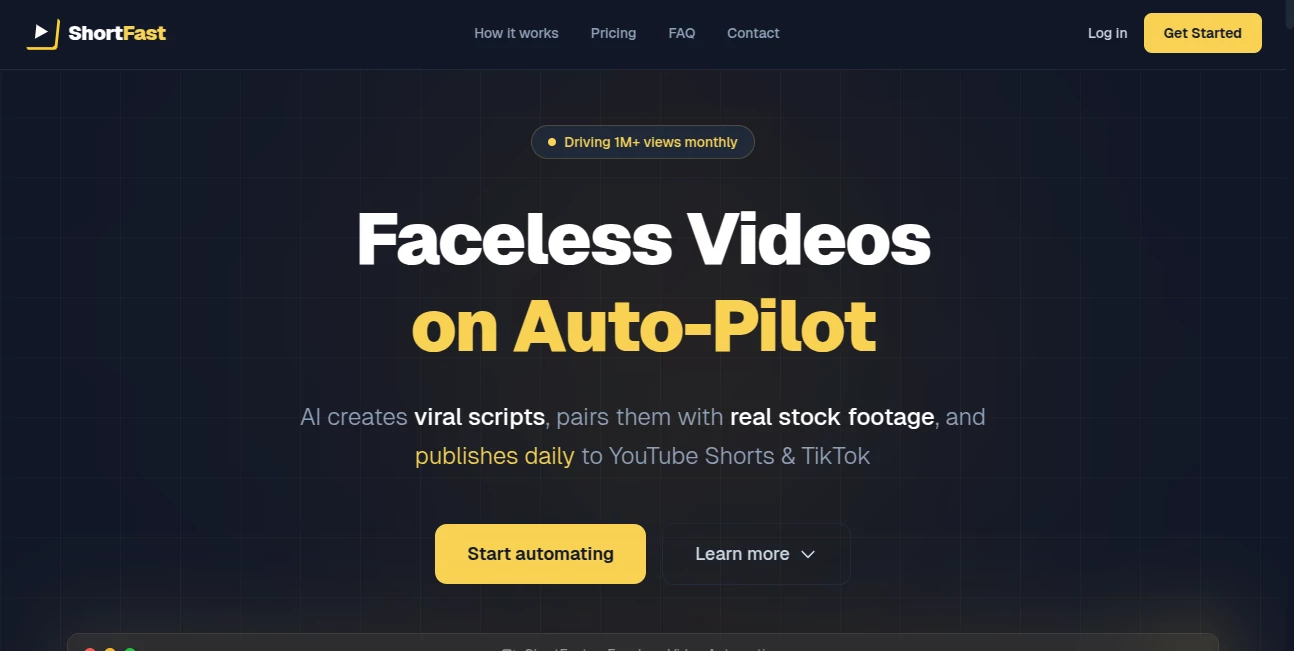
What is ShortFast?
Picture this: you pick a niche you love, drop in a rough idea, and wake up to fresh videos already live on TikTok, YouTube Shorts, and Instagram Reels—complete with snappy scripts, natural-sounding voiceovers, and stock footage that looks like it was hand-picked by a seasoned editor. That's the daily reality this tool creates for thousands of creators who used to spend hours in editing bays. I know folks who've gone from zero to monetized channels in a couple months, simply by letting it handle the heavy lifting while they focus on picking winners. It's the kind of setup that makes you feel like you've got a full production team working around the clock, without the payroll or late nights.
Introduction
Short-form video rules the internet these days, but cranking out consistent, high-quality content without showing your face or hiring a crew? That's where the real challenge lies. This platform steps in with a smart, end-to-end system that turns niche ideas into polished videos ready for upload, using real stock footage, dynamic captions, and voices that don't sound robotic. It's built for anyone who wants passive growth—marketers testing hooks, creators building faceless channels, or agencies pumping out UGC-style ads. Users often share how it cut their workload from days to minutes per video, letting them scale to multiple posts daily and watch engagement climb. What stands out most is the quality: videos pass monetization checks and look human-made, which means more views, more followers, and faster payouts.
Key Features
User Interface
The dashboard keeps everything front and center: choose a niche from the curated list or go custom, type your idea, and watch the AI spin up a script, voiceover, and footage lineup. The timeline editor feels like a simplified version of pro tools—drag clips around, tweak captions, swap styles with one click. No overwhelming menus; it's designed so even beginners hit publish without tutorials. I've seen people go from "I don't know where to start" to "This is too easy" in their first session.
Accuracy & Performance
When it analyzes your prompt or niche, it pulls trending hooks and relevant footage with surprising precision—videos come out engaging from the first frame, and captions sync perfectly without awkward cuts. Generations are fast, often under a few minutes, and the platform handles multiple automations smoothly so you can queue up a week's worth without slowdowns. The consistency is what impresses most: no random glitches, just reliable output that performs well on algorithms.
Capabilities
It generates complete videos from scratch—viral scripts, realistic AI voices with emotion, premium stock footage, animated captions, and optimized descriptions/hashtags for each platform. You can test multiple hooks on the same topic, schedule daily posts, and scale across up to 9 accounts. The focus on real footage over synthetic visuals means content looks authentic, passes platform reviews, and drives real engagement.
Security & Privacy
Your connected accounts stay secure with standard OAuth flows, and generated content is yours to keep or delete—no lingering copies on their servers beyond what's needed for processing. It's built with creator trust in mind, so you can link multiple channels without worry.
Use Cases
Finance creators build channels around investing tips, letting it churn daily Shorts that pull in high-CPM views. Motivation accounts schedule uplifting quotes with cinematic footage, growing followers passively. Agencies use it to produce client UGC ads at scale, testing hooks quickly to see what converts. Even small brands automate product highlight Reels, freeing up time for strategy while keeping feeds active and engaging.
Pros and Cons
Pros:
- Turns ideas into monetizable videos in minutes—no editing required.
- Real stock footage makes content look professional and algorithm-friendly.
- Auto-publishing saves hours every day; just set and forget.
- Built-in hook testing helps find winners fast.
Cons:
- Limited to short-form (perfect for Shorts/Reels, not long videos).
- Best results come from clear niche selection; vague inputs may need tweaks.
Pricing Plans
A generous free trial lets you test the full flow without paying. The Pro plan at around $15/month unlocks up to 3 automations, 3 daily posts per automation, and connections to 9 accounts (3 per platform). Higher tiers offer unlimited everything for agencies. No hidden fees, cancel anytime, and the current launch discount makes it even more accessible for starting strong.
How to Use ShortFast
Sign up, pick a niche from the list (or create custom), describe your idea or let AI suggest viral concepts. It generates a script, voiceover, and footage lineup—review and tweak in the editor if you want. Connect your TikTok, YouTube, and Instagram accounts, set posting schedule, and hit go. Videos publish automatically each day; check analytics later to see what performs. Start small with one automation, then scale as you see results.
Comparison with Similar Tools
Many AI video generators rely on synthetic visuals that look fake and risk flags. This one stands out by using real premium stock footage, ensuring videos pass monetization and look human-made. It also automates the full loop—script to publish—while others often stop at generation. For faceless creators focused on consistent growth, it's the clear winner.
Conclusion
This tool takes the grind out of short-form content, letting you build real audiences while you sleep. It's not just about making videos faster—it's about making videos that actually perform, grow channels, and earn real income. If you're serious about faceless content or scaling UGC, this is the shortcut you've been looking for. Give it a spin; the results might just surprise you.
Frequently Asked Questions (FAQ)
Do the videos look AI-generated?
No—real stock footage and natural voiceovers make them look human-made and pass platform checks.
Can I monetize these channels?
Yes—many users hit YouTube monetization and TikTok Creator Fund quickly with consistent posting.
How many videos can I make daily?
Up to 3 per automation in Pro, with multiple automations available.
Do I need editing skills?
Not at all—the AI handles scripting, footage, captions, and publishing.
What niches work best?
Finance, motivation, tech, history, scary stories—any topic that thrives on engaging Shorts.
AI Animated Video , AI Video Generator , AI Short Clips Generator , AI Text to Video .
These classifications represent its core capabilities and areas of application. For related tools, explore the linked categories above.
ShortFast details
This tool is no longer available on submitaitools.org; find alternatives on Alternative to ShortFast.
Pricing
- Free
Apps
- Web Tools
Categories

ShortFast Alternatives Product

Image to Vid…

vio4 ai video

Faceless vid…

Kling-4 Vide…

Sora AI Vide…

Sora 2

Seedance 2.0…

Seedance 2.0

seedance 2.0