
🧠 AI Quiz
Think you really understand Artificial Intelligence?
Test yourself and see how well you know the world of AI.
Answer AI-related questions, compete with other users, and prove that
you’re among the best when it comes to AI knowledge.
Reach the top of our leaderboard.


















SiteSignal

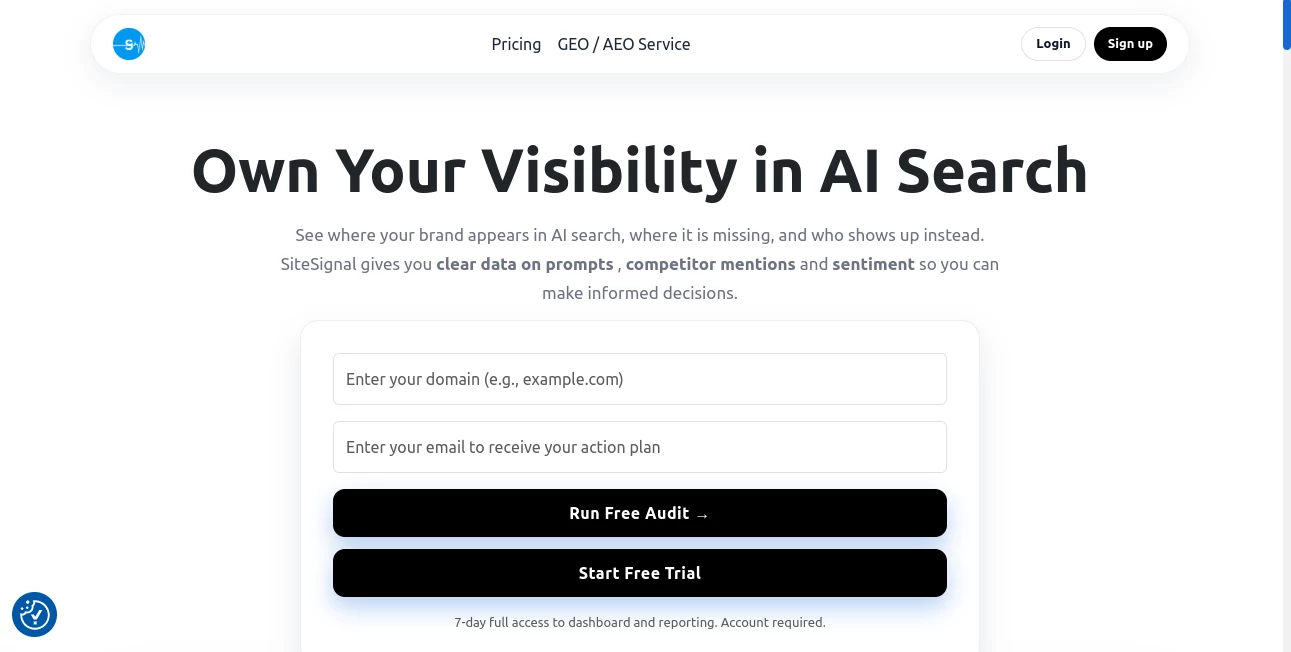
What is SiteSignal?
Nothing ruins a good day quite like discovering your website has been down for hours while you were sleeping. This little app fixes that problem in the most straightforward way possible—by watching your site like a hawk and waking you up the second something goes wrong. I’ve been using it for a few months now, and the peace of mind is unreal. No more waking up to angry emails or lost traffic; just a quiet notification that says “Hey, your site’s back up” or “We caught this before anyone else did.” It’s one of those tools you didn’t know you needed until it saves you once.
Introduction
SiteSignal is the kind of monitoring tool that feels like it was built by someone who’s actually been burned by downtime. It checks your site every 60 seconds from multiple locations around the world, tracks uptime, performance, SSL certificates, broken links, and even content changes. When anything’s off, it alerts you instantly via email, Slack, Discord, or SMS. What I love most is how simple it is to set up—add your site, choose what to watch, and forget about it. Yet when it matters, it’s there with detailed reports and historical data that actually help you figure out what went wrong. It’s not flashy, but it’s reliable, and in monitoring, that’s everything.
Key Features
User Interface
The dashboard is clean and no-nonsense. You see all your sites at a glance with clear uptime percentages, response times, and alert status. Drilling into a site gives you a timeline of checks, performance graphs, and a list of recent incidents. It’s not trying to overwhelm you with charts—everything is purposeful. Setting up a new monitor takes maybe 30 seconds. I once added a client’s site at 2 a.m. during a launch panic and had alerts configured before the coffee finished brewing.
Accuracy & Performance
It checks every minute from real browsers in multiple continents, so you’re not getting false positives from a single server. Response time tracking is accurate down to the millisecond, and SSL expiry alerts come days in advance. In my experience, it catches outages faster than my hosting provider’s own monitoring. When a CDN hiccup took one of my sites offline for 4 minutes, SiteSignal pinged me 3 minutes in—long before Google noticed.
Capabilities
Beyond basic uptime, it monitors page speed, broken links, content drift (great for legal pages or pricing), SSL expiry, and even WHOIS changes. You can set custom alert thresholds—like “alert if load time > 3 seconds” or “if status code ≠ 200.” Keyword monitoring lets you watch for specific text appearing or disappearing. It’s surprisingly versatile for such a focused tool.
Security & Privacy
Checks are done from distributed locations without storing sensitive data. No scripts injected, no cookies, just polite HTTP requests. Alerts are end-to-end encrypted when using Slack or email integrations. Since it’s not a CDN or proxy, your traffic never touches their servers—only the monitoring pings do. That lightweight approach feels safer than some heavier monitoring suites.
Use Cases
Freelance developers use it to prove uptime to clients (“See? It was your host, not your code”). E-commerce owners catch checkout page glitches before they tank sales. Agencies monitor dozens of client sites from one dashboard. Bloggers get alerted when their site goes down during a viral post. Even small business owners sleep better knowing someone’s watching 24/7.
Pros and Cons
Pros:
- Checks every 60 seconds from real locations worldwide
- Extremely simple setup and clean dashboard
- Content, SSL, speed, and link monitoring in one place
- Fast, reliable alerts via multiple channels
- Reasonable pricing even for multiple sites
Cons:
- No free plan (though the trial is generous)
- Minimum check interval is 60 seconds (fine for most, but not ultra-low-latency needs)
Pricing Plans
Starts at $9/month for 10 monitors, scaling up to $49/month for 100 monitors with advanced features like team access and priority support. Annual billing saves 20%. The free trial gives you 14 days of full access—no card required. For what you get, it’s one of the better-valued monitoring tools out there.
How to Use SiteSignal
Sign up, add your first site, choose what to monitor (uptime, speed, SSL, content, links), set alert channels, and save. That’s it. Want to monitor a staging site or specific page? Just add another monitor. You can group sites by client or project, set different alert rules per monitor, and get detailed reports when something’s off. I usually set Slack for instant pings and email for daily summaries—works perfectly.
Comparison with Similar Tools
Compared to UptimeRobot, it offers deeper monitoring (content changes, broken links, SSL). Compared to Pingdom, it’s simpler, faster to set up, and more affordable for small teams. Compared to StatusCake, it has a cleaner interface and better multi-location accuracy. It strikes a sweet spot: powerful enough for pros, simple enough for everyone else.
Conclusion
If you run a website that matters—even a little—this tool is worth its weight in gold. It doesn’t try to be everything to everyone; it just does uptime and performance monitoring exceptionally well. The moment you get that first “all clear” notification after a scare, you’ll wonder how you ever lived without it. Reliable, affordable, and actually useful—that’s rare.
Frequently Asked Questions (FAQ)
How often does it check?
Every 60 seconds from multiple global locations.
What alert channels are supported?
Email, Slack, Discord, SMS, webhook, and push notifications.
Can I monitor staging sites?
Yes, add any URL, including password-protected or staging environments.
Is there a free plan?
No, but the 14-day trial is full-featured and no credit card required.
Does it monitor content changes?
Yes—perfect for terms, pricing pages, or anything that shouldn’t change unexpectedly.
AI Website Builder , AI SEO Assistant , AI Analytics Assistant .
These classifications represent its core capabilities and areas of application. For related tools, explore the linked categories above.
SiteSignal details
This tool is no longer available on submitaitools.org; find alternatives on Alternative to SiteSignal.
Pricing
- Free
Apps
- Web Tools
Categories

SiteSignal Alternatives Product

Geoleaper

Ecom Tool AI

Pips Hint

ShipGrowth

Sento AI

AyeWatch AI

SupaTraffic

Sound Level …

PortBackLinks
