
🧠 AI Quiz
Think you really understand Artificial Intelligence?
Test yourself and see how well you know the world of AI.
Answer AI-related questions, compete with other users, and prove that
you’re among the best when it comes to AI knowledge.
Reach the top of our leaderboard.


















Google Skills
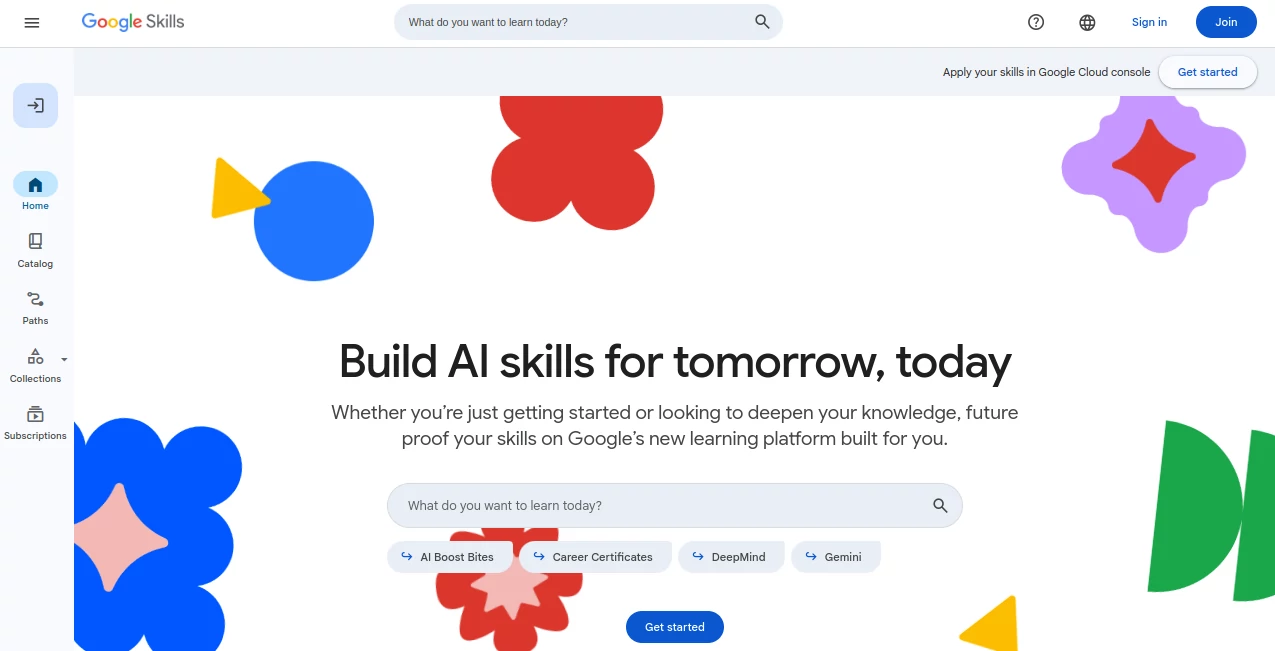
What is Google Skills?
Imagine stumbling upon a treasure trove of courses where you can dive into the latest on AI, cloud tech, and career-boosting skills, all pulled together from the brightest minds at one of the biggest names in tech. That's the kind of spot-on resource this platform delivers, making it easier than ever to stay ahead in a world that's changing faster than you can say "update." I've watched friends pivot careers with just a few dedicated weeks here, emerging with credentials that actually open doors—it's that practical, that empowering.
Introduction
Launched just this year as a one-stop hub, this learning spot gathers nearly 3,000 courses, labs, and paths from across various Google corners, with a heavy nod to AI but plenty for data analytics, security, and beyond. No fluff—just straightforward ways to build real skills, earn badges or certificates, and even prep for pro-level exams. What hits home is how it caters to everyone, from curious beginners testing the waters to seasoned pros sharpening their edge. A buddy of mine, switching from marketing to tech, credited the hands-on labs for giving him the confidence to land interviews he never thought possible. It's not about overwhelming you with options; it's about guiding you to what fits, turning "I wish I knew how" into "look what I built."
Key Features
User Interface
Clean and uncluttered, the dashboard feels like a well-organized library where paths and catalogs pop up without the hunt. Search pulls relevant courses instantly, and progress trackers keep you motivated with clear milestones. Jumping between a quick video and a lab session is seamless—no endless clicks or confusing menus. It's the sort of thoughtful design that lets you focus on learning rather than navigating, whether you're squeezing in a module during lunch or settling in for an evening deep dive.
Accuracy & Performance
Content comes straight from experts who've been in the trenches, so the info stays current and spot-on, reflecting real-world applications that hold up on the job. Labs run smooth with reliable access to temp environments, rarely a glitch to slow you down. Completion rates speak volumes—folks stick with it because the material clicks, blending theory with practice in ways that make complex topics feel approachable and rewarding.
Capabilities
Hands-on is the star here, with credits unlocking actual console time to experiment safely, alongside certificates that pack no prerequisites and skill badges for bite-sized wins. Paths bundle everything neatly for focused growth, from AI essentials to full career tracks in cybersecurity or data. Shareable credentials make it easy to showcase your progress, turning effort into tangible proof that impresses recruiters or bosses.
Security & Privacy
Backed by robust standards you'd expect from a tech giant, your progress and data stay protected, with clear controls and no unnecessary sharing. It's reassuring for anyone dipping into cloud labs or sensitive topics, letting you learn freely without that nagging worry in the back of your mind.
Use Cases
A marketer I know upskilled in generative tools, weaving them into campaigns that boosted engagement big time. Dev teams use the cloud paths to align on best practices, cutting deployment headaches. Students fresh out of school grab entry-level certs to stand out in job hunts, while lifelong learners explore AI ethics or advanced models just for the thrill. Businesses even tap it for team training, seeing retention perks from the investment in growth.
Pros and Cons
Pros:
- Vast library that's mostly accessible without breaking the bank, perfect for self-starters.
- Real hands-on opportunities that bridge the gap between theory and doing.
- Credentials carry weight, backed by a name employers trust.
- Community vibes encourage sticking with it, from forums to shared wins.
Cons:
- Some deeper labs or premium paths might need a subscription nudge.
- Overwhelm possible with so many choices—best to pick a path early.
Pricing Plans
A ton rides free, especially on-demand courses and starter labs, with generous monthly credits through community programs keeping hands-on within reach. For fuller access or team setups, subscriptions scale sensibly, often tied to cloud use but with trials and nonprofit perks easing the way. It's structured to reward commitment without locking out curious explorers, making growth feel achievable at any budget.
How to Use Google Skills
Sign up is a breeze—just your Google account—and you're browsing catalogs or paths tailored to your goals. Pick one, like AI basics or a career certificate, dive into modules at your pace, and rack up badges along the way. Labs? Redeem those free credits for real console play, building as you go. Finish a path, grab your credential, and share it proudly—simple steps that add up to big leaps.
Comparison with Similar Tools
While other platforms scatter courses or charge hefty from the start, this one consolidates quality content with a generous free tier and direct ties to industry needs. It edges out with authentic hands-on tied to actual tools, not simulations, and credentials that resonate more in tech circles. For anyone serious about AI or cloud without the isolation of solo platforms, it's the integrated choice that feels like a career accelerator rather than just another course list.
Conclusion
In a landscape buzzing with change, this platform stands out as a steady guide, equipping you with skills that matter today and tomorrow. It's more than courses—it's a pathway to confidence, whether kickstarting a shift or sharpening your current role. If you're ready to turn curiosity into capability, this is the inviting door worth walking through; the future feels a whole lot brighter on the other side.
Frequently Asked Questions (FAQ)
Do I need prior experience?
Not at all—many paths welcome absolute beginners, building from the ground up.
How much is hands-on access?
Plenty free through monthly credits in community programs, no strings.
Are the credentials worth it?
Absolutely—recognized widely, often tipping scales in hiring or promotions.
Can teams use it?
Yes, with options for group tracking and business-focused ups.
What's the focus beyond AI?
Loads on cloud, data, security, and career essentials, all intertwined.
AI Knowledge Base , AI Tutorial , AI Course , AI Education Assistant .
These classifications represent its core capabilities and areas of application. For related tools, explore the linked categories above.
Google Skills details
Pricing
- Free
Apps
- Web Tools
Categories

Google Skills Alternatives Product

Gochu

Clay Read

Mexty AI

Physics gpt

Classroom Sc…

SlideStorm AI

Quso AI

Harvey

MacroMicro
