
🧠 AI Quiz
Think you really understand Artificial Intelligence?
Test yourself and see how well you know the world of AI.
Answer AI-related questions, compete with other users, and prove that
you’re among the best when it comes to AI knowledge.
Reach the top of our leaderboard.


















SliceRead

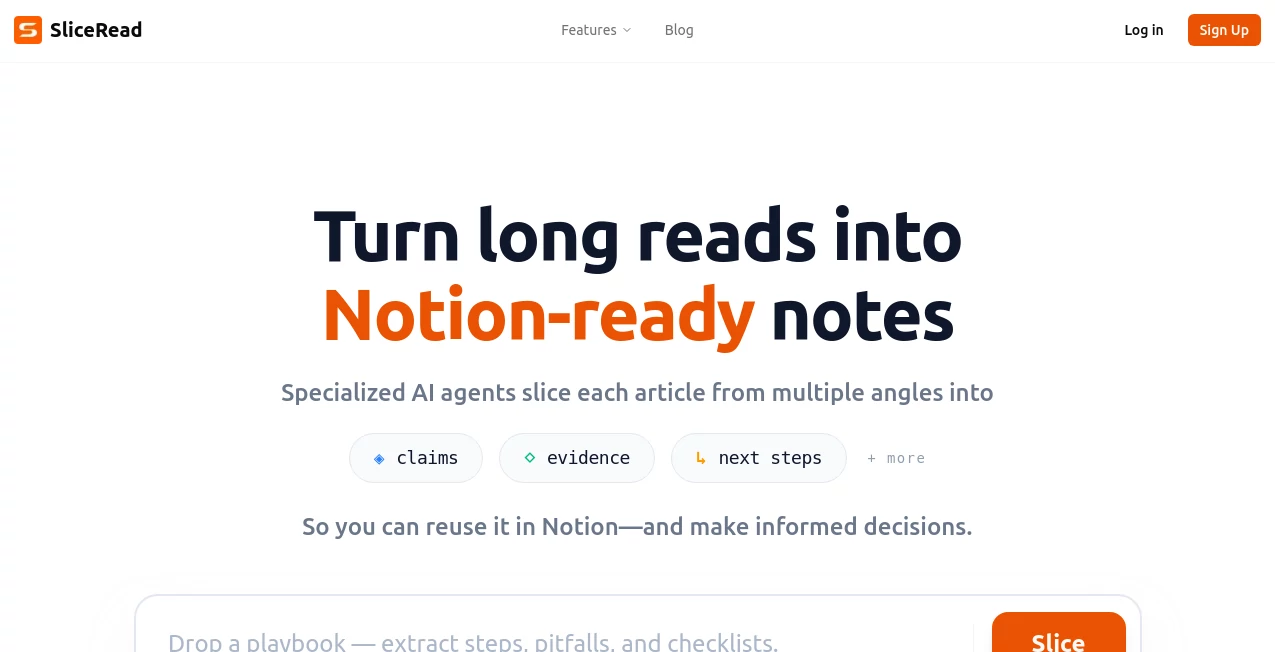
What is SliceRead?
There's a particular frustration when you have a scanned book, a photographed receipt, or a PDF locked behind layers of formatting, and all you want is the plain text inside. This tool quietly removes that headache. Drop in any document—messy scan, low-res photo, complex layout—and it returns clean, readable text almost instantly. No weird line breaks, no headers bleeding into paragraphs, no manual copy-pasting. I’ve watched students turn stacks of highlighted textbook pages into searchable notes in minutes, and freelancers convert client invoices into editable spreadsheets without losing a single number. It’s the kind of simple reliability that makes you wonder how you ever managed without it.
Introduction
Extracting text from real-world documents has always been hit-or-miss. OCR tools either mangle formatting, miss context, or require endless post-editing. This platform changes that equation. It’s built to understand layout, tables, handwriting, and even multi-column academic papers, delivering structured, accurate text that’s ready to use immediately. What makes it stand out is how little babysitting it needs—just upload and go. Early users started sharing horror stories of hours spent retyping, then switched to this and never looked back. It’s become a quiet essential for anyone who deals with physical or locked-down documents regularly.
Key Features
User Interface
The experience is refreshingly minimal. A generous upload area accepts drag-and-drop or click, a quick progress indicator shows what’s happening, and results appear in a clean, copyable text block with optional markdown or table formatting preserved. No account forced for basic use, no cluttered sidebar. It feels like the tool was designed by someone who’s actually suffered through bad OCR and refused to inflict that pain on others.
Accuracy & Performance
It handles everything from crisp typed PDFs to grainy phone photos of handwritten notes with surprising fidelity. Tables stay structured, columns don’t bleed, headers don’t merge into body text. Processing is fast—most documents finish in 5–20 seconds—and the output is remarkably clean even on challenging inputs like old scans or angled shots. The difference shows most when you paste the result into a doc or spreadsheet and realize almost no cleanup is needed.
Capabilities
High-accuracy OCR for printed text, handwriting recognition, table extraction into markdown/CSV, multi-page document support, layout-aware parsing (columns, footnotes, captions preserved), batch processing on paid plans, and export options (plain text, markdown, JSON, CSV for tables). It works across languages, supports mixed content (text + tables + images), and understands context enough to avoid common OCR pitfalls like misreading “l” as “1”.
Security & Privacy
Files are processed in memory and deleted immediately after you download the text—no permanent storage, no model training on user documents. No account required for one-off use, so nothing ties back to you unless you choose to sign up. For sensitive documents—legal papers, medical records, client contracts—that zero-retention approach is a genuine relief.
Use Cases
A grad student photographs textbook pages during library hours and gets searchable, copyable notes for their thesis without retyping. A small business owner scans handwritten receipts and exports clean CSV for accounting. A researcher extracts tables from academic PDFs to feed into analysis tools. A freelancer converts client-provided scanned contracts into editable Word docs in minutes instead of hours. Wherever locked or physical text needs to become usable digital content quickly, it quietly saves the day.
Pros and Cons
Pros:
- Exceptionally clean output—minimal post-editing required.
- Handles handwriting and messy scans better than most consumer OCR.
- Table extraction is accurate and structured—no merged cells nightmare.
- Fast enough for real-time use during meetings or research.
- Free tier generous—no hard paywall to see real results.
Cons:
- Very low-quality or heavily stylized handwriting can still trip it up (same as any OCR).
- Batch processing and unlimited use require paid plan.
- Complex layouts with overlapping elements occasionally need manual fix.
Pricing Plans
Free tier offers several high-quality extractions per day—enough for occasional use or testing. Paid plans remove limits, unlock batch upload, higher-priority processing, and advanced formatting options (e.g., perfect table export, multi-language priority). Pricing stays modest—many users say one month covers what they used to spend on manual transcription services for a single project.
How to Use Slicer
Drag your PDF, scan, or photo into the upload area. Wait a few seconds while it processes. Review the extracted text in the clean output pane—tables appear formatted, paragraphs flow naturally. Copy directly or export as markdown, plain text, or CSV (for tables). Tweak upload quality or retry if needed. For multiple pages or documents, paid users can batch upload and get everything at once. Simple, fast, reliable—from upload to usable text in under 30 seconds in most cases.
Comparison with Similar Tools
Free online OCR often mangles tables, loses formatting, or adds artifacts. Desktop solutions require installation and still need cleanup. This one combines high accuracy, layout awareness, and zero-friction web access better than most. It sits in a sweet spot: powerful enough for serious work, simple enough for one-off needs, and private enough that you don’t hesitate to upload sensitive docs.
Conclusion
Text trapped in PDFs, scans, or photos shouldn’t stay locked there. This tool sets it free—quickly, cleanly, and privately. It turns hours of retyping into seconds of waiting, and the output is usable the moment it lands. Whether you’re a student racing a deadline, a business owner digitizing records, or a researcher drowning in papers, it quietly removes one of the most tedious barriers to getting work done. Sometimes the best tools are the ones that simply let you move forward.
Frequently Asked Questions (FAQ)
How accurate is handwriting recognition?
Surprisingly good on clear, legible writing; very stylized or messy script may need a second pass or slight cleanup.
Does it preserve table structure?
Yes—tables come out as proper markdown or CSV, not jumbled text.
Can I process multiple documents at once?
Free tier is single-file; paid plans unlock batch upload and processing.
Are my documents stored anywhere?
No—processed in memory and deleted immediately after download.
What file types are supported?
PDF, JPG, PNG, scanned images, photographed documents—pretty much anything with text.
AI Transcriber , AI Documents Assistant , AI Files Assistant , AI Document Extraction .
These classifications represent its core capabilities and areas of application. For related tools, explore the linked categories above.
SliceRead details
This tool is no longer available on submitaitools.org; find alternatives on Alternative to SliceRead.
Pricing
- Free
Apps
- Web Tools
Categories

SliceRead Alternatives Product

PDF to MD

Transcribe A…

UPDF AI

Flowmata AI

GLM-OCR Onli…

The #1 Compa…

Zeemo AI

TO MD

JFIF to JPG …
